shoutouts to @itshemu2k and @x1lly for the pc optimization i went from 400 frames in fn to 800. very fast and efficient but thorough with their work. if you’re serious about getting your pc optimized for competitive gaming you have to get it from these guys.
The exact NVIDIA optimization order I follow on every PC I optimize.
Clean driver. GPU-Z check. NVIDIA App settings.
Most people skip step two and wonder why their GPU is running slow.
Full guide here.
Hundreds of additional timings can be applied if you want everything done for you. Book a service now and experience an instant improvement in your game-play.
https://t.co/EEZy0xHwdI
Stock RAM timings are designed for stability, not maximum performance.
On X3D platforms, tighter memory timings can have a noticeable impact on latency, frame consistency, and overall game responsiveness.
Enabling EXPO is just the first step. Optimizing these timings takes things further — and beyond that comes full RAM overclocking.
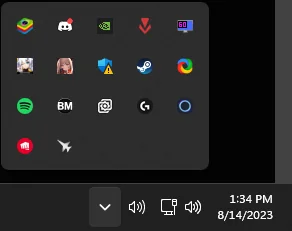
Windows has a lot of apps hiding in your System Tray that run in the background.
Right click your taskbar → Taskbar settings → Other system tray icons.
Turn off apps you don’t need.
These background apps can use:
RAM
CPU
startup time
Fewer tray apps = less stuff running = better performance.
Vouch @x1lly
Huge vouch for @itsHemu2K. Thanks for all the time, patience, and help you’ve given me.I know I can be persistent and ask a lot of questions sometimes, but you’ve always been patient and willing to help. Really appreciate it .
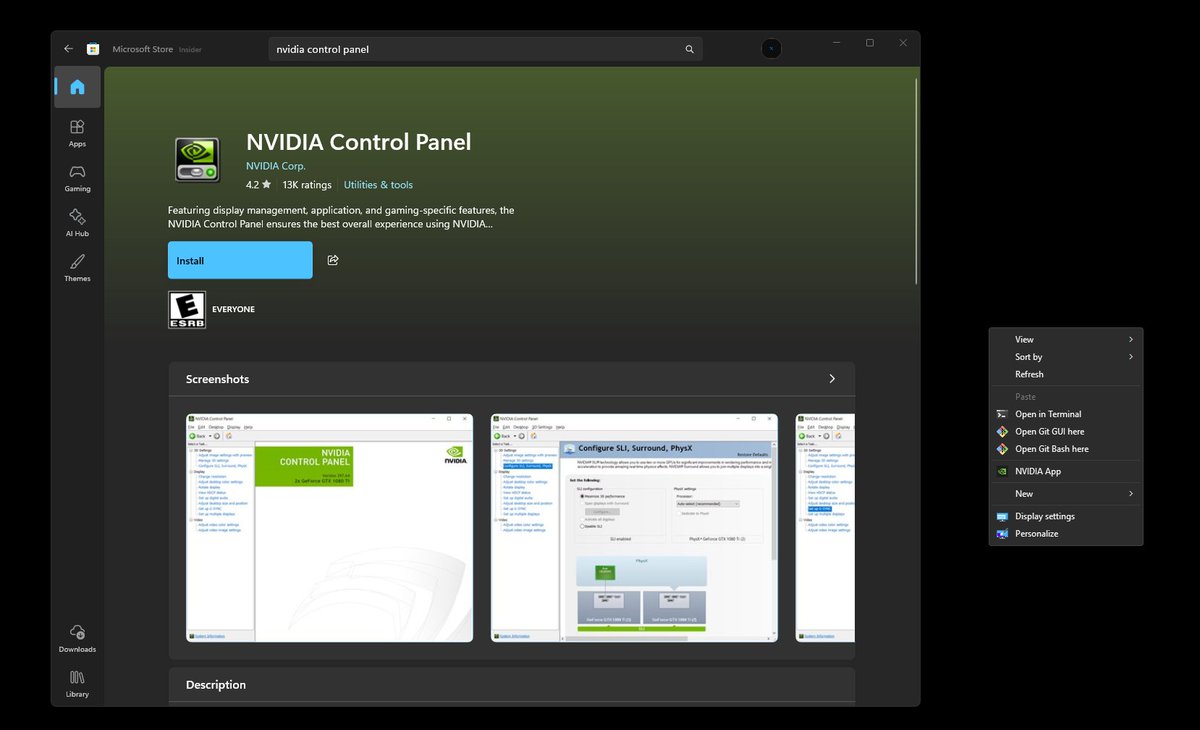
If you recently Updated your NVIDIA driver to 610.47 and can't find the Control Panel in your right-click menu anymore, it's because the Newest Driver removes it
You can get it back by installing it from the Microsoft Store
Search: "NVIDIA Control Panel" and Install it🚀
Your system can "stable" but logging errors in the background.
Open Event Viewer. Windows Logs > System. Filter for "WHEA-Logger" & "Watchdog-Events".
If you see warnings, your overclock or hardware is degrading performance.
Many settings you haven’t changed have been hindering your performance and costing you wins across all games. Don’t let that happen in the future, and book now to see the switch in your gameplay.
https://t.co/EEZy0xHwdI
Reduce network latency & improve packet responsiveness by setting TxIntDelay to 0
Open regedit → navigate to:
Computer\HKEY_LOCAL_MACHINE\SYSTEM\CurrentControlSet\Control\Class\{4d36e972-e325-11ce-bfc1-08002be10318}\0001
(The last folder may be 0001, 0002, etc — check each until you find your network adapter)
Add String:
TxIntDelay = 0
If string already shown change from 28 to 0
Restart your PC after applying.
Missing out on wins because of a misconfigured system can be frustrating. Here at Xilly, we can fix that and help you enjoy your games even more.
Book now and feel the difference.
https://t.co/EEZy0xHwdI
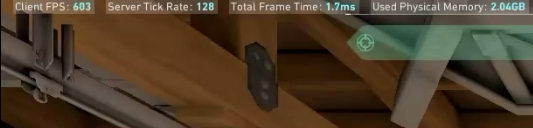
Valorant FPS is a problem for some people and it shouldn't be.
Ran a default vs optimized comparison so you can see exactly what you're missing. If you're struggling in this game, your PC NEEDS work.
Your motherboard is "spreading" your clock signal to reduce EMI.
This adds jitter to your base clock.
BIOS > Advanced > Disable "Spread Spectrum". Tighter clocks = tighter frames.
Hidden Windows settings could be hurting your performance and costing you fights in your games. Book now and experience a whole new level of play.
https://t.co/EEZy0xHwdI
You’ve got a custom gaming rig, but Windows is still treating your memory like it’s running on a budget office machine.
Memory Compression comes enabled by default. It makes your CPU waste cycles squeezing RAM usage—useful on low-RAM systems, but unnecessary overhead for a gaming setup.
Run PowerShell as administrator and enter:
Disable-MMAgent -mc
Let your CPU focus on performance where it matters—in your games, not on managing memory it doesn’t need to babysit.
Finally got my rig tuned the RIGHT way 🔥
Big thanks to @x1lly & @itshemu2k
393 avg FPS
345+ lows
No stutters, just pure consistency
Different level performance 🧠⚡
🔴 Myth Busted #2
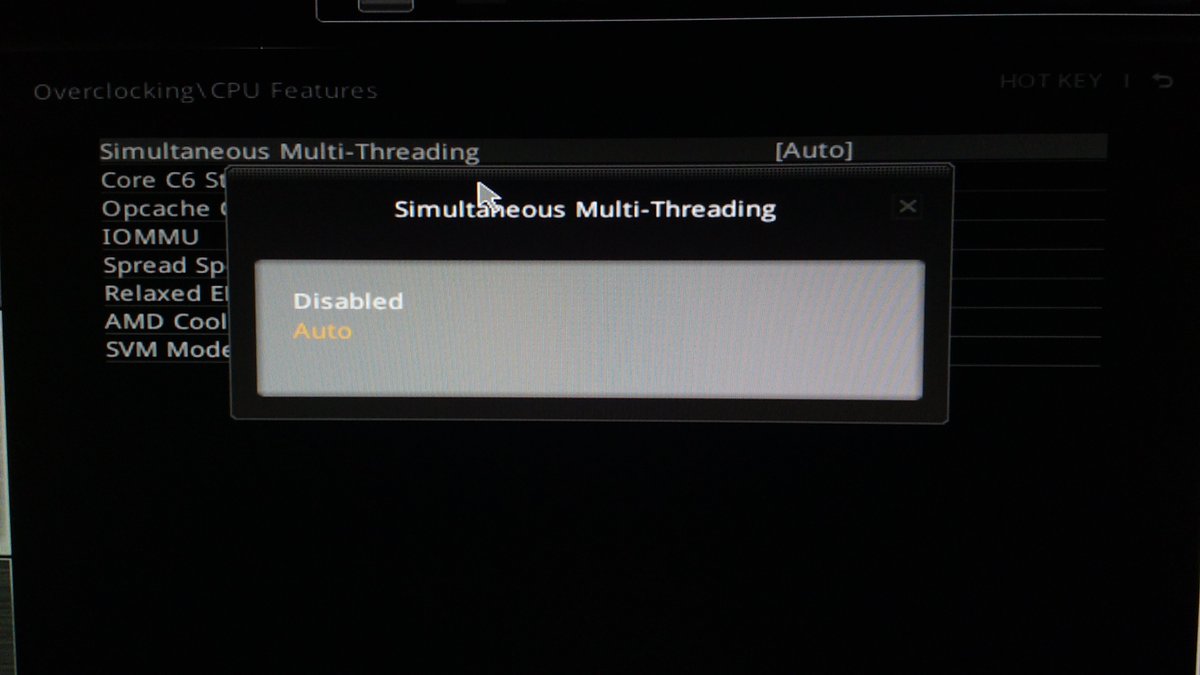
"Turn off SMT in your BIOS for better gaming performance."
This is 1 of the most repeated pieces of bad advice in the optimization community and it needs to stop.
SMT off made sense for a very specific window of time on very specific games. That window is closed. Modern games and modern schedulers are built around SMT being on. Turn it off and you are handing your CPU fewer threads to work with while your game, Windows, and every background process fight over what's left.
The result on most Ryzen systems in 2026? Lower FPS. Worse 1% lows. More stutters.
There is no universal benefit to turning SMT off. Anyone still recommending it is working off outdated benchmarks.
Myth busted. Leave SMT on.
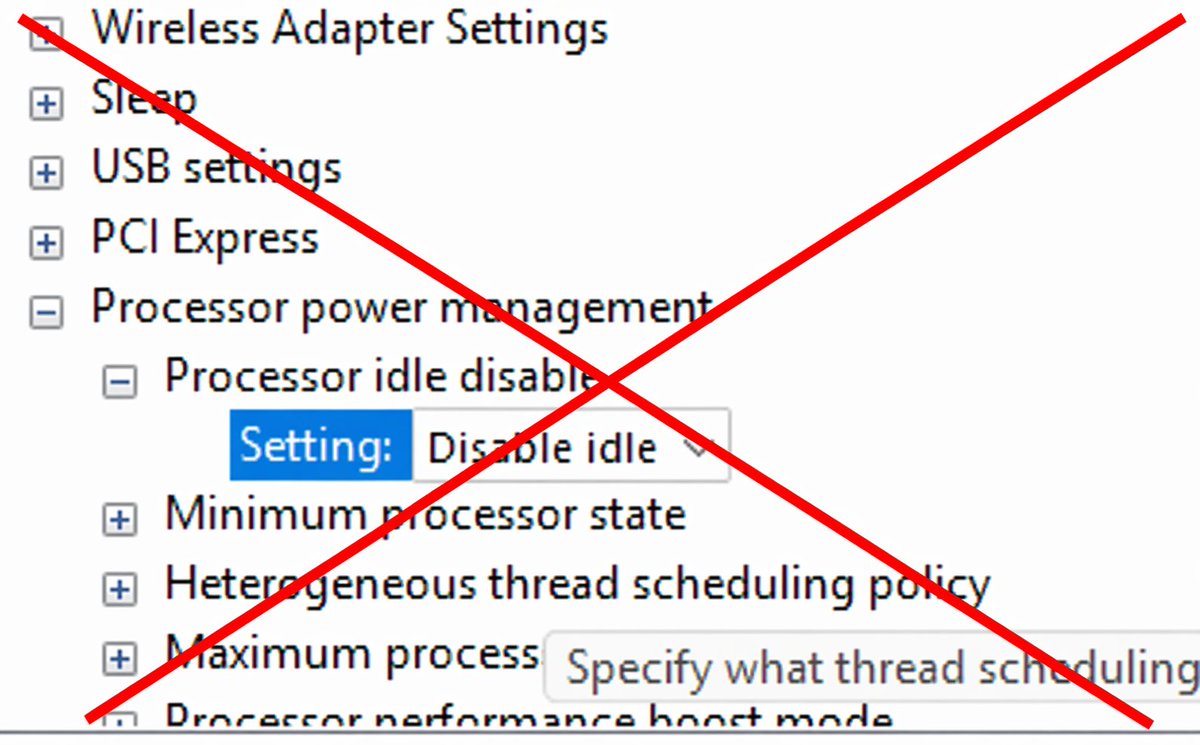
🔴 Myth Busted #1
"Disable idle in your power plan for better gaming performance"
This is wrong and it is actively hurting Ryzen users.
Ryzen's boost algorithm depends on idle states to correctly boost individual cores to their highest clocks when the game demands it. Disable idle and you break that algo entirely. Lower peak clocks. Lower FPS. Worse 1% lows.
The guides telling you to do this don't understand Ryzen architecture. We do.
Myth busted. Re-enable it.