A message to anyone with whom I correspond:
I have not and will not use AI to write the text I send you. Ever.
Writing is thinking, and I will not delegate that to a machine or process that does not know what I know about you, and cannot express my thoughts as well as I can.
Here's the link to TechCrunch article.
One of their major starting points is about trust:
"A recent CNBC poll of 18- to 34-year-olds found that, when given the names of nine top leaders in the AI industry, a majority of the respondents said they don’t trust those people to 'act responsibly' when it comes to AI."
Of course they don't. In the most obvious case, Anthropic stole pirated works to train their model. That was obviously illegal and unethical, and a court agreed.
Plus the cavalier attitude of AI execs to mistakes and bias in their AI engines communicates to users that those execs are not deserving of trust.
The human cost of AI has the potential to be enormous. The tech industry ignoring that just cements everyone's distrust. Every mistake AI makes gets amplified. Every success gets minimized. Fixing the trust problems discussed in this article ought to be at the top of every tech leader's mind. It's obviously not.
https://t.co/VNYFXOToVf
In designing user experiences, this cycle sometimes happens:
1. A new design is created for something the users need or something they might need to do.
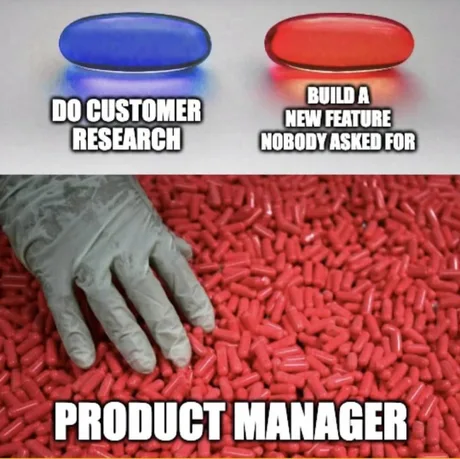
2. The designer thinks it's cool and clever.
3. Users don't agree.
4. The designer thinks it's just because the users don't understand it and tries to force it on them.
5. It turns out over time that it was the designer who misunderstood all along, and the users were justified in not liking it. Users and designers fall into a adversary relationship.
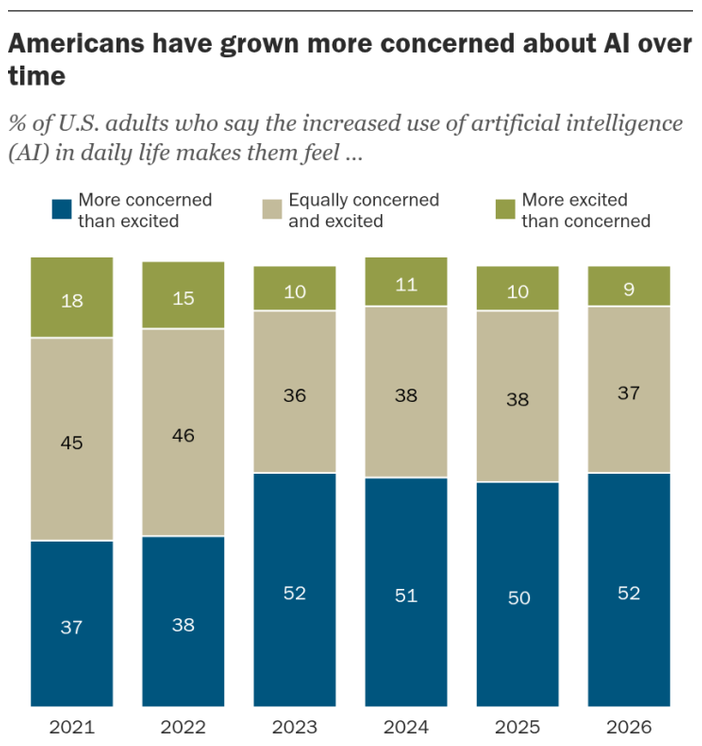
An article in TechCrunch this week is about a parallel dynamic on a very large scale. Techies tend to love AI. Normal people don't.
Assuming the distaste stems mostly or entirely from ignorance or misunderstanding is arrogant. A better path is understanding how those people are different from you techies, what concerns they have that you don't share, and taking those concerns into account going forward.
(Article link in reply tweet.)
Good. Should have happened 20 years ago, but I'll take it.
It means silly decisions on the part of the team in selecting defaults can be bypassed. One annoyance in Windows 11 that I've called out before was how they moved Refresh to a submenu of the context menu in File Explorer instead of the top level. Since Refresh is the most common option I use, and it's in a different place on my main Windows 10 machine, it was irritating every time I had to use that option.
Microsoft is FINALLY adding the ability to customize the right-click menu in Windows 11, and here's a closer look.
Say goodbye to cluttered menus that can take up your screen space even when you don't use most of the options.
You can now turn options on or off in the context menu, which appears when you right-click anywhere in Windows 11, including File Explorer.
This is a huge change, and it confirms Microsoft is really listening to all your feedback.
Windows 11's customize menu feature for the context menu will begin rolling out to everyone in the coming months, and you'll be able to beta test it later this month.
Anything that can be easily replicated will quickly become commoditized. If that describes your primary work product, you will be disintermediated.
It might get you through this week. It might even impress some gullible people, temporarily.
But like a sugar high, it won't last.
Don't be like this. Because it means you are no different from thousands of others. Eventually, you will be exposed.
Investigate. Think. Design. Experiment. Fail. When you succeed, it will be you who did it, and you'll be justifiable in saying so.
The weather app on Windows is so bad that if I'm sitting at my desktop and need to check the weather, I pull my iPhone out of my pocket and do it on that.
I wish we had a good design for a native weather app on a Windows desktop, intelligently using the available space. I have ideas. But if the team just copied the iPhone app, it would be a huge improvement over what they have now.
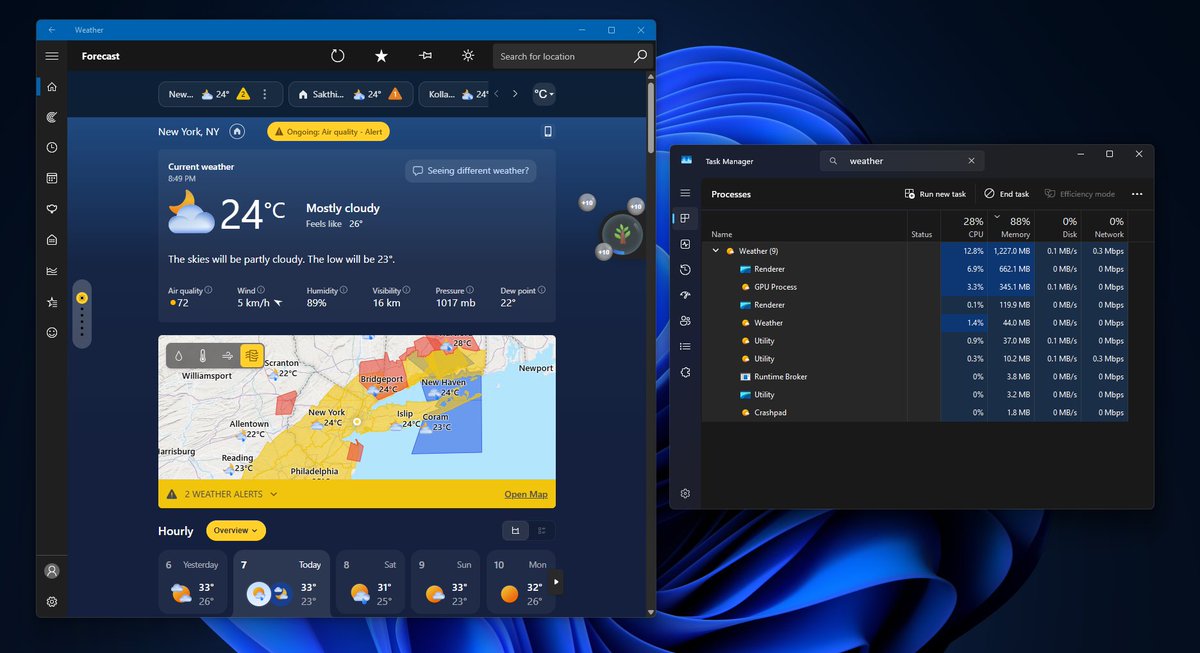
Windows 11's built-in Weather app should not be using over 1GB of RAM just to show me whether it will rain.
I opened Weather during heavy rain because my phone was charging. The forecast itself was good: radar, hourly precipitation, wind, AQI, moon phase, severe alerts, the works.
But Task Manager showed the app climbing past 1.2GB RAM without me doing anything serious.
Then I expanded the process tree, and the reason became obvious. Weather is not really a native Windows app.
It is MSN Weather running as a WebView2/Chromium wrapper with multiple browser-like processes under it.
And yes, it also shows ads.
A default Weather app on a paid operating system should not feel like an MSN page wearing a forecast icon.
Apple’s Weather app on macOS gives detailed weather data without ads and used about 247MB of RAM in my comparison.
Windows Weather used nearly five times that.
I hope Microsoft's leadership does something about the inbox apps.
BRING BACK NATIVE APPS
I watched an online presentation a couple weeks ago by @stephenbklein of @CuriouserAI. I really enjoyed it.
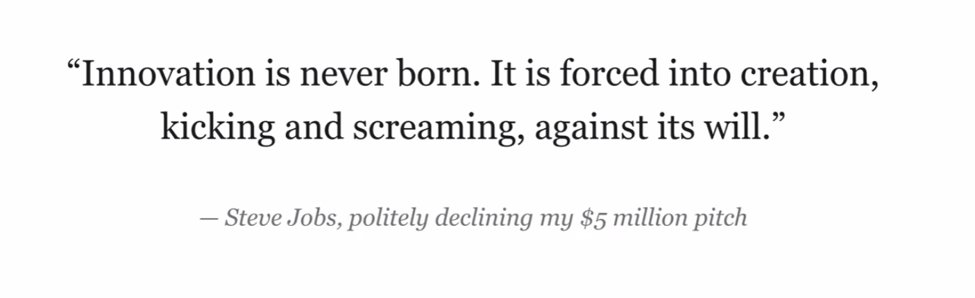
He related something Steve Jobs said to him. I used it in my session on innovation at Live360! last week (on campus at Microsoft).
I think this observation is true for major innovations - they type with which Jobs is typically associated. The bigger the innovation, the worse the status quo bias fighting against it.
For more modest innovations, though, I find ready acceptance if they are a clear improvement over what people have now. A new data visualization, for example, that makes relevant data clearly stand out will help people make better decisions, and they like that. A new interaction design that better fits the users' job and workflow will often be appreciated because it lowers the users' cognitive load and speeds them up.
The main barrier to modest innovations isn't status quo bias. It's your ability to put your mind into a state that allows innovative thinking, plus your willingness to do the work to deeply understand other people and their problems or challenges.
If you team would like to hear me talk about innovation, say at a Lunch and Learn session, ping me and we'll set something up. After all, I already have the slides....
Here a side by side with my 25 year old BMW and a new one with the ugly grill and highly angular design. The new designers apparently never heard of the design principle of Contour Bias.
I'm a BMW owner. My car is 25 years old. I love it. I am their ideal customer for a new car.
And they seem intent on guaranteeing that I never buy another BMW.
First they made the front end angular and ugly. They took away the iconic "kidney grill".
Then they started putting in seat warmers and charging a subscription to use them. (That got cancelled after backlash.)
The put screens all the way across the dashboard. I had a loaner for service a few months ago, and hated it. It takes solving a logic puzzle to use the simplest functions. I couldn't wait to turn it in and get my car back.
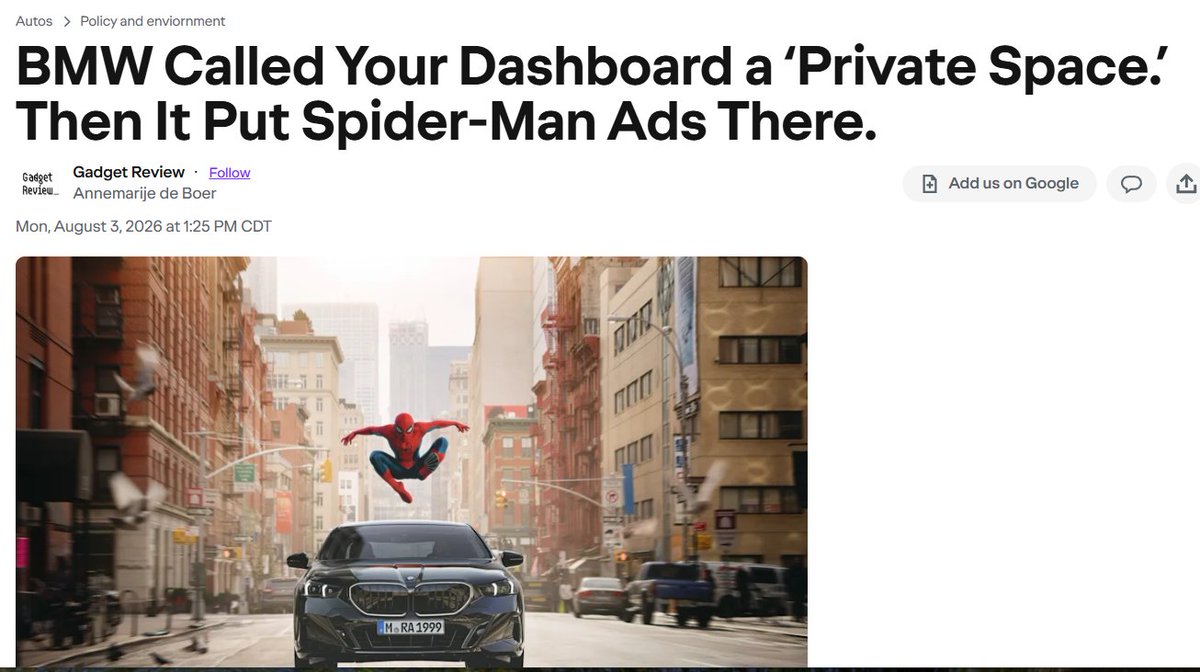
Now they are shoving ads into those screens. Ads on a car already paid for, and without asking permission.
I absolutely don't get it. If there were a conspiracy to crash the brand, it couldn't be any more effective. They are telling users like me "We don't care about you. We will screw you any way we can, any time we feel like it."
If it's just you, then my preferred steps would be;
1. Find four or five others (or more) who are also interested. They need not be from the same organization.
2. Contact me to a date/time.
3. Set up a virtual meeting in Teams or Zoom, inviting everyone involved.
If someone else contacts me me to present to their team on that topic, I'll ask if they don't mind a guest. If they're OK with a guest, I'll let you know.
Looking for someone to do a Lunch and Learn for your dev team? August is a good time for it. I do free sessions remotely, one or two a month. Look over my list, and if one looks interesting, check in with me and reserve a slot.
- Improving UX in legacy applications
- Techniques for injecting innovation into your applications (just came back from Live360! on campus at Microsoft, where I did this session)
- The science behind user interface and user experience design - how the functionality of the brain and visual system impact how users see your software
- Interviewing developers in the Age of AI
- Observing and interviewing users, and how to analyze what you saw and heard
- "Wouldn't it be cool" and other bad design approaches
- The risk of generational turnover: some observations and suggestions for dealing with both retiring tech talent and retiring technologies
Again, these are free and without obligation of any kind. I won't even follow up with phone calls or emails - I'm far too lazy for that. About one out of a dozen recipients end up calling me or my team about doing something for them, and that's all the return I need.
Functionality and presentation are different. There are unlimited ways to expose the same functionality.
Because of limited technology choices in older technologies, it long ago became a hidden assumption in our industry that functionality and the original presentation of that functionality are inextricably bound. They are not.
What I would do differently is study how people actually *use* that functionality, and then work on designs (plural) that make it faster and easier to learn the functionality. Then I'd show the various designs I came up with to real users, and use their feedback to land on a final design.
That's the missing process in too much software, including way too much from Microsoft. Most devs assume the first way they envision using an app is fine for everyone, forever. If a UI interaction design is decades old, that's probably not true.
An update on this problem, wherein Windows Media Player no longer fills in song titles and such when ripping a CD.
Remember Nero Burning ROM? That company now has a product called Nero CD Ripper. It both rips and fixes up the song metadata. I've ripped a dozen CDs with it, and been very happy with the results.
There are some very low cost options to use it, but if you still get CDs instead of relying on streaming, I recommend the lifetime license, which is a steal at $18. Get it from the Microsoft Store by searching for Nero CD Ripper.
If you're caught in the abandonment of xboxlive.musicmatch (which means ripped CDs get no metadata), I've found a decent alternative.
It's called MusicBrainz Picard. Just look it up for a download. It's in the Windows Store, or can be directly downloaded.
In the next posts, I'll outline how you use it, because it was a bit tricky to figure out.
@DonnyOutWest
This rework of the print manager is an excellent example of where I believe the Windows division is adrift on design. Why work this hard to rewrite something that isn't much better than what it is replacing? Were any team members with interaction design expertise even involved?
I don't really get this. Why rewrite with one of the most powerful UI stacks on the planet, and then implement a UI design that would have looked at home in Windows 98?
Does the Windows division simply not know how to through a design process that leverages the capabilities of modern UI technologies?
I don't really get this. Why rewrite with one of the most powerful UI stacks on the planet, and then implement a UI design that would have looked at home in Windows 98?
Does the Windows division simply not know how to through a design process that leverages the capabilities of modern UI technologies?