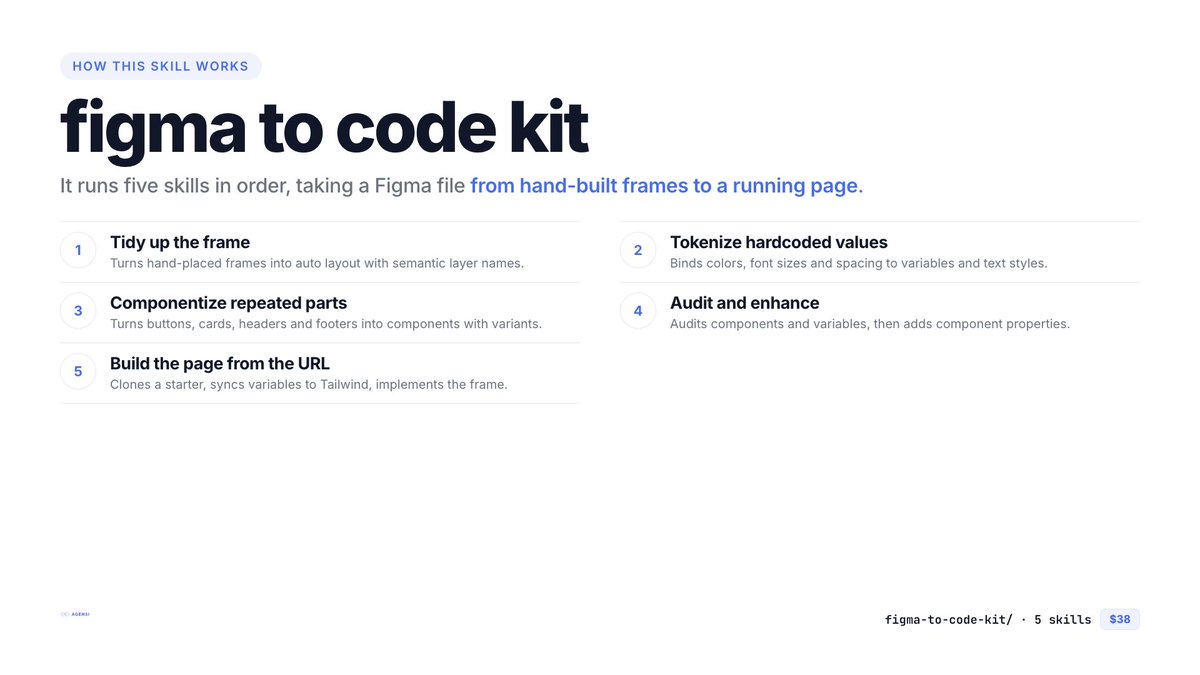
「Figma to Code Kit」を Agensi で公開しました。Figma のフレームを、動くページにするまでの5本のスキルのバンドルです。
まずファイルを整える:
* Figma Tidy Up(オートレイアウト・レイヤー名)
* Figma Tokenize(変数とテキストスタイル)
* Figma Componentize(コンポーネントとバリアント)
* Figma Enhance(監査と仕上げ)
そのあとコードにする:
* Figma Pipeline(URL 1本から、スターターのクローン → 変数を Tailwind へ → 4フェーズで実装 → 開発サーバー起動)
生成されるコードは Figma ファイルの作りに左右されます。変数やコンポーネントがあれば、任意値ではなくトークンとコンポーネントで書かれます。先にファイルを整える順番にしているのはそのためです。
無料の figma-audit(実装前の診断)、figma-layer-rename、figma-optimize(整える4本を順番に実行)も併せてどうぞ。バンドルには含まれませんが、Agensi で無料で入手できます。
5本で $38(個別だと $55)。Claude Code で動作確認済み。
https://t.co/HRz89QVpXN
---
I just published the "Figma to Code Kit" on Agensi: five skills that take a Figma frame all the way to a running page.
First the file:
* Figma Tidy Up (auto layout, layer names)
* Figma Tokenize (variables and Text Styles)
* Figma Componentize (components and variants)
* Figma Enhance (audit and polish)
Then the code:
* Figma Pipeline (from one URL: clone a starter, move the variables into Tailwind, implement in four phases, start the dev server)
The code you get depends on how the Figma file is built. With variables and components in the file, the page uses tokens and components instead of arbitrary values. That is why the cleanup skills come first.
The free figma-audit (a check before you start), figma-layer-rename and figma-optimize (runs the cleanup skills in order) go well with it. They are not part of the bundle, but each is free on Agensi.
Five skills for $38 (they add up to $55 separately). Tested on Claude Code.
https://t.co/HRz89QVpXN
https://t.co/QdE1ze6gmq でスキルを単体販売し始めてから1週間。KMRVID Claude Skills から無償/有償あわせて全48本中30本を作り直したりして公開できました。出品に当たっての変更分は講座内に反映されています(一昨日までの分は。明日今日までの更新分を反映します)。
It’s been one week since I started selling individual skills on https://t.co/QdE1ze6gmq. I’ve reworked and published 30 out of the 48 courses in the KMRVID Claude Skills series, including both free and paid ones. The changes made in preparation for listing have been incorporated into the courses (as of the day before yesterday; I’ll update them tomorrow).
生成結果は、そもそものFigmaのファイルがちゃんとできているかによるので、そこは事前にきちんと作ってください。
The skill can only build what the design gives it. Without variables it falls back to arbitrary values, and without components the code is not split into components.
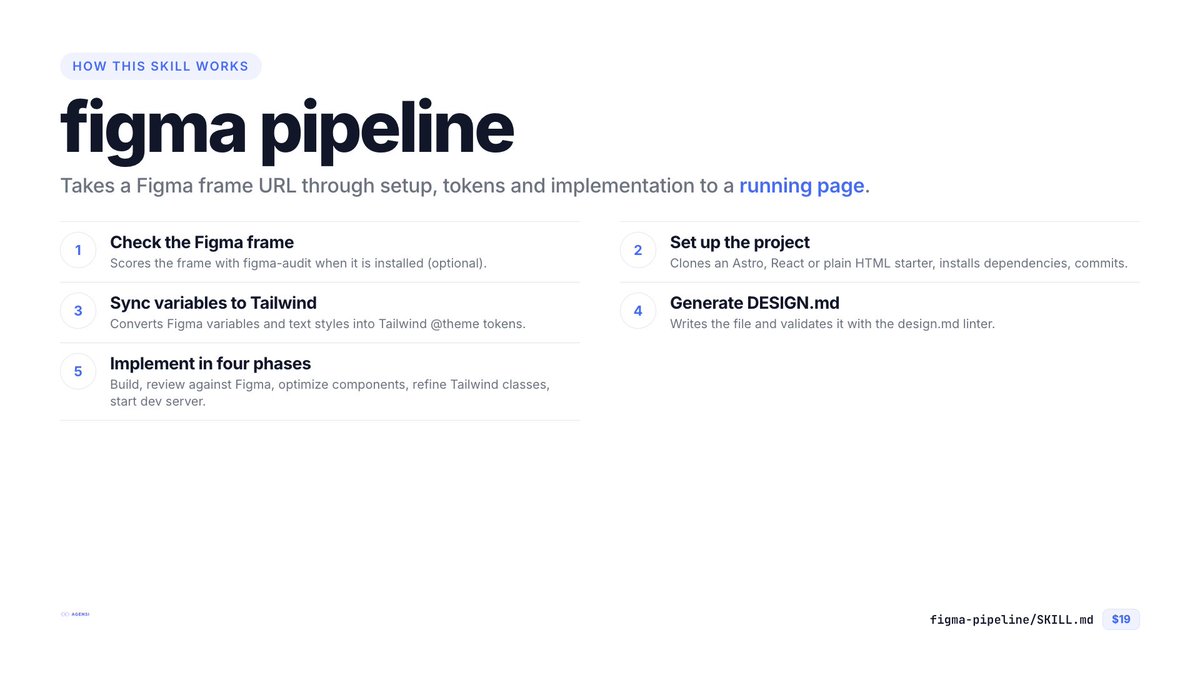
FigmaのURL1本から、動くページまで一気に作るスキル「Figma Pipeline」をAgensi で公開しました。
空のフォルダと Figma のフレームから、
* スターターを取得してプロジェクト作成(Astro / React / 素の HTML)
* Figma の変数とテキストスタイルを Tailwind の `theme` へ
* DESIGN.md を生成して lint
* 実装 → レビュー → 整理 → Tailwind レビューの4フェーズ
* 開発サーバー起動
までを順番に実行します。
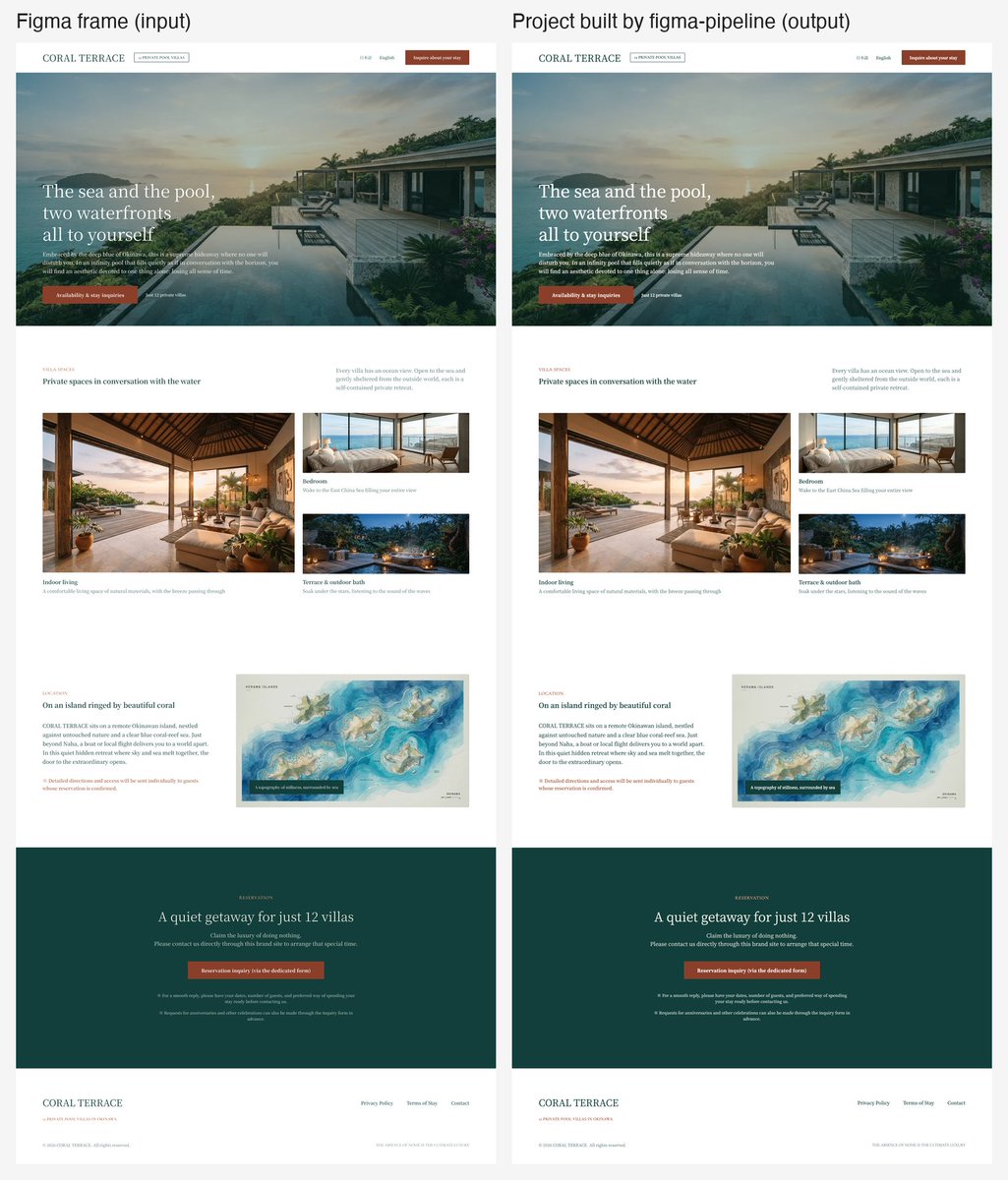
試した LP では astro check が 0/0/0、Figma との平均差は約1%でした。既にあるプロジェクトの中でも使えます。 今回から figma-workflow を同梱したので、別に買う必要はありません。
環境づくりから始める人向け。すでに環境がある人は figma-workflow で足ります。Claude Code で動作確認済み。
https://t.co/XT3aycNklC
---
I just published "Figma Pipeline" on Agensi: a skill that takes one Figma URL and turns it into a running page.
Starting from an empty folder and a Figma frame, it:
* clones a starter (Astro, React or plain HTML) and installs it
* moves your Figma variables and text styles into Tailwind's @theme
* generates a DESIGN.md and lints it
* implements the page in four phases: build, review, cleanup, Tailwind review
* starts the dev server
On the landing page I tested it with, astro check came back 0/0/0 and the result differed from the Figma frame by about 1% on average. It also works inside a project you already have.
figma-workflow is included, so there is nothing else to buy.
For starting from scratch. If you already have a setup, figma-workflow is enough. Tested on Claude Code.
https://t.co/XT3aycNklC
FigmaのURL1本から、動くページまで一気に作るスキル「Figma Pipeline」をAgensi で公開しました。
空のフォルダと Figma のフレームから、
* スターターを取得してプロジェクト作成(Astro / React / 素の HTML)
* Figma の変数とテキストスタイルを Tailwind の `theme` へ
* DESIGN.md を生成して lint
* 実装 → レビュー → 整理 → Tailwind レビューの4フェーズ
* 開発サーバー起動
までを順番に実行します。
試した LP では astro check が 0/0/0、Figma との平均差は約1%でした。既にあるプロジェクトの中でも使えます。 今回から figma-workflow を同梱したので、別に買う必要はありません。
環境づくりから始める人向け。すでに環境がある人は figma-workflow で足ります。Claude Code で動作確認済み。
https://t.co/XT3aycNklC
---
I just published "Figma Pipeline" on Agensi: a skill that takes one Figma URL and turns it into a running page.
Starting from an empty folder and a Figma frame, it:
* clones a starter (Astro, React or plain HTML) and installs it
* moves your Figma variables and text styles into Tailwind's @theme
* generates a DESIGN.md and lints it
* implements the page in four phases: build, review, cleanup, Tailwind review
* starts the dev server
On the landing page I tested it with, astro check came back 0/0/0 and the result differed from the Figma frame by about 1% on average. It also works inside a project you already have.
figma-workflow is included, so there is nothing else to buy.
For starting from scratch. If you already have a setup, figma-workflow is enough. Tested on Claude Code.
https://t.co/XT3aycNklC
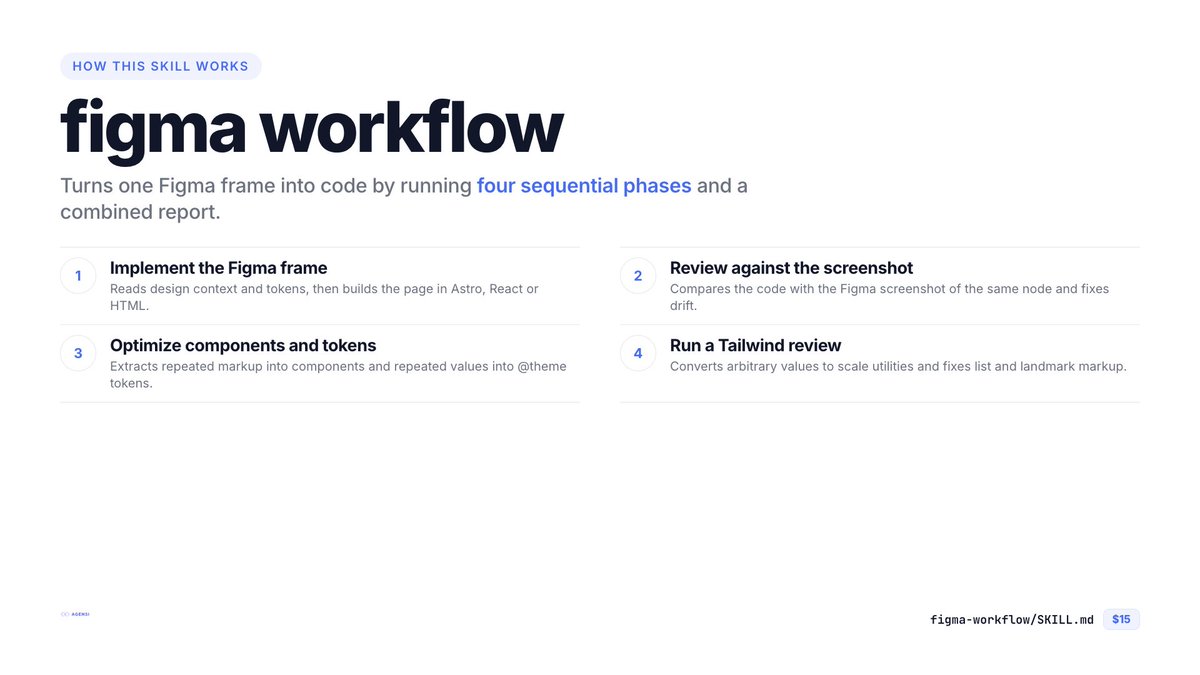
Figma → コードを4フェーズで実装するスキル「Figma Workflow」を Agensi で公開しました。
Figma の URL を渡すと、実装 → Figma スクショとの突き合わせレビュー → コンポーネント/トークン整理 → Tailwind レビューを、フェーズごとに別のサブエージェントで順番に実行します。
・Astro / React / 素の HTML を自動判別 ・CLAUDE.md(AGENTS.md)の規約に従って実装 ・data-node-id を要素に引き継ぐので、あとから Figma の変更を追えるよういしてあります(個別では未公開の figma-update-checker などで)
すでに環境がある人向けです(環境構築はしません)。Claude Code で動作確認済み
https://t.co/NY0qYH6kzg
---
I just published “Figma Workflow” on Agensi: a skill that takes a Figma URL and implements it in four phases.
Implementation, then a review against the Figma screenshot, then component and token cleanup, then a Tailwind review. Each phase runs in its own sub-agent, one after another.
・Detects Astro, React or plain HTML on its own
Follows the conventions in your CLAUDE.md (or AGENTS.md)
・Keeps Figma’s data-node-id on the elements, so later design changes can be traced
・On the landing page I tested it with, the review caught a header and footer rendering at 951px and 755px instead of 1440px, and fixed it.
For people who already have a working setup; it doesn’t build the environment for you. Tested on Claude Code.
https://t.co/NY0qYH6kzg
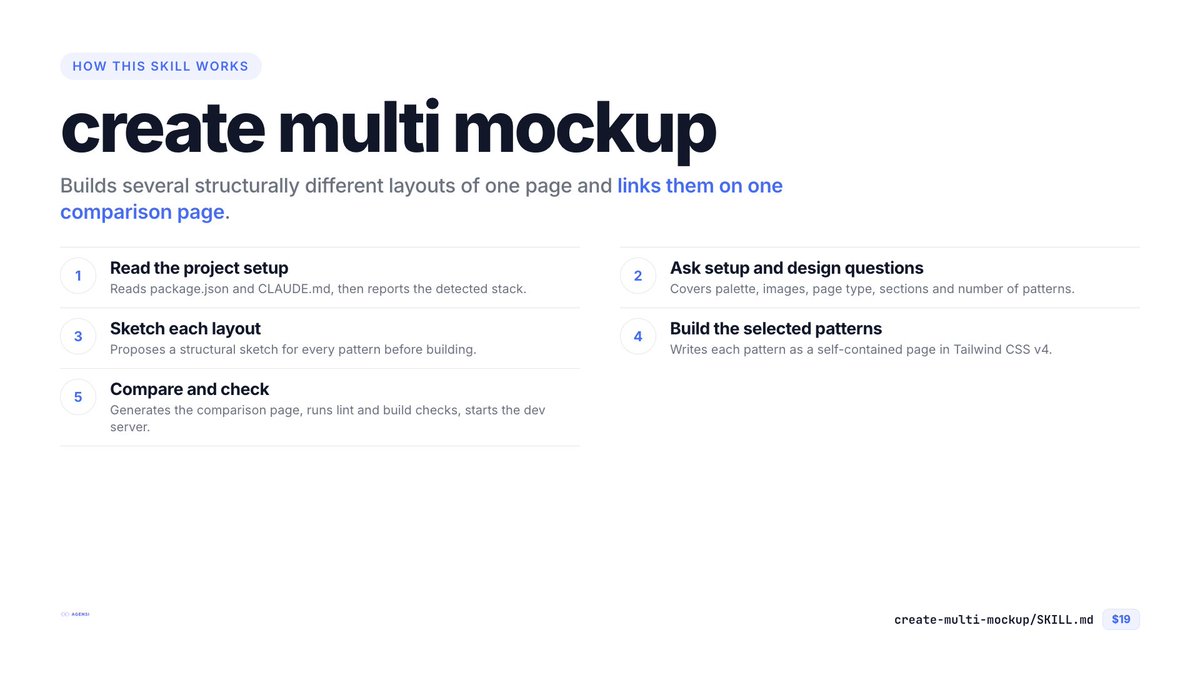
Agensiで「Create Multi Mockup」を公開しました。
1ページを構造の違う複数のレイアウトで、1回の実行で作ります。色・セクション・コピーは共通なので、比べるのはレイアウトだけ。比較用ページも一緒に作ります。Astro / React / 素のHTML + Tailwind CSS v4。Claude Code用です。
補足するとページ全体を複数パターン作るだけじゃなくて、任意のセクションを追加・修正するときにも複数パターンの提示が可能です。Figma版(create-multi-pattern)も同様。
---
Just published Create Multi Mockup on Agensi.
One run builds several structurally different layouts of the same page. Same palette, sections and copy, so you compare layout alone. It also builds a comparison page. Astro, React or plain HTML with Tailwind CSS v4.
To clarify, you can not only create multiple variations of an entire page, but you can also present multiple variations when adding or modifying any section. The same applies to the Figma version (create-multi-pattern).
https://t.co/Y1PI6WEyLE
Demo: https://t.co/63dqcnURZv
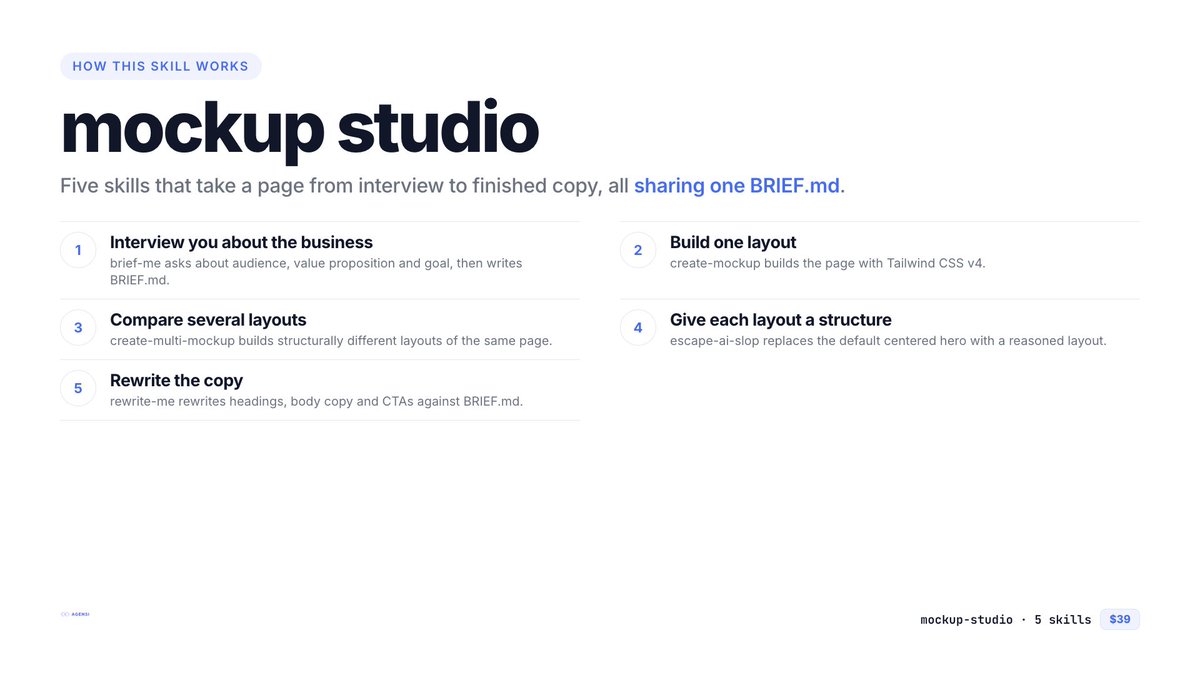
Agensiに「Mockup Studio」バンドルを追加しました。
聞く → 作る → 比べる → 文面を直す。BRIEF.md でつながる5本セットです。
・Brief Me(要件ヒアリング)
・Create Mockup(1案を作る)
・Create Multi Mockup(複数案を比べる)
・Escape AI Slop(レイアウトの型)
・Rewrite Me(コピーの書き直し)
個別だと $71 のところ $39。最小構成の Mockup Starter($19)もあります。
---
New on Agensi: the Mockup Studio bundle.
Interview, build, compare layouts, then rewrite the copy. Five Claude Code skills connected by one BRIEF.md: Brief Me, Create Mockup, Create Multi Mockup, Escape AI Slop and Rewrite Me.
$39 instead of $71. For the minimum set, there is also Mockup Starter ($19).
https://t.co/Xhp0QXy0w6
create-mockup のデモサイトを公開しました。短い依頼ひとつで作った、架空のコーヒー焙煎所のランディングページです。
There's now a live demo of Create Mockup: a landing page for a fictional coffee roaster, built from one short request.
https://t.co/7gn6iRQWuD
Agensiで「Mockup Starter」バンドルを公開しました。要件を聞いてから作る、UIモックアップ作成の最小セットです。あくまでも最小構成なのでオプションで有効化できる `Escape AI Slop (cognitive-ui-design)` などは含まれません。
・Brief Me: 誰に何を売るサイトかを聞いて BRIEF.md にまとめる
・Create Mockup: そのBRIEFを読んで、Astro / React / 素のHTML + Tailwind CSS v4 でモックアップを作る
個別だと $28 のところ $19(32%オフ)
---
Just published the Mockup Starter bundle on Agensi.
The smallest useful set for building a UI mockup with Claude Code: interview first, then build. Optional skill `Escape AI Slop (cognitive-ui-design)` is not included.
- Brief Me: asks about your audience, value proposition and goal, and writes a BRIEF.md
- Create Mockup: reads that brief and builds an accessible Astro, React or plain-HTML page with Tailwind CSS v4
$19 instead of $28 for the two (32% off).
https://t.co/aKsdCddAPX
create-mockup のデモサイトを公開しました。短い依頼ひとつで作った、架空のコーヒー焙煎所のランディングページです。
There's now a live demo of Create Mockup: a landing page for a fictional coffee roaster, built from one short request.
https://t.co/7gn6iRQWuD
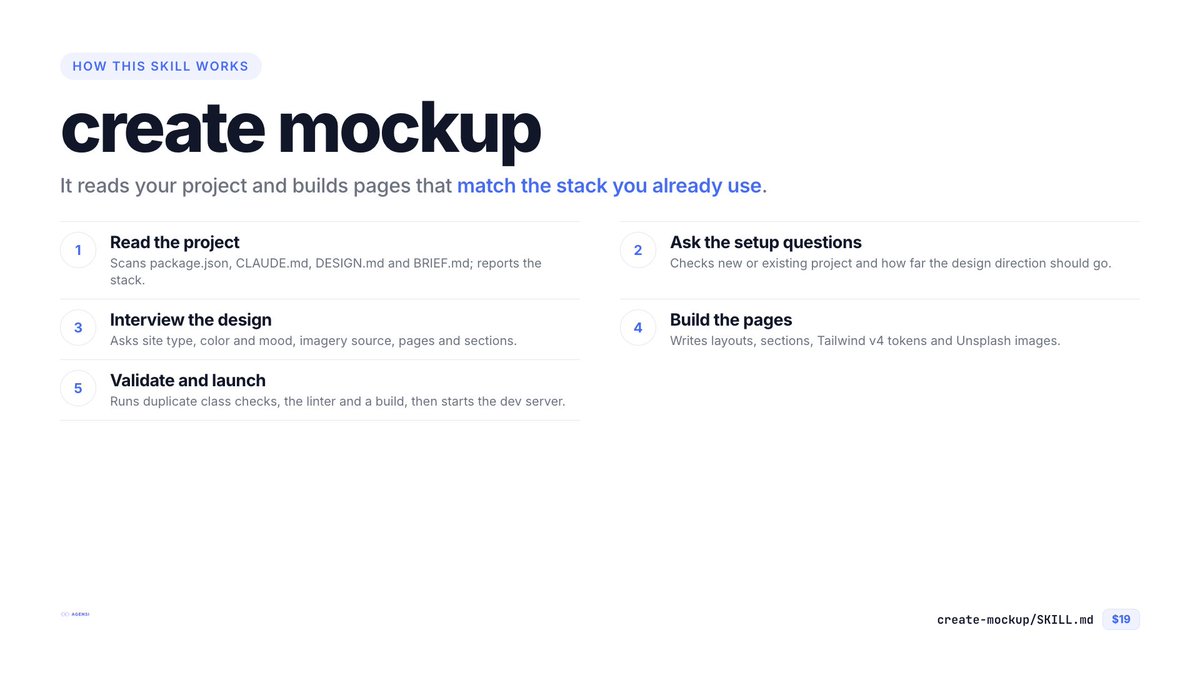
次から次にですが「Create Mockup」をAgensiで公開しました。短いインタビューに答えるだけで、Astro / React / 素のHTMLのモックアップをTailwind CSS v4で作ります(作業環境は事前に準備してください)。Figmaファイルは不要です。
・CLAUDE.md / DESIGN.md / BRIEF.md に従う
・色は `theme` トークンで定義
・アクセシブルなマークアップ
・仕上げにクラス検査・lint・ビルドまで実行
https://t.co/lZVN1VqBma
---
Just published Create Mockup skill on Agensi.
Answer a short interview and it builds an accessible mockup in Astro, React or plain HTML with Tailwind CSS v4 (Please prepare your work environment in advance). No Figma file needed.
- Follows your CLAUDE.md, DESIGN.md and BRIEF.md
- Colors defined as `theme` tokens
- Runs class checks, lint and build at the end
https://t.co/lZVN1VqBma