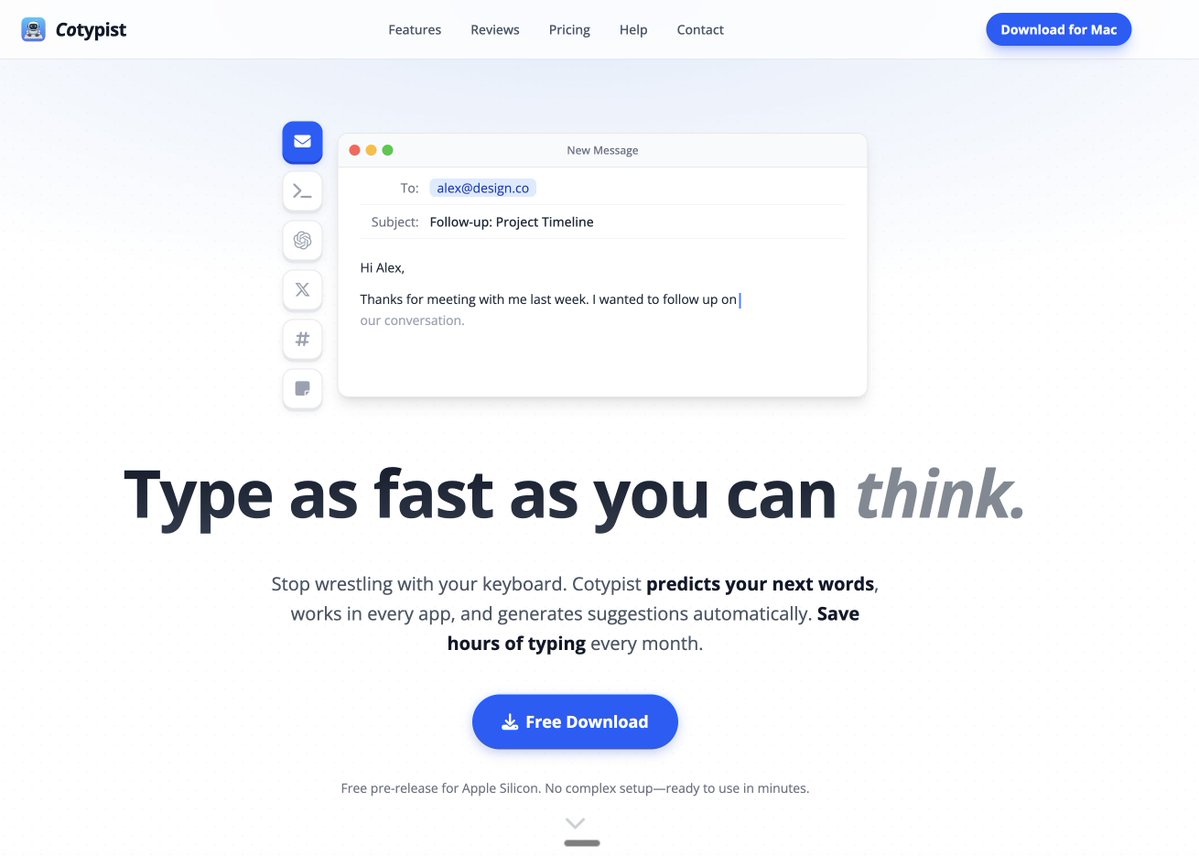
@cotypist is the best consumer ai tool i have used to date
It is actually amazing: speeds up typing infinitely, uses local free model (gemma), reads your screen and autosuggests appropriate next words.
highly recommend, especially if you type a lot.
https://t.co/fbb47OuZ2K
If you write a lot on Mac, I’d love for you to try it.
We’re live on Product Hunt today, and feedback from this community would mean a lot.
https://t.co/HDdw7hIFpM
We are launching Cotypist on Product Hunt today.
It brings smart autocomplete into the Mac apps where you already write.
Emails. Notes. Docs. Messages. Chats.
Start typing, see a suggestion, press Tab when it fits, and keep going.
Cotypist runs locally on your Mac.
That matters when you’re writing private notes, unfinished drafts, work messages, or anything you don’t want sent elsewhere for a suggestion.
It works while you’re already typing.
The suggestion appears in the app you’re using, whether that’s Mail, Notes, a doc, or a browser field.
Press Tab when it fits and keep writing there.
Most writing happens in small moments throughout the day.
Replying to an email, finishing a note, drafting a doc, writing a message, or getting through a phrase you’ve typed too many times already.
That’s where Cotypist is meant to help.
The idea came from a problem I kept running into.
I was leaving the apps I actually write in just to get autocomplete somewhere else.
After a while, it felt obvious: autocomplete should be wherever you write.
If you agree, come say hi on Product Hunt: https://t.co/HDdw7hIFpM
Just bought @cotypist and it is genuinely excellent.
It gives you inline autocomplete across Mac apps, locally on-device, without dragging you out of flow into yet another chatbot window.
This is the AI UX I want more of: augment the human, don’t replace them.
https://t.co/pWSBV0htnN
Cotypist example #5: Taking notes.
Ideas move faster than your fingers. By the time you finish typing one thought, you've already forgotten the next two.
Cotypist closes that gap. Autocomplete lets you capture thoughts at the speed you actually think.
Cotypist example 4: AI prompts.
Writing good prompts is tedious. Half of every prompt is boilerplate you've typed a hundred times before.
Cotypist remembers those patterns. You just type the first few letters.
Item 3 of the Cotypist example series: Tweets and social posts.
"Short" doesn't mean "fast to write." You still have to type every letter, and most of us edit as we go.
Autocomplete handles the predictable parts so you can focus on what you're actually saying.
Cotypist example #2: Slack and chat apps.
Every quick reply pulls you out of whatever you were doing. The message itself takes 5 seconds to think of, but typing it out takes 30.
Cotypist autocompletes those replies so you can stay focused on actual work.
Starting a short series: 5 examples of Cotypist in action.
Different apps, same idea: autocomplete that learns how you write and finishes your sentences.
Example #1 is email. You already know what you want to say in most emails. The bottleneck is your typing speed. Cotypist removes that bottleneck so you can get through your inbox faster.
Wispr Flow + Cotypist + Claude Code is the productivity trifecta 🤝
Wispr Flow = speech-to-text 3x faster than you can type
Cotypist = text autocomplete everywhere 2x faster than you can type
Claude Code = AI agent that can do anything
This is the most incredible AI writing partner tool I've ever used.
I was using Antigravity for some content work the other day and noticed it was auto-suggesting words as I typed.
I thought that was pretty cool but moved onto some other work and kinda forgot about it.
Then I saw a post today about a mac app called Cotypist that does the same thing, so I gave it a try.
This thing is amazing.
It's AI-powered auto-complete/suggest that works anywhere you type. You give it permission to screenshot your screen, and it uses that context plus a locally installed LLM to suggest words as you type. You just tab through suggestions you want to use and type when you want something different.
It's all done locally, nothing leaves your mac.
This UX is the smoothest integration of AI enabled writing I've ever experienced because it happens right in whatever text editor you're using.
It also solves the biggest problem with using AI chatbots as writing partners. They produce so much output that editing it to fit what you actually want to say (in your voice, in your style) going back and forth, becomes almost as hard as writing it from scratch yourself. It quickly turns into AI slop that sounds nothing like you.
Using this I have the same feeling as when I started using Wispr Flow to prompt LLMs. But I still like to type stuff out myself. I feel like I can think better when I do, and Cotypist is just the right amount of AI assistance for that.
This is not paid or sponsored btw. Just really liked the app. Shoutout to whoever the creator is. You've got a winner here.