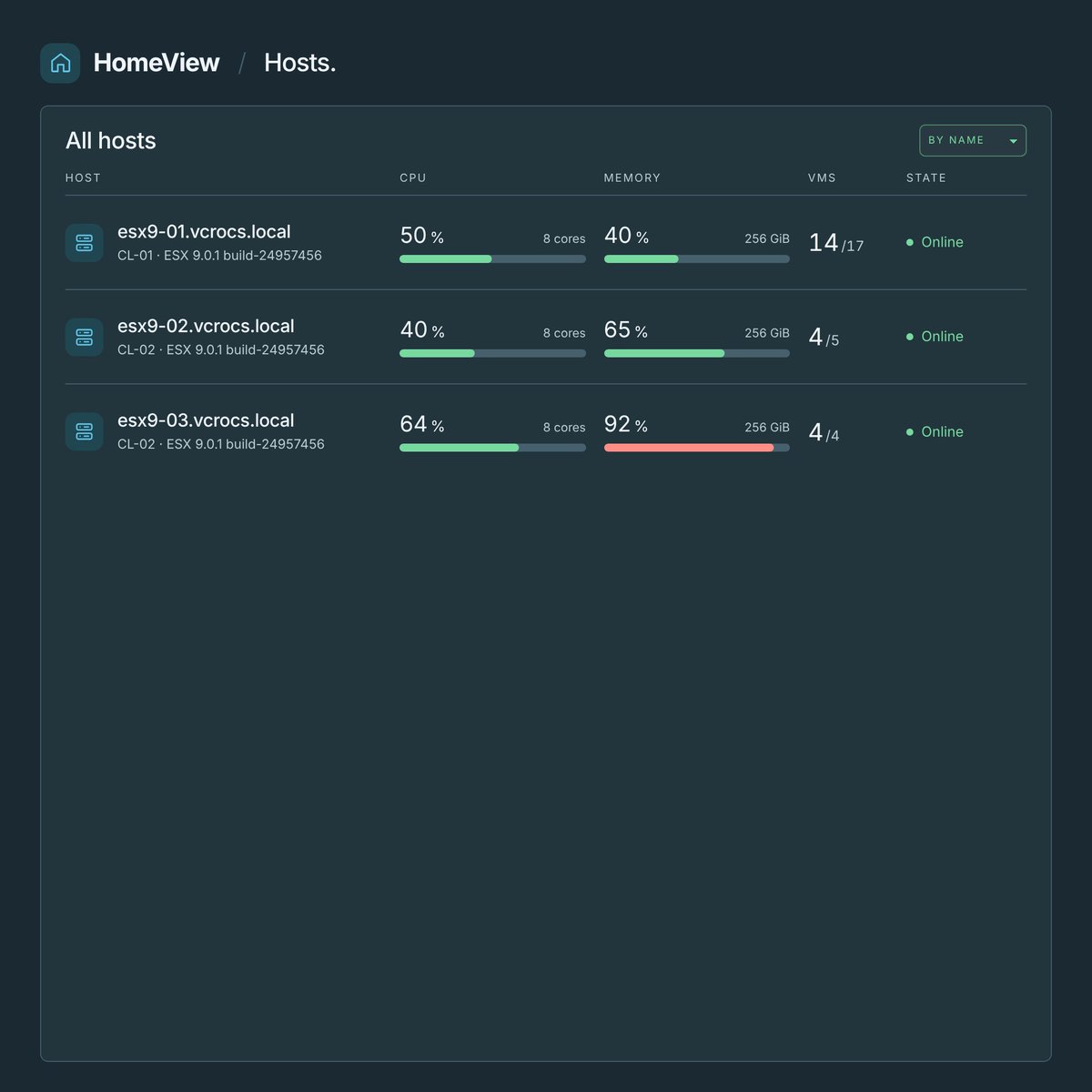
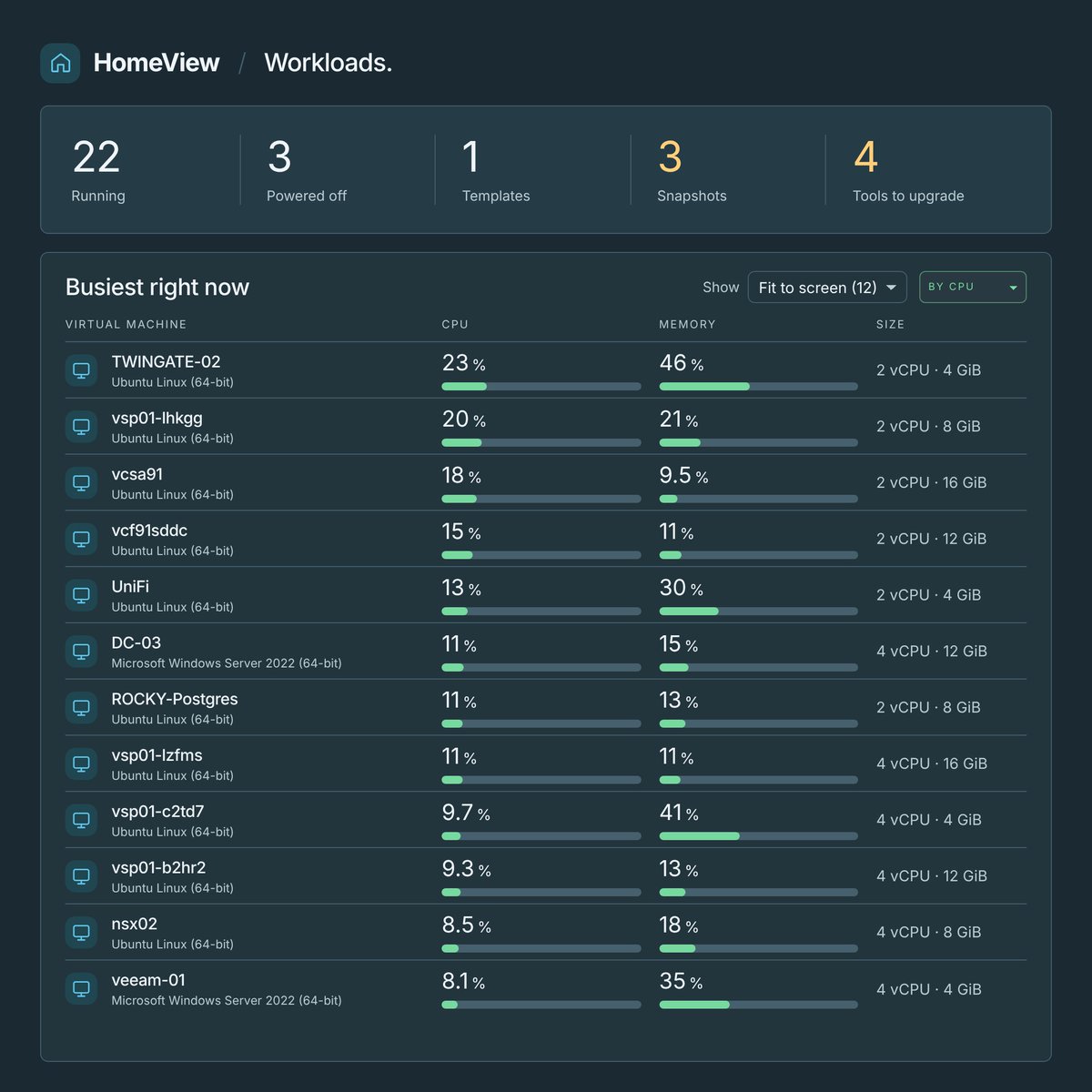
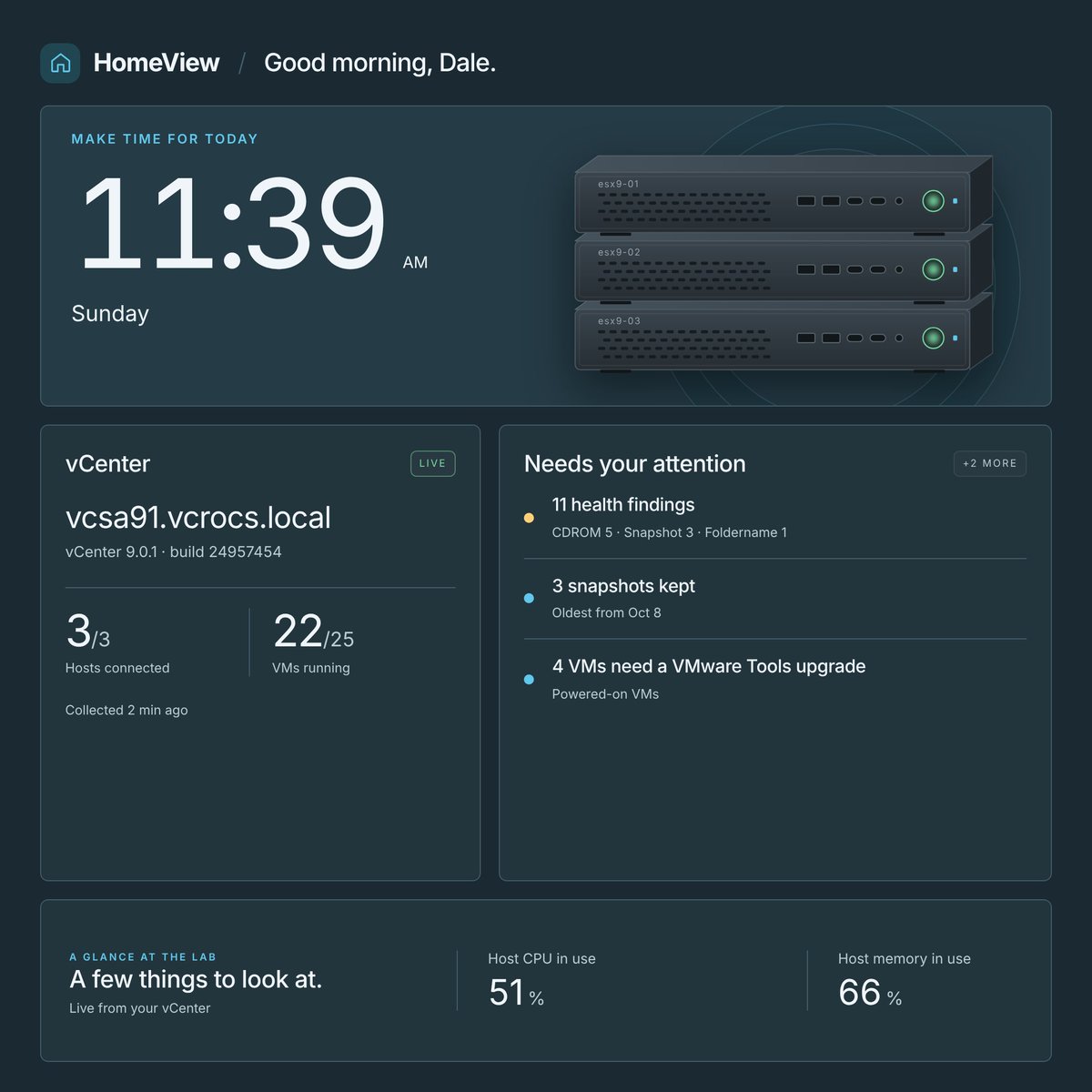
I'm an 𝗔𝗽𝗽𝗹𝗲 𝗳𝗮𝗻 𝗯𝗼𝘆, so the first thing I wanted to use my 𝗔𝗽𝗽𝗹𝗲 𝗛𝗼𝗺𝗲𝗩𝗶𝗲𝘄 for was to monitor my home lab. 🏠
𝗡𝗲𝘄 𝗯𝗹𝗼𝗴 𝗽𝗼𝘀𝘁: vCommunity Observability | Apple HomeView
- 8 Dashboards that can auto-cycle : Home, Lab, Hosts, VMs, Storage, Clusters, Health, GitHub
- Every page fits the screen. No scrolling, unless you pick 25, 50 or 100 rows
- Sort VMs and hosts by CPU or memory, datastores by runway
- Page order and Auto-cycle time set on the Settings page
- Read only, and works offline
𝗕𝗹𝗼𝗴: https://t.co/3b6rLXR011
#vCommunity #vExpert #Automation #AI #Claude #Apple #HomeView
@bpatvmware VMware Intelligent Assist will be a game changer for VCF. I’m excited to see the prompts people use to explore their environments and troubleshoot issues.
𝗡𝗲𝘄 𝗕𝗹𝗼𝗴 𝗣𝗼𝘀𝘁. 𝗠𝘆 𝗩𝗠𝘄𝗮𝗿𝗲 𝗘𝘅𝗽𝗹𝗼𝗿𝗲 𝗛𝗮𝗰𝗸𝗮𝘁𝗵𝗼𝗻 𝘄𝗼𝗿𝗸 𝗸𝗲𝗲𝗽𝘀 𝗴𝗿𝗼𝘄𝗶𝗻𝗴. 🚀
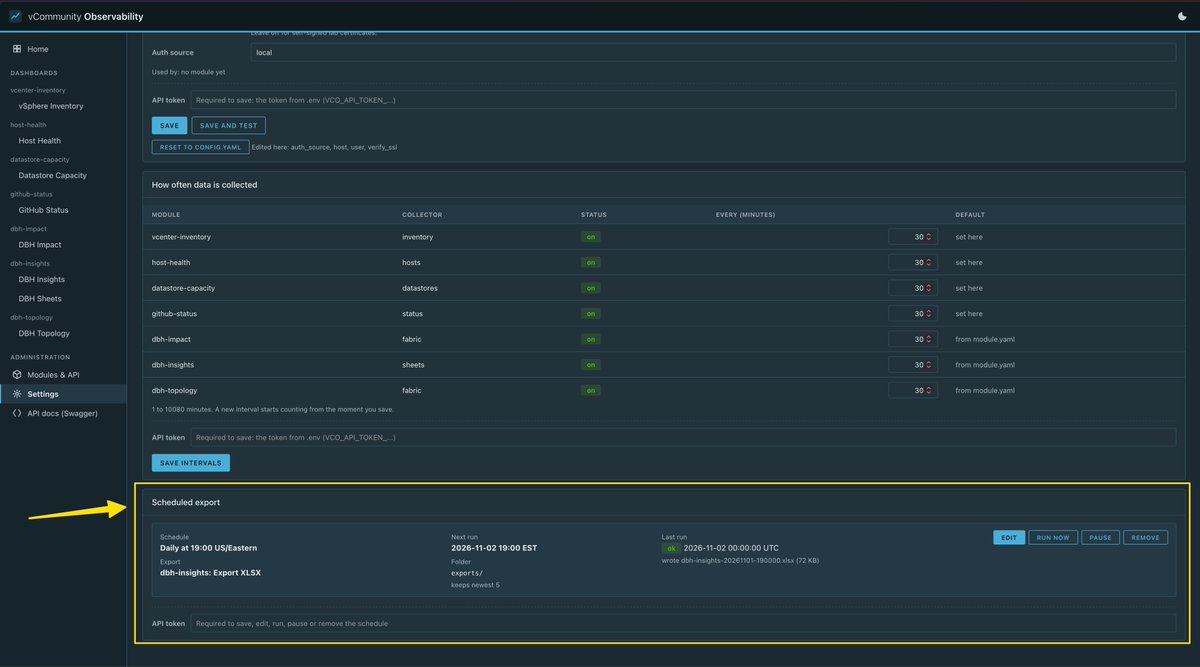
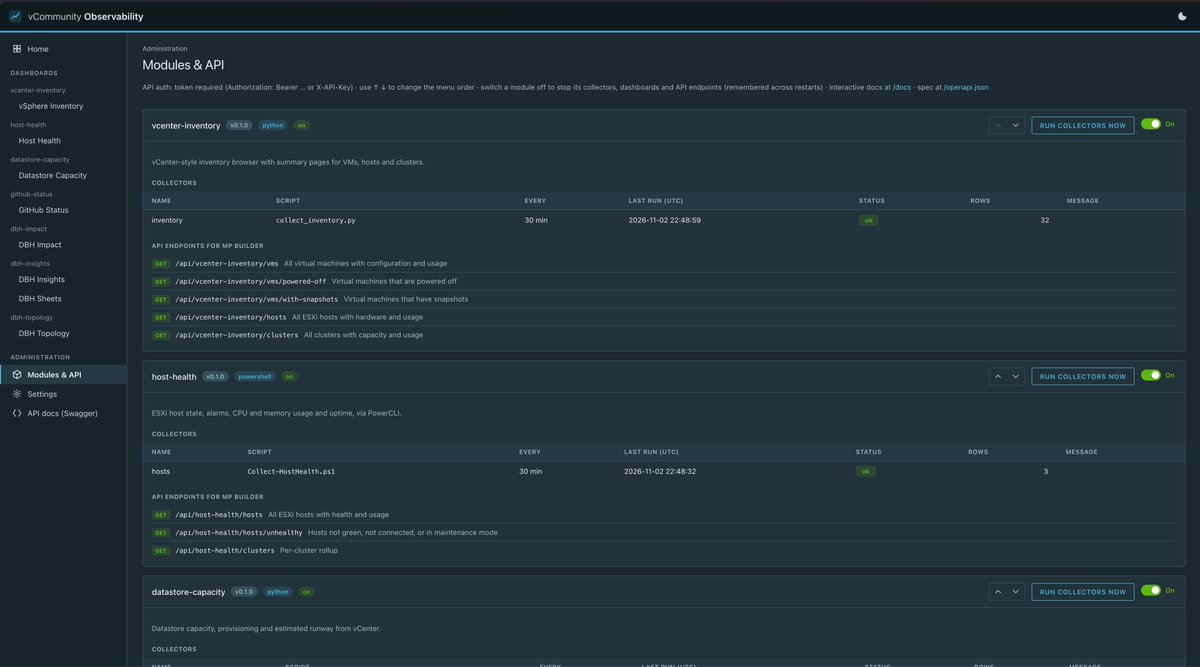
𝘃𝗖𝗼𝗺𝗺𝘂𝗻𝗶𝘁𝘆 𝗢𝗯𝘀𝗲𝗿𝘃𝗮𝗯𝗶𝗹𝗶𝘁𝘆 brings together my team's hackathon results: last year's PowerShell MCP server and this year's RVTools-style DBH Insights. I kept building after Explore.
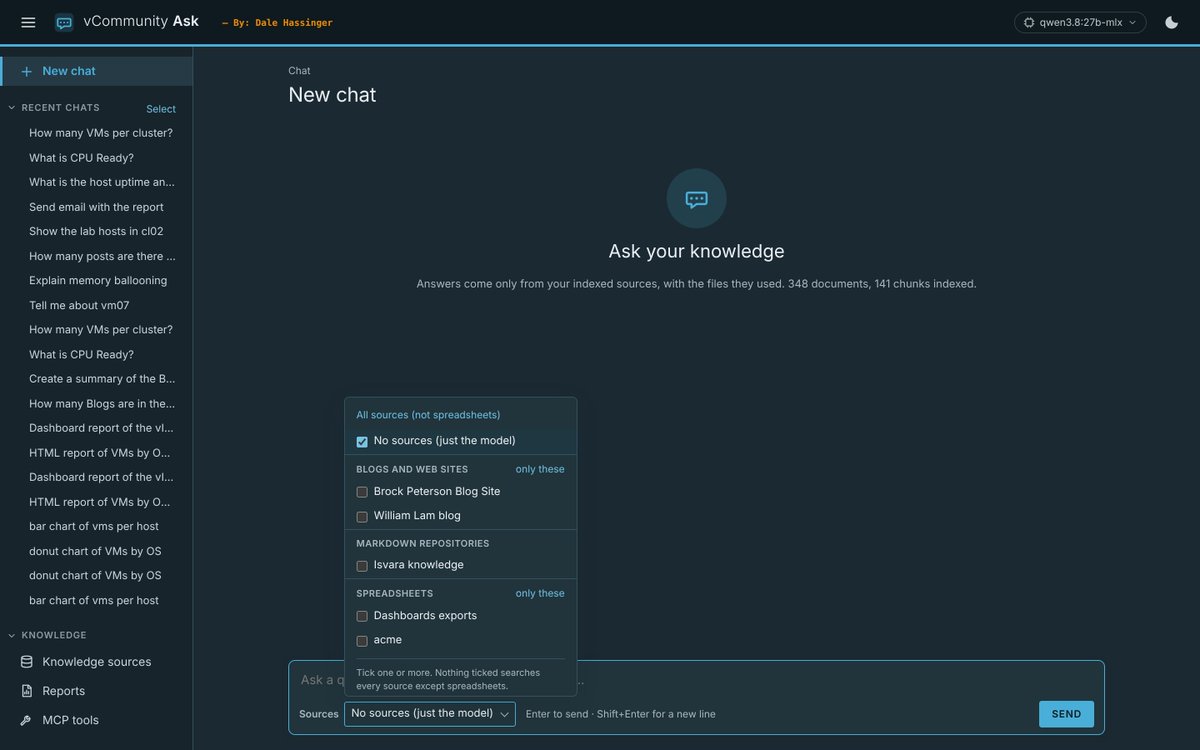
It has custom vSphere dashboards, a REST API for VCF Operations Management Pack Builder, and a local AI chat that answers only from the sources you pick. It's open source and works at dark sites.
𝗕𝗹𝗼𝗴 𝗟𝗶𝗻𝗸:
https://t.co/vp5bo1AOck
#vExpert #vCommunity #Hackathon #VCF #AI #vmware
🚀 From a 𝗩𝗠𝘄𝗮𝗿𝗲 𝗘𝘅𝗽𝗹𝗼𝗿𝗲 𝗛𝗮𝗰𝗸𝗮𝘁𝗵𝗼𝗻 2026 project to something 𝗯𝗶𝗴𝗴𝗲𝗿…
At the VMware Explore Hackathon in Las Vegas, my team built an RVTools-style, cross-platform vCenter inventory application. The response at Explore was great, so after the event we continued developing it and released the project on GitHub for anyone to download and try.
Now I’ve taken it another step.
𝗧𝗵𝗲 𝗹𝗮𝘁𝗲𝘀𝘁 𝘃𝗲𝗿𝘀𝗶𝗼𝗻 𝗿𝘂𝗻𝘀 𝗮𝘀 𝗮 𝗰𝗼𝗻𝘁𝗮𝗶𝗻𝗲𝗿, 𝗺𝗮𝗸𝗶𝗻𝗴 𝗶𝘁 𝗲𝗮𝘀𝘆 𝘁𝗼 𝗿𝘂𝗻 𝗼𝗻 𝗟𝗶𝗻𝘂𝘅, 𝗪𝗶𝗻𝗱𝗼𝘄𝘀, 𝗼𝗿 𝗺𝗮𝗰𝗢𝗦.
I’ve also started adding capabilities beyond a traditional RVTools-style inventory, including:
🔹 Scheduled inventory collections built-in
🔹 Automatic retention of the most recent 5–7 inventory runs
🔹 Additional views to surface useful vCenter information
🔹 Cross-platform container deployment
But before I keep adding features, I’d really like some input from the VMware community.
How are you using RVTools today?
Are you using it for:
👉 Health checks?
👉 Environment documentation?
👉 Capacity planning?
👉 Upgrade planning?
👉 Comparing inventory over time?
👉 Customer assessments?
👉 Something completely different?
And the bigger question:
What do you wish RVTools did that it doesn't do today?
Drop your ideas in the comments — even if it's something small. I'm looking for "Real-World" use cases that can help determine where we take this project next.
If there's enough interest, I'll share more about the new containerized version and how to try it.
I’ve included a few screenshots to show what we’ve built so far.
#VMware #VCF #RVTools #vExpert #Automation #HomeLab #Containers
𝗡𝗲𝘄 𝗛𝗼𝗺𝗲 𝗟𝗮𝗯 𝗗𝗮𝘀𝗵𝗯𝗼𝗮𝗿𝗱! 🚀
I’ve always wanted a 𝗩𝗖𝗙 𝗢𝗽𝗲𝗿𝗮𝘁𝗶𝗼𝗻𝘀 𝗗𝗮𝘀𝗵𝗯𝗼𝗮𝗿𝗱 that shows which network switch ports connect to each host in my lab. 🥼
Using my 𝗠𝗖𝗣 𝘀𝗲𝗿𝘃𝗲𝗿 in 𝗖𝗹𝗮𝘂𝗱𝗲, I connected to my network switch and vCenter to map the host-to-switch port connections. 𝗖𝗹𝗮𝘂𝗱𝗲 then created an HTML report that I could display in VCF Operations using the Text Display Widget. 📊
Sharing with the vCommunity to spark ideas for your own lab. 𝗔𝗜 is making projects like this easier to bring to life! 👍
𝗟𝗶𝗻𝗸 𝘁𝗼 𝗗𝗮𝘀𝗵𝗯𝗼𝗮𝗿𝗱:
https://t.co/lQXslvJoaf
#vExpert #VMware #VCF #HomeLab #vCommunity #AI #MCP
📢 New Blog Post: Mastering FQDN Filtering in vDefend Distributed Firewall: A Practical Guide
This is not a topic you would normally see on my blog, and there is a good reason for that, this article was written by a guest blogger.
Apoorv Malmane saw my offer to help people get started blogging about VMware VCF and reached out. I believe one of the best ways to give back to the vCommunity is to help others find their voice and start sharing their own knowledge and experiences.
Please join me in welcoming Apoorv to the vCommunity! 👏
Take a few minutes to read his informative post on FQDN filtering with vDefend Distributed Firewall, and give it a 👍 to encourage @ItsApoorvM to continue writing and sharing his knowledge. The blog has some great content and plenty of useful information to learn from.
🔗 Read the blog:
https://t.co/WS07VLEE9n
#vExpert #VMware #VMwareVCF #vCommunity #vDefend #NSX #CyberSecurity #Blogging
𝗡𝗲𝘄 𝗛𝗼𝗺𝗲 𝗟𝗮𝗯 𝗽𝗿𝗼𝗷𝗲𝗰𝘁 🚀
I built a simple KVM Dashboard to give me quick access to the GL.iNet Comet KVMs connected to my lab systems—all from one place.
A small project, but it makes remote Home Lab management much easier. I ❤️ Claude Code for these types of projects. 👍
🔗 https://t.co/iDaox3uBy3
#HomeLab #VMware #VCF #KVM #Automation #AI #Claude
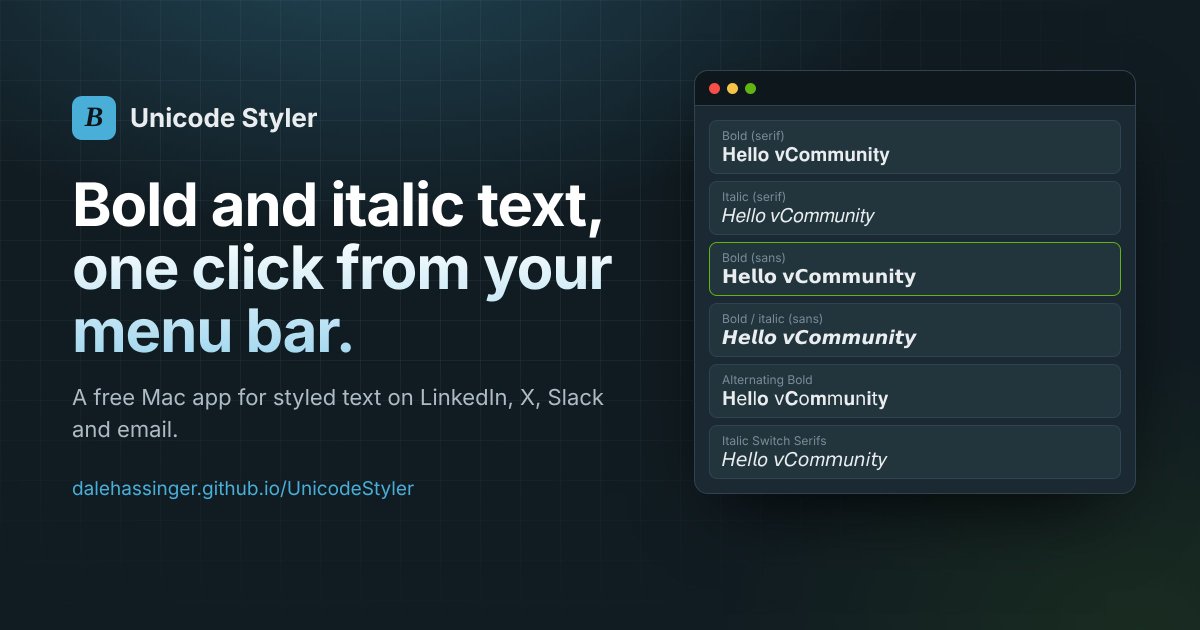
𝗡𝗲𝘄 𝗕𝗹𝗼𝗴 𝗣𝗼𝘀𝘁: 𝗨𝗻𝗶𝗰𝗼𝗱𝗲 𝗦𝘁𝘆𝗹𝗲𝗿 🚀
LinkedIn doesn't have a bold button. So I built a small, 𝑓𝑟𝑒𝑒 tool that does it. Type your text, click a style, paste.
A few of the 10 styles:
𝐇𝐞𝐥𝐥𝐨 𝐯𝐂𝐨𝐦𝐦𝐮𝐧𝐢𝐭𝐲
𝐻𝑒𝑙𝑙𝑜 𝑣𝐶𝑜𝑚𝑚𝑢𝑛𝑖𝑡𝑦
𝗛𝗲𝗹𝗹𝗼 𝘃𝗖𝗼𝗺𝗺𝘂𝗻𝗶𝘁𝘆
𝙃𝙚𝙡𝙡𝙤 𝙫𝘾𝙤𝙢𝙢𝙪𝙣𝙞𝙩𝙮
𝗠𝗮𝗰: a menu bar app, one click away.
𝗪𝗶𝗻𝗱𝗼𝘄𝘀 𝗮𝗻𝗱 𝗟𝗶𝗻𝘂𝘅: a web version you can bookmark.
The bold text in this post was made with it. 😎
#vExpert #vCommunity #AI #Claude
https://t.co/iQMlvSOYnp
I just published a new 𝗛𝗼𝗺𝗲 𝗟𝗮𝗯 𝗛𝗮𝗿𝗱𝘄𝗮𝗿𝗲 post covering the 𝗚𝗟𝗶𝗡𝗘𝗧 𝗖𝗼𝗺𝗲𝘁 𝗞𝗩𝗠.
I have been using these for remote console access to my Home Lab ESX hosts, and they have worked very well with my Starlink and Twingate setup. 🛰️
If you are looking for a simple remote KVM option for your Home Lab, this may be worth a look. 👀
𝗕𝗹𝗼𝗴 𝗟𝗶𝗻𝗸: 👈
https://t.co/WpRaK63cwp
#HomeLab #VMware #VCF #ESXi #KVM #Twingate #Starlink
New Blog Post! 🚀
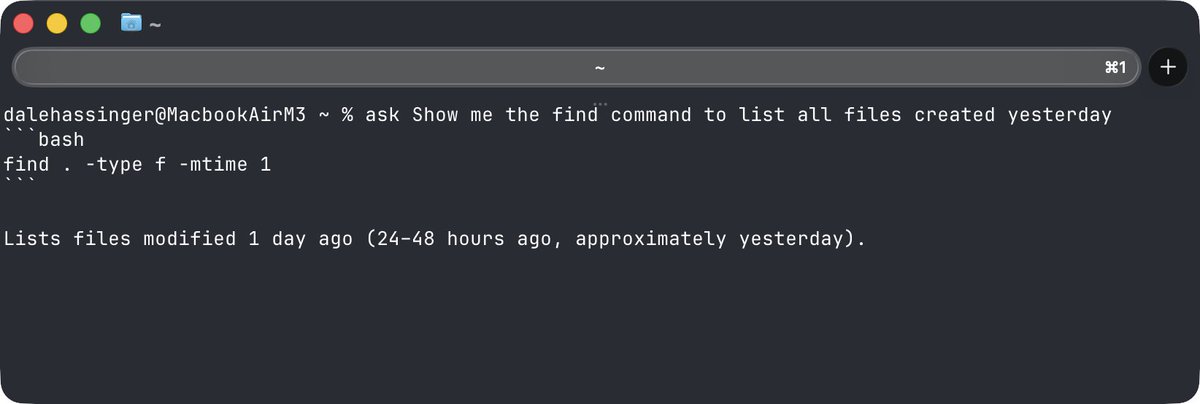
Quick tip for anyone who lives in the terminal: use Claude from the CLI. Need help with a command? Just "ASK".
I created two simple shell functions, "ask" and "explain", that use Claude Code to answer CLI questions right in your terminal. No new app, no extra subscription, just a one-time setup.
✅ ask find all files over 1GB → get the command
✅ explain tar -xzvf file.tar.gz → get it broken down
✅ Works in zsh and PowerShell
✅ Works in any terminal: Ghostty, iTerm2, Windows Terminal
Full setup and samples here:
https://t.co/XwyhMoumJX
#vExpert #vCommunity #ClaudeCode #PowerShell #CLI #Automation
🚀 New Blog Post: DBH Insights | Cross-Platform vCenter Inventory
My VMware Explore Hackathon idea has turned into a working application.
DBH Insights provides a cross-platform way to view your vCenter inventory, including:
📊 vCenter inventory dashboard
🗺️ Host and datastore topology
⚠️ Impact analysis for hosts and datastores
📋 27 inventory sheets with RVTools-type data
📤 Export everything to Excel
🔗 Multi-vCenter support
The DBH Insights Helper currently runs on macOS and Windows, with Linux coming.
Give it a try in your lab. I would love to hear your feedback and what features you would add next.
Read the blog:
https://t.co/NrZAdRW8i7
#VMware #VCF #vSphere #vCommunity #vExpert #Automation #AI
🚀 VMware Explore Hackathon 2026 Update
This year at the VMware Explore Hackathon, my team created a cross-platform application with functionality similar to RVTools. If you have worked with VMware for any length of time, I’m sure you’re familiar with RVTools.
Since the Hackathon, I’ve continued working on the application, added some new features, and made it available for anyone who would like to test it in a lab environment.
I would love to get feedback from the VMware community. How does the app work in your environment? What would you change? What features would you like to see added? 💡
𝗧𝗵𝗲 𝗚𝗶𝘁𝗛𝘂𝗯 𝗿𝗲𝗽𝗼𝘀𝗶𝘁𝗼𝗿𝘆 𝗶𝗻𝗰𝗹𝘂𝗱𝗲𝘀:
- The Helper App download
- The Web UI URL
- Setup and usage instructions
- Screenshots of the application
𝗚𝗲𝘁𝘁𝗶𝗻𝗴 𝘀𝘁𝗮𝗿𝘁𝗲𝗱 𝗶𝘀 𝘀𝗶𝗺𝗽𝗹𝗲:
Install the Helper App → Add your vCenter details → Open the Web UI → Boom! 💥
You can now view details from your vCenter through the web interface.
This is still a work in progress, and community feedback will help determine where I take it next. You can export XLSX and HTML files of the reports. 👀
🔗 GitHub Repository: https://t.co/UxBnaepCKM
The Hackathon team worked great together, and I thought the idea was too good not to continue exploring. I want to see if there is interest within the VMware Community for a modern, cross-platform application with functionality similar to RVTools. 👍
#VMware #VMwareExplore #VCF #RVTools #Hackathon #vCommunity #vExpert
𝗡𝗲𝘄 𝗕𝗹𝗼𝗴 𝗣𝗼𝘀𝘁: VMware Explore 2026 | My Experience 👈
𝗩𝗠𝘄𝗮𝗿𝗲 𝗘𝘅𝗽𝗹𝗼𝗿𝗲 is always one of the highlights of my year. 😎
In this post, I share my experience from VMware Explore 2026, including the Hackathon, Hands-on Labs, customer conversations, AI, community, and plenty of pictures from the week. 👍
𝗖𝗵𝗲𝗰𝗸 𝗶𝘁 𝗼𝘂𝘁! 👀
Link: 🔗
https://t.co/OaXN7m7h4K
#VMwareExplore #VMware #VCF #vCommunity #vExpert
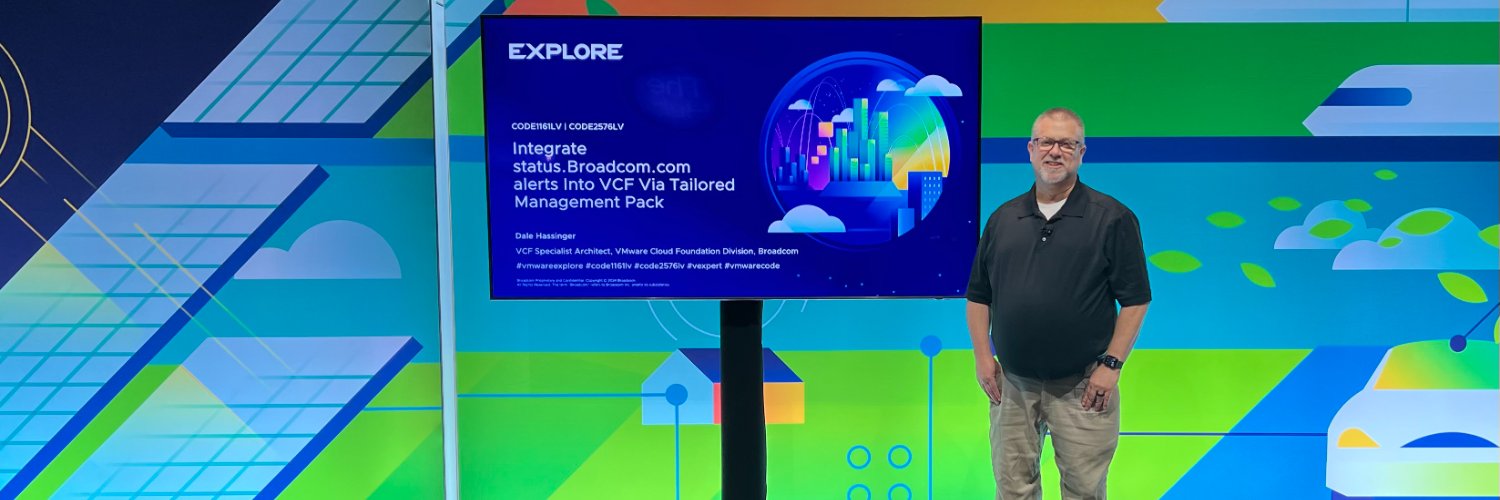
Thanks for including me on the VMware Explore 2026 podcast! 🎙️
I’ve been listening to the podcast for years, so it was an honor to be invited as a guest and have the opportunity to be part of the conversation.
I really enjoyed it and hope we get a chance to do another one in the future!