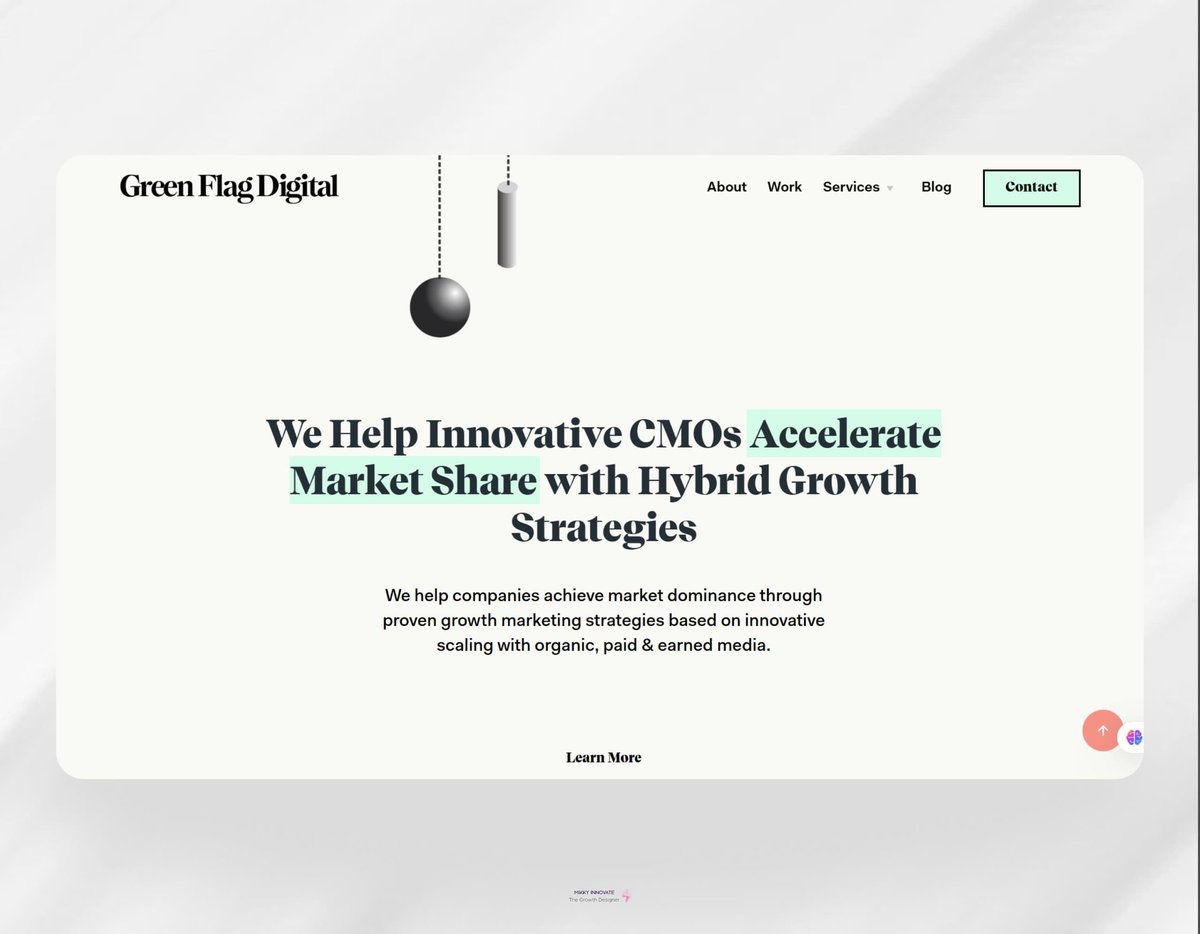
Sneak Peek Alert ‼️
We’re thrilled to share a preview of our upcoming website built with the incredible @framer
This isn’t just a website, it’s your gateway to success in 2025! 🚀
AND… we’re giving away a $5,000 Design Roadmap for FREE! 🎉
See more details ⬇️
4/ And Psalm 22 does not end in defeat. It moves from suffering to vindication and worldwide worship. By quoting its opening line, Jesus was pointing not only to His suffering but also to the victory with which the Psalm concludes.
For more information, please read Luke 9:22, Luke 22:22
In conclusion, “Why have You forsaken me?” does not mean, “I did not know this would happen.” It expresses the genuine horror of the cross while deliberately pointing back to Psalm 22.
We’re Hiring: UX & Product Designer (Junior–Mid) – Yozo AI
https://t.co/EMPeF5hYZO is seeking a UX & Product Designer to help us create scalable product experiences across onboarding, automation builders, wallet systems, and analytics dashboards. This role goes beyond just UI design; we are developing a real SaaS product with complex logic, and we need someone who thinks in systems, not just screens.
What you’ll do:
- Design user flows and SaaS dashboards
- Build structured UI in Figma (components, design systems, auto-layout)
- Collaborate closely with engineers
- Improve usability across complex features
- Work with Jira / ClickUp
What we’re looking for:
- 1–3 years of experience (Mid preferred)
- Strong Figma skills
- Solid UX fundamentals
- Product thinking mindset
- SaaS experience is a plus
Location: Remote / Cairo
If you’re interested, please send your CV and Portfolio to [email protected]. Include your expected salary, notice period, and portfolio link.
If you are passionate about building real products (not just landing pages), this role is for you.
ML Engineers, have no business training ai how to create aesthetically pleasing designs.
Please learn from your designers first before training ai.
Thank you.
Most vibe coders iterate on UI the hard way.
You fix a screen, then create an account, seed some data, click through five flows… just to see one state.
Here's what I do instead: every project gets a hidden state switcher.
One tap and I can log in as any user type, view empty states, load mock data, or pull from the real database.
Instead of recreating scenarios from scratch, I jump straight to them.
it has a built-in distraction shield to block time-wasting sites and a pomodoro timer to keep the focus locked. 🛡️
Time to stop just "planning" and start DOINGz. ⚡️🔥
The design is 97% completed in collaboration with
@AdebimpeOmolaso
Stop worrying about AI replacing you and start using it to sharpen your craft. ⚡️
I’m diving into how to design better interfaces with AI. Just practical UI/UX training.
📅 Jan 10 (Sat), 2025
🕗 08:00 PM (GMT+1)
🔗 https://t.co/vy9vkrJeSV
BONUS:
Active participants and top performers will receive special rewards and recognition.
Seats are limited.
If you’re serious about upgrading your design skills in 2026, don’t wait.
Save the date and DM “INTERESTED” to join free training
#uxdesign#uidesign#ai#uiuxdesign
LEARN UI/UX FOR FREE!
If design, tech, AI, or creativity is part of your 2026 goals, this is for you 👇
This isn’t theory
This is a practical session on how to design better interfaces with AI
Date: January 10, 2026
Time: 8:00PM(GMT+1)
100% Free |Practical |Beginner-friendly
Happy New Year!🤝🥂🎉
New year. New skills. New edge.
We’re kicking off the year with a FREE training, If design, tech, AI, or creativity is part of your 2026 goals, kindly check next post for more details☺️
#newyear#uiux#aicreation
Day 68/365 – Learning by Doing 💫
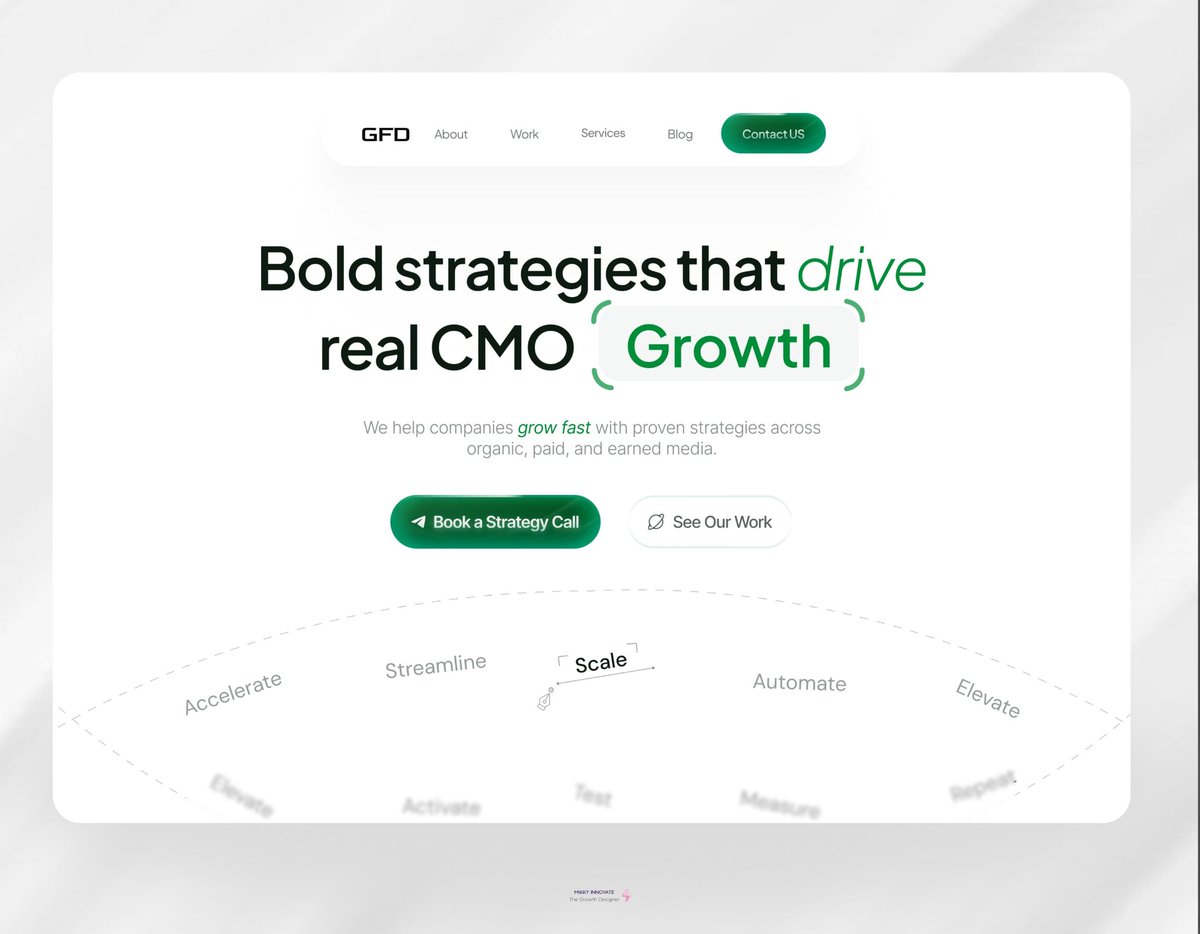
Reimagined @josephrobison hero section from complex to compelling.
•Promise-led headline
• Bold CTA: "Book a Strategy Call
• Clean layout for instant understanding
✅ Result: Clearer message. Higher trust. Built for growth.
Day 6 of D.S.C
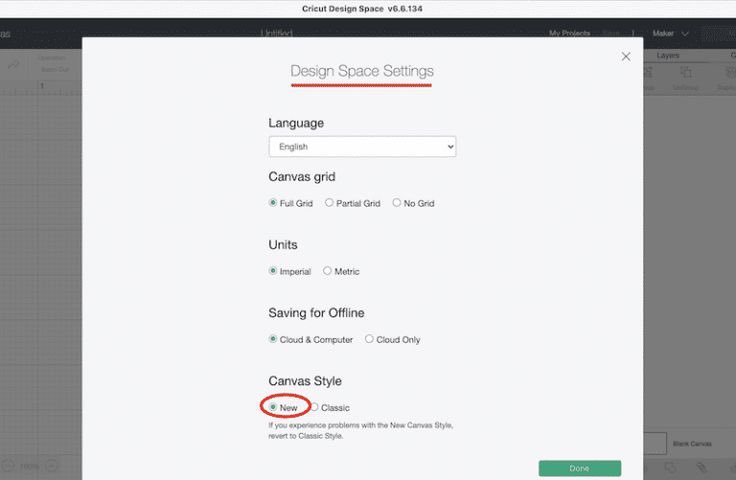
Settings forms done right ✅
Check out this example from Cricut Design Space clear labels, grouped options, intuitive controls. Simple, accessible, consistent.
That’s the power of a solid design system.
✨ What’s one form element you always include for good UX?
If you're new to vibe coding,
1. Install Goose on your terminal.
2. Use Perplexity to find installation instructions. Once installed, you can
3. Command Goose via your terminal.
____
Side note, i just use goose to install and configure my gemini cli and claude code.
AI just killed the research department.
You can now use ChatGPT, Gemini, Claude, DeepSeek, or any other LLM to replace a full research team.
That's why I built this "Deep Researcher Mega Prompt" to help you turn any LLM into a research assistant.
Like + comment "Mega" and I’ll DM it to you.
(Must be following me)