Freedom Scientific, a Vispero company, is the largest worldwide manufacturer of assistive technology products for those who are #blind or have #lowvision. #A11Y
Did you know you can ask follow-up questions about an image after Picture Smart generates a description?
Once the description appears in the Results Viewer, activate the "Ask questions about this image" link near the bottom of the window. Type your question, press ENTER, and JAWS will provide additional details about the image.
Need to know more about a chart, graphic, or photo? Just ask.
Learn more in this short training video: https://t.co/0acQ62nreN
#JAWS #VisperoTraining
Did you attend the May 7 AI Training Webinar, "Conduct In-depth Research and Solve Complex Problems Using AI?" In this session, Elizabeth and Rachel demonstrated how to ask better questions, evaluate AI responses, and use AI to support decisions at work and at home.
In case you missed it or want to review the information at your own pace, the archive is now available: https://t.co/NLGe5jAuwN
#AITraining #VisperoTraining #JAWS
Have you registered? Join us Thursday, June 4th at noon ET to learn how AI Features in JAWS, ZoomText, and Fusion can help you Better Understand and Navigate Digital Content. ACVREP credits available during the live presentation. There is still time; register today:
https://t.co/hHe8m0MMq2
#ACVREP #VisperoTraining #JAWS
Subscribe to our Vispero Training blog to stay up to date on upcoming events and training webinars, new software features and releases, and company announcements. https://t.co/8gTAMVRPoR
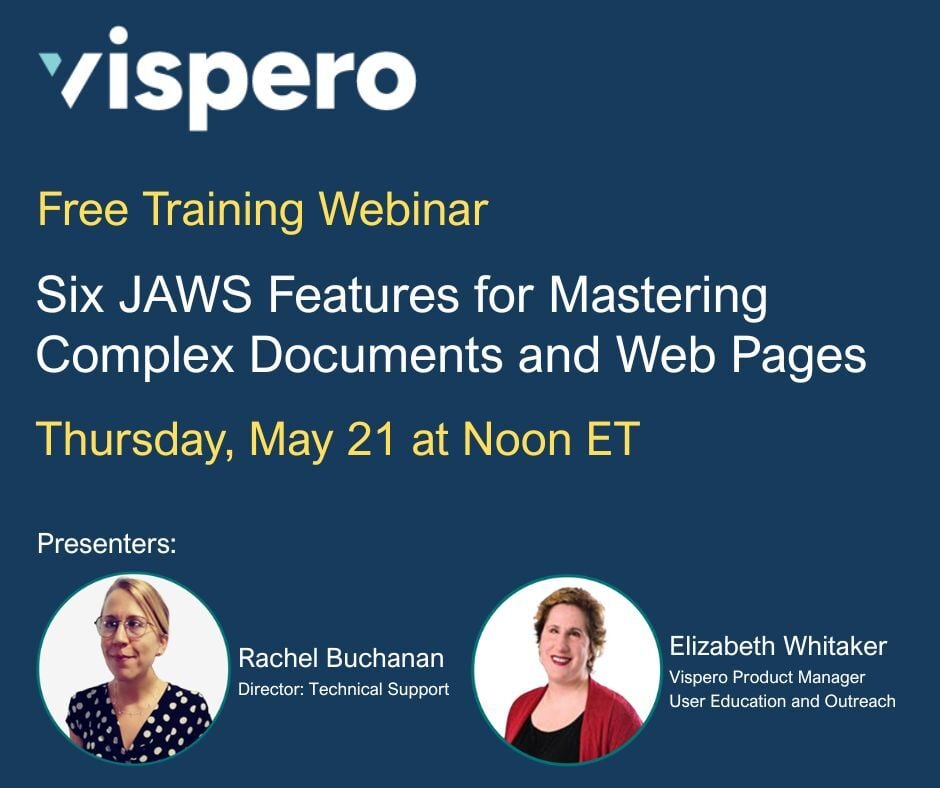
Working through complex web pages, PDFs, Word documents, or PowerPoint files? This webinar archive highlights six JAWS features that can help you navigate challenging layouts more efficiently and better understand the content you’re working with.
Explore features designed to make navigating tables, forms, images, and dense page structures easier across the web and documents.
Access the webinar: https://t.co/mvBYWp1bjL
#VisperoTraining #JAWS
Check out this interview of Jose Tamayo, Training Specialist at Vispero, by @_EyesOnSuccess . Jose shares his experiences during a 65-mile canoe outing.
2620 Encore of 1221 Cracked Ribs and Alligator Scares in a Canoe (5/20/26)
https://t.co/C3KVxErhau
with blind paddler Jose Tamayo about a 65-mile planned canoe outing that became a demanding test of endurance incl dry riverbeds, alligator encounters, painful cracked ribs, etc.
Did you request an ACVREP credit certificate for attending the live webinar: Six JAWS Features for Mastering Complex Documents and Web Pages? Please check your inbox; these have all been sent.
We hope you can join us on June 4 at Noon ET for our next live webinar: Use AI Features in JAWS, ZoomText, and Fusion to Better Understand and Navigate Digital Content. Register today: https://t.co/em7z87Ibx5
#ACVREP #JAWS #VisperoTraining
The deadline to register online for #NFB26 is quickly approaching!
Registration includes access to the biggest event of the year, the mobile app, and timely convention news and communications.
Register today at https://t.co/fzpiyooOkD
Want to know what webinars are around the corner? Visit our upcoming webinars page for all the details and register today.https://t.co/ZjAt1H8sRE
#ViseproTraining
Get ready—member registration for the 2026 ACB Conference & Convention opens TOMORROW, May 28, at 7am CT (8am ET). Registration for non-members will open on June 4. Details at https://t.co/3mn9YQF4oC.
Sharky Shortcut: Get Instant Webpage Summaries with Page Explorer
Navigating complex websites? Page Explorer helps you quickly understand page layouts, key content, important links, and more without searching through the entire page first.
Press INSERT + SHIFT + E (or CAPS LOCK + SHIFT + E on a laptop) after a webpage loads to launch Page Explorer and hear a summary of the page structure, alerts, navigation tips, and important content. You can even ask follow-up questions about the page to get more details instantly.
Learn more in this short training video: https://t.co/LlK28pKqpE
#VisperoTraining #SharkyShortcuts #JAWS
Join us Thursday, June 4th at noon ET to learn how AI Features in JAWS, ZoomText, and Fusion can help you Better Understand and Navigate Digital Content. ACVREP credits available during the live presentation. Register today:
https://t.co/oYb3rnoP0E
#ACVREP#VisperoTraining#JAWS
Check out this week's JAWS Power Tip: How To Use JAWS Smart Glance Highlights to Quickly Locate Important Text on a Web Page: https://t.co/zs0MpFoy9r
#VisperoTraining#JAWS#ScreenReader
Today, as part of Global Accessibility Awareness Day (#GAAD), we are sharing Episode 19 of the State of Accessibility Podcast.
In this episode, David Sloan sits down with Isabel Holdsworth and Dane Geer to talk about digital accessibility from the perspective of assistive technology users. The conversation explores what’s improving, where barriers still exist, and why building accessibility into the foundation of digital experiences matters.
It’s an honest and insightful discussion filled with real-world experiences, practical takeaways, and reminders that accessibility helps create better experiences for everyone.
Listen to Episode 19: https://t.co/60I4q6OrtV
#Accessibility #DigitalAccessibility #A11y
Join us in one hour to celebrate Global Accessibility Awareness Day and learn how to simplify busy or cluttered web pages using JAWS: https://t.co/oO8nQih0sT
#ACVREP#JAWS#VisperoTraining#GAAD
Are you an Insert J Club member? Check your inbox; we sent you all the details.
Not in the club? Join now so you don't miss out on early access and exclusive events. https://t.co/h7JWCL31JM
#InsertJClub#VisperoTraining
Join us tomorrow at noon ET to celebrate Global Accessibility Awareness Day to learn how Picture Smart AI can help you interpret images, charts, and PowerPoint slide visuals in complex documents and on web pages.
ACVREP credits available during the live webinar.
Register today: https://t.co/rTgzgSDTYs
#ACVREP #JAWS #VisperoTraining #GAAD