Learn step by step how to create the stunning Planet Spinner effect using your Insta360 X5 and Insta360 App.
This tutorial covers:
• Shooting tips to get the perfect orbit shot
• Easy editing workflow for a smooth spinner effect
• Export settings to maintain top quality
Perfect for creators looking to level up their 360 video skills. Try it yourself and make your shots stand out!
📷 IG/stevenwommack with Insta360 X5
@hiropapa_megane Glad to hear that. You can continue using the camera and see how it goes. If you still need help with this issue later on, feel free to reach out to us again.
Our latest video guide will show you how to update firmware on Insta360 X5, X4, and X4 Air. It's a must-watch to understand the three possible update methods, indicator light meanings, and troubleshooting tips.
Let us know if you have any questions!
So sorry for the issue, to address the issue, please send the camera back to our service center for further repair. You can submit a repair request via the following link: https://t.co/ybhhRc370o
If you’ve already submitted a return request, please DM us the repair request number starting with IWOQ. We’ll add a note to prioritize this case accordingly.
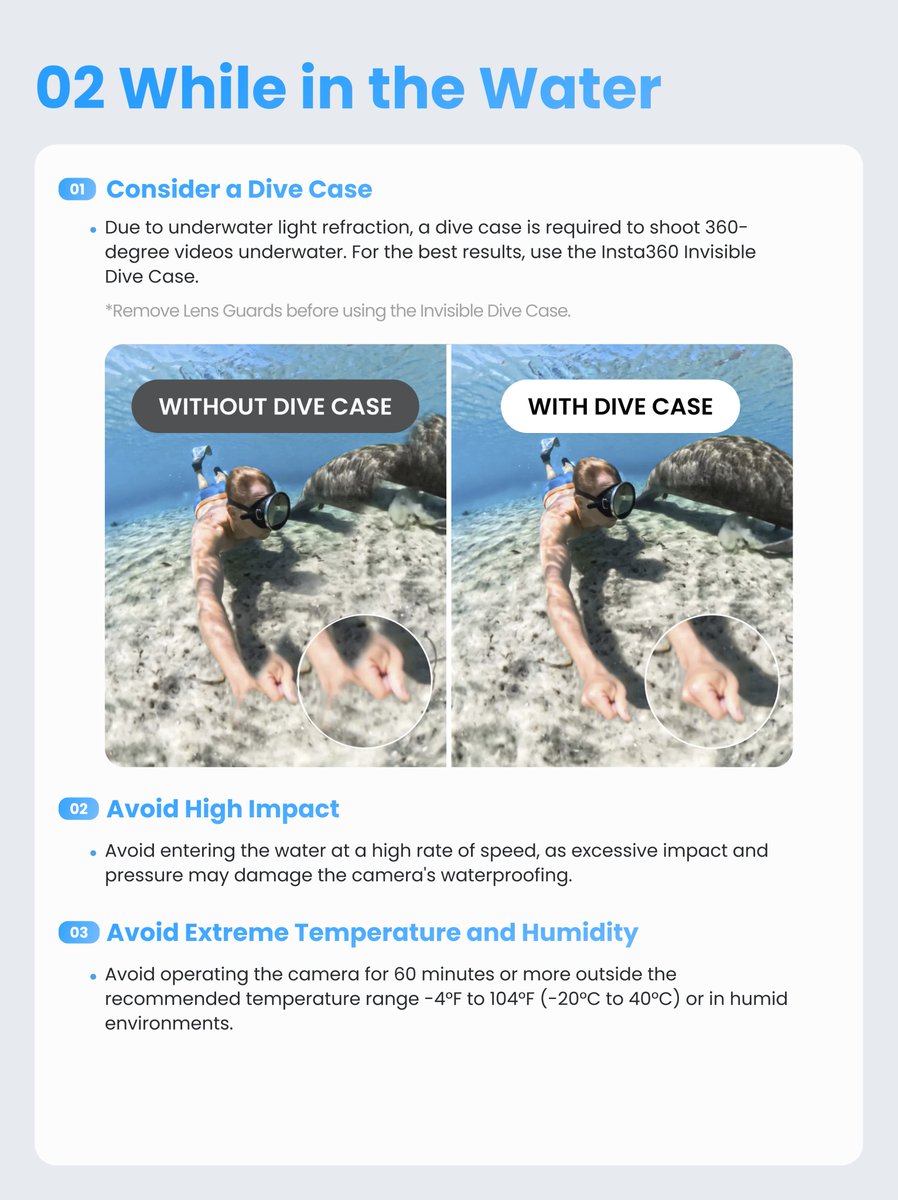
Summer means one thing — it's time to get in the water! Whether you're diving, swimming, or catching waves, your Insta360 is ready to come along. Just make sure everything is set up properly before you shoot, so your camera stays safe and your footage stays clean.
Here's everything you need to know 🌊
Hi, sorry to bother you.
Could we know about your recent usage of the camera?Did using this method successfully install the USB cover?
If the problem still persists, please send the camera back to our service center for further repair. You can submit a repair request via the following link: https://t.co/ybhhRc370o
@technote 1. Camera serial number 2. Current firmware version 3. Whether you are charging with the official charging cable 4. Video recording showing the issue 5. Log ID
X5's dual LED indicator lights use different colors and flashing patterns to display the camera's status and help you quickly identify storage, battery, temperature, charging, or system issues. Here's what you need to know! 🤓
Additionally, the SAT function is unavailable under the 8K resolution mode due to hardware performance constraints. When switching lenses during continuous zoom preview, you may notice black screen flickering or roughly half a second of stuttering. If you want smooth continuous zooming, we recommend recording at a resolution of 4K or lower with a frame rate of 60fps or less.
Hello, the frame jump that happens at 2.9x to 3x zoom on the Luna Ultra occurs when the camera switches from its wide-angle lens to the telephoto lens. Due to the difference in viewing angles and mismatched optical parameters between the two lenses (such as light intake, focus points, background bokeh, etc.), there will be slight shifts in brightness, color or framing.
Hi, pls try the following adjustments: 1. Use Auto exposure mode. For low-light shooting, switch to Pure Video mode and set sharpness to medium or low. 2. If use manual mode, set the shutter speed faster than 1/100s to shorten exposure time. Adjust the ISO according to lighting conditions (recommend 100–800). Please feel free to reach out to us again if the problem persists
@hisagi@Insta360Japan Additionally, Luna is not designed for underwater use at present. However, we have passed your request along to the relevant product team for further evaluation. Thank you for your valuable feedback and support.
@hunleyeric@insta360 Hello, we feel sorry for the unpleasant experience, and we fully understand your disappointment and frustration. Our engineers have taken your issue seriously. Please check your private messages and we will keep following up for this matter.
Hi, and we’re very sorry for the inconvenience. Our MKT team has passed your feedback along to us, and we take your concerns and overall experience very seriously. To make sure your issue is handled as efficiently and professionally as possible, your case has now been escalated to our Customer Experience Manager, who will personally assist you from here. When convenient, could you please send us your email address via DM so we can follow up with you directly? Thank you very much for your patience and cooperation.
@SecuritySensei_@insta360@DJIGlobal Sorry for the frustration. The Luna Ultra remote screen idle battery drain has been optimized in firmware v1.0.47 and later. Please update to the latest firmware and check again.
@TechPinas@insta360 Hi, thanks for the suggestion! AdaptiveTone is already available on X5 in 360 Video and PureVideo, but it’s not currently supported in Single-Lens Mode. We’ll share your request with our product team for future evaluation. Thanks for taking the time to share this idea with us.