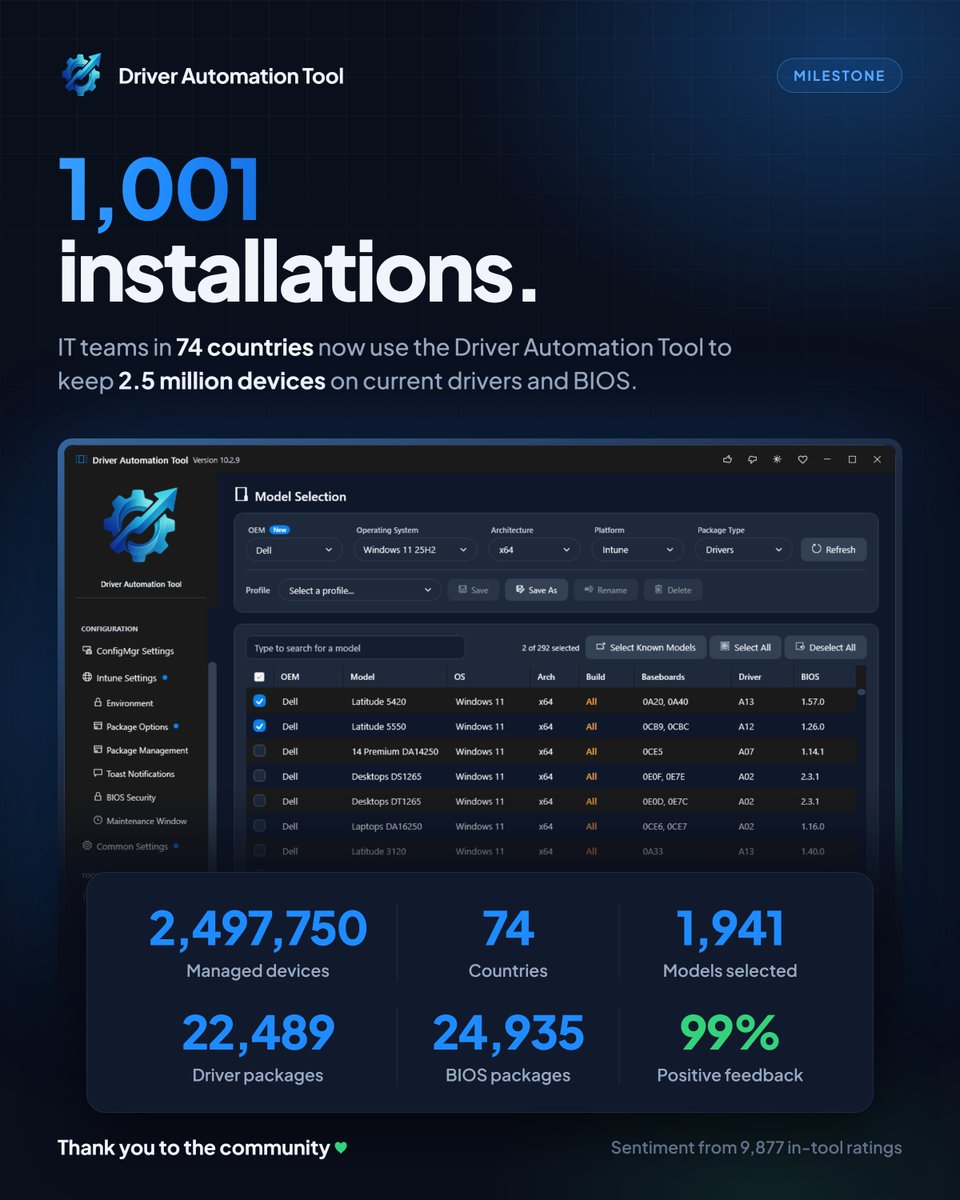
Driver Automation Tool V10 just passed 1k confirmed installs, managing a fleet of nearly 2.5m devices across 74 countries. It's great to be part of the #ConfigMgr#MSIntune community, and thanks for all your feedack so far!
Well… this was pretty cool to see.
Microsoft featured our full Windows Autopilot Device Association series in their new “What’s new for MSPs” roundup. And not just one article. The complete three-part story.
-The technical deep dive on Patch My PC, showing what Device Association is actually doing under the hood.
-The Call4Cloud part, where I took the manual process and automated the association, validation, and removal.
-Back to Patch My PC to put everything next to each other: Classic Autopilot, Autopilot Device Preparation, and Device Association. That was exactly the idea behind the series.
First, understand what it is and how it works. Then automate it. Then zoom back out and understand where it fits in the bigger Autopilot picture.
Pretty cool to see both @PatchMyPC blogs and my Call4Cloud article featured together by @Microsoft@MSIntune@IntuneSuppTeam
#Intune #MSIntune #WindowsAutopilot #Windows11
https://t.co/GZj17oAA9J
🚀 Staged rollouts in Microsoft Intune just got released in public preview!
If you've ever had to manage multi-phase app or policy deployments by manually swapping Entra groups or building custom PowerShell automation, Deployment Plans in Microsoft Intune is a massive quality-of-life upgrade.
Instead of all-or-nothing rollouts or manual babysitting, Intune now gives us built-in orchestration to roll out payloads (apps & configuration policies) across staged rings.
Here are 3 reasons why this new feature is a game-changer:
1️⃣ Standardized, Reusable Rollout Templates
No more reinventing the wheel for every application or policy update. With Deployment Plans, you can define your organization's approved rollout pattern once (e.g., Pilot → Early Adopters → Broad → All Devices) with preset deferral intervals (hours/days). When you're ready to deploy, you just attach the payload to your plan.
2️⃣ Cumulative Phased Rings (With Virtual Group Smarts)
Each ring safely expands targeting cumulatively over time. Even better: if your final ring targets virtual groups like All Devices or All Users, Intune automatically handles the transition—clearing previous staging assignments and rolling up the deployment cleanly into a broad assignment.
3️⃣ Full Control with Pause, Resume & Collision Detection
Things don’t always go according to plan, and safety nets are essential. Active deployments can be paused, resumed, or cancelled on the fly. Plus, built-in assignment collision detection prevents conflicts before a ring activates, protecting production environments from accidental dual-targeting or configuration drift.
Native ring-based deployments have been on the community wishlist for a long time, and bringing this directly into the Intune Admin Center is a huge step forward for safer change management.
🔗 Read the full documentation: https://t.co/XWNJFGtP2h
Have you tested this out in preview yet? How are you handling staged rollouts today? 👇
#MicrosoftIntune #EndpointManagement #SysAdmin #ModernWorkplace #CloudManagement #MSIntune
Give a man a fish and he eats for a day. Give a man an open source library and he maintains it unpaid for a decade while a trillion pound company quietly builds its entire business on top of it.
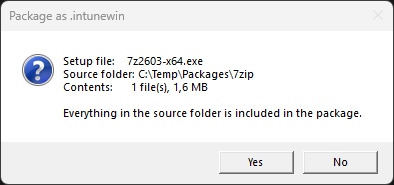
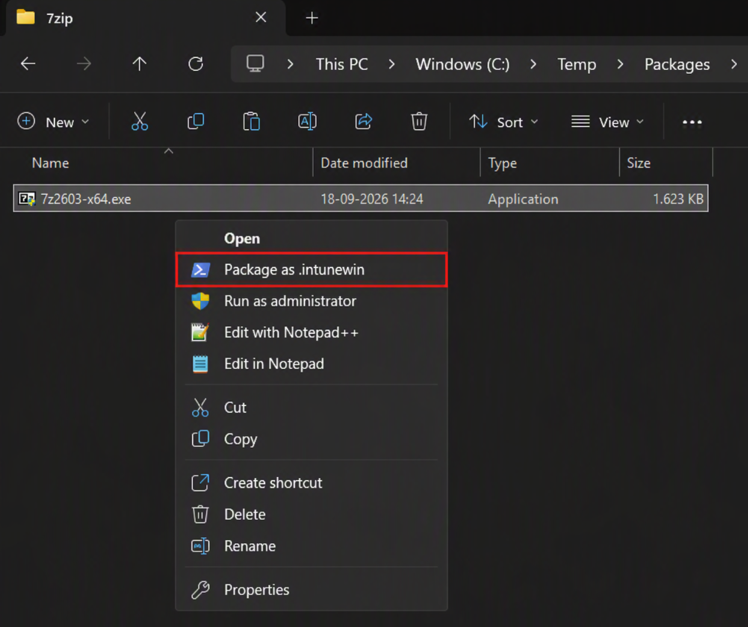
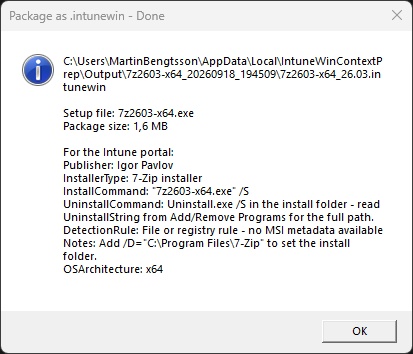
📣 Right-click an installer in Windows Explorer. Choose "Package as .intunewin". Done.
Point it at an .exe, .msi, .msp or a whole folder.
It confirms what it is about to package, runs the Microsoft Win32 Content Prep Tool, names the package with the detected product version, and opens the output folder when it is finished.
https://t.co/QyH9NHF8KF
#Intune #MicrosoftIntune #MSIntune #EndpointManagement #PowerShell #Win32
Thank YOU 🙏 for making BLIZZCON 2026 THE BIGGEST BLIZZCON EVER!
Most watched
Most mentioned
Most show floor demos & activations
…and most importantly, the MOST MURLOC MARCHING, mrrglrlrlrgrrr
Whether you watched from home or were among the attendees, thank you for making this a legendary BlizzCon weekend.
That’s a wrap for @wpninjasummit for me! Headed to Zurich then home tomorrow. Thanks so much for everything! I had an awesome time this week. Great seeing everyone! Looking forward to joining all of you in Baden again next year! #WpNinjaSummit
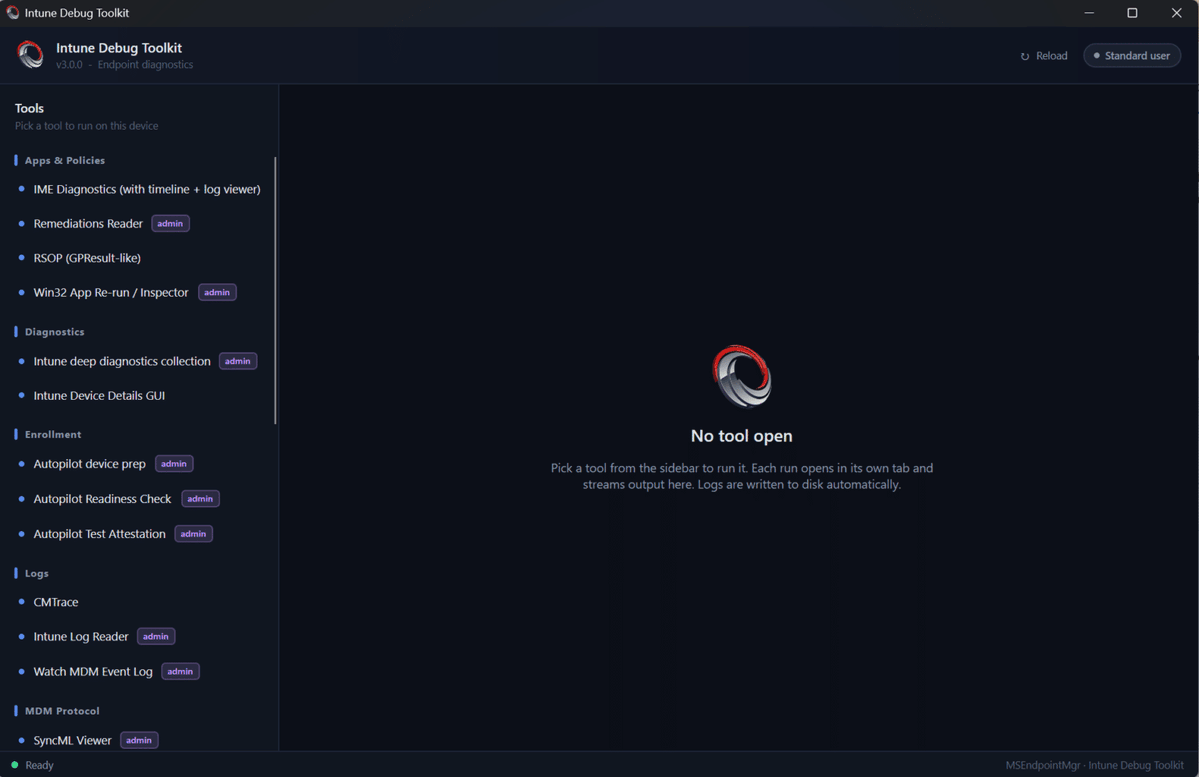
While attending #WPNinjaS I had some time to build the last pieces of the new #MSIntune Debug toolkit. It is now officially out!
https://t.co/4p1ppG2lAd
Winget is about to get an update, so you can use that channel if you are more into that.
#IntuneDebugToolkit#MSEndpointMgr
#MSIntune#Remote Help for #Windows has a new client version. #Upgrade with a click of a button with #EAM Enterprise App Management to supersede the new version.
New Update | Microsoft has released KB5129195, an out-of-band update for #Windows11 versions 24H2 and 25H2 that enhances security and reliability, improving Remote Desktop Services, Hyper-V Linux VM folder sharing, and USB audio multichannel support. https://t.co/sqLmV2e2h2
Microsoft released out-of-band updates to address the RDP and Audio issues. The Windows 11 Update is available via expedite update in #MSIntune or via #ConfigMgr.
The Windows server out-of-band updates are only available via update catalog and must be manually imported into WSUS/SUP. A PowerShell Script for the WSUS/SUP import is available https://t.co/G05LVZUmvs
UpdateIDs:
Server 2025
797fec39-6d79-43b7-8585-8d95c6017cc3
Server 2022
5e84b275-7092-42f6-99bd-f74a4e33f113
Server 2019
b17e8efe-33b9-4452-a39b-f1138fbb260b
Server 2016
c38e4c04-1db8-4d60-a997-a30eff356496