Massive Security win! You can now manage policies for #VSCode in #Intune!
As of the #Windows June Preview Update (26200.8524), MS have unblocked the VSCode ADMX registry path, meaning that uploading the ADMX shipped with a VSCode install allows you to create a policy to deploy allowed extensions (either by publisher or individually), as well as things like control chat capabilities and MCP servers - All of which have been proven as a serious supply chain attack or data exfiltration risks!
VSCode policy docs: https://t.co/A2Ceq6etFE
Maintenance Window Settings for OS,Drivers and Updates
Even though the policy is not available in the Intune Settings Catalog, it does not seem to be Insider Preview only anymore.
I tested it on Windows 11 25H2 with the February update installed, and the Maintenance Window policy still worked.
That means people can start testing this with the CSP today, without waiting for the Settings Catalog entry to reappear.
The Intune UI may have taken a different approach, but the Windows side is already in place.
@IntuneSuppTeam :)... I think the docs need some adjustment?
#Intune #MSIntune
During the Intune Management Extension deep dive at #MMSMOA, me and @bdam555 talked about that annoying 60 minute delay before required apps kick in after Autopilot.
Back then, it was mostly about explaining why it happens and offering some "solutions"
In the meantime, I kept poking at the IME side of it.
The question became pretty simple:
What if we do not wait for IME?
What if we give it the same nudge ourselves?
That idea turned into a small app that can kickstart the required app check in straight from IME.
No waiting for the next Required App Checkin..
(and a PowerShell remediation we can use as well)
More soon.
#Intune #MSIntune #Windows11
Maintenance Windows were announced for the Intune Settings Catalog.
That sounded pretty nice...
OS updates, drivers, firmware, install actions, restart actions, all wrapped inside a proper maintenance window Settings Catalog
But then the "What's in development announcement" suddenly disappeared.
The Settings Catalog announcement is gone, but luckily, the Windows Update CSP still documents the maintenance window settings.
So the Update policy itself is still there. The Intune UI part is the bit that vanished.
For now, it is back to using the Custom OMA URI if we want to deploy and test this new maintenance window
https://t.co/pYwOrDMJ8n
#Intune #MSIntune #WindowsUpdates
#Autopilot Device Preparation Policies are now generally available with #Windows365. Ensure your applications are installed and scripts are run before the #CloudPC is considered "provisioned":
https://t.co/AHFmAiOpIj
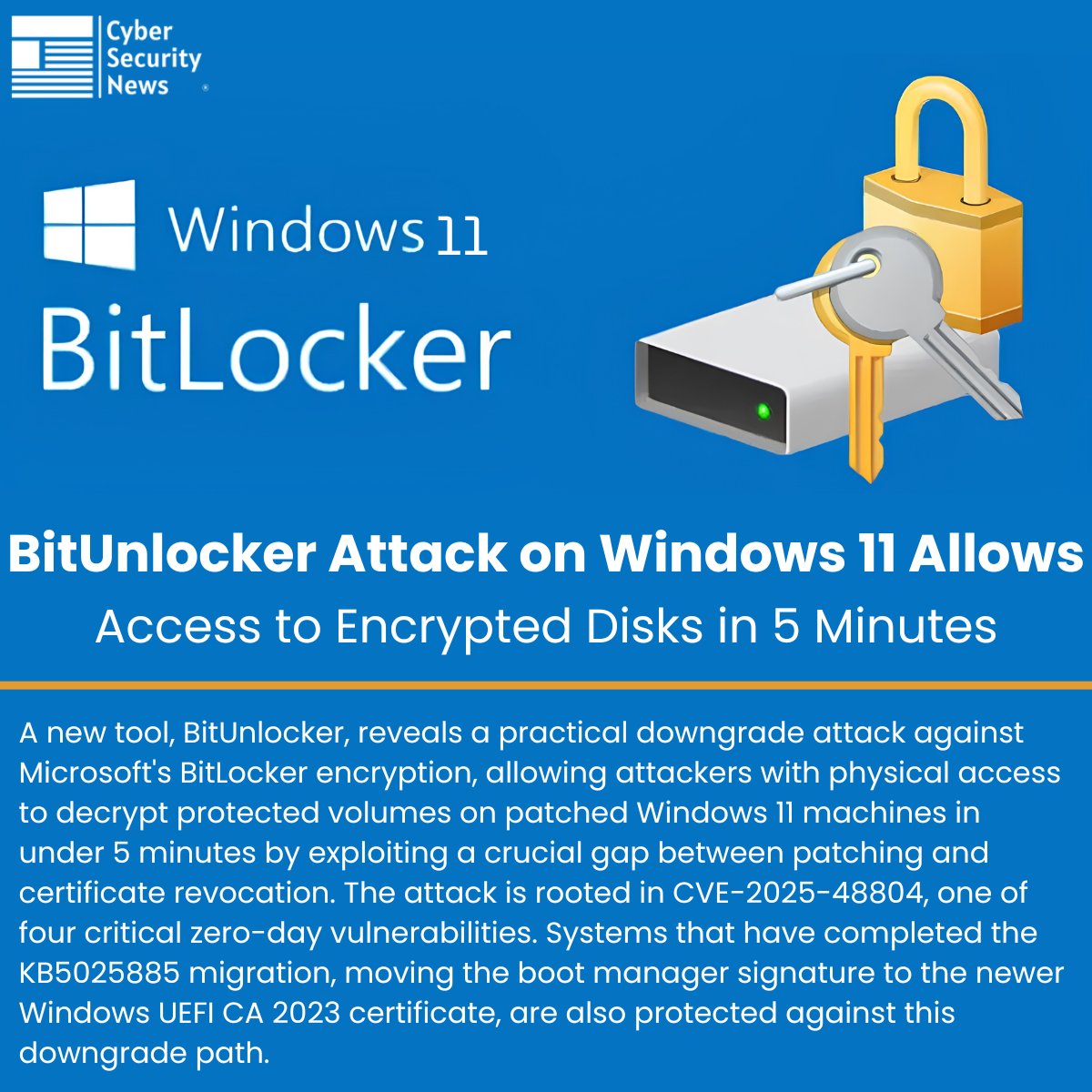
⚠️ BitUnlocker Attack on Windows 11 Allows Access to Encrypted Disks in 5 Minutes
Source: https://t.co/dq8KjmuHtP
A new tool, BitUnlocker, reveals a practical downgrade attack against Microsoft's BitLocker encryption, allowing attackers with physical access to decrypt protected volumes on patched Windows 11 machines in under 5 minutes by exploiting a crucial gap between patching and certificate revocation.
The attack is rooted in CVE-2025-48804, one of four critical zero-day vulnerabilities. Systems that have completed the KB5025885 migration, moving the boot manager signature to the newer Windows UEFI CA 2023 certificate, are also protected against this downgrade path.
#cybersecuritynews #Windows11
🛑 Microsoft patched 138 security flaws across its products, including 30 Critical bugs and Windows DNS, Netlogon, Azure, Dynamics 365, and Hyper-V issues.
None are listed as publicly known or under active attack.
Full details here: https://t.co/UM5GnHBAl8
⚠️ Microsoft Edge Stores All Saved Passwords in Cleartext Process Memory at Launch
Source: https://t.co/ROEbnQ9syu
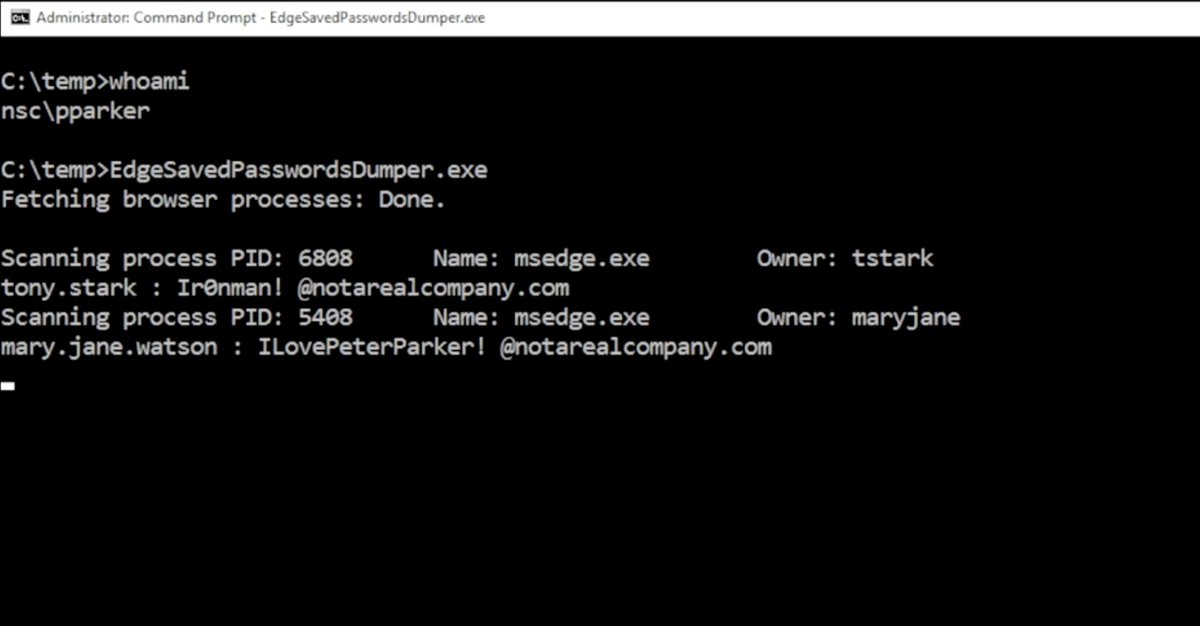
Microsoft Edge decrypts every stored password into process memory the moment the browser launches and keeps them there as cleartext, regardless of whether the user ever visits those sites.
A researcher who systematically tested every major Chromium-based browser for credential memory handling behavior. Edge was the only browser that exhibited this behavior, loading the entire password vault into plaintext process memory at startup and retaining it for the duration of the session.
In a published proof-of-concept video accompanying the disclosure, a compromised administrator account was used to successfully extract stored credentials.
#cybersecuritynews
❗️🚨 Microsoft Edge keeps every saved password in process memory as cleartext from the moment it launches. Microsoft's responsed when reported: "by design."
All of them. Including credentials for sites you won't open this session.
Researcher @L1v1ng0ffTh3L4N tested every major Chromium browser. Edge is the only one that behaves this way.
Chrome decrypts credentials on demand, and App-Bound Encryption locks the keys to an authenticated Chrome process so other processes can't reuse them.
In Chrome, plaintext surfaces only during autofill or when a password is viewed, making memory scraping far less useful.
What makes this extra weird is that Edge still demands re-authentication before revealing those passwords in its Password Manager UI, while the same browser process already holds every one of them in plaintext.
In shared environments, this turns into a credential harvest. On a terminal server, an attacker with admin rights can read the memory of every logged-on user process. In the published PoC video, a compromised admin account lifts stored credentials from two other logged-on (and even disconnected) users with Edge running.
Microsoft's official response when notified: "by design."
The finding was disclosed April 29 at BigBiteOfTech by PaloAltoNtwks Norway, alongside a small educational tool that lets anyone verify the cleartext storage for themselves.
Turning downtown Miami into a world class circuit 🌴 🏎️ As the next stop on the F1 calendar takes us to Miami, we've taken a step back in time to 1985 with original drawings and articles from the FIA Archives showing how downtown streets became a world class racing circuit. Now set against the backdrop of the Hard Rock Stadium, this modern circuit has quickly made its mark. Let us know your favourite city circuit👇 #FIA #F1 #FIAArchives #MiamiGP #FIAheritageinmotion
Vulnerability discovery is accelerating with AI, so staying current is a foundational defense. See update status across @Windows and Microsoft 365 Apps in one place with @MSIntune's new security update dashboard.
Learn more: https://t.co/BmIZZkEztI
We're investigating an issue with accessing some web-based Microsoft 365 services when using the latest version of Google Chrome. We're currently taking action to address the problem. More details can be found in https://t.co/uSHwRmXFJZ or under MO1281730 in the admin center.
🔒 New security baseline for @Windows 11 25H2 is now available in @MSIntune's 2603 service release.
If you're managing Windows endpoints, it's time to review, test, and roll it out.
➡️ https://t.co/itXYxC33O9
#MSIntune#EndpointSecurity#MicrosoftSecurity
⚠️ Windows 11 Emergency Update to Fix 'No Internet' Sign-In Errors for OneDrive, Teams
Source: https://t.co/CYq5oY24B0
Microsoft has released an out-of-band (OOB) update, KB5085516, for Windows 11 versions 25H2 and 24H2 to address a critical sign-in issue introduced by the March 2026 Patch Tuesday update.
The emergency patch, released on March 21, 2026, targets a bug that falsely reports "no Internet" errors when users attempt to sign in to Microsoft services, even on fully connected devices.
Following the installation of KB5079473, released on March 10, 2026, a subset of Windows 11 users began experiencing unexpected failures when signing into Microsoft account-dependent applications.
#windows11 #cybersecuritynews
🛡️ Microsoft Out-of-Band Update for Windows 11 to Fix Microsoft Account Sign-In Failure
Source: https://t.co/s1EAaHDDji
Microsoft has issued an out-of-band (OOB) update for Windows 11 versions 25H2 and 24H2, identified as KB5085516, addressing a critical sign-in bug introduced by the March 2026 Patch Tuesday release.
The update carries OS builds 26200.8039 and 26100.8039 and was made available on March 21, 2026, outside the regular monthly update cadence. The primary driver behind this emergency release is a sign-in failure affecting users who installed the cumulative update KB5079473, released on March 10, 2026.
#cybersecuritynews #Windows11
⚡ Microsoft patched 84 vulnerabilities in March Patch Tuesday, including 8 critical flaws and two publicly known zero-days in .NET and SQL Server.
Researchers say 55% are privilege-escalation bugs. Fixes also address Azure MCP token-theft risk and an Excel flaw that could enable data exfiltration.
🔗 Key CVEs and risks explained → https://t.co/5aYfHEpIau
With #MSIntune SR2602 I can finally find all devices without a specific KB with MDQ. 🙏
Device
| where Platform == 'WINDOWS' and OsVersion startswith "10.0.26200"
| join kind=leftanti (WindowsQfe | where HotFixId == 'KB5078167')
| project DeviceId, DeviceName, OsVersion