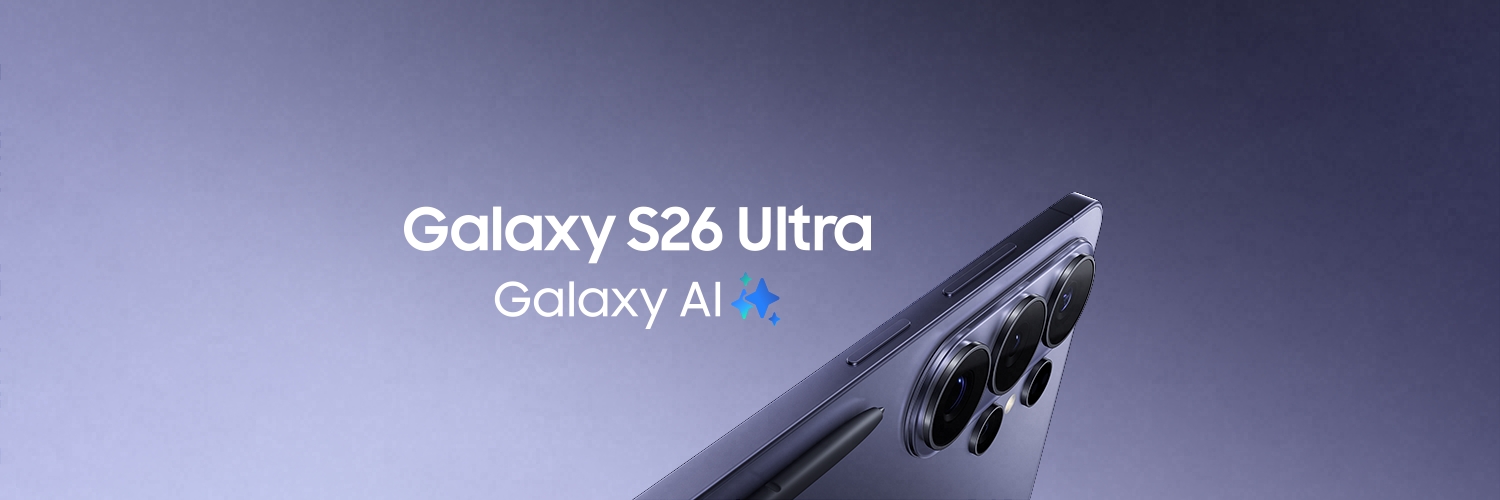
Join us at Samsung #GalaxyUnpacked on February 25, 2026 to discover how easy and effortless your day can be with #GalaxyAI.
Learn more: https://t.co/dt3FnqC3m6
Hi there, Please disconnect the charger immediately and inspect the port for any moisture, dust, or foreign material. Allow the port to dry completely before attempting to charge again. You can also use a fan with cool air to help speed up the drying process. If the warning persists after the port is completely dry and clean, we recommend visiting your nearest Samsung Service Centre for further assessment. Please go to the below link to locate the closest Authorized Service Center to you.
https://t.co/XPZLRvwmO5
^Khululiwe
Even when no fault is found, devices may still be reset during diagnostics depending on the service process or software checks performed, which is why backup is always strongly recommended before handing in a device. To escalate the matter further please email us on [email protected], so we can investigate it with the responsible team. ^Khululiwe
Hi there, thank you for reaching out. Maintenance Mode is designed to protect personal data during repairs by restricting access, but it does not guarantee data retention in all repair cases. For this reason, the system prompts users to back up data (cloud or external storage) before activation, as some repairs like motherboard-related work, it may still require a full reset.
Screen protectors are classed as consumables and may be removed during repair and not replaced. ^Khululiwe
@witbanksissy We request you to share with us your name, contact details, JOB numbers and description of your query to [email protected], so that we can look into this for you. Thanks! ^Nora
Thank you for confirming that you're located in India. We're sorry to hear about your experience and understand your concerns regarding the repair costs quoted. As support processes and service policies vary by region, we recommend contacting Samsung India directly, as they will be best placed to review your case and advise you on the available options.
You can reach Samsung India here: Samsung India Support
We appreciate your patience and hope the Samsung India team is able to assist you further. ^UN
Hi, we're sorry to hear about your experience and understand your frustration regarding the repair costs quoted for your TV, especially if you believe the issue was not caused by anything on your end. We would like to better understand your situation and guide you to the appropriate support team.
Could you please let us know which country you're located in? Once we have your location, we'll be able to advise you accordingly on the available support options and next steps.
^UN
Hi, we're sorry to hear about the issues you're experiencing with your TV. We understand how disappointing this must be, especially given your expectations of the product. To have this assessed further, please contact our Samsung Support Team via Live Chat or WhatsApp and provide your TV model code, serial number, and details of the issue. Our team will be able to advise on the available support options.
Support: Samsung Support Contact Page
^UN
@gdesmedt1 Hi, we're sorry to hear that. Please ask your dad to check whether any unauthorized changes were made to his Samsung account details. To assist further, kindly send us a DM with the affected phone model, the Samsung account email address, and a brief description of what happens when he tries to access the account. We'll be happy to look into this with you.^UN
@reuben55713407 Are you being neglected? Kindly tell us a bit more about your situation, and we can figure out the best way to escalate or fix the problem! ^Nora
@ka_Gwata We are sorry to hear that. Have you followed up with the store for updates? Would you happen to have a transaction number that we can look into? ^Nora
@daisiesrdaisy Hi Daisy. We are sorry to hear that. Could you please share your full name, contact details, email address and a brief description of your query [email protected], so that we can look into this for you. Thanks! ^Khululiwe
@himanshurockee We are sorry to hear that. We request you to share with us your name, contact details, JOB numbers and description of your query to [email protected], so that we can look into this for you. Thanks! ^Nora
@JokozelaM Hi Jokozela . We are sorry to hear that. Could you please share your full name, contact details, email address, job number, and a brief description of your query via direct message, for us to provide you with the best support. Thanks! ^Khululiwe
@reuben55713407 Hi Reuben, thank you for reaching out. One UI 8.5 does not automatically mean the phone will move to Android 17. Some updates only improve features, performance, and security while keeping the same Android version. ^Khululiwe
@JudeAlen183892 Hi Jude, thank you for reaching out. We are going to provide you with a few troubleshooting steps to try & resolve the issue, however, should the issue persist, we will refer you to one of our Authorized Service Centers, where a qualified technician will physically assess your unit and provide technical assistance.
1. Force restart the phone:
Press and hold the Power button + Volume Down button together for about 10–15 seconds until the phone restarts.
2. Check storage space:
If the storage is full, apps may keep crashing.
Go to Settings > Device care > Storage and delete unnecessary files if possible.
3. Clear cache partition:
> Switch off the phone.
> Press and hold Volume Up + Power button together.
> When the Samsung logo appears, release the buttons.
> Use the volume buttons to select “Wipe cache partition”.
> Press Power to confirm.
> Select “Reboot system now”.
4. Boot into Safe Mode:
> Press and hold the Power button.
> Touch and hold “Power off”.
> Tap “Safe mode”.
> If the phone works normally in Safe Mode, a third-party app may be causing the issue.
5. If the device still freezes or apps continue stopping, perform a factory reset after backing up important data.
^Khululiwe
@reuben55713407 Hi Reuben, thank you for reaching out. To view all the new features and improvements included in the update, simply tap on “All changes” on the Software Update screen shown in your screenshot. This will display the full list of enhancements, new features, performance improvements and UI changes included in One UI 8.5. ^Khululiwe
@lalanation33 Hi lalanation. We are sorry to hear that. Could you please share your full name, contact details, email address, phone model number, and a brief description of your query via direct message, for us to provide you with the best support. Thanks! ^Khululiwe