Nothing like spending 3 weeks building a web scraper only to have it break the moment a website updates its HTML. Totally a great use of your time. Definitely don't just use an API that handles all of this automatically. Nope.
Just dropped: 3 API updates you need to know about.
Smarter pricing data. Richer sales insights. And something new on the horizon that a lot of you have been asking for.
This week's updates are built for developers serious about e-commerce intelligence and market analytics.
We asked our users what surprised them after signing up.
Here's what they said. Part 1/5
"Google search results were inconsistent for me."
Heard this one more than you'd think. 🤐
Watch the video to see exactly what was going wrong and how we solved it.
Most developers use Scrapingdog for basic scraping and stop there.
These small features make a huge difference when you're scaling projects, working with teams, or managing multiple clients.
They were bleeding $4,000/month on a data subscription.
Not ads. Not tools. Just data.
One conversation changed that completely.
Full story in the video 👇
3 websites. 30 days. Zero backlinks. Real organic traffic.
Silvia, a content automation specialist from Brazil, just proved that SEO isn't dead, it just looks different now.
🔗 Try Scrapingdog for free → https://t.co/E28G3zfy6w
@scrapingdog signups up 10% this week 📈
What moved the needle:
• Cleaned up site structure for better crawlability
• Removed dead pages dragging down SEO
• Faster APIs
• A few solid backlinks
• Started long-form YouTube content
Weirdly, we posted FEWER blogs than last month.
Foundation > content volume.
Weekly Scrapingdog update 🚀
The X Profile Scraper API faster, added sponsored products and ads extraction to Google AIO and AI Mode APIs, launched the TikTok Ads Scraper on the dashboard, and fixed 400 errors in the Immersive Product API.
Try it here: https://t.co/6CV6AmBiGM
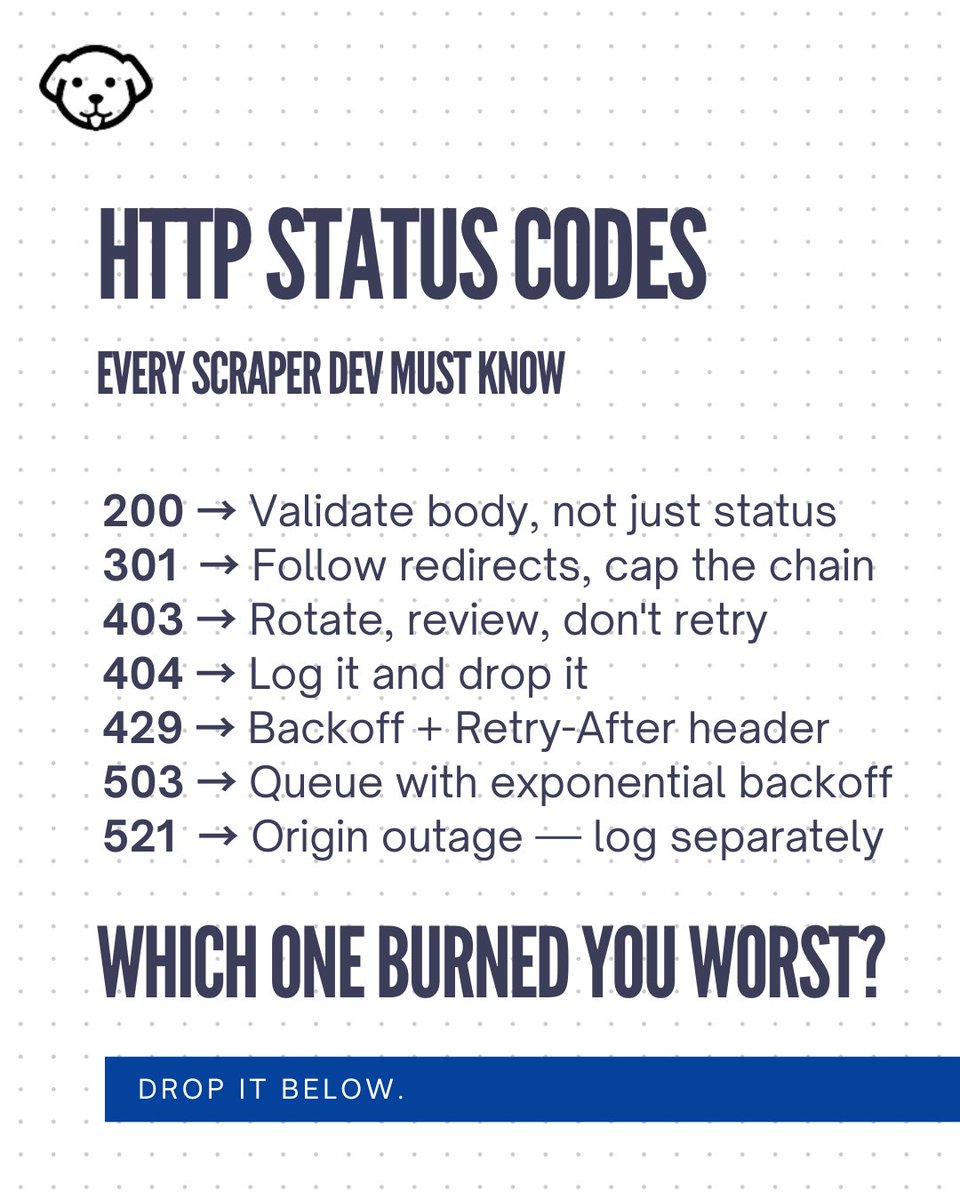
Here we have mentioned 7 status codes that every scraper developer should be aware of.
We've also mentioned how can you handles those codes correctly.
Checkout the post for more information and tell us which status code has caused you the most pain? Comment the number below.
Scraping Google Search with Node.js sounds simple…
Until Google starts throwing CAPTCHAs, blocks your IP, changes the DOM, or hides data behind JavaScript.
So I wrote a practical guide.
Read the full guide here:
https://t.co/1yUs4jRqEX
Scrapingdog Weekly Updates: Standard plan credit rollover, Google Immersive API empty response fix, and improved Google AI Mode & AI Overview API data completeness.
Try Scrapingdog with 1,000 free credits.
Stop paying for rank trackers.
Build your own in Python using Scrapingdog's Google SERP API — in under 50 lines of code.
✅ Track any keyword
✅ Real-time Google rankings
✅ No CAPTCHA, no blocks
✅ Schedule daily with a cron job
Full video tutorial 👇
🚀Just launched: TikTok Scraping API by @scrapingdog
Extract TikTok profiles, videos, hashtags & trends, at scale, without blocks.
✅ No proxy management
✅ Structured JSON output
✅ Simple REST API
Perfect for analytics tools, trend trackers & research platforms.
Until the website throws a 403 error, CAPTCHA, verification code, or some random block at you.
That’s why Scrapingdog exists.
Send one API request.
Get clean, structured data back.
No proxy setup. No browser headache. No anti-bot.
Start scraping in minutes with 1000 free credits
Most people use scraping and crawling like they’re the same thing.
They’re not.
A crawler finds pages.
A scraper extracts data from pages.
If your tool follows links, it’s crawling.
If it pulls structured data from a known page, it’s scraping.
So… what are you building?