Bitcoin's quantum defense just got its first working prototype.
Olaoluwa @roasbeef Osuntokun, CTO of Lightning Labs, published a functional tool to the Bitcoin developer mailing list that solves one of the hardest problems in Bitcoin's long-term security, how to protect the network from quantum attacks without locking millions of users out of their own wallets.
The problem is a painful paradox. Bitcoin's leading quantum defense proposal (BIP-360) would disable the current signature system network-wide if a quantum threat emerged. That protects the network, but every wallet that hasn't migrated to the new quantum-resistant format gets frozen permanently. The coins are still there. The rightful owner just can't access them.
Osuntokun's prototype is the escape hatch. Instead of proving ownership with a digital signature, the system lets users mathematically prove they created the wallet using its original seed phrase, without ever revealing the seed itself. Recovering one wallet doesn't compromise any others derived from the same seed. It replaces "I can sign this transaction" with "I can prove this wallet came from me."
It already runs on a consumer MacBook. Generating the proof takes about 55 seconds. Verification takes under two seconds. The proof file is roughly 1.7 MB.
There's no formal proposal to integrate this into Bitcoin yet and no deployment timeline. But the prototype closes a gap that had only existed in theory until now, a credible path to quantum resilience without the collateral damage of stranding user funds.
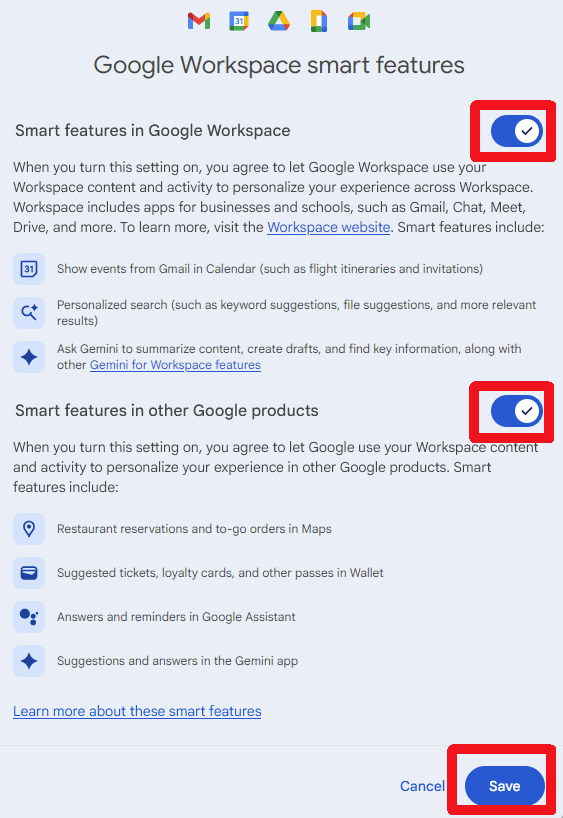
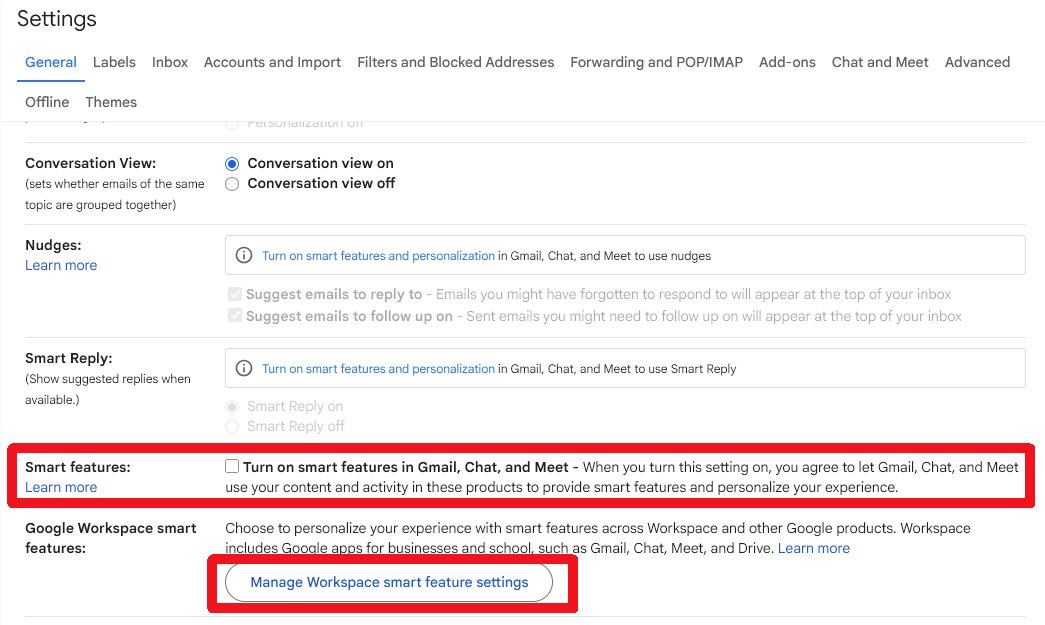
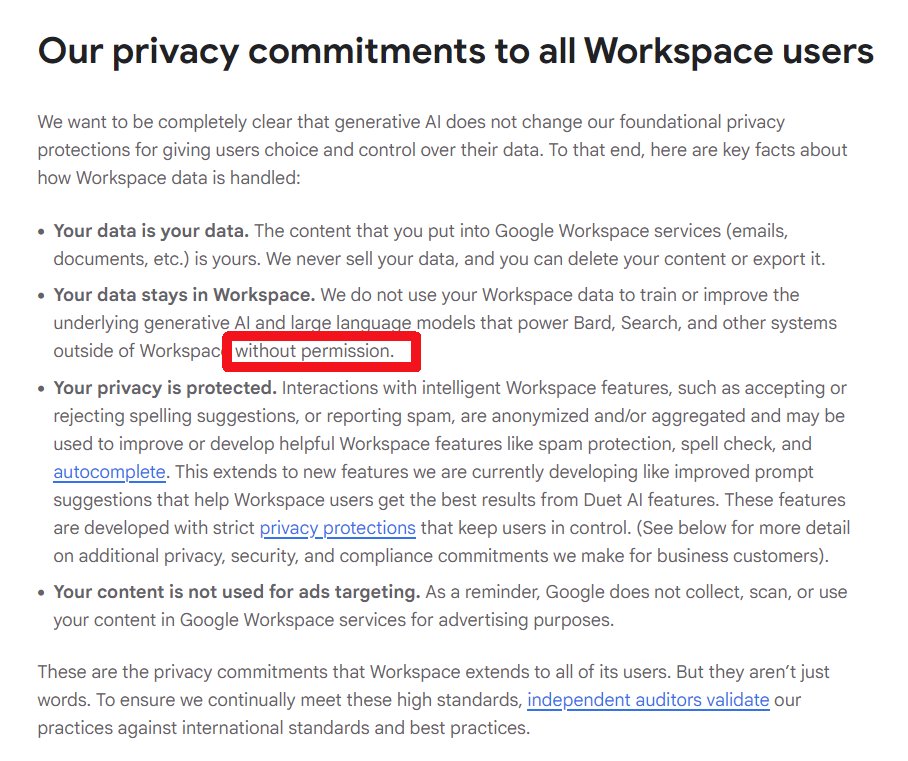
IMPORTANT message for everyone using Gmail.
You have been automatically OPTED IN to allow Gmail to access all your private messages & attachments to train AI models.
You have to manually turn off Smart Features in the Setting menu in TWO locations.
Retweet so every is aware.
Let's talk user interfaces. The one on the left is excellent; the one on the right is an abomination.
I saw the one on the left for the first time yesterday. One dial for time, one for power.
My whole life I have only seen the kind on the right, full of features no one uses, so complicated that all anyone ever does is figure out how to add a few minutes and hit start, or mash "add 30" over and over.
The one on the right is so complex, that I've never seen anyone else, other than me, ever use the power setting. Some models make you set the power level before the time, some models make you set it after entering the time. One wrong move and it errors out.
Almost no one ever figures out how to set the weight of the food, which must also be entered in some precise sequence amidst the other settings, rendering the defrost settings mostly unused.
Even the time function is ambiguous. Want a minute and a half? You can type in 90 or 130. You'd be amazed how many people don't even know that. Go ahead, ask your spouse or friends.
For all this functionality that no one uses, the one on the right requires an 8-bit microcontroller running at 1–8 MHz with a few KB of flash and RAM.
The one on the left uses an analog control system — mechanical timers and rotary switches with no microcontroller at all, or at most a very small, discrete IC.
The one on the right is a waste of resources and wasted human attention spent in bewilderment, for the mistaken dream of precision microwave operation that no human has the time for or aspires to.
The one on the left looks cheaper (it is, in the best sense) and less capable, but actually perfectly meets the user's context and actually enables them to intuitively choose a power intensity, unlocking superior cooking/heating performance, while the power setting remains obscure and unused for the vast majority with the absurdly "more capable" unit on the right.
Probably no one reading this is in the microwave business, but there's still a lesson in here for just about anyone building anything for anyone to use.
Google says Search AI Mode will know everything about you.
Google wants 'AI mode' on Search to be as personal as possible, and it'll soon tap into services like Gmail or Drive to know more about you.
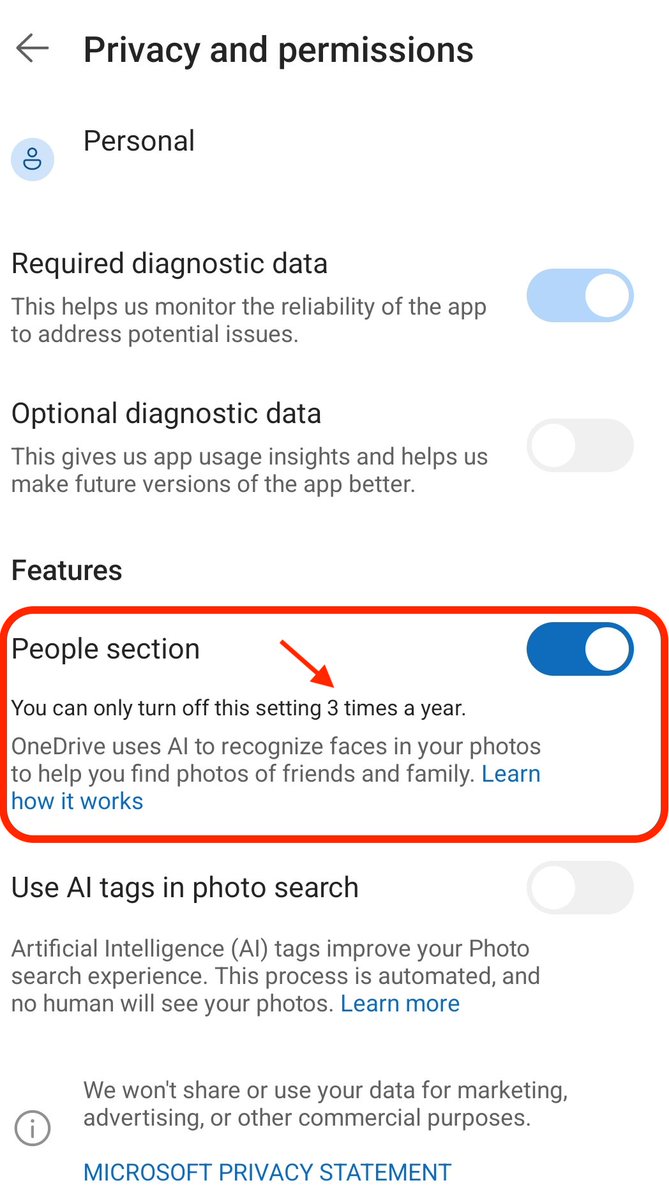
Microsoft OneDrive is rolling out AI face recognition for your photos.
But you can turn it off, right? Well, you CAN, but only “three times a year,” and Microsoft hasn’t clarified what that actually means.
To disable (for now), go to Privacy & Permissions → People section.
Me: hey windows can you delete this file please
Windows: you got it, j-... omg there's actually a program using it right now
Me: omg who 😳
Windows: omg I can't say 🫣
It’s disappointing that Ring has chosen this moment, when police and the government are infringing civil liberties left and right, to revive its tech’s most invasive feature: helping police get videos captured by home security cameras.
https://t.co/LeT9bqJ63K
All the ETFs and Bitcoin treasury companies have their Bitcoin being managed by an exchange which uses vibe coded software.
What could go wrong
https://t.co/vmMUX2mwKN
@TrustlessState I'm no ETH expert, but this chart shows from Merge onward. Something very specific happened with introduction of "blobs" that seems to have nuked ETH burn mechanics. Starting from there, ETH and BTC are nearly identical (ignoring future BTC halvings.)
Google claims this is a mistake. More likely a trial balloon to gauge response.
Notice how this policy will still prohibit Cashu wallets like minibits, Zeus (cashu support), Wallet of Satoshi, and future wallets using cashu to build up funds to open a channel.
Not good at all.
100% not okay. As a reminder, "non-custodial wallets" are wallets where you hold your money, typically called "wallets". "Custodial wallets" are where someone else holds your money, which is not a wallet. That's an "account". Terminology matters!
New Google Play Store policy forces AML/KYC on non-custodial wallets in the US, effectively bans non-custodial wallet developers from Play Store in EU
Full Story👇
https://t.co/xhPoyPT1Gt