@KurtWerstein Hey Kurt - thank you for bringing this to our attention. We've resolved this temporary issue with the https://t.co/PzYlxTTj2g website. Have a great day
@keegansard @westerndigital @Dropbox Hi - Upthere is very much active & growing as part of the Western Digital family. Check out our support article to add your Dropbox stuff to your Upthere account: https://t.co/GUrRlt3pd8. Send us any other questions or feedback you have, and thanks!
@bhaskarsb Now that our desktop apps are retired, you can use our Upthere web app to perform the same kinds of activities. Check out our support article https://t.co/YvW3UlU5Mn for details.
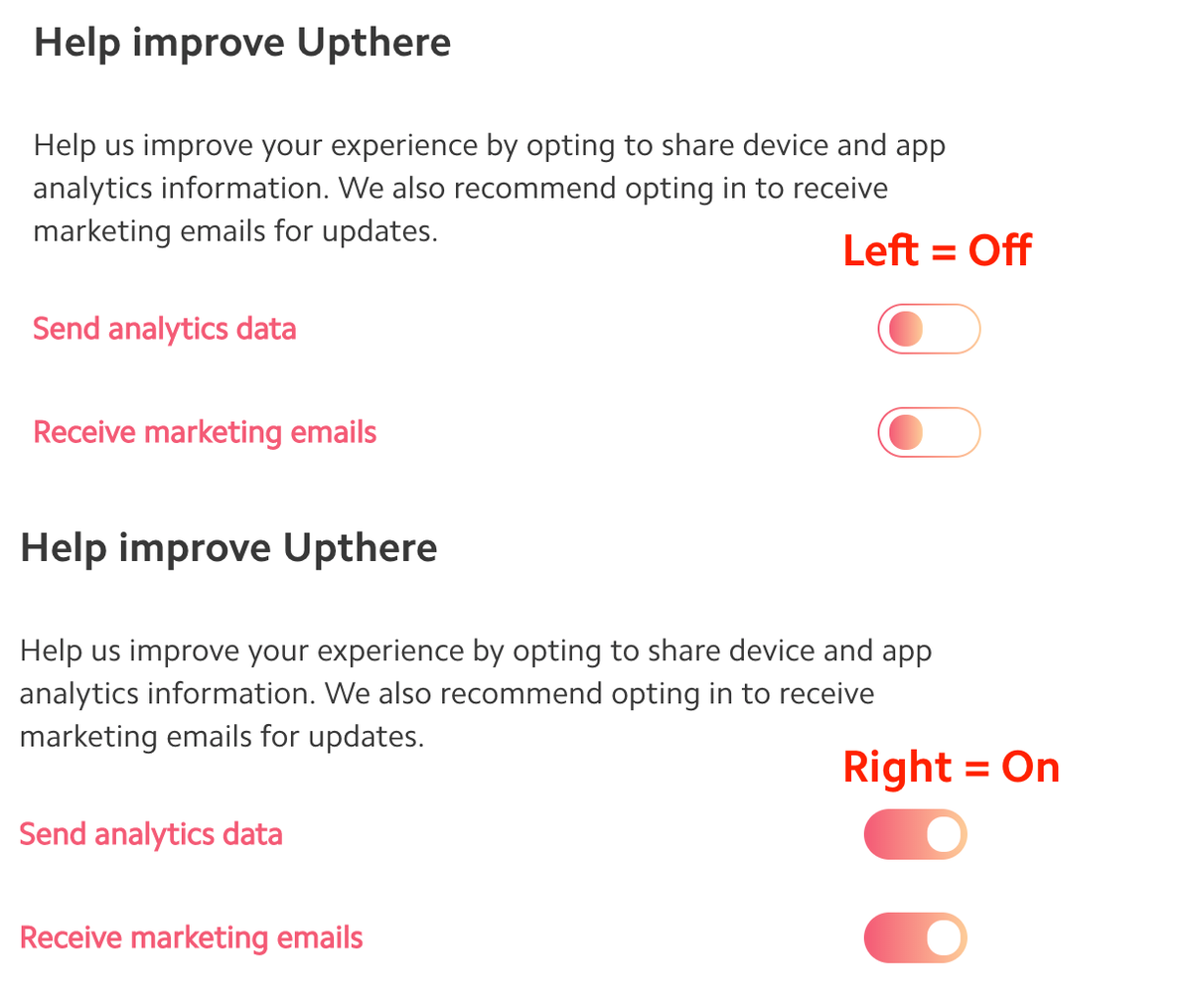
@hellotom Sure thing - if the toggle switch is in the left position, they're off. If the toggle is in the right position, they're on. So based on your screenshot, your "Help improve Upthere" preferences are set to "off". Hope that helps
@hellotom Then to log out, go to https://t.co/ueiFHn707m and click "Manage devices". This shows all your active sessions - simply click the X next to each device in the list to log out of all your sessions. Now your analytics & marketing changes are complete.
@hellotom Hi there - log in at https://t.co/ueiFHn707m and scroll down to "Help improve Upthere". The toggle switches show your settings - if you change them, log out of all devices & sessions to finalize the change.
@FelixBetzin@Tresorit@SpiderOak You're free to encrypt a document before adding it to your Upthere account, and you can then decrypt it after downloading it to your local device. However, doing so means you won't see previews of your documents in the Upthere Home app, a key benefit of the service. (6 of 6)
@FelixBetzin@Tresorit@SpiderOak …we could not extract any metadata or generate a file preview, nor would the encrypted file be findable by our search features. In such a scenario, the only way you could see your content would be to download the entire file and decrypt it on your local device. (5 of 6)
@FelixBetzin@Tresorit@SpiderOak Part of what makes Upthere fast and powerful is its ability to index any kind of document and generate file previews; this lets you see the contents of a file without needing to download it first. If we encrypted the data end to end (or if it were hidden from us)… (4 of 6)
@FelixBetzin@Tresorit@SpiderOak As for user-side encryption, when using Upthere, any data shared between your device and our datacenter is encrypted through an HTTPS connection. However, Upthere doesn’t currently provide “encryption at rest” or “end to end encryption”. (3 of 6)
@FelixBetzin@Tresorit@SpiderOak This is our summary of government and law enforcement requests for user data and content removal from Upthere. We are also committed to providing you with advance notice, whenever possible, if we receive a governmental or law enforcement request for your content. (2 of 6)
@FelixBetzin@Tresorit@SpiderOak Hi Felix - we understand your concerns, and are committed to our customers' privacy. Specifics are available on our privacy page at https://t.co/qe38XkvKKx. To foster greater transparency, we have published a transparency report at https://t.co/CECGkm9AZJ (1 of 6)
@tommygeusens@tommygeusens We're still not available as a location/source for iOS 11's Files app. If we add this in the future, we'll contact you, and we'll announce it to the rest of our customers. Thanks for your interest!
@tommygeusens …tap to open the menu, tap Export, then tap on Save to Files. Then select a cloud service or local iOS device location to save the file to.