Whimsical + Claude, now official.
Your ideas beautifully visualized, minus the part where you draw the boxes yourself.
Find us in Claude's connector directory: https://t.co/S7bRGY3vFb
Sometimes, all you have to do is ask. Introducing Ask Whimsical.
Ask Whimsical to:
• Create anything from wireframes and flowcharts to docs, mind maps, and sticky notes.
• Refine your work with edits, new ideas, and instant iterations.
• Analyze your content by answering questions, finding themes, organizing content, or summarizing it.
• Find and understand content across your workspace.
• Learn Whimsical by asking product questions or getting help with your workflow.
• And much more.
No MCP client. No configuration. Just open Whimsical and get going.
Claude will take care of pasting everything into Whimsical for you, so whatever you generate in Claude will appear in your Whimsical board automatically. From there, you can continue refining it however you prefer, either by editing directly in Whimsical or by prompting Claude for additional changes.
Whimsical + Claude, now official.
Your ideas beautifully visualized, minus the part where you draw the boxes yourself.
Find us in Claude's connector directory: https://t.co/S7bRGY3vFb
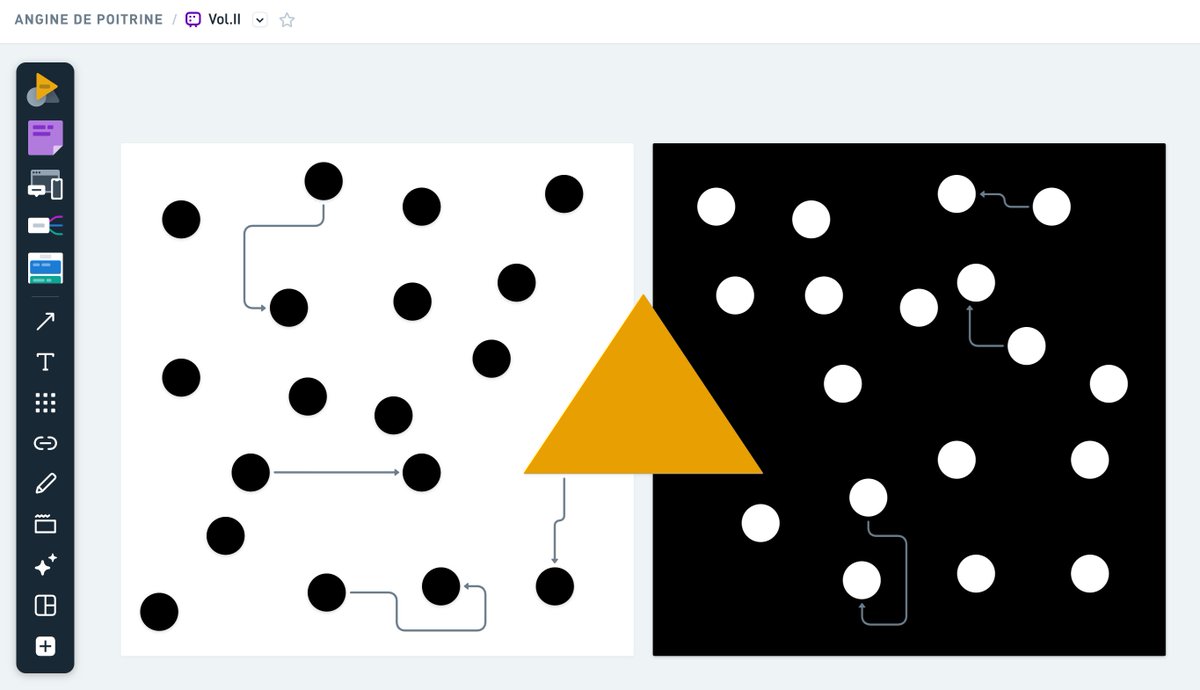
➡ Elbow connectors now route themselves more intelligently, with cleaner paths, better spacing, and more predictable behavior as you create, move, and reorganize your diagrams.
No more twists and turns. No more cutting corners. Just getting straight to the point.
More space for your ideas, not our UI.
We updated the board toolbar - it’s now slimmer and a few clicks lighter. Faster switching between wireframes and diagrams, while taking up less of your precious screen space.
Nobody talks about this, but remote teams have a calibration problem.
You spend two years on Zoom with someone. You build trust, ship features, share Slack threads at 2am.
Then you meet at the offsite and realize they're 6'5" and you've been picturing them at 5'9" the entire time. The relationship resets.
We solved this at Whimsical with a height chart.
Is it a flowchart? No. Is it a sequence diagram? No. Is it the most important document we've ever made? Maybe.
Every word in Whimsical is set in one of two typefaces we designed in-house. Today we're open sourcing both.
Dinsical and Monsical are free to use, fork, and build with.
https://t.co/bTegw3hRmJ
One cool use case we're seeing with our MCP and ChatGPT app: photograph a flowchart or sketch, get a Whimsical diagram back. Editable, shareable, done.
Works with sticky notes too 😉
Linux friends, you've waited long enough. 🐧
The Whimsical desktop app is now available on Linux. One less reason to keep your browser open.
Download link in the comments: https://t.co/Z8QD4EYC9O
You can now copy Whimsical objects as SVG, and paste them anywhere.
- Figma or Illustrator to keep on editing
- README in GitHub, or design doc in Notion
- Animate the elements with CSS, Lottie or Rive
- Include them with prompts for your AI Agents
You can now whiteboard in ChatGPT with Whimsical:
✨ Visualize ideas with beautiful mind maps and flowcharts
⚡️ Rapidly explore UI concepts with lofi wireframes
✏️ Tweak and edit with ease in @Whimsical app
Install link below 👇