HVAC→AD→VLA→Robotics. Prev:DNTC→Xpeng,Now FutureXplore, Seeking like‑minded co‑founder for our embodied‑AI startup based in Guangzhou,Open my follow list for🤖
'Robotics Fundamentals' - Viam just put part 2 online. No hardware required.
Free. 📌
101 showed you how to build a palletizing robot in simulation.
102 takes you a step further: making sure your robot can run on its own.
120 minutes. 12 lessons. No hardware required.
This time, you'll learn how to:
→ Turn your control code into a production-grade robot module
→ Automatically start, supervise, and restart your code
→ Configure dependencies and robot behavior
→ Build a DoCommand API
→ Deploy updates to entire robot fleets over the cloud
→ Schedule tasks so your robot runs unattended
The interesting part is what happens after you've written the code.
Your robot keeps running even when your laptop is turned off. And you can deploy updates remotely without having to touch the machine.
Everything runs in simulation, so you can learn the same workflows used to deploy and maintain robots in the field.
Free. Self-paced. No physical robot needed.
📌 https://t.co/HyyubdvpQg
Follow for more robotics resources!
———
Weekly robotics and AI insights.
Subscribe free: https://t.co/KzvUrLseUp
This paper visualised: "Multiple contact planning for minimizing damage of humanoid falls" (Ha & Liu, IROS 2015) turns falling into a planning problem.
- Model fall as a chain of inverted pendulums
- Solve for contact order with dynamic programming
- Minimise largest single impact, not the total
- Fall like a judoka!
This is the capital of robotics! 🌁
Silicon Valley is home to so many physical AI companies that you could spend a month visiting them and still not see even 10% of them (trust me, I tried).
So, the Bay Area is the world's leading ecosystem for robotics startups, bringing together top AI talent, top universities, experienced founders, and unmatched access to capital.
The region is anchored by Stanford University and University of California, Berkeley, two of the world's top universities for AI and robotics. They produce a constant stream of researchers, founders, and breakthrough technologies.
The Bay Area is also home to many of the companies shaping the future of robotics and AI, including @Figure_robot, @physical_int, @GeneralistAI, and major AI labs such as @OpenAI, or @GoogleDeepMind.
This concentration of talent makes it easy for startups to recruit experienced engineers and collaborate with leaders in embodied AI.
Not mentioning that it is also home to leaders such as @NVIDIARobotics, whose headquarters and leadership in AI chips power much of today's robotics revolution, and Tesla, whose work on autonomous driving and humanoid robots has created a deep pool of robotics, AI, and manufacturing talent.
Perhaps its biggest advantage is access to capital, talent and ambition.
The Bay Area has the world's deepest network of venture capital firms, serial entrepreneurs, and technical leaders who are willing to fund bold, long-term robotics companies.
In the comments I'll post the companies from the ecosystem.
‼️ Note that Bay Area has >300 robotics companies, research labs, and innovation hubs, so this is a curated selection of the notable product companies, not an exhaustive census!
P.S. I'm constantly working on improving these maps, so if your company is missing, please DM me with basic info about the co, and I will include it in the next release.
P.S.2 I have last open slots for my December RoboTour in the Bay Area, if you want to create content together and show the world what are you cooking, dm! :)
~~
♻️ Join the weekly robotics newsletter, and never miss any news → https://t.co/GoA3ZuwoPB
Honestly, the ESP32 is a total cheat code for building cheap tech.
For the price of a coffee, you get a tiny board that has built-in Wi-Fi, Bluetooth, and plenty of power to run awesome projects. It is making it so easy to build smart home gadgets and IoT devices from scratch.
What's your favorite ESP32 project so far?
Video Source: @QingQ77
a tiny AI 0.5B just turned a normal phone video into a fully labeled 3D room run phone.
SpatialLM that understands walls, doors, furniture, and everything layout.
it trained as a standard multimodal LLM.
Most vision models see pixels, SpatialLM sees space.
Open models : https://t.co/kGXjHkIdiE
Turning video into humanoid robot motion! 🤳🏼
Training humanoid robots needs huge amounts of motion data, but real-world capture doesn’t scale.
Mocap is expensive, dangerous edge cases are rare, and you can’t ask humans to repeatedly fall or crash.
Video2Robot tackles this by converting videos into physics-grounded humanoid simulations.
Motion is generated to respect balance, inertia, ground contact, and joint limits, then directly retargeted to robot simulators.
One prompt can generate a full humanoid motion sequence, including multi-agent interactions and failure cases like falls or collisions, scenarios that are hard or impossible to capture safely in the real world.
The pipeline is model-agnostic and works with existing video generators, making it a practical way to scale data for robots.
If robots are going to operate in the real world, they need to be trained on the failures too, not just the perfect demos.
Here's the GitHub: https://t.co/kAOxN1r7VF
~~
♻️ Join the weekly robotics newsletter, and never miss any news → https://t.co/GoA3ZuwWF9
For those who missed it yesterday, I wrote the explainer on robot control I wish I'd had when I got into robot learning. For ML people, no robotics background assumed, with animations.
What's in it:
- what a policy's output actually does to a servo
- PID, and why a cheap arm overshoots (clip below)
- how teleop data gets recorded
- joint space vs. task space, FK and IK
- why an SO-100 can reach exactly 0% of the gripper poses within arm's length
- why ACT outputs joint angles, while OpenVLA doesn't
Everything is shown on the SO-100 arm that @LeRobotHF uses. Next one will be on ACT. Follow me to catch it.
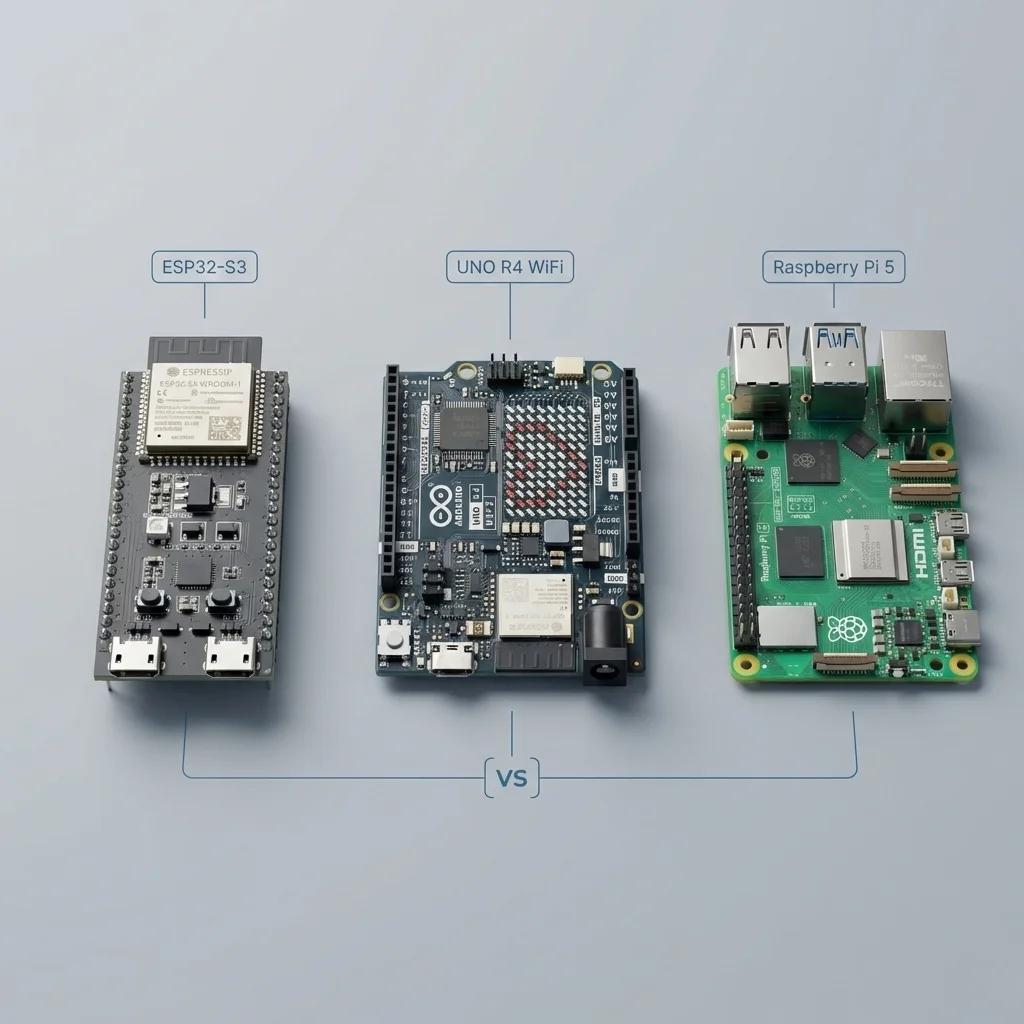
which board should you actually start with?
Arduino vs ESP32 vs Raspberry Pi
4 months into robotics as a hobby, here's what i'd tell myself on day one:
1. start with arduino
use it when you're learning:
- motors
- servos
- sensors
- basic circuits
atmega328p, 16 mhz, 2 kb of ram, and 5v logic so most hobby parts plug straight in
when your code runs, nothing interrupts it, and that makes timing easy to reason about
best place to learn the fundamentals without debugging an operating system at the same time
you outgrow it the day you add wifi or a camera
2. move to esp32
use it when you want:
- wifi
- bluetooth
- wireless control
- anything that reports back to your phone
dual core at 240 mhz, 520 kb ram, radios on the chip, around $5 a board
more connectivity and still hands on, so you keep writing the same kind of code
two things that cost me a weekend each:
3.3v logic, so your 5v sensors need a level shifter or they read garbage
and on the original esp32 the adc2 pins stop reading the moment wifi turns on
3. go for raspberry pi
use it when your robot needs:
- computer vision
- ai and ml
- ros 2
- heavy processing
now you're running a computer inside your robot, with all of the upside and all of the cost
linux decides when your code runs, so pwm timing jitters and servos twitch
and pulling the power without a shutdown corrupts the sd card, which i learned twice
also worth knowing, raspberry makes a real microcontroller too, the pico, about $4
so the quick version:
never wired anything before -> arduino
want wifi and the best price -> esp32
need vision or a camera -> raspberry pi
and yes, you can use more than one
arduino -> control
esp32 -> connect
raspberry pi -> compute
that combination is what took me 4 months to understand
the pi is the brain and the microcontroller is the spine, and a real robot wants both
also, if you want to learn robotics engineering for 6 months, read the article below: