We left a little hint of Aina in our Mirage business cards at CES.
Back in January, we were still building in stealth under the name Project Mirage. We went to CES and handed out business cards with the Mirage name on them, even though we already knew a rebrand was coming. We weren't ready to reveal Aina yet, so we left a little hint in the cards.
The trick was thermal paper. The same paper used for receipts, where heat activates the print and makes it visible.
We printed Mirage on the top layer and Aina underneath. As the thermal print faded over time, the permanent Aina print slowly revealed itself.
Now that's an early Easter egg for you. 👀
Back when we were building in stealth as Project Mirage, we handed out business cards at CES '26.
The catch? We knew a rebrand was coming, but we weren't ready to reveal our new name just yet.
So we printed our business cards on thermal paper, the same paper used for receipts, designed to slowly fade over time.
Over the following weeks, Project Mirage gradually disappeared, revealing Aina underneath.
Want to now how we made it? Stay tuned.
Back when we were building in stealth as Project Mirage, we handed out business cards at CES '26.
The catch? We knew a rebrand was coming, but we weren't ready to reveal our new name just yet.
So we printed our business cards on thermal paper, the same paper used for receipts, designed to slowly fade over time.
Over the following weeks, Project Mirage gradually disappeared, revealing Aina underneath.
Want to now how we made it? Stay tuned.
We raised $5.5M to build an AI hardware interface that knows what you want.
The world has changed: we talk to our devices, AI writes our emails, and self-driving cars pick us up.
But how we interact with it all, touchscreens and keyboards, was designed for an age of browsing and searching.
When we do hundreds of tasks a day, now even more with AI, every unnecessary decision, every step spent navigating instead of acting adds up to real cognitive load.
We are building the Hardware Interface, designed for the age of AI.
Private Pilot now open.
Limited spots.
https://t.co/LwJiLsp5KX
Dune in @TechCrunch.
Hope you had fun exploring the Marketplace and building your own skills, Ivan @IndianIdle.
Sizing up a company with a single button press is one of our favorites too.
I’ve been using Dune for a few weeks now, and I have to say, I’m really impressed. As someone who misses the Touch Bar, this felt like a natural next step. The buttons are dynamic for each app and helped speed up my workflows.
Also, the unboxing experience was amazing right from the start (it even includes real sand) and the team listened to all my feedback and shipped fixes for everything I noted within a week.
"Keyboards are last century" - Forbes on Dune.
The QWERTY keyboard was designed to capture text at a time when multitasking was not a concept. Software evolved and we are now juggling context across multiple apps, running complex workflows, and relying on AI to keep up.
But the hardware never caught up.
Dune is designed for the way you work today, sitting between the keyboard you're familiar with and single-click triggers that adapt to what you're working on.
Glad you liked Dune Mark Sparrow @Forbes
https://t.co/c0W2Jv1oCf
Dune is back on #ProductHunt today, and this time we shipped two new features.
The Dune Marketplace: a community library of scripts and agentic workflows you can install on your keys in seconds.
Build with Claude: configure your entire setup through a conversation.
Auto-decline every meeting under 30 minutes, send a Slack status that says "deep work" every time you open Netflix, or DM yourself a reality check every time you open Twitter for the fourth time in an hour. If you can describe it, Claude will build it — or someone in the Marketplace already beat you to it.
Check it out and drop your quirkiest use case in the comments. The most unconventional ones get a Dune, on us.🏜️
https://t.co/5sDg64FmJW
NEW: This tiny devices changes based on what you’re doing.
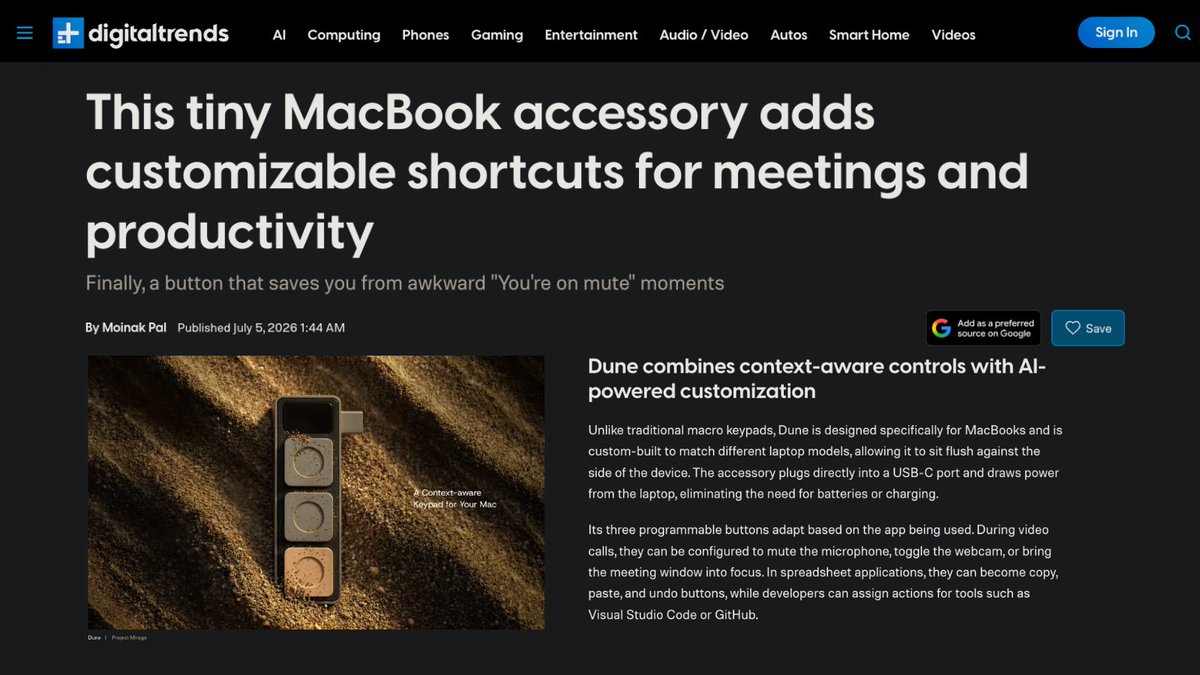
Dune is a context-aware keypad with three physical buttons that automatically adapt to the app you’re using.
• Shows a “Join Meeting” button before calls
• Turns into mic and camera controls during meetings
• Becomes approve/reject buttons inside Claude
• Works in GitHub for reviewing pull requests
• Can trigger custom shortcuts and agentic workflows
It turns repetitive Mac actions into one button press.
@the2ndfloorguy This was not the intended use case for Dune 👀But there is a lot more you CAN build with it.
Dune is a context aware keypad for Mac. Two new features just dropped if you want to channel that energy somewhere slightly less chaotic - Build with Claude and the Dune Marketplace.
This was not the intended use case for Dune 👀
But there is a lot more you CAN build with it.
Two new features just dropped if you want to channel that energy somewhere slightly less chaotic -
1. Build with Claude - configure your entire Dune through a conversation. Tell Claude what you do all day and it'll suggest a setup built around how you actually work.
2. Dune Marketplace - community-built library of scripts and agentic workflows for you to browse and install what other users have built, assign to your keys in seconds, and add your own to the mix.
https://t.co/4EC4HH2DcQ
ai layoffs are getting out of hands so I built “I GOT FIRED” button 🚨
one click, and it makes entire company codebase public, pushes .env secrets to public repo, drops staging db and finally notifies my lawyer 🙂
I hope I never need it but it’s ready 👍🏻