Stop wasting hours manually removing duplicates in Google Sheets! 😩 There's a magical ✨ formula that does it for you INSTANTLY!
Say hello to the UNIQUE function! 👋 It cleans your data in seconds, leaving only distinct values. Perfect for lists, inventories, or any messy sheet! 📊
Save this video for your next data clean-up emergency! ✅ You won't believe how easy it is.
YouTube SEO is easy with Google AI Studio. You can use Google AI Studio to create our YouTube, Title, Tags and Description. The Google Gemini AI takes the video, processes it and extracts the YouTube SEO Title, Tag and Description from it for a Seamless process.
An eventful two weeks in AI with Google and OpenAI releasing many exciting updates and products. My favorite? Deep Research.
Deep Research is available in Gemini and allows you to instruct Gemini to research a topic using articles it gathers through Google Search. The "Agent" creates a plan (which can be edited), pulls up to 100 curated articles from across the web, and summarizes them into a comprehensive Google Doc, complete with references. It retrieves real-time information, making it perfect for various use cases such as technical research, company analysis, and much more.
I’ve been exploring this tool all weekend and have found it invaluable for discovering high-quality datasets, advising on Machine Learning algorithms, and even researching current political events. (Being in Korea, I’ve been particularly interested in understanding recent developments here.)
I’ve included a quick demo of Deep Research below and plan to share more comprehensive examples in the coming weeks. I genuinely believe this might be one of the most useful AI tools I’ve come across.
#GoogleGemini #DeepResearch #GenAIUseCase #GeminiDeepResearch #GoogleAI
Im having a lot of fun playing with #googlegemini Deep Research, I think this tool is a much have for anyone building a #DataAnalytics portfolio.
Its great for:
- Finding Useful Datasets
- Best Practices on Design
- Providing advice on technical approaches to tools and ML
Field report...
1. Google's Gemini 2.0 and 1.5 with Deep Research is the best LLM on the market... "deep research" is VERY VERY impressive.
2. The dedicated iOS App is reaching parity with ChatGPT already.
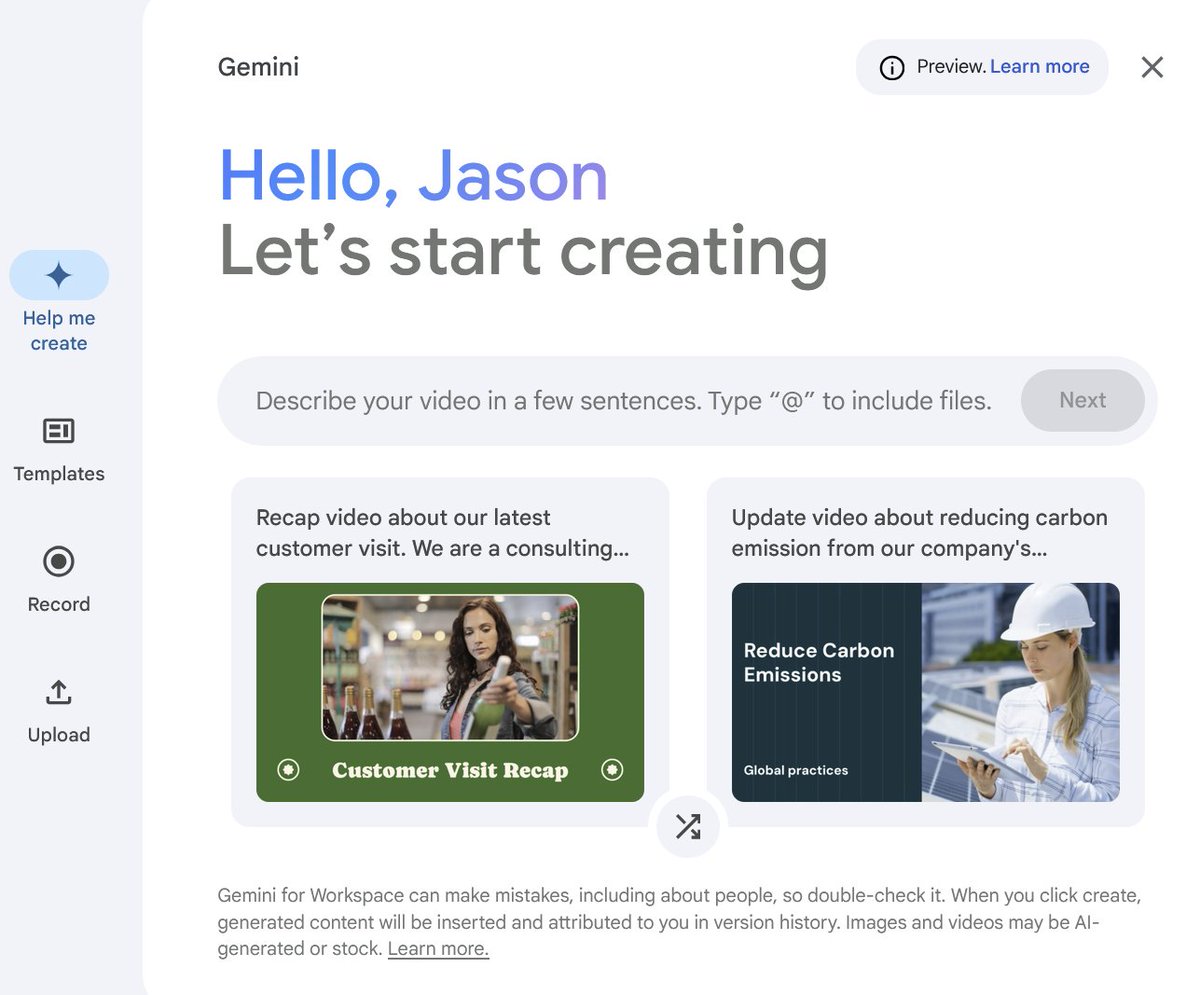
3. ... and $goog is releasing new features and products related to their existing infrastructure, like this video creation tool in Google Docs (see image)
I just paid $20 a month for it... it's awesome.
Consumers and enterprises will have a MASSIVE productivity increase with these tools TODAY.
These integrations feel a bit tighter than what @satyanadella's and Microsoft have done to date with Office (I'm a docs, Notion and CODA user -- haven't used Office in a decade).
.. nice work @sundarpichai @GoogleGemi team!
Really impressed with the new #googlegemini tool deep research. For what I do, this is the most useful AI tool out of the box I have used. #Google are killing it on the AI product side.
#GenAI
Data Analytics Tip: Start simple! Begin with #GoogleSheets to understand basic data cleaning & filtering, its free to use. Mastering these fundamentals prepares you for more advanced tools like #BigQuery to learn SQL. Which tool are you currently learning? #DataAnalytics
How to Extract a Dashboard Theme from Image Looker Studio
Learn how to easily extract themes from images using expert hacks from Looker Studio. This tutorial will show you how to create stunning designs with Looker Studio's dashboard and design features.
#lookerstudio#looker #datavisualization #datastudio #googledatastudio
In this video I show how to extend datasets in ChatGPT. Extending dataset is great for analytics POC because it takes real data as an example and create additional rows that are similar to the real data #chatgpt#aiproductivity#genai#aiusecase#DataAnalytics
Im loving the create a Podcast with Notebook LM, It is changing the way I learn.
In the video below I use Google's #notebooklm to create an #AI podcast from notes I collect around the web, the results are amazing and the tool is free. #podcast#GenAI
Discover how to extract valuable business insights from your data by mastering SQL's `ORDER BY` and `LIMIT` clauses! In this beginner-friendly tutorial, we'll use BigQuery's Austin public dataset to demonstrate how sorting and limiting your query results can help answer critical business questions. In just 4 minutes, you'll learn how to:
- 🕵️♂️ Sort data using `ORDER BY` for meaningful analysis
- 📉 Limit your results with `LIMIT` for focused insights - 🔍 Combine `ORDER BY` and `LIMIT` to find top-N records
- 📊 Apply these techniques to real-world crime data for business intelligence
Whether you're a budding data analyst, business professional, or just starting your SQL journey, this video will equip you with essential skills to unlock insights from your data. Don't forget to subscribe for more SQL and data analysis tutorials!
#SQL
#SQLTips
#DataAnalytics
#DataAnalysis
#GoogleBigQuery
You Won't Believe How Easy Data Analysis Can Be with BigQuery Connected Sheets.
Learn how easy data analysis can be with BigQuery Connected Sheets. Connect BigQuery to Google Sheets for seamless data visualization and analysis in this tutorial. Say goodbye to complex data analysis tools and hello to simplified insights with BigQuery Connected Sheets!
#bigquery #googlesheets #googlesheetstips #dataanalytics
With #GoogleBigQuery Connected to #GoogleSheets you can create automated Dynamic Spreadsheets, Pivot Tables and Dashboards.
In this video what you'll learn:
- Connecting Google Sheets to BigQuery: Step-by-step instructions to link your sheet with BigQuery data.
- Data Exploration Techniques: Tips and tricks for analyzing your data within Google Sheets.
- Creating Pivot Tables and Charts:Visualize your data with powerful pivot tables and charts.
- Scheduling Automatic Refreshes: Keep your data current by setting up automatic updates.
Whether you're a data analyst, business professional, or just someone looking to enhance your data skills, this video has something for you. By the end of this tutorial, you'll be equipped to leverage BigQuery data within Google Sheets like a pro!
Don't forget to like, share, and subscribe for more insightful tutorials!