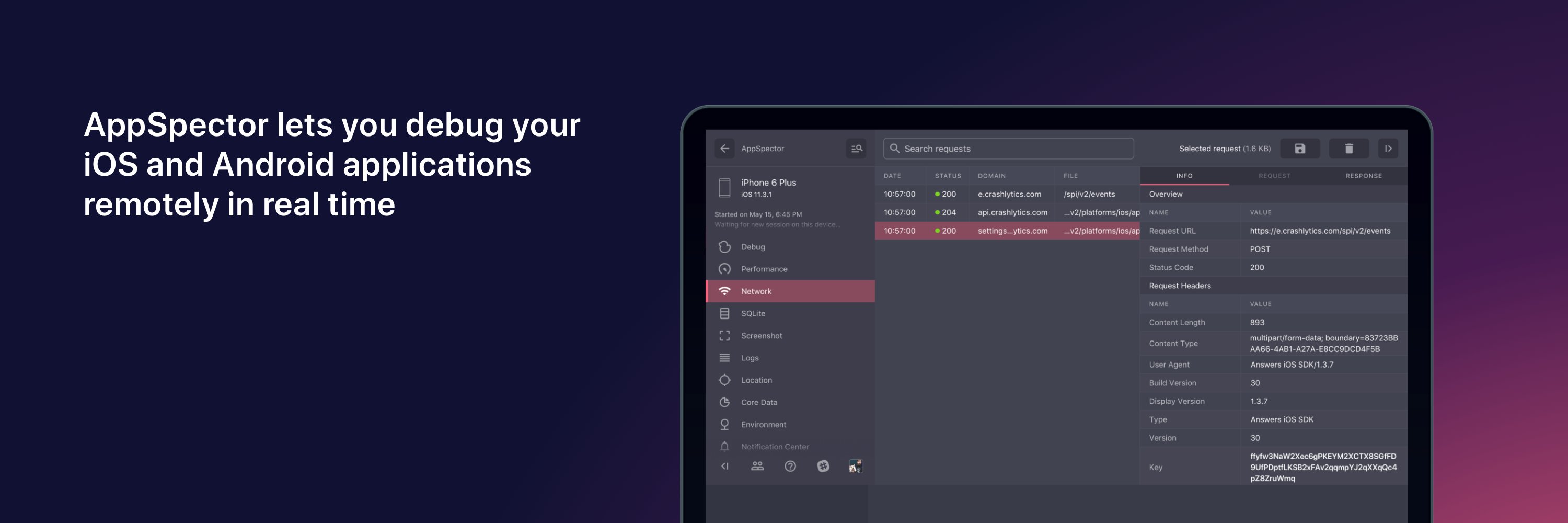
🦾 Gain FULL CONTEXT of issues by accessing your app’s internals remotely and in real time. AppSpector is the perfect companion to your monitoring software.
📢 Exciting news for iOS developers!
Our SDK Management Feature is here:
🎉 Configure & run AppSpector SDK without writing code — turn monitors on/off with ease.
Simplify debugging, focus on what matters.
Try it now & share your thoughts.
#iOSDevelopers #MobileDebugging #AppSpectorUpdates
🚀 Exciting update for Android devs!
You can now manage & run AppSpector SDK without hooks or extra setup.
Flexibility to toggle monitors directly from the interface! 🔧
Try it now & share your thoughts.
#AppSpectorUpdates#AndroidDev#MobileDebugging
Big news from AppSpector ✨
Soon, you’ll be able to switch monitors on/off right in the interface without rebuilding your app.📲
Stay tuned – the release is coming very soon!
Drop your thoughts in the comments or connect with us in Slack. 📳
🎉 Exciting news!
We’ve launched a Discord community for mobile devs
Join us to:
🔍 Catch elusive bugs together
💡 Solve non-trivial issues
⏳ Save time on debugging
🎉 Hang out in off-topic chats
Be among the first to share your tips & insights!
👉 https://t.co/JQhiSyuC8w
#MobileDev #Debugging #DevCommunity
Flipper is archiving their GitHub repo, which might affect those using it for app debugging.
Stay informed and consider exploring alternatives to keep your projects running smoothly.
At AppSpector, we continue to work actively on our product to support you.
#AppSpector #MobileDev #Debugging #iOS #Android
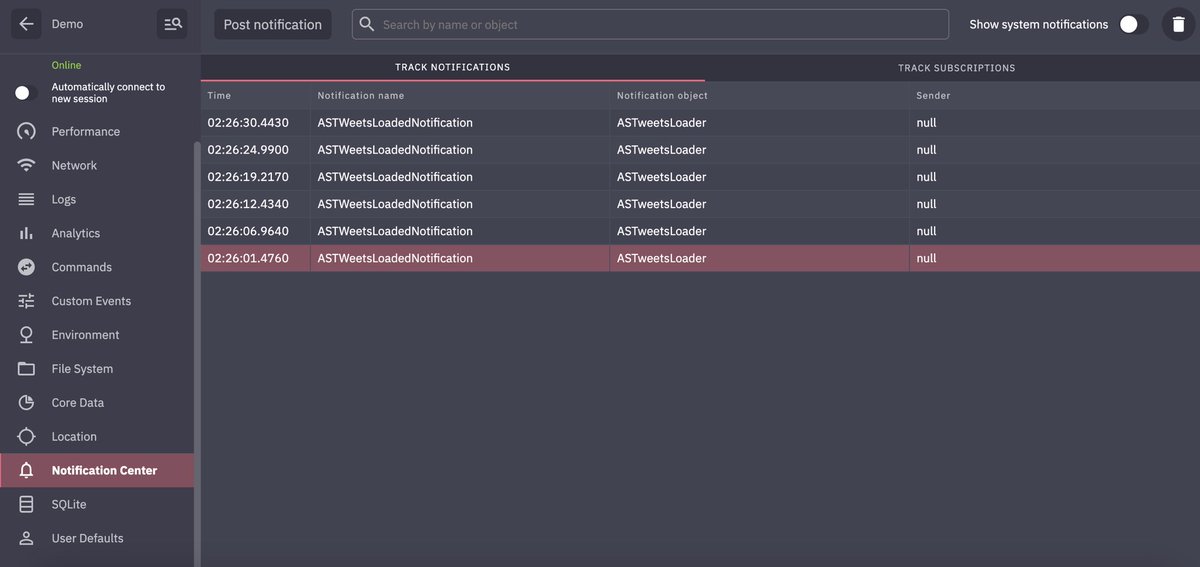
Simplify notification debugging with AppSpector's Notification Center Monitor
Monitor your app's notifications in real-time, examine details like user info and sender/receiver objects, and post notifications remotely - no extra debug code needed.
Boost productivity and catch elusive issues effortlessly.
👉 Learn more: https://t.co/pFejCOj9v8
#AppSpector #MobileDev #Debugging #iOS #Android
Based on your support questions, we're highlighting less commonly used features.
Let's talk about the Command monitor.
Gain real-time control over your app by sending predefined actions from the dashboard.
Simulate scenarios, inject custom data, and enhance your debugging process.
Learn how to get started in our guide: https://t.co/daCywvIfoa
AppSpector's File System Monitor
Remotely navigate your app's files. Check temp files, download SQLite DBs, or upload new files into your app's sandbox.
We've prepared a guide to help you get started. 🔍
👉 Read more: https://t.co/bWXvtEvBsQ
UserDefaults is great for key-value storage in iOS apps, but handling lots of data can get tricky.
AppSpector's UserDefaults Monitor lets you examine and edit stored data in real-time.
We wrote a detailed guide with a use case to help you out.
Say goodbye to spending hours chasing bugs.
👉 Check it out here: https://t.co/Zm21JI9z2e
AppSpector's Analytics Monitor is a hidden gem for analysts and product teams!
While developers might not focus on tracking every user interaction, this feature provides real-time insights that can enhance your product strategy.
If your team hasn't tried it yet, it's worth a look.
🎥 Live demo: https://t.co/TThdKleK8z
How AppSpector saved a Friday night party 🎉
Ever had a critical bug threaten your weekend plans?
One user did! Michael was ready for a Friday night out when a complex issue hit his Flutter app.
His app used two backends requiring different auth tokens.
Due to a misconfiguration, two Flutter Engines ran simultaneously, mixing up tokens and sending them to the wrong servers—bugs that standard tools couldn’t catch.
With AppSpector, Michael was able to:
•Monitor real-time network requests
•Track token usage across both backends
•Detect the dual Flutter Engines
He swiftly fixed the issue, saving his app and his Friday night plans.
Curious how AppSpector can help you tackle complex bugs?
👉 Read the full story in our blog: https://t.co/tSVGdsEoCq
Disclaimer: Names and details have been changed.
We've noticed some users only tap into a fraction of our features.
To help you save time and boost productivity, we're sharing how to make the most of AppSpector.
💡 How QA Engineer Liam saved hours with the Network Monitor.
Read more: https://t.co/x2utEGj1Fy
#AppSpector#QA #Productivity
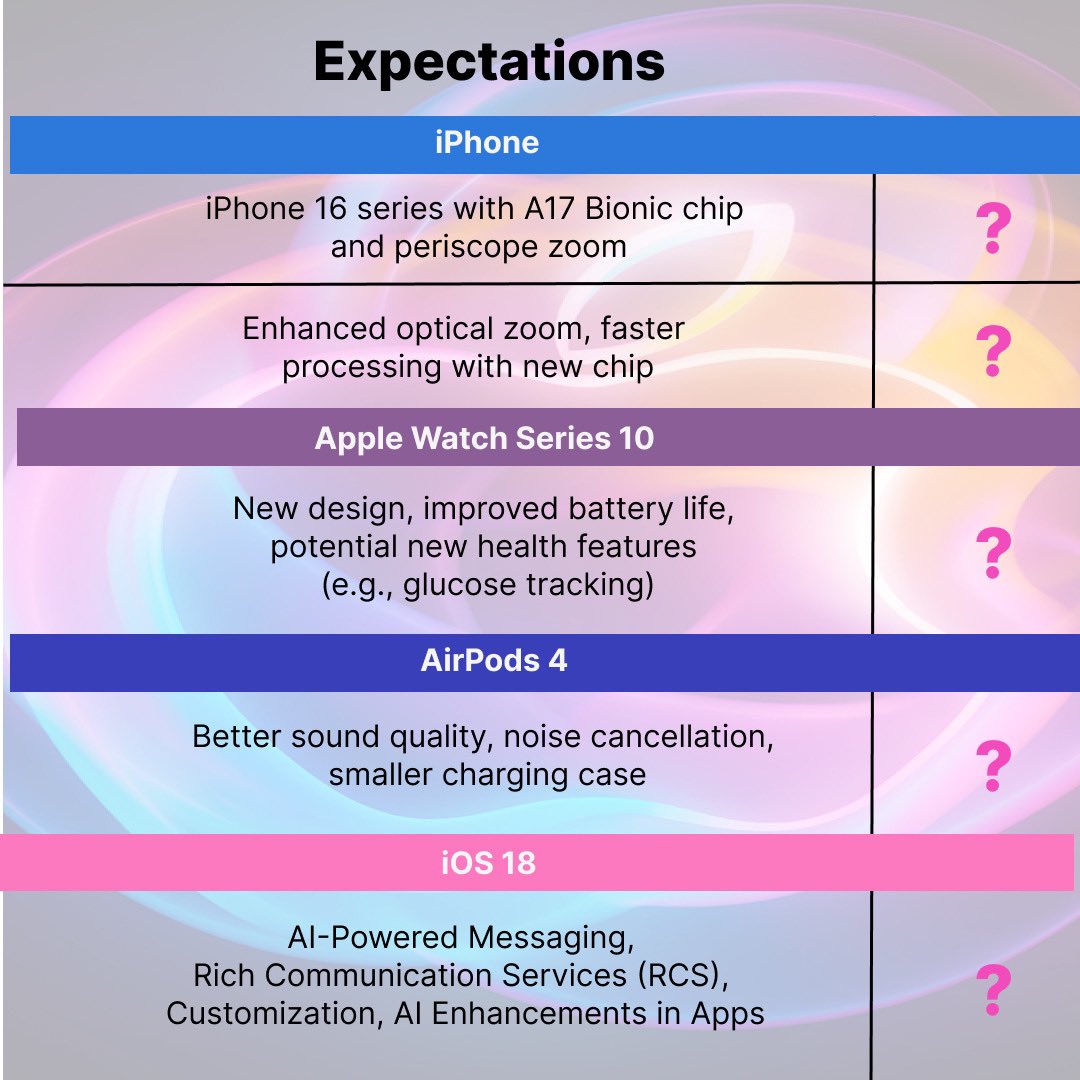
Keeping a close eye on today’s Apple event! 📱
Expecting iPhone 16 with A17 chip, Apple Watch Series 10, and AirPods 4 with design & performance boosts.
Thoughts?
Let’s see what Apple brings!
#AppleEvent#iPhone16#AppleWatchSeries10#TechNews
Struggling with missed deadlines due to tricky bugs?
Our latest blog explains how AppSpector adds real-time insights to your toolkit, solving even the toughest issues!
Don't let bugs slow you down—stay on track with AppSpector!
📖 Read more: https://t.co/CWWlNwYk5Q
#AppSpector #MobileDebugging #DevTools #BugTracking #AppDev
🚀 New Blog:
The Latest Trends in Debugging! Discover how AppSpector is redefining mobile app debugging.
Enhance your toolkit with real-time insights and deeper context.
Stay ahead with the tools you need to tackle complex issues!
Read more https://t.co/5R1b5SkjbQ
#AppSpector #MobileDebugging #DevTools #AppDev
Thinking about a feature to manage the SDK directly from the interface in AppSpector—toggle monitors on/off? 🤔
We’d love your input! Users feedback is always a main criteria for us.
Share your thoughts in the comments or reach out on Slack.
#AppSpector#SDK#Feedback