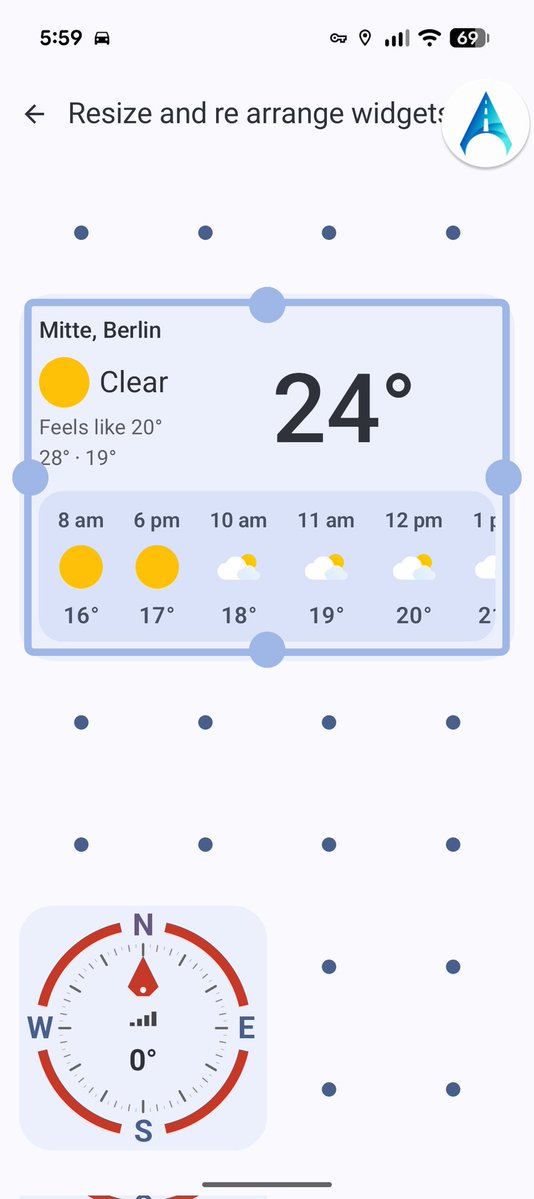
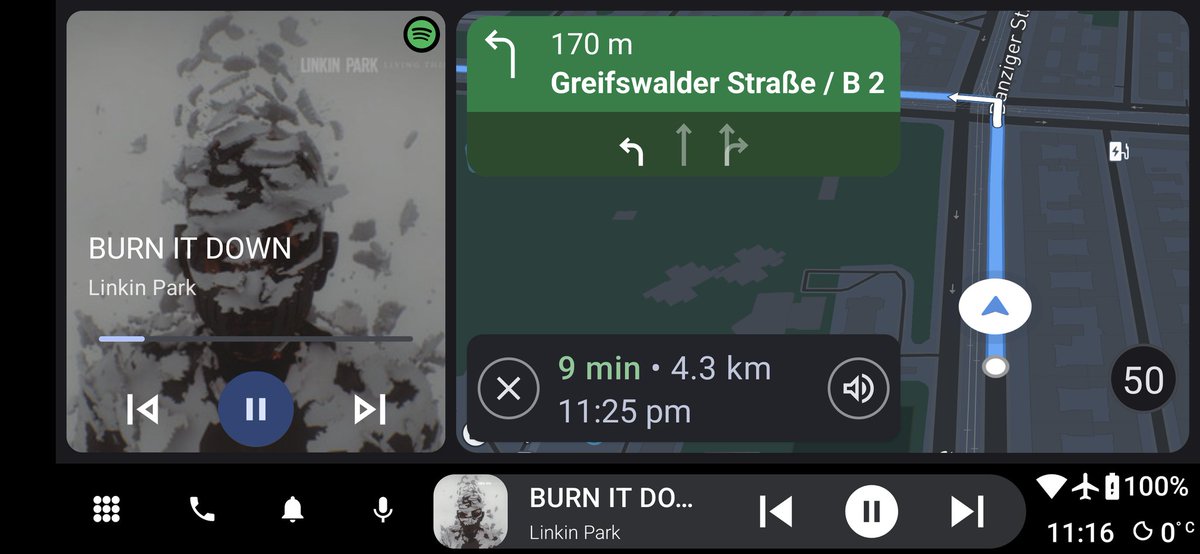
Obd support for AutoZen is coming, and more widgets based on this like rpm are coming to AutoZen...
I started right now so hopefully it will be ready in the end of the month 🎉🎉
#autozen app #Android#AndroidAuto alternative
A new version will be available for everyone, currently is in beta but this will the version 7.0.x from AutoZen app will be released, improved widgets, resize, and more UI friendly options, this is the start, so new widgets and new layouts and UI will be available in the future.
So currently I'm working hard and re writing from scratch the launcher mode, visually it should be like before.
But this re write will allow me better theming, widgets and a lot of options.
Also more settings for background and themes. And in the future obd support
@Paul_Reviews Yeah I wanted to add a dev mode but I didn't have the time and implementef features and improvements, but definitely I'll do something, can you send me an email to [email protected], otherwise I'll forget to reply here, I'll test tomorrow with my bike and laptop on the go
At last - a reliable #TPMS kit for #android
Combined with the excellent @AutoZen_App - no more flaky sensors or daft "tpms is properly" Chinglish error messages.
Starting today, the new from from AutoZen app is available, for a easy way to track issues, features and more, join to the community now
https://t.co/XhnJLmk7oX
Im thrilled to announce that AutoZen have huge update on navigation with @Mapbox standard, with 3d buildings, rain/snow forecast, improved speed and performance.
Rolling out in the coming days,
Also there's a new voice assistant based on chatGpt
#autoZen#Android#AndroidAuto
@MarkMollat48741@Mapbox You can go to settings, themes and preferences, here there is a map type option, then select launcher mode, a new settings will appear, where you can customize this like this screen, I need to make it easier to setup
@Paul_Reviews Actually it seems that is a bug, because it should not be like that, I think that something happened, while I created the default screen,
It should be like this
I'll check it out, since it is a bug
@Paul_Reviews Maybe I'm confused, can you upload a screenshot of the "second screen"? For now I haven't played with the USB tpms, most of the tpms use proprietary code so it is hard to reverse engineering, but I'll take a look of what I can do