This is Sightless. Full iPhone or iPad control by voice, in and across every app, no per-app setup required. It can speak to you while it uses your phone, while you can use it too, and listen to and watch your screen while talking to you about it, in real time.
Get it here: SightlessAI(dot)com
Sightless ihas opt-in on-device memories, task learning to use your iPhone or iPas better over time, and conversation recall, so when you start a new chat, you can pick up where you left off. (See second video.)
Sightless uses your existing ChatGPT subscription; just download Sightless and then tap Sign in with ChatGPT. (In the future, a Premium option may let you use it without your own ChatGPT subscription.)
Privacy-wise, your data never touches Sightless; it all stays between you and OpenAI via your ChatGPT plan subscription.
You can download Sightless on iOS from the website. You may be prompted to first download the official iOS “TestFlight” app for apps not yet on the App Store; after you do click the TestFlight link to install it on your iPhone or iPad. You can also install it via the optional macOS companion app by USB-C cable.
For convenience, turn on the Auto-Start Mic and Auto-Start Screen Capture settings from the app’s settings page. You can also quick-launch Sightless by adding the “Start Sightless Speech” shortcut to your iPhone’s Action Button, or adding the provided quick action to your phone’s Control Center.
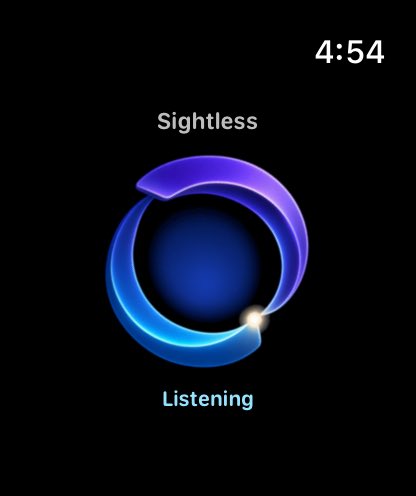
On Apple Watch, you can launch Sightless from your watch face or Smart Stack; start, mute, unmute or end the call with one-handed double-tap gestures (index finger to thumb); and see the call’s live status (muted/unmuted, listening/speaking) from the full-screen watch app or from Live Activities, or both.
Hoping for Sightless to be finally released on the App Store in the next day or so!
It’s really great. Very happy with it. Get one with at least 24 GB RAM and 2TB storage though, much better for the long run than a model with 16GB RAM and <=1TB storage.
But to be clear, you still won’t be running ultra-powerful/frontier-class local AI models on it directly (as in, without an internet connection); for that, I only recommend the $6-7K MacBoom with 128GB RAM, the $13 M5 Ultra Mac Studio with 256GB RAM with 4TB+ storage, or the $25K M5 Ultra with 512GB Ram and 4TB+ storage.
This is Sightless. Full control of your entire iPhone or iPad. Every app. And, from the iOS app, full control of your Mac via the optional macOS companion all. By voice. In real time. Powered by your existing OpenAI plan. Just sign in with ChatGPT.
iPad Air 13” with official iPad keyboard. But to be honest, as much as I like it, I recommend getting any MacBook Air or MacBook Pro as a personal laptop because it can do more and use all apps normally and costs the same.
I recommend the iPad as a cool alternative (and surprisingly capable) format only if you also have a Mac Mini/Mac Studio as an always-on computer for things like Codex / OpenClaw / Hermes that you can remote into from the iPad — and ideally still get a MacBook first.
OR:if you really want an iPad but don’t have the budget for an iPad AND a MacBook, get the iPad but don’t get a MacBook, then get an iPad with cellular connectivity (not a Wi-Fi-only one); that way, you are *always* able to remote into your Mac Mini / Studio at home at any time, at which point it really is like having a MacBook (and maybe even better, because MacBooks don’t yet have cellular connectivity).
To use the iOS Sightless app to control your Mac in addition to using it to control every app (and work across apps for complex tasks) on your iPhone or iPad, just download the optional macOS companion app too and pair it to the iOS app via QR code scan.
The connection is an encrypted device-to-device direct connection.
Also download the ChatGPT desktop app so you can toggle on its Computer Use tool from its settings menu and set it to allow all apps.
Then you can close the ChatGPT app and the iOS Sightless app can still use your Mac’s Computer Use tool.
And yes, the Mac Control feature works over cellular.
Yes, really.
And here’s how Sightless can follow along watching and listening to what’s playing on your iPhone or iPad and talk to you about it simultaneously, even when the content and your native language are different languages. Yes, really. It can do this with anything playing. Anything.
This is Sightless. Full control of your entire iPhone or iPad. Every app. And, from the iOS app, full control of your Mac via the optional macOS companion all. By voice. In real time. Powered by your existing OpenAI plan. Just sign in with ChatGPT.
It’s my daily driver as my personal “laptop”, but I also remote into a Mac Mini from it and use the Mac Mini for all of my coding/client work/app development. In the video above, I’m actually remote into Mac Mini, which is what you see onscreen despite the device being an iPad attached to its magnetic iPad keyboard / touchpad case.
I do also have ChatGPT/Codex desktop installed on the iPad and it has its own direct connection feature to the same app installed on the Mac Mini, so I can actually operate Codex threads on the Mac Mini from the iPad even without using Jump Desktop or Astropad Workbench to remote into the Mac Mini.
Bonus: if you install and pair Sightless on iOS with the optional Mac OS companion app, and have the ChatGPT app installed on your Mac with Computer Use turned on, you can control your Mac from Sightless on your iPhone just with your voice. From anywhere.
And here’s how Sightless can follow along watching and listening to what’s playing on your iPhone or iPad and talk to you about it simultaneously, even when the content and your native language are different languages. Yes, really. It can do this with anything playing. Anything.
This is Sightless. Full control of your entire iPhone or iPad. Every app. And, from the iOS app, full control of your Mac via the optional macOS companion all. By voice. In real time. Powered by your existing OpenAI plan. Just sign in with ChatGPT.
To use the iOS Sightless app to control your Mac in addition to using it to control every app (and work across apps for complex tasks) on your iPhone or iPad, just download the optional macOS companion app too and pair it to the iOS app via QR code scan.
The connection is an encrypted device-to-device direct connection.
Also download the ChatGPT desktop app so you can toggle on its Computer Use tool from its settings menu and set it to allow all apps.
Then you can close the ChatGPT app and the iOS Sightless app can still use your Mac’s Computer Use tool.
And yes, the Mac Control feature works over cellular.
Yes, really.
This is Sightless. Full control of your entire iPhone or iPad. Every app. And, from the iOS app, full control of your Mac via the optional macOS companion all. By voice. In real time. Powered by your existing OpenAI plan. Just sign in with ChatGPT.
This is what Siri should have been a year ago, but will never be, because they got no dog in them. Anyway. Get Sightless for iOS today. And if you want to use it to control your Mac, or have computer-side agents control your phone, get the optional macOS companion app too.
This is what Siri should have been a year ago, but will never be, because they got no dog in them. Anyway. Get Sightless for iOS today. And if you want to use it to control your Mac, or have computer-side agents control your phone, get the optional macOS companion app too.
This is Sightless. Full control of your entire iPhone or iPad. Every app. And, from the iOS app, full control of your Mac via the optional macOS companion all. By voice. In real time. Powered by your existing OpenAI plan. Just sign in with ChatGPT.