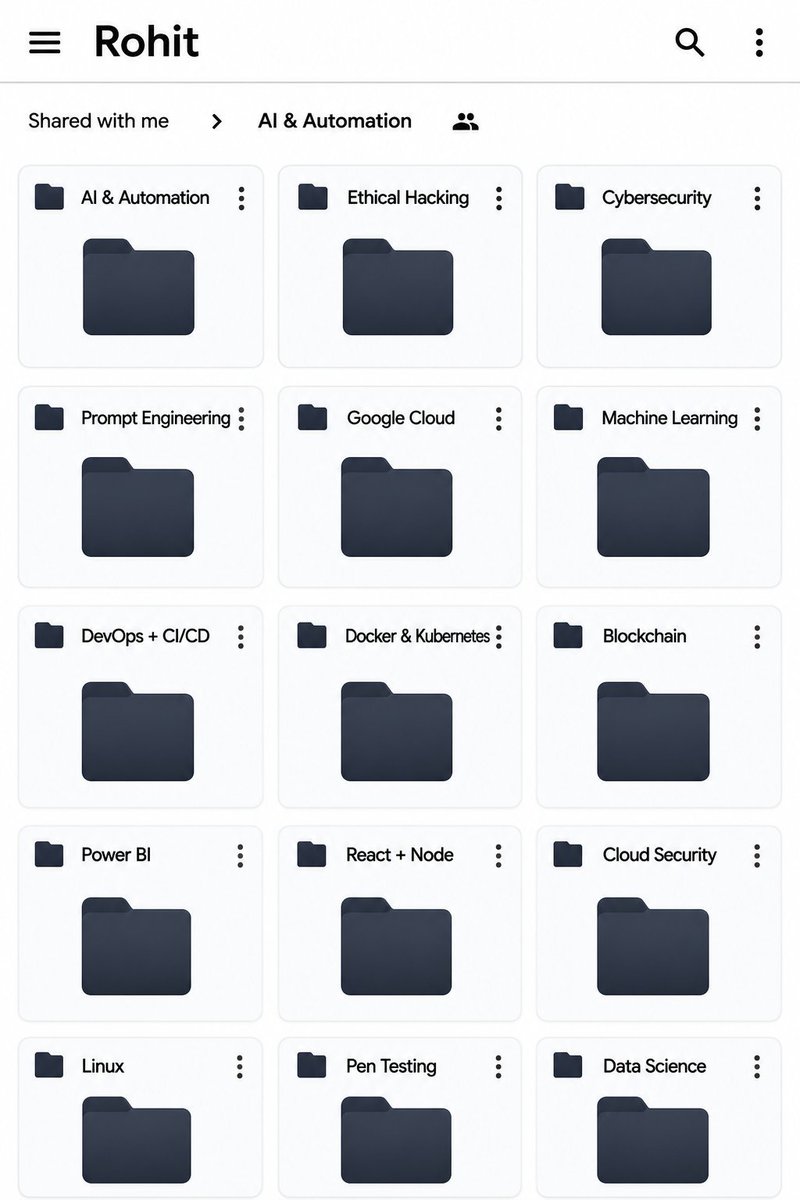
All Paid Courses (Free for First 4500 People)
𝗣𝗮𝗶𝗱 𝗖𝗼𝘂𝗿𝘀𝗲 𝗙𝗥𝗘𝗘 (PART - 1)
1. Artificial Intelligence
2. Machine Learning
3. Prompt Engineering
4. Claude,Chatgpt,Grok
5. Data Analytics
6. AWS Certified
7. Data Science
8. BIG DATA
9. Python
10. Ethical Hacking
(72 Hours only )
Like + RT + comment ' Drive '
Must follow me so I can DM you.
@RaenestApp@RaenestApp
I have made an Upwork withdrawal since June 17. Today is June 26 and I still haven’t gotten the payment in my account.
What is causing all these delays?
@davvidalagwu@RaenestApp@RaenestApp
I have made an Upwork withdrawal since June 17. Today is June 26 and I still haven’t gotten the payment in my account.
What is causing all these delays?
@omoalhajaabiola@RaenestApp@RaenestApp
I have made an Upwork withdrawal since June 17. Today is June 26 and I still haven’t gotten the payment in my account.
What is causing all these delays?
Locked-in for 2 hours per day for the remaining 51 days of 2024 will give you an amazing 2025
Let’s say you choose to learn data analytics, then potential study hours may include:
- Week 1-4: Excel for Data Analysis (Days 1-30)
Key Areas: Basics, Formulas & Functions, Pivot Tables, Data Cleaning, Visualization
Week 1: Excel Basics & Formulas (Days 1-7)
Day 1-2: Introduction to Excel, Basic Navigation, and Shortcuts.
Day 3-4: Data Entry, Formatting Cells, Data Types.
Day 5-6: Basic Formulas: SUM, AVERAGE, COUNT, MIN, MAX.
Day 7: Conditional Formulas: IF, AND, OR.
- Week 2: Advanced Excel Functions (Days 8-14)
Day 8-9: Working with Text:
CONCATENATE, LEFT, RIGHT, TEXT.
Day 10: Lookup Functions: VLOOKUP, HLOOKUP.
Day 11-12: Data Validation, Conditional Formatting.
Day 13-14: Dynamic Formulas: INDEX, MATCH.
- Week 3: Data Cleaning and Pivot Tables (Days 15-21)
Day 15-16: Data Cleaning Techniques: Removing Duplicates, Handling Missing Data.
Day 17-18: Working with Pivot Tables: Creating and Customizing Pivot Tables.
Day 19-20: Pivot Table Calculations: Summarize Data, Calculated Fields.
Day 21: Pivot Charts: Visualizing Data Using Pivot Tables.
- Week 4: Excel Data Visualization (Days 22-30)
Day 22-23: Creating Basic Charts: Line, Bar, Pie Charts.
Day 24-25: Advanced Charts: Waterfall, Combo, Histogram.
Day 26-27: Sparklines, Conditional Formatting with Charts.
Day 28-30: Dashboard Creation in Excel.
Week 5-8: SQL for Data Analysis (Days 31-60)
Key Areas: SQL Basics, Joins, Aggregation, Subqueries, Advanced SQL
- Week 5: SQL Basics (Days 31-37)
Day 31-32: Introduction to Databases and SQL: What is SQL? SQL Structure.
Day 33-34: Basic SQL Queries: SELECT, WHERE, ORDER BY.
Day 35-36: Filtering with LIKE, IN, BETWEEN.
Day 37: Sorting Data, Using Aliases.
- Week 6: Intermediate SQL (Days 38-44)
Day 38-39: Working with Joins: INNER JOIN, LEFT JOIN, RIGHT JOIN, FULL JOIN.
Day 40-41: Aggregation Functions: SUM, COUNT, AVG, GROUP BY.
Day 42-43: Using HAVING with Aggregated Data.
Day 44: Combining Data: UNION, INTERSECT, EXCEPT.
- Week 7: Advanced SQL Queries (Days 45-51)
Day 45-46: Subqueries: Single Row, Multiple Row Subqueries.
Day 47-48: Nested Queries and Correlated Subqueries.
Day 49: CTE (Common Table Expressions).
Day 50-51: Window Functions:
ROW_NUMBER, RANK, PARTITION BY.
- Week 8: Working with Databases (Days 52-60)
Day 52-53: Database Normalization and Relationships.
Day 54-55: Indexing for Query Optimization.
Day 56-57: Importing and Exporting Data in SQL.
Day 58-60: Creating and Managing Databases (CRUD Operations).
Week 9-12: Power BI for Data Visualization (Days 61-90)
Key Areas: Power BI Basics, Data Modeling, Visualization, DAX
- Week 9: Power BI Basics (Days 61-67)
Day 61-62: Introduction to Power BI, Interface Walkthrough.
Day 63-64: Importing Data from Excel, SQL, CSV.
Day 65-66: Data Cleaning and Transformation in Power Query.
Day 67: Creating Simple Visuals: Bar, Line, Pie Charts.
- Week 10: Power BI Data Modeling (Days 68-74)
Day 68-69: Introduction to Data Models, Relationships in Power BI.
Day 70: Creating Calculated Columns and Measures.
Day 71-72: Using Time Intelligence: Year-to-Date, Quarter-to-Date.
Day 73-74: Data Hierarchies and Drill-Down Features.
- Week 11: DAX (Data Analysis Expressions) (Days 75-81)
Day 75-76: Introduction to DAX Functions: SUMX, COUNTX.
Day 77-78: Advanced DAX: CALCULATE, FILTER, ALL.
Day 79-80: Time Intelligence in DAX: DATEADD, PREVIOUSMONTH.
Day 81: Using DAX for Conditional Calculations.
Freelancing in an effective way to increase your revenue to as high as $5k/Per month.
With this guide, you’d learn how to use AI prompts in freelancing
FREE for the next 48 hours
To get it, just:
👍 Like + Repost
💬 Comment "Freelance"
🫶🏻Follow us (So we can DM)
I'm DONPEDRO DAVID ABIYE.contestant for Accesspreneur NYSC Business Plan Prgm@Delta State Camp by AccessBank Plc. Business plan: DYNAMIC SURFACE ARTISAN AND VISIONARY:Epoxy Graphic & Smrt Lights.Pls LIKE&RETWEET to increase my chances of winning #MyAccessBank#Access_more#Access