@hitchariide I don’t know if he’d want to but Drift0r is a legend I. The space and he’s not doing well. But I thing he has a great deal to share and might be a great episode of Around the Bar.
💚☯️💙 @Drift0r
@CallofDuty@InfinityWard@asha_shar@gawdgriggs
Please tell us something about cheating, 2,3,4 boxing, Cronus, cheating software, VPN use to just create new account. I get wall hackers every day, report them, & still match with them later. STOP THE CHEATERS! #MW4#CoD
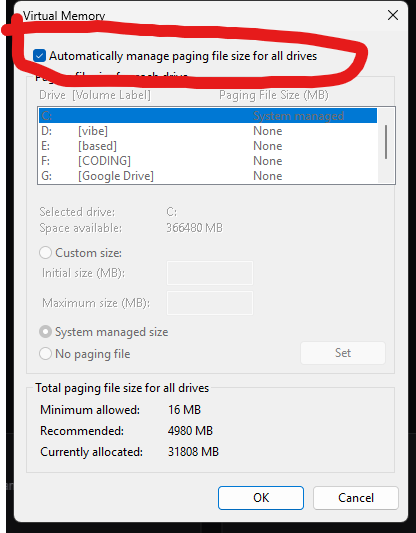
If you constantly crash in games, please make sure to check this:
🔹Open View advanced system settings.
🔹Go to the Advanced tab.
🔹Under Performance, click Settings.
🔹Open the Advanced tab again.
🔹Under Virtual memory, click Change.
🔹Make sure Automatically manage paging file size for all drives is enabled.
🔹Restart
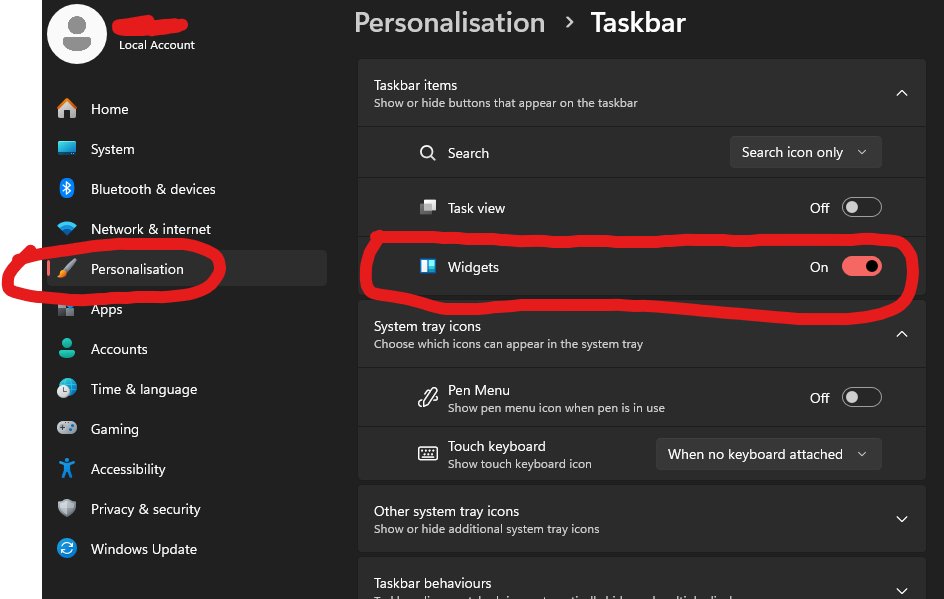
Windows 11 Widgets are running in the background eating your CPU even if you never open them.
WidgetService.exe and Microsoft.Widgets.exe load at startup and stay resident, checking for weather updates, news feeds, and stock prices while you game.
Fix: Settings -> Personalization -> Taskbar -> Widgets -> OFF
Easy way to gain more FPS in CPU intensive games like Fortnite, CSGO2, and Valorant!
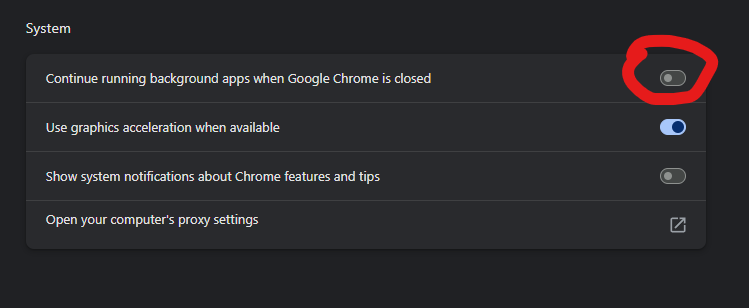
Chrome has a setting called "Continue running background apps when Google Chrome is closed."
It's ON by default. Even after you close Chrome, it keeps processes running that eat 500MB-1GB of your RAM.
Chrome -> Settings -> System -> turn this OFF.
You get more RAM back for your game and a smoother gameplay
Windows update KB5077181 may be causing stutters in your games.
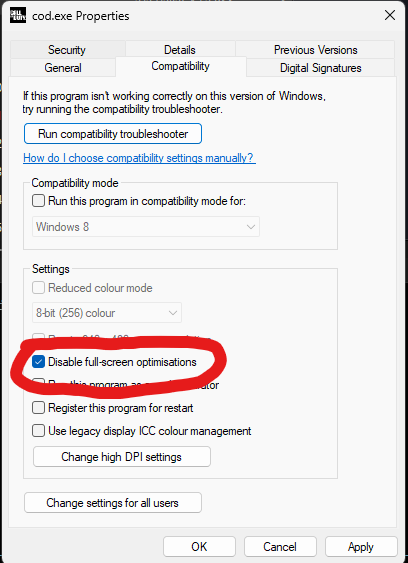
It's may be caused by Fullscreen optimization.
Fix: Right-click your game .exe → Properties → Compatibility → check "Disable fullscreen optimizations"
If you updated recently & your games feel off, try this.
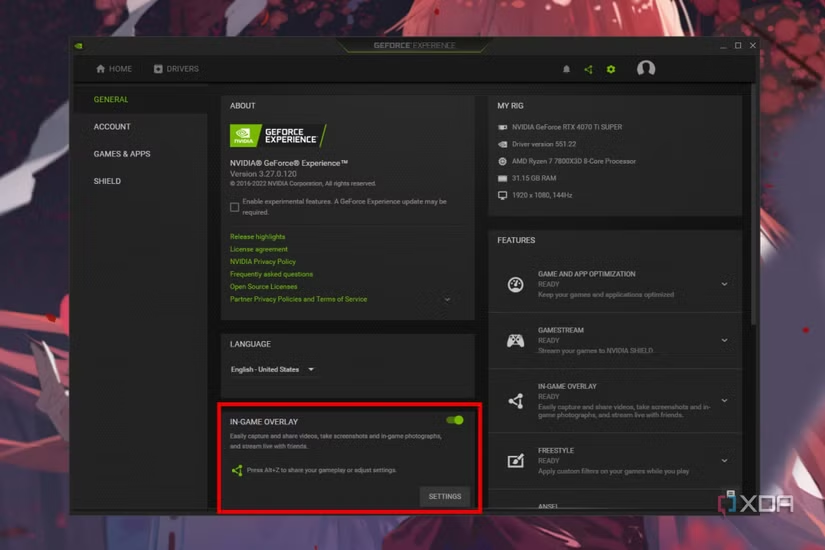
If you have an NVIDIA GPU, then do this:
Open the NVIDIA App → Settings → Features tab → toggle "NVIDIA Overlay" OFF.
The overlay constantly hooks into your game's renderer. Turning it off gives you a free FPS bump in every game. Use OBS for clips instead.
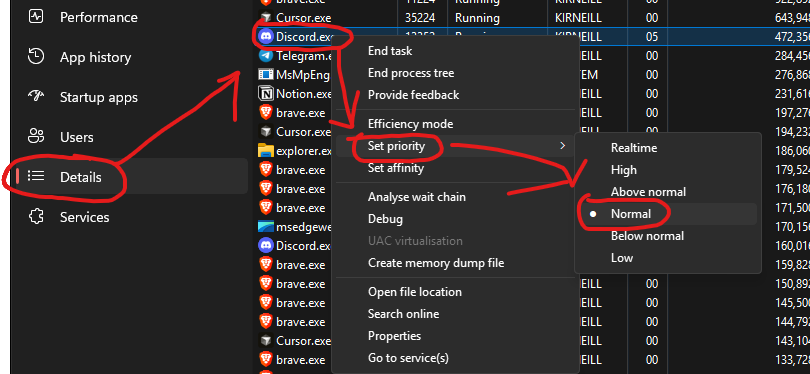
Discord is secretly running at Real Time priority on your PC.
This causes frametime spikes in CS2, Valorant, and basically every competitive game.
Fix: Task Manager → Details → Discord.exe → Set Priority → Normal
One change. Instant smoother gameplay.