How to run them:
» Go in order. Prompt 1 sets the layout every other prompt builds on.
» One prompt per message. Check the preview before moving on.
» Swap every [bracket] for real names and real metrics. Vague input gets a vague dashboard.
CLAUDE BUILDS DASHBOARDS NOW.
🚨 A premium dashboard UI in 30 minutes. On the free plan.
Most people ask for "a dashboard" and get a generic template back.
The fix is asking for one layer at a time.
Here are 7 prompts that do exactly that:
7. The Master Build Map
Act as a dashboard build specialist. Map my full 30-minute build: layout, charts, dark mode, and an honest read on how premium the result will actually look.
The pattern behind all four:
» Code handles what has to be exact: timing, safety, execution » Jev handles the judgment call in the middle » The loop runs again
🚨 There's an AI model that doesn't write a single word. Developers are using it to play Mario, fly drones, and run a trading bot.
It's called Jev, from TypeSafe AI.
It's not a chat model. You give it a situation and a set of options. It returns a typed decision, like a choice or a score, with a confidence level attached.
This repo gives Claude Code an entire agency of specialist AI agents.
It’s called Agency Agents, and it packs 230+ specialized agents into one GitHub repo.
Instead of forcing one AI to handle everything, you can call specialists for:
→ Frontend and backend engineering
→ Security and testing
→ Product and project management
→ Research and strategy
→ Design and marketing
→ Finance and sales
Each agent has its own role, process, personality, and expected deliverables.
It works natively with Claude Code and supports Cursor, Codex, Gemini CLI, GitHub Copilot, OpenCode, and more.
There’s also a desktop app for macOS, Windows, and Linux that installs agents for you.
156K+ GitHub stars. MIT licensed.
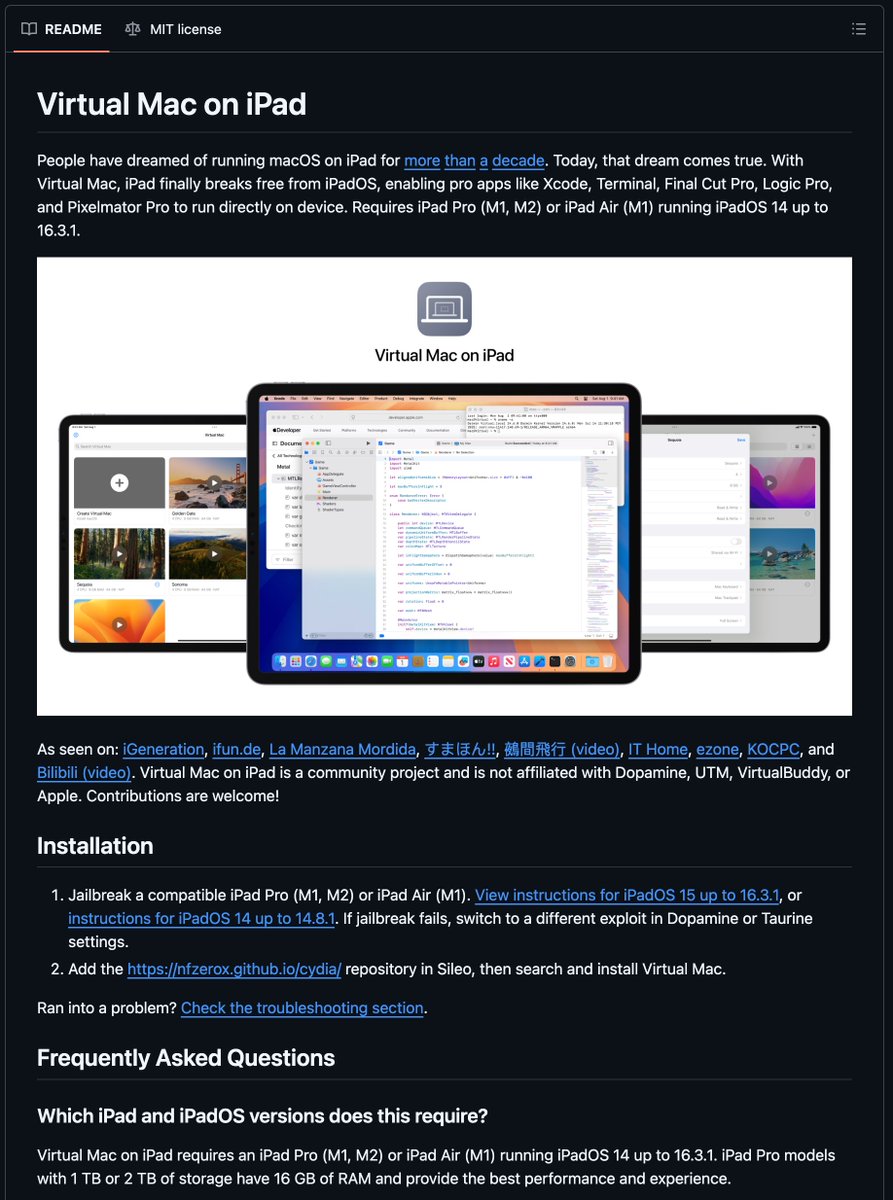
🚨 You can now run macOS on an iPad with hardware virtualization and GPU acceleration.
It's called Virtual Mac on iPad, and the whole project is open source.
You can boot macOS 12 Monterey through macOS 26 Tahoe and run desktop apps like:
→ Xcode
→ Terminal
→ Final Cut Pro
→ Logic Pro
→ Pixelmator Pro
It uses hardware CPU virtualization plus paravirtualized graphics, with Metal acceleration across supported macOS versions.
There is one big catch.
You need a jailbroken M1 or M2 iPad Pro, or an M1 iPad Air, running iPadOS 14 through 16.3.1. Newer iPadOS versions aren't supported because Apple removed Hypervisor support from the iPadOS kernel.
iCloud and Apple Account sign-in also aren't supported.
The repo is MIT licensed and already has around 1.8K GitHub stars.
An iPad running a virtualized Mac with Xcode and Final Cut is something I didn't expect to see.