THIS GUY LIVES UNDER SFO'S TAKEOFF PATH SO HE BUILT A CEILING PROJECTOR THAT TRACKS EVERY PLANE FLYING OVER HIS HOUSE IN REAL TIME
he uses a cheap $30 radio receiver to pick up the signals that planes broadcast while flying.
then projects them onto his ceiling in real time
when a jet flies over his house you hear it outside and at the exact same moment a plane glides across his ceiling labeled with the airline, aircraft type, and destination
pure black background so the projector's rectangle disappears and only the aircraft are visible
but he didn't stop at planes
it also draws the real sky behind them. sun, moon, bright stars, constellations, and live satellites including the ISS. all at their true positions for his exact location and time in real time
so he's lying in bed watching the actual night sky projected onto his ceiling with real planes crossing through it as they take off from SFO
there is a huge market for every man alive that runs outside to see the helicopter
vibe coded the whole thing himself with a cheap radio, a projector, and some clever software
https://t.co/WB1LNpsu9S
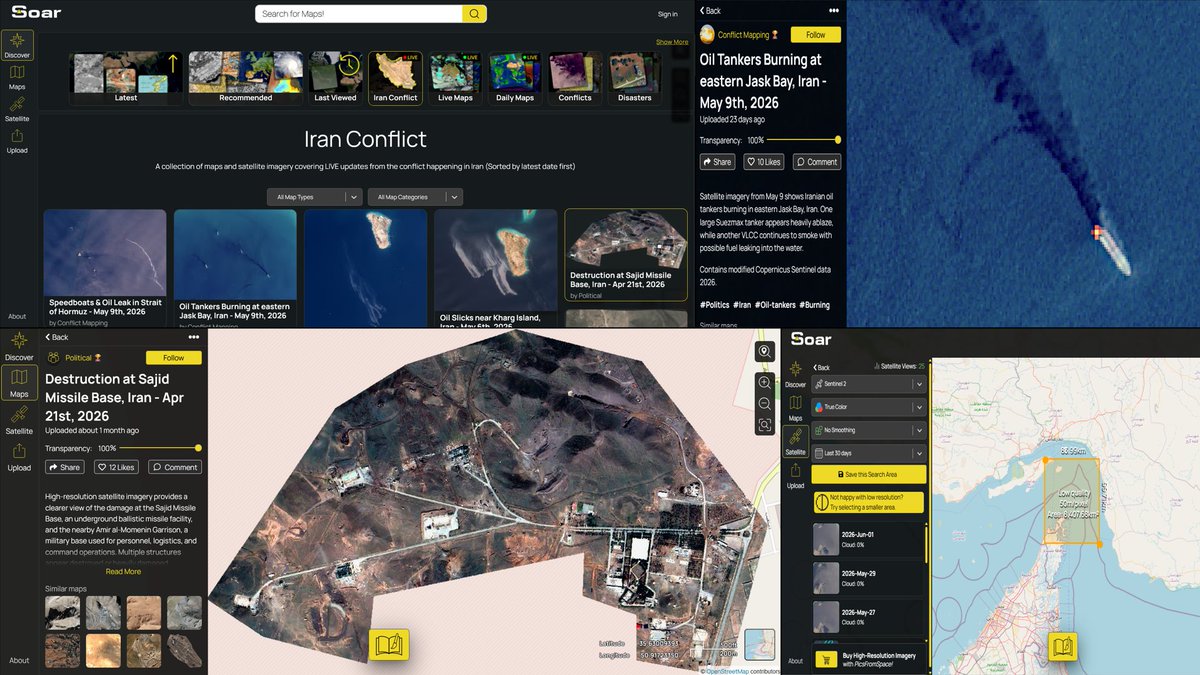
A FREE GEOINT platform to discover the latest satellite imagery, drone imagery and radar layers in one place.
You can also explore conflict zones like Iran’s Strait of Hormuz by searching or drawing an area of investigation to check the latest satellite images from the left panel, as shown in the last image.
#OSINT #GEOINT #SatelliteImagery
Imágenes adicionales del ejercicio militar en la embajada de EEUU en Caracas,realizadas con los MV-22B Osprey 🇺🇸, comandadas por el comandante del Comando Sur, general Francis L. Donovan.
@SA_Defensa
Muchas comunidades de LATAM no existen en los mapas de respuesta ante desastres.Eso cambia del 23 jun al 31 jul.
🗺️Súmate al Mapatón Regional 2026 y ayúdanos a actualizar los datos que la región necesita frente a la crisis climática. 🌎 Regístrate: https://t.co/ZfrBw3vgWf
EV ALMADAN ÖNCE KESİNLİKLE BAKMANIZ GEREKEN SİTE
Hangi saatlerde güneşin binaya nereden vurduğunu gösteren mükemmel bi site. Ev alırken, kiralarken mutlaka bakılması gereken şeylerden.
It's **Guided Access**.
**Setup:**
- Settings > Accessibility > Guided Access > turn on + set a passcode.
**To use:**
- Open the app you want to lock them in.
- Triple-click the side button.
- Tap **Start**.
They can't leave the app or access anything else. Triple-click again + enter passcode to exit.
You can also add Accessibility Shortcuts to Control Center for one-tap access. Customize options like time limit or disable touch during setup.