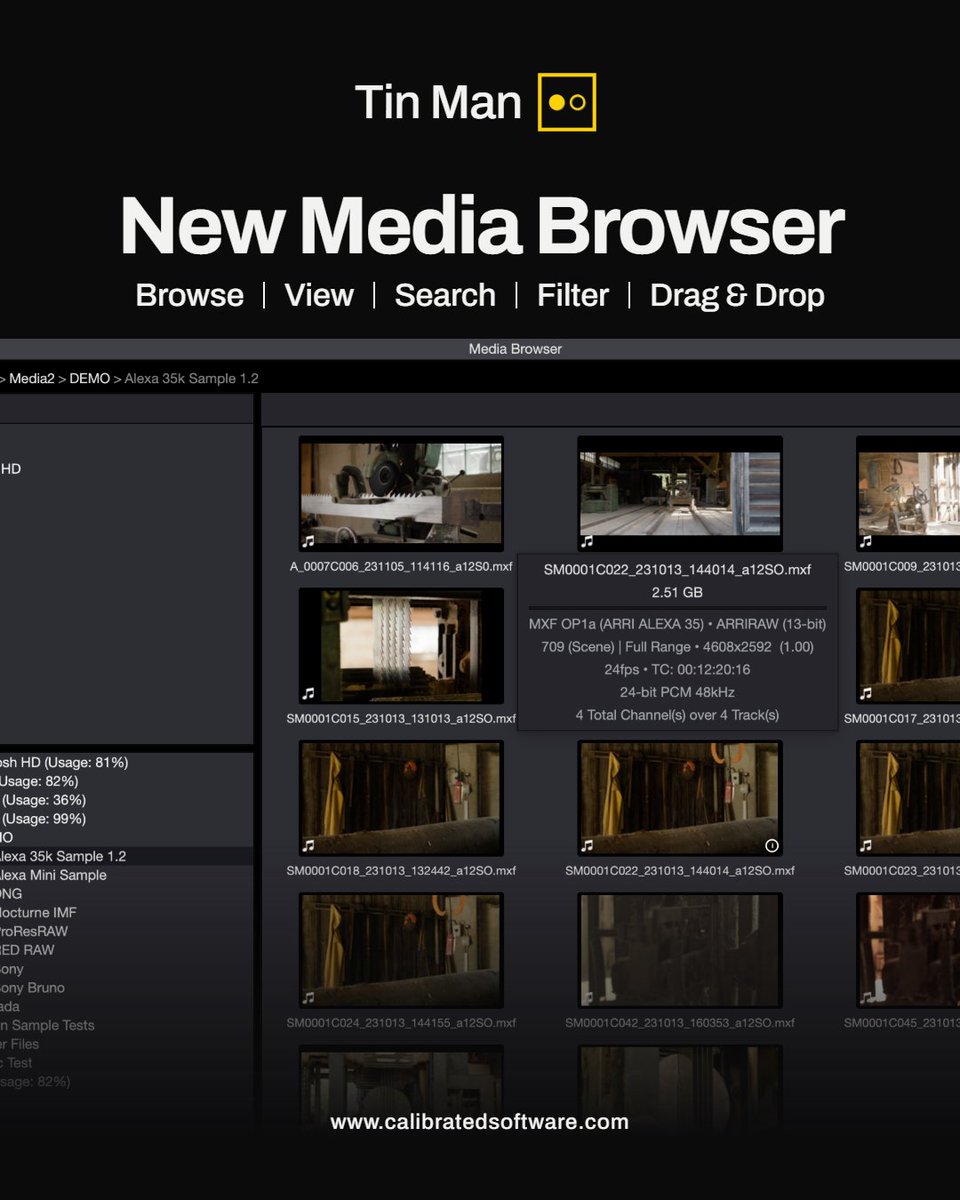
The new Media Browser is here in Tin Man v26.9.2.
Browse your drives and favorite folders with thumbnails and clip details at a glance. Search and filter by name, camera and resolution, then drag clips straight into your file list or other apps.
download the free trial at
https://t.co/Dow6fuFJ9F
ASC CDL color wheels are now available for RAW formats in the latest Tin Man build.
Make fast, intuitive Slope, Offset, Power, and Saturation adjustments with color wheels, then save or load standard .cc files to carry looks between clips and into any CDL-compatible workflow.
download the free trial at https://t.co/Dow6fuGgZd
Bring your own AI.
Connect cloud or local AI models to Tin Man Server over MCP — and automate post-production workflows in plain language.
Search metadata. Batch export media. Generate camera reports. Create verified copies. Just by asking.
Native support for ARRI, Sony, Blackmagic, RED, Canon + more.
Free trial and learn more:
https://t.co/k7A4Lj5VnS
#TinManApp #CalibratedSoftware #calibratedsoftware #PostProduction #ARRIRAW #sonycameras #CanonRAW #nikonusa #reddigitalcinema #nikonnraw #DaVinciResolve #CameraRAW #FilmmakingTools #videoediting
Burn in the details that matter.
New in Tin Man 26.6.1: Timecode and customizable metadata burn-ins for exports and snapshots.
Create professional review files, dailies, and stills with the information your team needs — including resolution, codec, camera metadata, color space, ISO, reel, scene, take, lens data, and more — directly embedded into your media.
Built for fast playback, deep inspection, and professional post-production workflows on macOS and Windows.
Download the free trial today:
https://t.co/Dow6fuFJ9F
#TinManApp #CalibratedSoftware #calibratedsoftware #PostProduction #ARRIRAW #sonycameras #CanonRAW #nikonusa #reddigitalcinema #nikonnraw #DaVinciResolve #CameraRAW #FilmmakingTools #videoediting
New in Tin Man: TimeCode and user-selectable metadata overlays during playback.
Instantly view clip info like resolution, codec, camera metadata, color space, ISO, reel, and more — directly over your footage while reviewing media.
Built for fast playback, deep inspection, and professional workflows on macOS and Windows.
Download the free trial today:
https://t.co/Dow6fuFJ9F
#TinManApp #CalibratedSoftware #calibratedsoftware #PostProduction #ARRIRAW #sonycameras #CanonRAW #nikonusa #reddigitalcinema #nikonnraw #DaVinciResolve #CameraRAW #FilmmakingTools #videoediting
New in Tin Man: Contact Sheet reports
Every clip from your shoot on one page. Branded header, job number, clip count, total runtime, total size. PDF or HTML. Send it as a link or print it.
Tap any thumbnail in the HTML version and the clip metadata pops up — timecode, reel, camera serial, ISO, WB, shutter, even pan/tilt/roll. The producer gets the overview. The DP gets the details. One report.
Also new this release: GPU export engine (CUDA, OpenCL, Metal), timecode overlay during playback, half/quarter/eighth res export options.
Windows and macOS.
Download the free trial today:
https://t.co/Dow6fuFJ9F
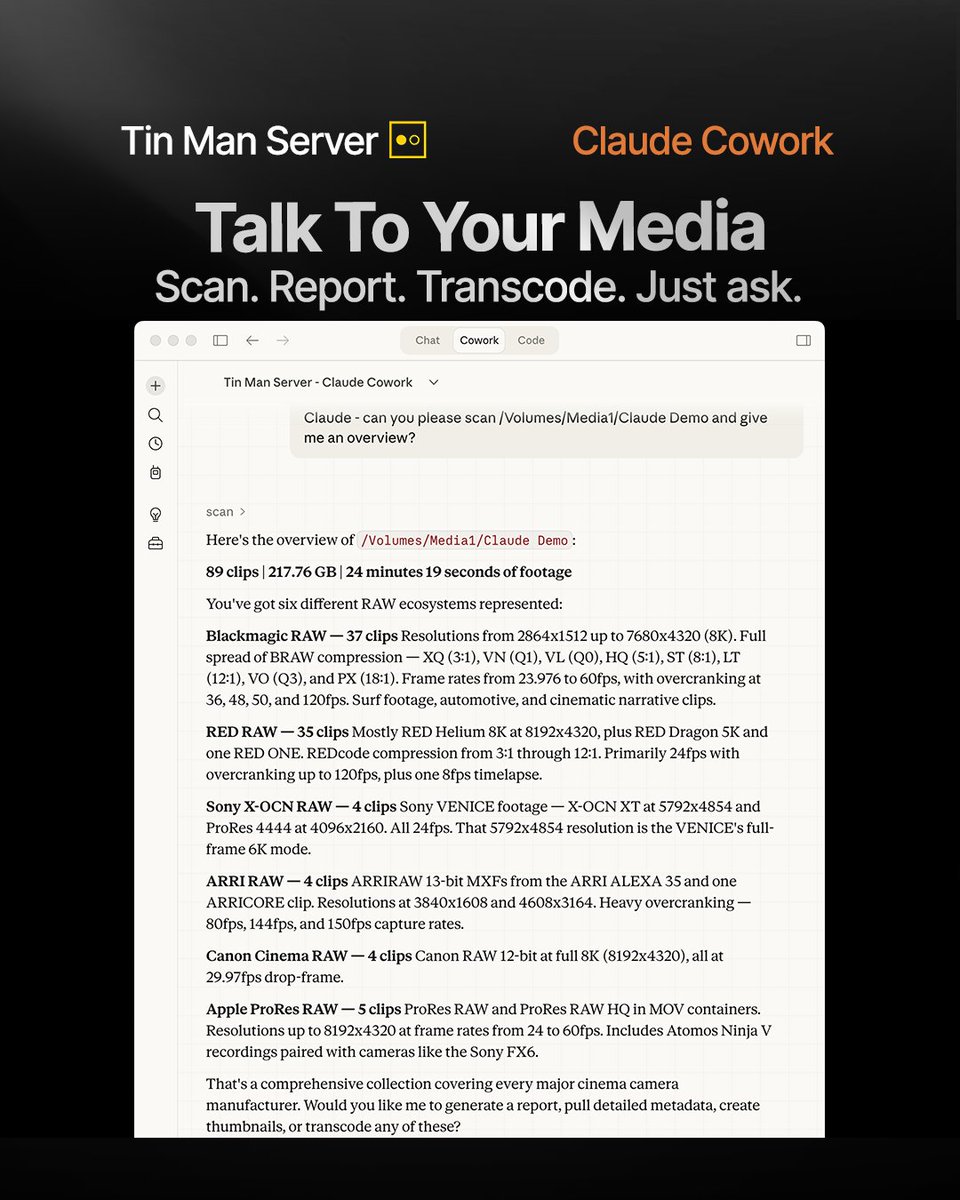
Talk to your media.
Connect Tin Man Server to Claude Cowork and run real media workflows through natural language.
Transcode dailies, create camera reports, scan media cards — all from a conversation.
Learn more:
https://t.co/f9IjrYDHqr
@claudeai#TinManApp #CalibratedSoftware #PostProduction #FilmWorkflow #FilmTech #AI #MCP #ClaudeAI #VFX #Dailies #ColorScience #RAW
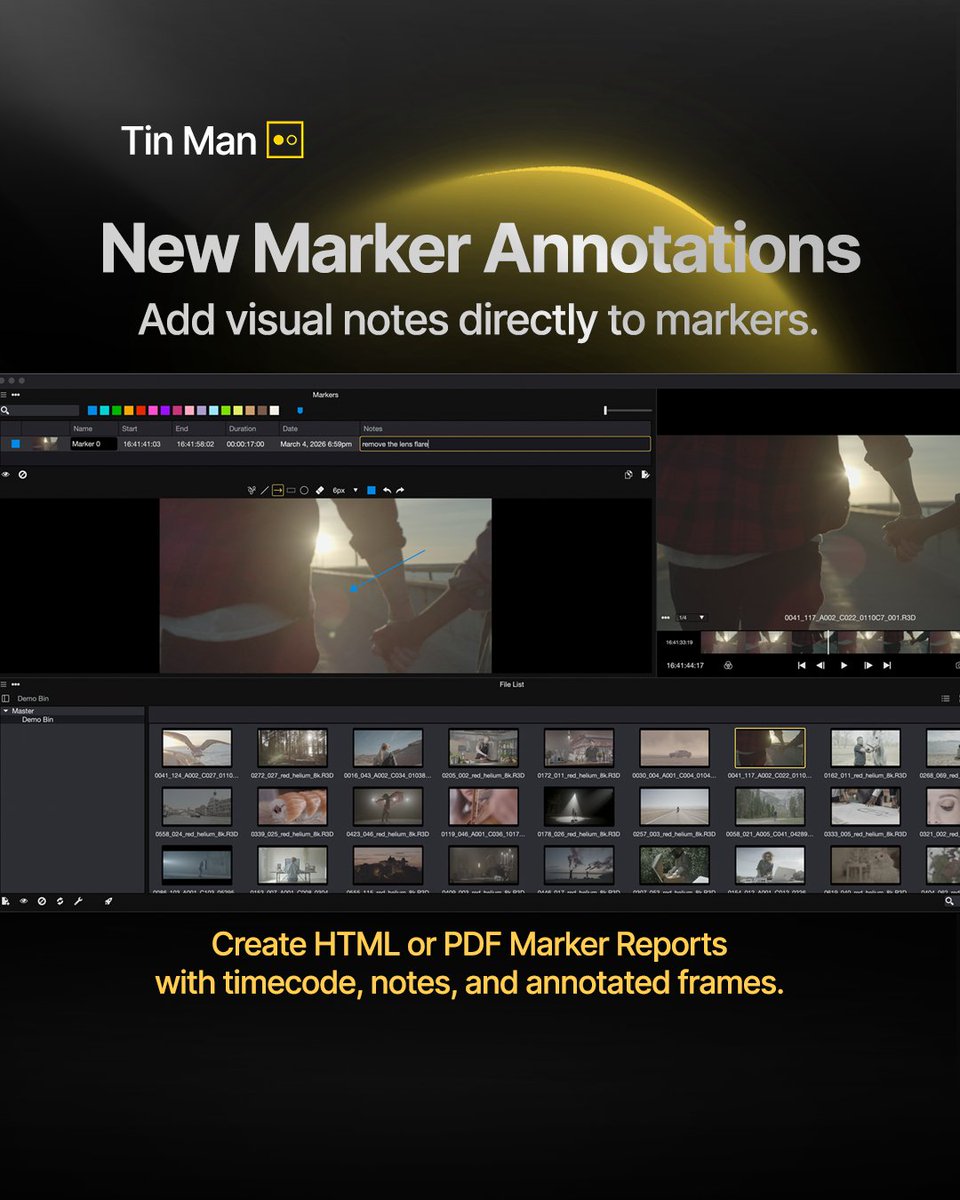
Tin Man v26.2.4 introduces Marker Annotations — draw directly on frames with freeform lines, arrows, rectangles, and ellipses to visually call out notes and fixes.
Create stunning light or dark mode HTML/PDF Marker Reports with timecode, notes, and annotated frames.
Markers and thumbnails are now stored directly in the project.
Free Trial Download:
https://t.co/HTt7KcTt3U
#TinManApp #CalibratedSoftware #cinematography #filmmaking #ColorGrading #PostProduction #FilmWorkflow #VideoEditor #Cinematography
RED RAW playback in macOS Finder
Instant preview.
Frame-accurate scrubbing.
Free download. No license required.
Installed with Tin Man.
https://t.co/jkr7ffY5xX
@RED_Cinema
Introducing Calibrated QuickLook — a free macOS QuickLook extension that enables Finder to display thumbnails for MXF and professional camera RAW formats.
Proud to support RAW formats from:
📷 ARRIRAW — @ARRIChannel
📷 Blackmagic RAW — @Blackmagic_News
📷 Sony RAW / X-OCN — @SonyCine
📷 RED RAW — @RED_Cinema
📷 Canon RAW — @CanonUSApro
📷 Nikon N-RAW — @NikonUSA
Plus DPX and industry-standard MXF files used across production and post.
Our new QuickLook plugin installs automatically with our macOS app Tin Man.
Learn more and download here: https://t.co/z0fhIC1SJt
#calibratedsoftware #CalibratedQuickLook #TinManApp #macOS #PostProduction #ARRIRAW #sonycameras #CanonRAW #nikonusa #reddigitalcinema #nikonnraw #DaVinciResolve #CameraRAW #FilmmakingTools #videoediting
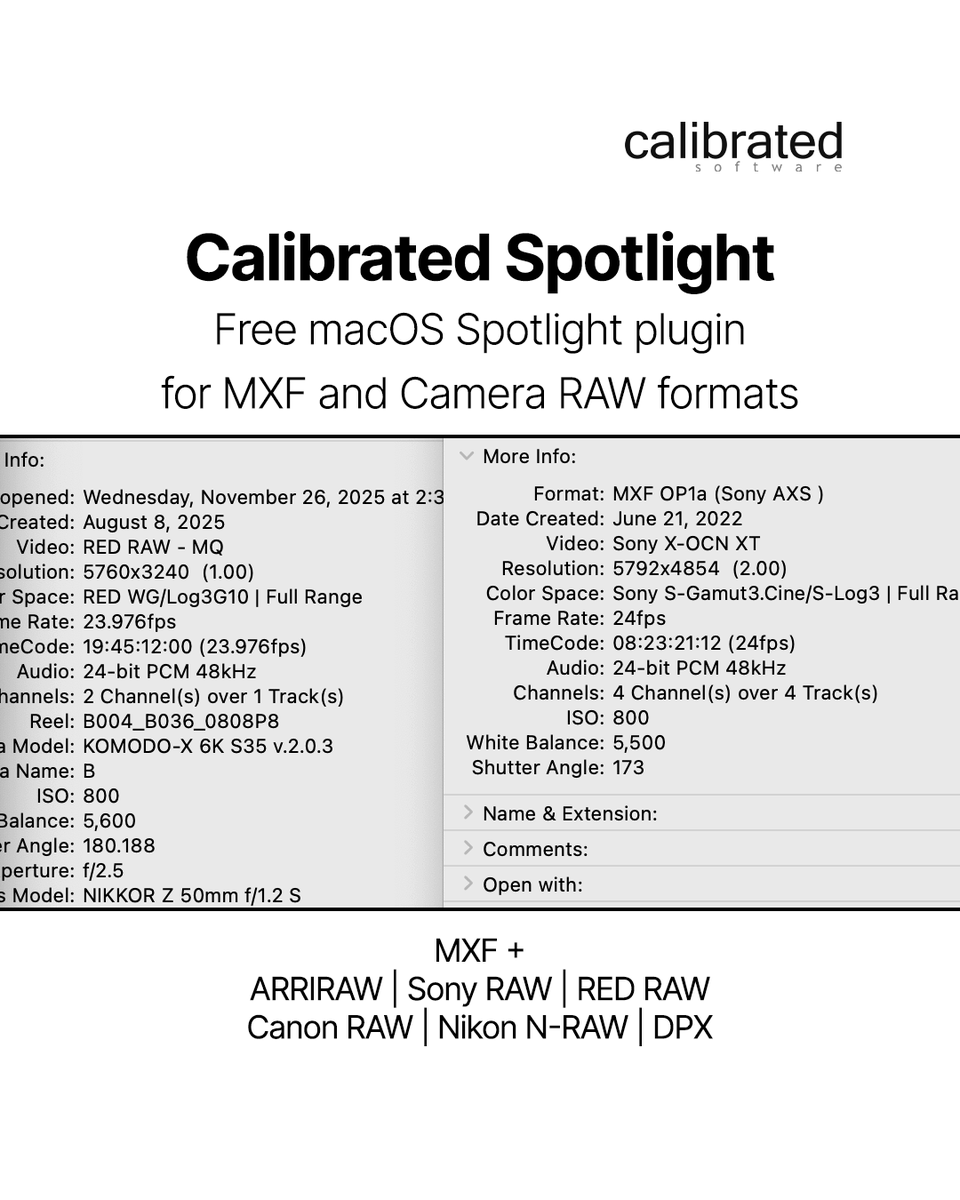
Introducing Calibrated Spotlight — a free macOS Spotlight plugin that makes camera RAW and MXF metadata fully searchable in Finder.
Proud to support RAW formats from:
📷 ARRIRAW — @ARRIChannel
📷 Sony RAW / X-OCN — @SonyCine
📷 RED RAW — @RED_Cinema
📷 Canon RAW — @CanonUSApro
📷 Nikon N-RAW — @NikonUSA
Plus DPX and industry-standard MXF files used across production and post.
Our new Spotlight plugin installs automatically with our macOS app Tin Man.
Learn more and download here: https://t.co/4gLF3XANvn
#calibratedsoftware #CalibratedSpotlight #TinManApp #macOS #postproduction #arrialexa #SonyCine #canonusa #nikonusa #reddigitalcinema #davinciresolve #cameraraw #FilmmakingTools #videoediting
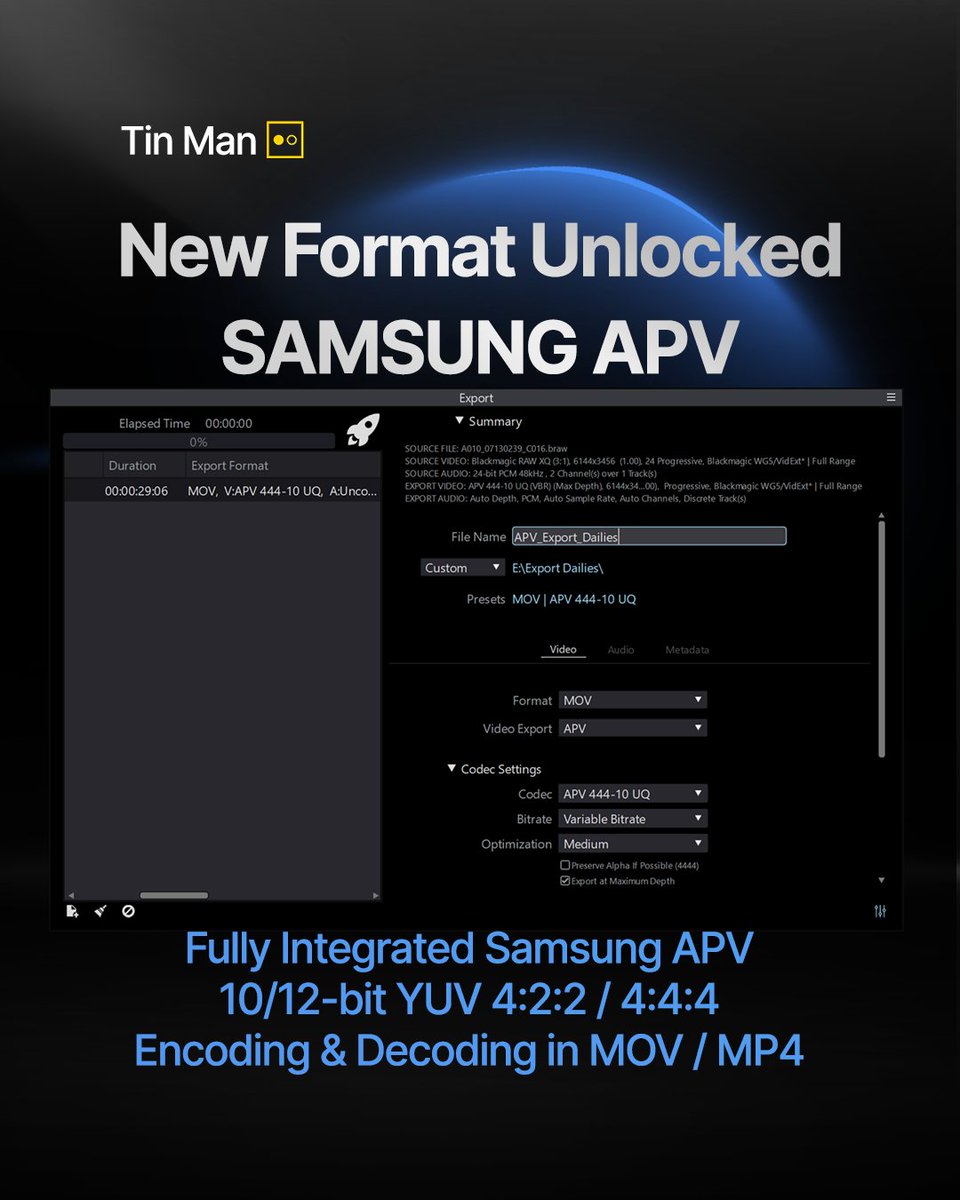
🚀 Samsung APV Codec in Tin Man
Tin Man now offers full Samsung APV integration using OpenAPV — import, decode, and export APV files with 10/12-bit YUV 4:2:2 / 4:4:4 / 4:4:4:4 (Alpha) support in MOV and MP4.
🎬 About the APV Codec
Samsung’s APV (Advanced Professional Video) is a professional, royalty-free codec developed for high-quality video recording and post-production.
Experience professional APV workflows — end-to-end in Tin Man.
Free Trial Download:
https://t.co/HTt7KcTt3U
#TinManApp #SamsungAPV #GalaxyS26 #GalaxyS26Pro #OpenAPV #ColorGrading #PostProduction #Filmmaking #VideoEditing #ProWorkflow #CodecInnovation
⚡️ Watch. QC. Trust.
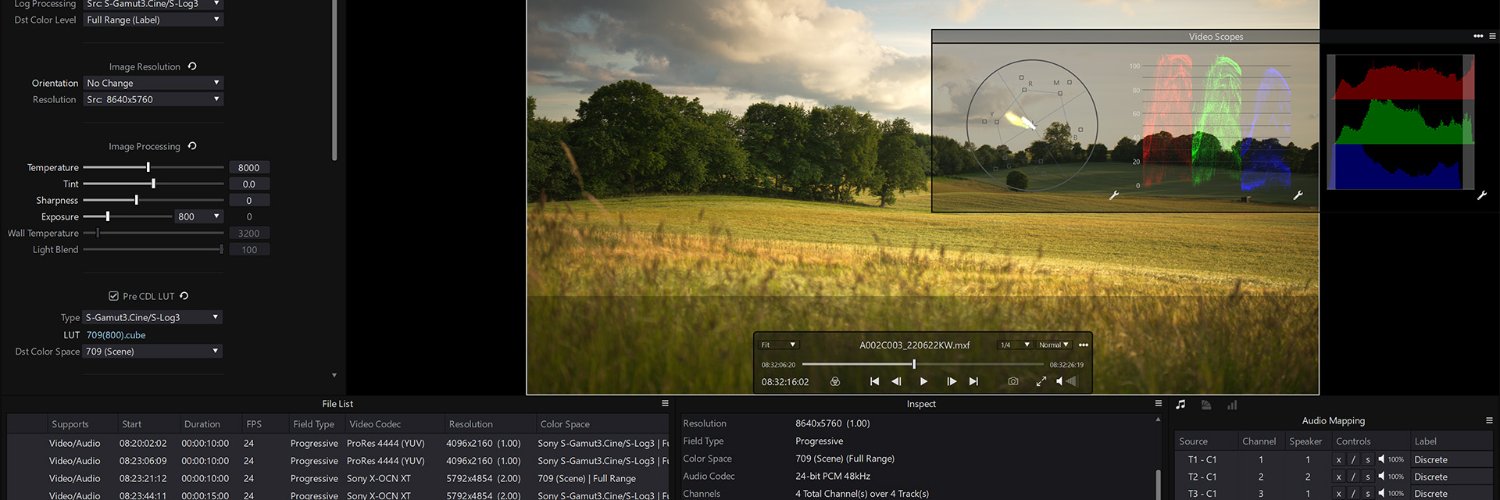
View professional RAW formats with complete RAW controls — including exposure, white balance, tint, 3D LUTs, and color transforms.
Perfect for dailies, QC, and accurate color decisions on set or in post.
✅macOS & Windows
✅ARRIRAW • Sony RAW • Canon RAW • RED RAW • Blackmagic RAW • ProRes RAW • CinemaDNG
play, inspect, report, and export — all in one app.
Free Trial
https://t.co/Dow6fuFJ9F
#TinManApp #CalibratedSoftware #filmmaking #ColorGrading #PostProduction #FilmWorkflow #VideoEditor #Cinematography
New in Tin Man — Bin Management
Organize your footage easier than ever.
Create bins, save file lists, and send everything—files, metadata, and markers—directly to DaVinci Resolve Studio.
Try Tin Man today
https://t.co/Dow6fuGgZd
#TinManApp#CalibratedSoftware#DaVinciResolve #cinematography #filmmaking #ColorGrading #PostProduction #FilmWorkflow #VideoEditor #Cinematography
⚡️ Fast. Batch. Exports.
Run up to 5 exports at once with Tin Man — from proxy H.264 MP4s to mezzanine Apple ProRes MOVs or Avid MXF OP-Atom DNxHR files.
✅ macOS & Windows
✅ Official Apple & Avid codecs
play, inspect, report, and export — all in one app.
Free Trial
https://t.co/Dow6fuFJ9F
#TinManApp #AvidMediaComposer #PostProduction #VideoEditing #FilmmakingTools #ProRes #DNxHR #BatchExport
New Format Unlocked: ARRICORE MXF
Tin Man now gives you full RAW controls, metadata, and ARRI color science for ARRICORE workflows.
play, inspect, report, and export — all in one app.
Big thanks to ARRI for helping us make this possible.
Try Tin Man today
https://t.co/Dow6fuFJ9F
#TinManApp #CalibratedSoftware #ARRI #ALEXA35Xtreme #capturedwithALEXA35Xtreme #ARRICORE #highspeedshots #highspeedcamera #slowmotion #cinematography #filmmaking #ColorGrading #PostProduction #FilmWorkflow #VideoEditor #Cinematography
Tin Man Pro just got even better! Seamless DaVinci Resolve Studio integration is here.
New in Tin Man Pro v25.7.1:
-Instantly send files from your Tin Man Pro File List to DaVinci Resolve Studio
-Update metadata directly in Resolve — in bulk!
-Export Resolve-compatible CSV metadata
-Plus improved Blackmagic RAW support
Ready to level up your post workflow?
Upgrade today and supercharge your DaVinci Resolve pipeline!
Download and try the free trial!
https://t.co/Dow6fuFJ9F
#DaVinciResolve #BlackmagicDesign #PostProduction