Simple Leather Belt Texture Tutorial ⬇️⬇️⬇️
This tutorial will show how I achieve the leather texture to my belt 😁 I will try my best to make it simple and it will all be done in the colour channel.
Step 1:
Add the base material with Colour = Black (Not 100% black), Roughness = 0 and Metal = 0.6
Add a baked lighting filter with "Soft 1Front 2back" environment selected
Step 2:
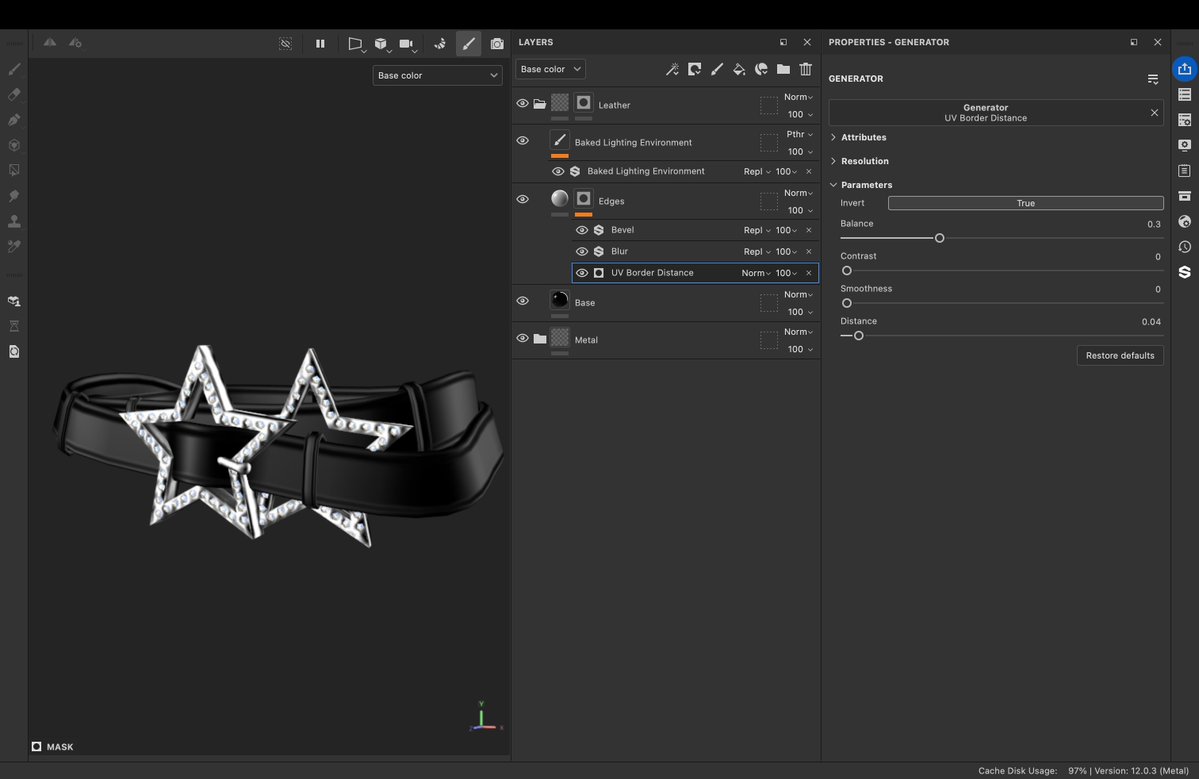
I like having bumps at the edges of the belt so to do this I add a layer with a black mask. In the black mask add a "UV Border Distance" Generator, then click "Invert Mask". Take in mind this generator uses your seams that you made in blender so make sure your seams are along the top and bottom of the belt. Another option is to use the curvature generator instead of the UV Border generator. I like to add a blur filter above and then the Material should only have Height = -1
Step 3:
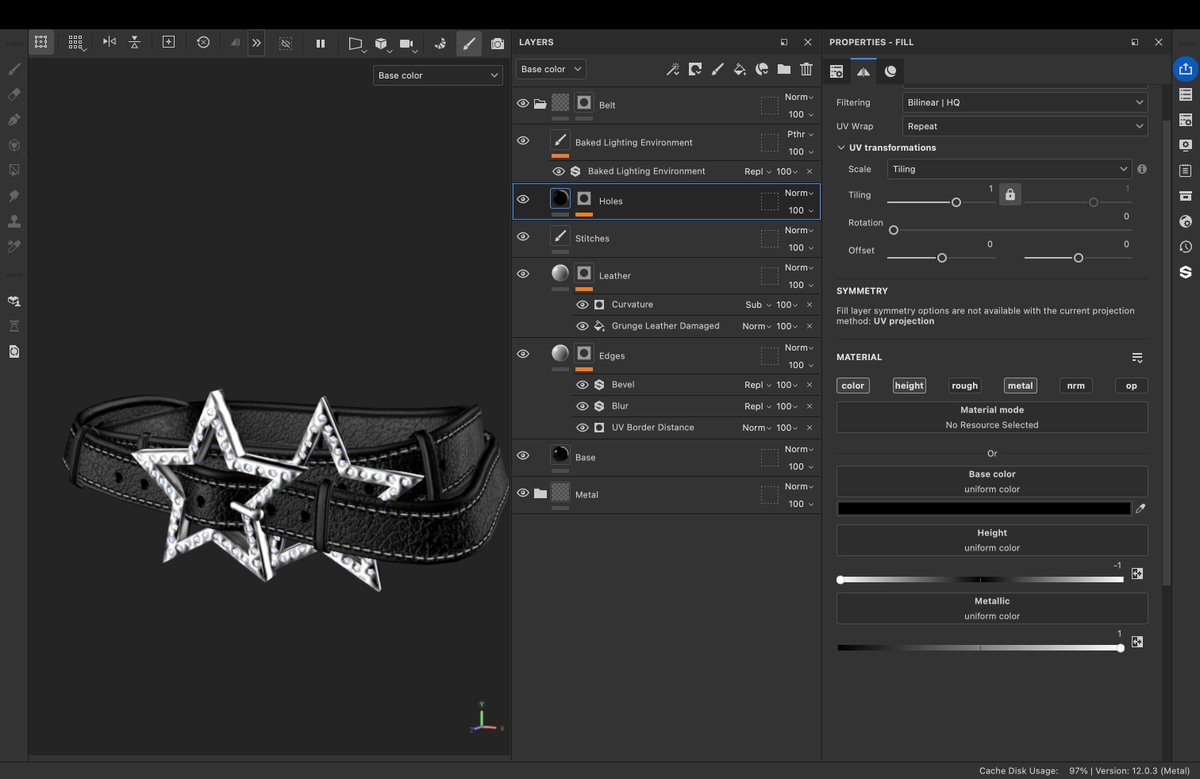
Next I add another layer with a black mask. In the black mask I add a fill layer called "Grunge Leather Damaged". This Material should only have Height = 0.05
I like to add a curvature generator on top of the fill layer and make the blending mode "Subtract". This will make the edges not have the leather texture, makes it seem a bit more worn
Step 4:
Finally I add stitches and holes to the belt. For the stitches I use the "Top Stitch" tool, found in the asset toolbox. I can make a more in depth tut on how to add stitches in another post.
For the holes I make a new layer and add a black mask. I add a paint layer to the black mask and then paint on where I would like the holes to be. The Material should have Colour = Black, Height = -1 and Metal = 1
That is everything for today, I hope you guys learnt something useful from this and make some crazy belts!! 😁
#Roblox #UGC #Texturing #SubstancePainter #Belt #Tutorial #UCGCreator
leadership at roblox got so mad people were uploading static faces as dynamic heads that they made the most aggressive soulless blackbox bullshit they could to force strict compliance of how you're allowed to make dynamic heads. no fun creative use of the system allowed. RAHHHHHH
Someone just managed to steal my ROBLOX account, bypassing the two step verification that was set on my account, by apparently submitting a support ticket request.
Ive had this account for 17 years and took every step to secure it...multistep two factor authentication process with a passkey enabled.
No idea how its possible for customer support to just upend all of that on the whim of a single request, but apparently these guys had enough information to convince them that they were me.
I'm genuinely unsure if @roblox uses AI in determining whether these support requests are legit or not...either way, this is a MASSIVE problem that needs to be solved FAST before more accounts get compromised. Just unacceptable on so many different levels.