Track spending solo or with family & friends, split costs and settle effortlessly. Build better habits — simply & privately.
Available on iOS & Android.
Just shipped my first app 🚀
CentsCheck - a spend tracker built for clarity. Fast logging, beautiful design, and data that speaks for itself.
No mental math. Just glance at your numbers and instantly understand where your money goes.
🧵 Here's what it does...
CentsCheck tells you what you can spend today with your bills already set aside. The daily number is free, and you never connect a bank.
https://t.co/eH0sWpfhNu
We put CentsCheck on Product Hunt in March, then went quiet. Back today.
New since then: payday-to-payday budgets, shared pools, 151 currencies, and AI Link (your assistant can read or log spending, with permissions you set).
Still no bank login.
https://t.co/YQk2sCsxV9
We're on Product Hunt today.
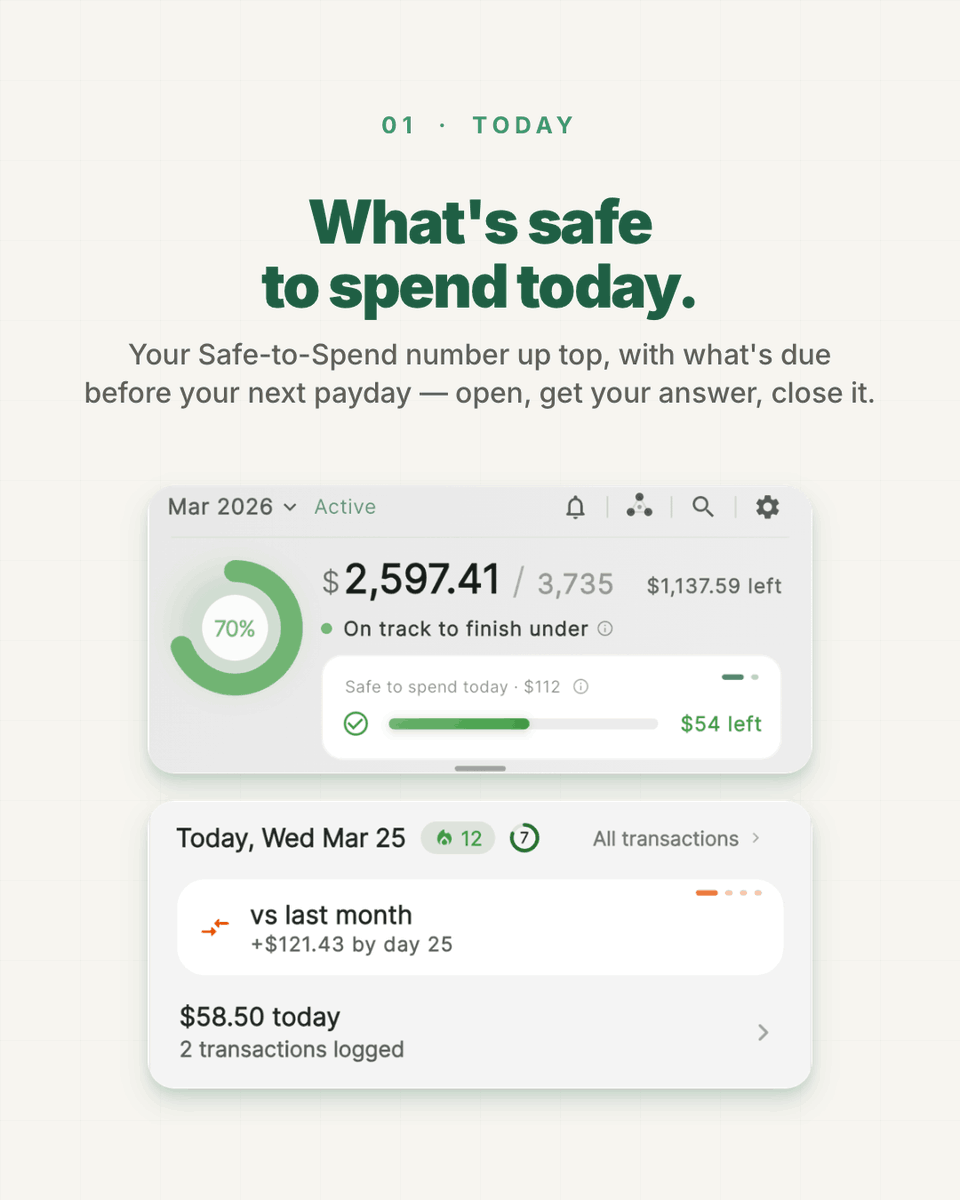
CentsCheck shows you one number: what you can spend today with your bills already set aside. No bank login. The daily number is free on iOS and Android.
https://t.co/YQk2sCsxV9
Paid on the 25th but checking your spending by calendar month? Then one pay is split across two months, so each month looks off. Track from payday to payday instead and you'll see what one pay really covers.
Count how many days last month you bought nothing at all. Next month, aim for three more. It's an easier target to hit than a smaller budget, and you can check it every evening.
@itsahard0ne If a bill got pushed back or bounced last month, check it isn't due to come out again alongside this month's one. Set both aside before spending anything else.
@yofavnymphftm Your bank app already has last month's card payments. Add them up by place before you start a tracker, and you'll see where it's going without waiting a month for new data.
@manckumar@saybwala Note every fruit buy for two weeks, including the cart and market ones with no bill, then double it. That tells you if fruit is really the big part of the 20k before you cut anything.
@okmargs With no rent in there, food ends up being most of what's left, so it'll look like the big number even when it's normal. Split it into groceries and takeaway and see which one actually grew.
@kegelerElf Go back through last month's orders and mark the stress buys. If they bunch up on the same nights, that's when to keep the shopping apps closed.
If your savings transfer goes out on payday, move it to the next working day. Pay sometimes lands later than the transfer, so it can bounce or push you overdrawn. It still goes out before most of the month's spending.
@wakarimy A simple way to size that starter buffer is to look at the last surprise that sent you back to borrowing and save that amount first. If it was a repair that cost a week's pay, a week's pay is your first target.
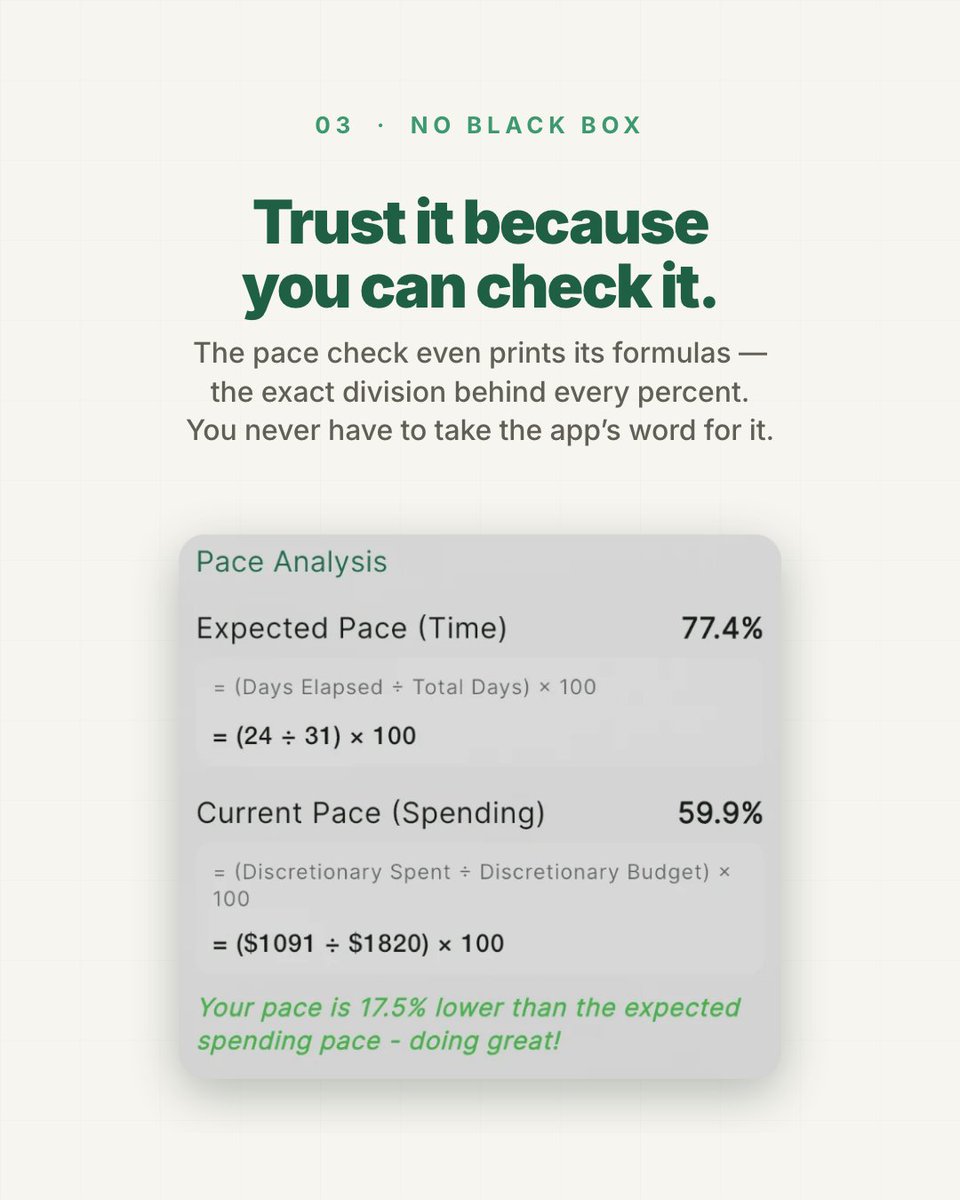
A number you can't question is a number you won't trust.
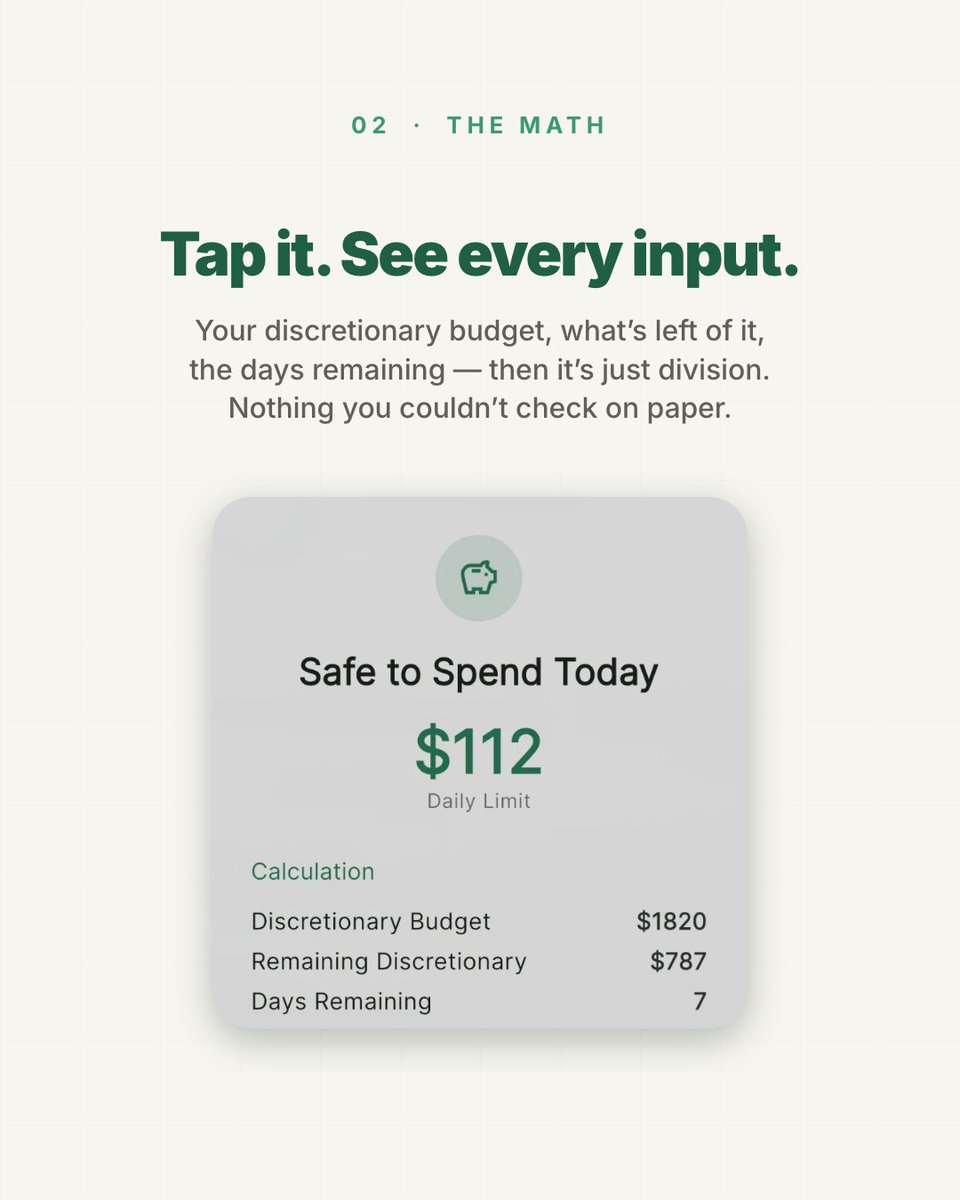
CentsCheck shows the math: tap your Safe-to-Spend number and see every input — your budget, what's left, the days remaining, today's spend. No black box.
https://t.co/sG7sEysHvr · iOS & Android
Budget apps ask 20 questions. This one asks one.
CentsCheck shows you a daily number first. Type your monthly budget and today’s Safe-to-Spend appears. Start mid-month and it scales to the days you still have.
No account linking. The math runs on your phone.
How many setup screens did your last money app throw at you?
Know what you can safely spend today.
https://t.co/a8rm7iU6Jq · iOS & Android
#safetospend #budgetingapp #personalfinance #paydayroutine #centscheck
“If it’s free, you’re the product.” Usually true. Here’s how CentsCheck is different.
We make money one way: Pro subscriptions. Not ads, not data sales, not partner offers. Your spending is encrypted on your device before it syncs — we see ciphertext, and none of it is for sale.
Pro funds what comes next. Free stays a complete everyday product, not a trial you age out of.
That’s the whole business model. Boring on purpose.
https://t.co/a8rm7iU6Jq · iOS & Android
#budgetingapp #personalfinance #moneytips #privacyfirst #centscheck
Will I make it to payday?
CentsCheck answers it on the Home screen — how much is left, and how many days to go. Tap the card and it shows the full math: what’s left for the period, what today took, and the daily pace for the days still ahead.
No account linking, no waiting on a statement. The math runs on your phone, and the card is free.
Know if your money lasts to payday.
https://t.co/a8rm7iU6Jq · iOS & Android
#paydayroutine #budgetingapp #personalfinance #privacyfirst #centscheck
Your side hustle deserves a real P&L — an actual profit line, live on your phone.
CentsCheck business pools keep business money separate from your personal budget: revenue, expenses, profit and margin, even P&L by client. Custom fiscal year included. No second accounting app. Pro feature.
Freelancers — are you still doing this on a spreadsheet?
https://t.co/a8rm7iU6Jq · iOS & Android
#sidehustle #freelancetips #smallbusiness #bookkeeping #CentsCheck
The reason every budgeting app dies on your phone: typing in transactions.
CentsCheck reads the receipt for you. Photograph it, the amount, category and date fill themselves, one tap to confirm, and your Safe-to-Spend adjusts. Statements and wallet screenshots work the same way.
Free includes a few scans a month; Pro is unlimited.
Tell me you wouldn’t switch for this 🤔
https://t.co/a8rm7iU6Jq · iOS & Android
#budgetingapp #receiptscanner #personalfinance #moneyhabits #centscheck