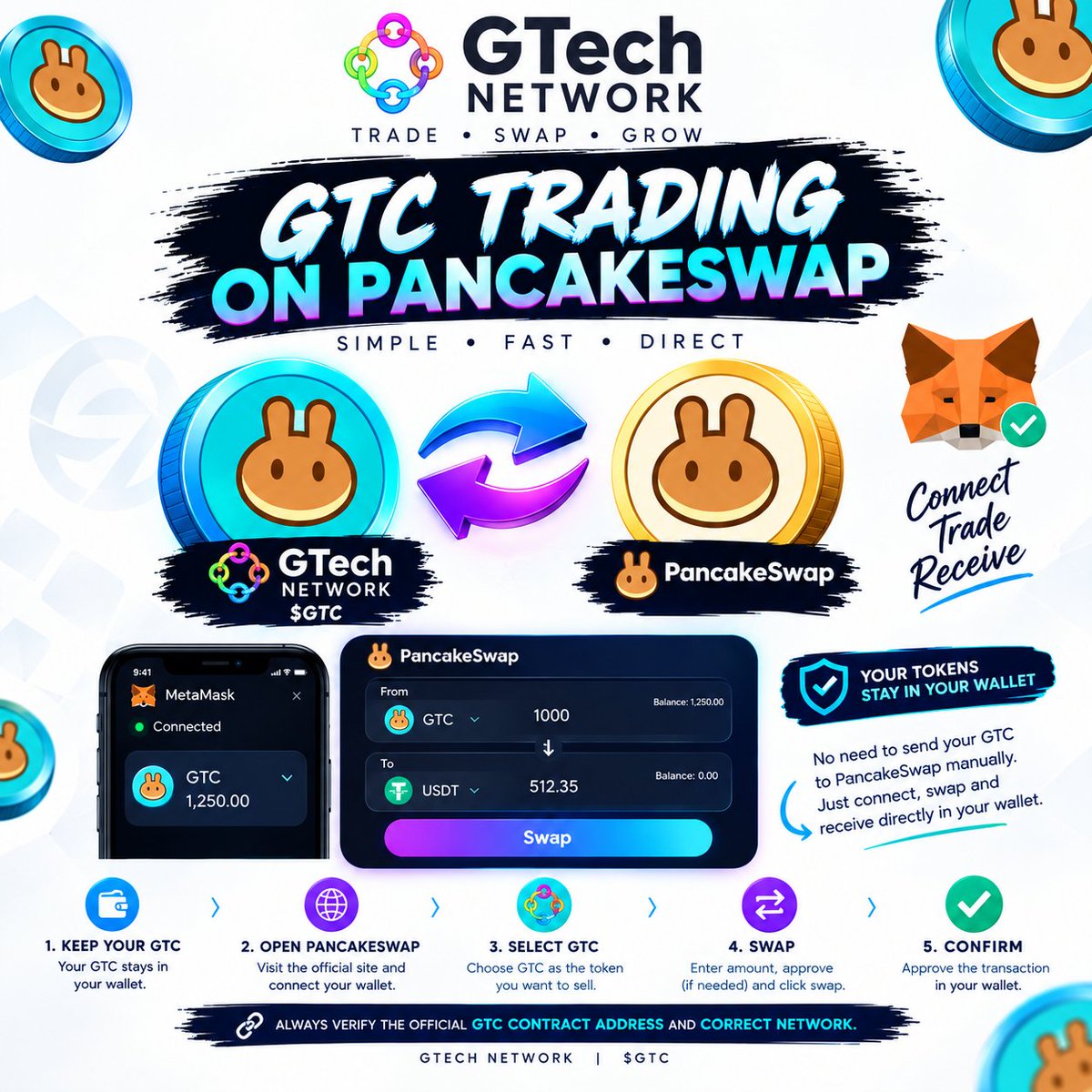
🚨 WHAT TO DO IF $GTC DOESN'T SHOW IN YOUR WALLET'S BUILT-IN SWAP 🔥
If $GTC doesn’t immediately appear in MetaMask’s or Trust Wallet’s built-in swap tab, don't panic! In-wallet aggregators take time to index newly launched tokens.
You can trade directly on PancakeSwap using your Google Chrome browser instead
STEP-BY-STEP PANCAKESWAP GUIDE (VIA CHROME)
1...Keep Your Tokens in Your Wallet
Do NOT send your tokens anywhere. Keep them safe right inside your non-custodial wallet.
2...Open PancakeSwap on Google Chrome. Go to your Chrome browser and head directly to official website: https://t.co/jriL3oZFlY
3...Connect Your Wallet via WalletConnect. Tap Connect Wallet (top right) and choose WalletConnect.
Select your wallet app (MetaMask, Trust Wallet, or Binance Web3 Wallet) from the list to link your wallet securely.
⚠️ Security Note: PancakeSwap will NEVER ask for your 12-word seed phrase or private keys!
4...Select $GTC
Open the token selection dropdown menu and select $GTC.
5...Set Your Trade Pair & Amount
Select USDT (or your preferred token) as the currency you want to receive. Enter the amount of $GTC you wish to swap.
6....Approve & Swap
Click Approve GTC (first-time interaction) and confirm the request when it prompts your wallet app.
Click SWAP ➔ Confirm Swap, then switch to your wallet app to confirm the transaction. Done! 🎉
Make sure you hold at least 0.001 BNB in your wallet balance to pay for transaction network fees on the BNB Smart Chain!.
Hit Follow @Bxanadu, turn on notifications 🔔, and drop a comment below if you are ready for launch!
#GTech #PancakeSwap #MetaMask #TrustWallet #Crypto #GTC #Web3