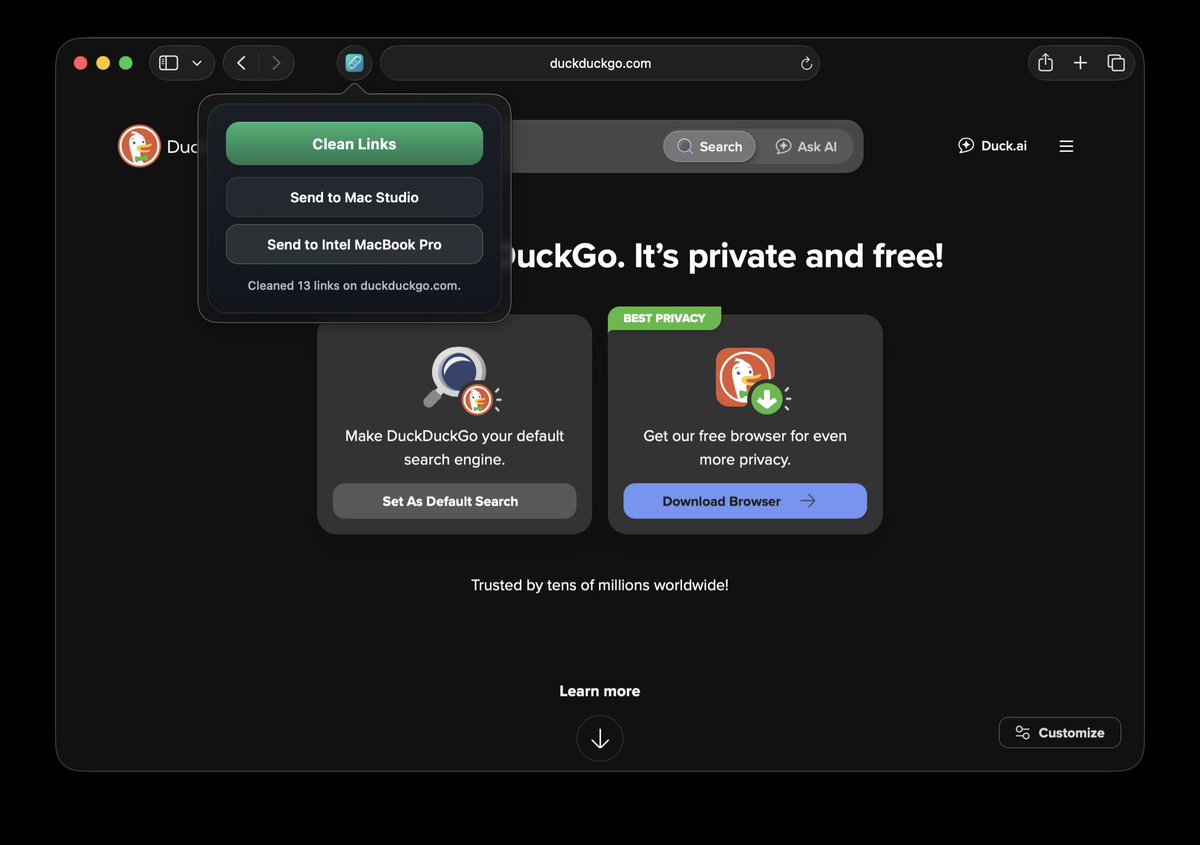
Clean Links v1.0.16 is live: Safari extension now strips tracking parameters before pages open on iPhone, iPad, and Mac.
It uses Safari's declarativeNetRequest API, so cleanup happens privately in your browser during navigation. As always, nothing leaves your device.
We just added Safari extension support to Clean Links on iPhone, iPad, and Mac.
And if you want zero outbound connections, you can turn on "Disable Network Requests." In that mode, known tracking parameters are still removed, but short links stay shortened.
@wstwd It’ll go away on its own in about a week. You could’ve turned it off in the app settings on the laptop, before wiping it. Although, if you’re already erased the laptop, there’s nothing to do. We’ll try to come up with a better way to do it in a future update.
Version 1.0.12 of Clean Links for iOS and macOS were released today.
This version adds limited support for older devices running iOS 17.6 and macOS 14.6, amongst other things.
@Revolt666 Thanks for flagging that. We received numerous DMs and emails from users about it yesterday. It most likely changed yesterday. An update with support for it is already on its way and currently awaiting App Store review.
@jeethu@private_llm@sindresorhus@sindresorhus We understand that you’re selling a $4 app (Pure Paste) for a builtin macOS feature (⌥⇧⌘V). That’s fine. But please don’t attack people and get them banned from subreddits, just because they’re talking about a free, superior alternatives to one of your paid apps.
Looks like @sindresorhus is getting users banned from the MacApps reddit for mentioning Clean Links, a free alternative to his commercial app HyperDuck. Stay classy my friend!🧵with all the receipts.
@jeethu@private_llm@sindresorhus Posting @sindresorhus’s tenuous “proof” in this thread before he deletes it, like he deleted his reddit comment after getting u/awesomeo1989 banned from r/MacApps with it.