Avoid assigning IAM roles directly to users. Use groups instead. Create a policy that enforces this rules and upgrade it with list of forbidden roles to increase your organization's security and manageability.
Create and maintain organizational policy prohibiting creation of certain instance types to eliminate billing surprises. For example: forbid c2d-highcpu-112 machine types if your team does not plan to use them.
Create and maintain organizational policy prohibiting direct role assignments to individuals. Use groups instead. Control the role group assignment and prevent overly permissive roles. GCP's IAM recommendations are a nice place to start.
Costimize is attending Coca-Cola's TASTE THE INNOVATION conference.
Our team members, Stoyan Zulyamski and Hristo Hristov, will speak tomorrow on "Cloud Management: Governance and Finops."
https://t.co/9qPJoVavgN
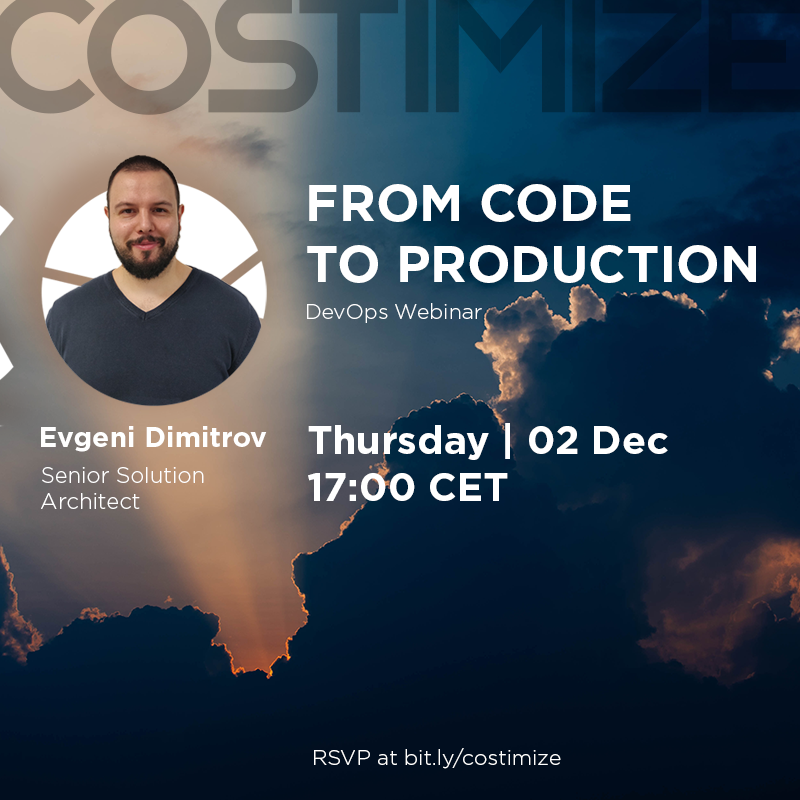
Costimize's first webinar will take place on Thursday, December 02.2021 at 17:00 CET.
Our Senior Solution Architect, @evgdim will speak on automating the process of creating, building and deploying infrastructure in the cloud.
RSVP now: https://t.co/5jWewBQpr9
#Costimize supports young companies in their Cloud Journey.
🚀 If you are a startup company, you can qualify for a 3-month full-featured experience of the platform.
✨Apply now at https://t.co/fTyMeuzpPg
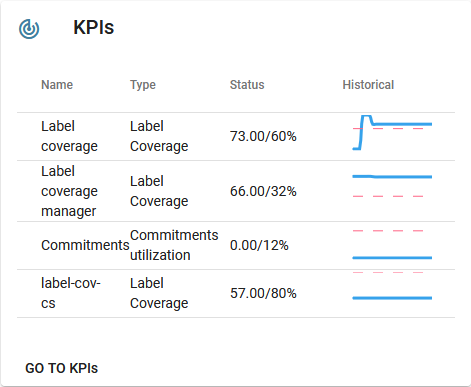
Commit to achieve and track Key Performance Indicators with Costimize's #KPI tracker. Performance metrics for managers and engineers that can be configured to meet your organizational needs.
Automate day-to-day GCP maintenance tasks like snapshotting orphaned disks, removing orphan IPs, unused instances by using the Costimize automation module.
Use the Costimize Migrate to Managed Instance Groups feature to migrate your over provisioned instances to a scalable, highly-available and cost-optimized solution.
Looking for an easy way to reduce your GKE costs? Take a look at E2 machine types for your clusters. They are cost-optimized VMs that offer you 31% savings compared to N1 machine types.
Use the Network Cost Intelligence inside Costimize to visualize network traffic inside #GCP Easily identify unwanted traffic between cloud regions, egress traffic and incorrectly set network topology.
Switch to the best fit #BigQuery pricing model for you. Use the new BigQuery Reservation maintainer tool inside Costimize to plan, execute and maintain the most performance-wise and cost-effective Flat-rate billing plan https://t.co/yeZHx0vyrF
Tune-up your #BigQuery statements. Select only the desired subset of columns to reduce the amount of scanned data. Avoiding SELECT * will speed up your queries and lower your bill.
Take care of your #BigQuery tables. Add partitioning (https://t.co/ZdbPfwwaIO ) and clustering (https://t.co/bkcqPBMXLb) to improve query speed, reduce amount of scanned data and reduce the cost of your queries.
Reduce your #GCP spend by turning off resources that you don't use in specific time intervals. Take your scheduling to the next level with Costimize. Create daily and holiday schedules, receive #slack and e-mail notifications and give your team the ability to snooze shut downs.
A key feature of running virtual machine instances in the #GCP is that you only pay for the compute resources you use. Instances are charged per second. Cloud Scheduler could be used to turn on and off non-critical dev and test instances to reduce cost.