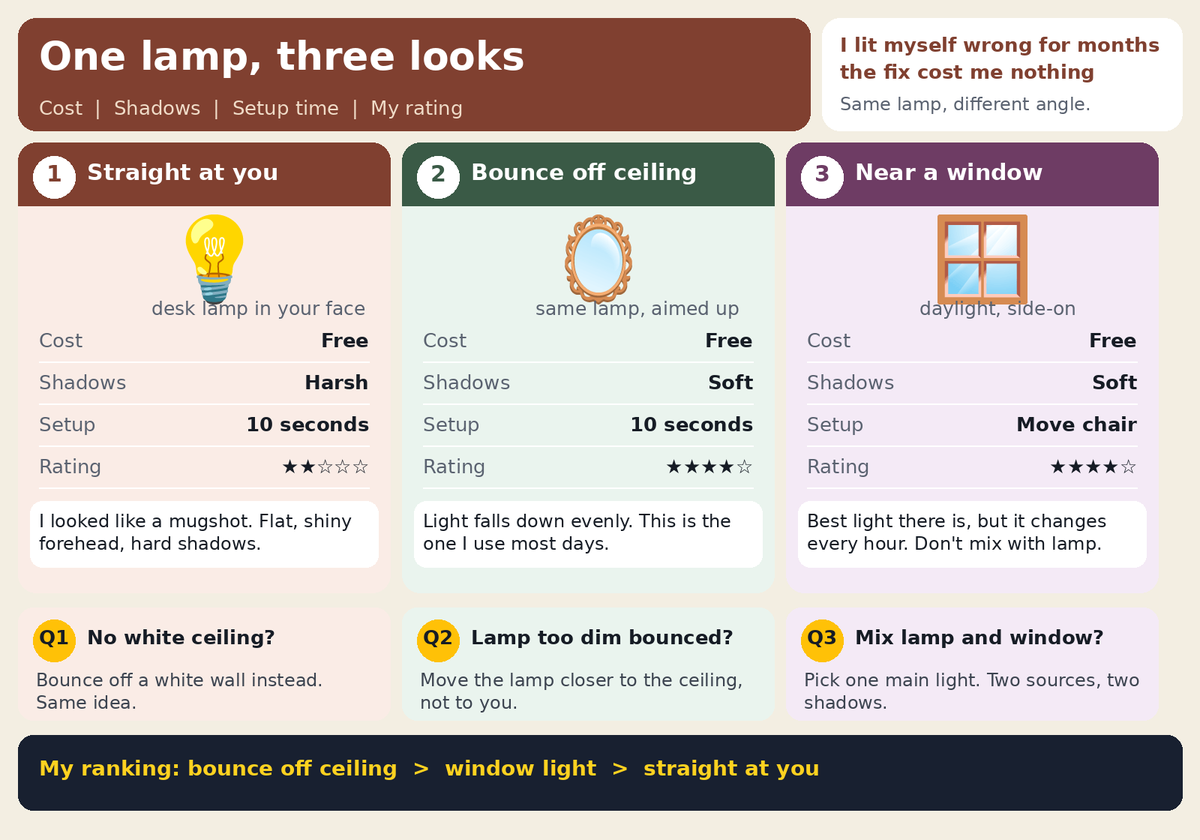
One lamp and harsh shadows? Bounce it off the ceiling. I used to point a desk lamp straight at my face and wonder why I looked like a mugshot. Three setups compared in the image. #VideoTips#Lighting#ContentCreator
@eback_4u@merkworkin So true — I spent longer picking my mic distance, light position and caption style than on any single edit. Once those are fixed as a template, each video really does get lighter. Curious how you lock in the style — presets, or a checklist you run through each time?
@editxshub For me it was pacing — watching how a film holds a shot a beat longer than feels comfortable before cutting. Tutorials taught me the buttons, but films taught me when not to cut. I started leaving a little breathing room in my voiceovers too and they sound way less rushed.
@strrwaii For a first edit, this flows nicely — your cuts land on the music beats, which is the hard part. One thing that helped me early on: trim a few frames off the start of each clip so there's no dead air before the action. It makes the whole thing feel tighter.
@simple_person19 Proxy media is the big one — edit with lightweight proxies and relink the full-res files for export. I also rough-cut first with only the usable takes, so the timeline stays light. Transcoding to proxies before I start beats fighting lag on every cut.
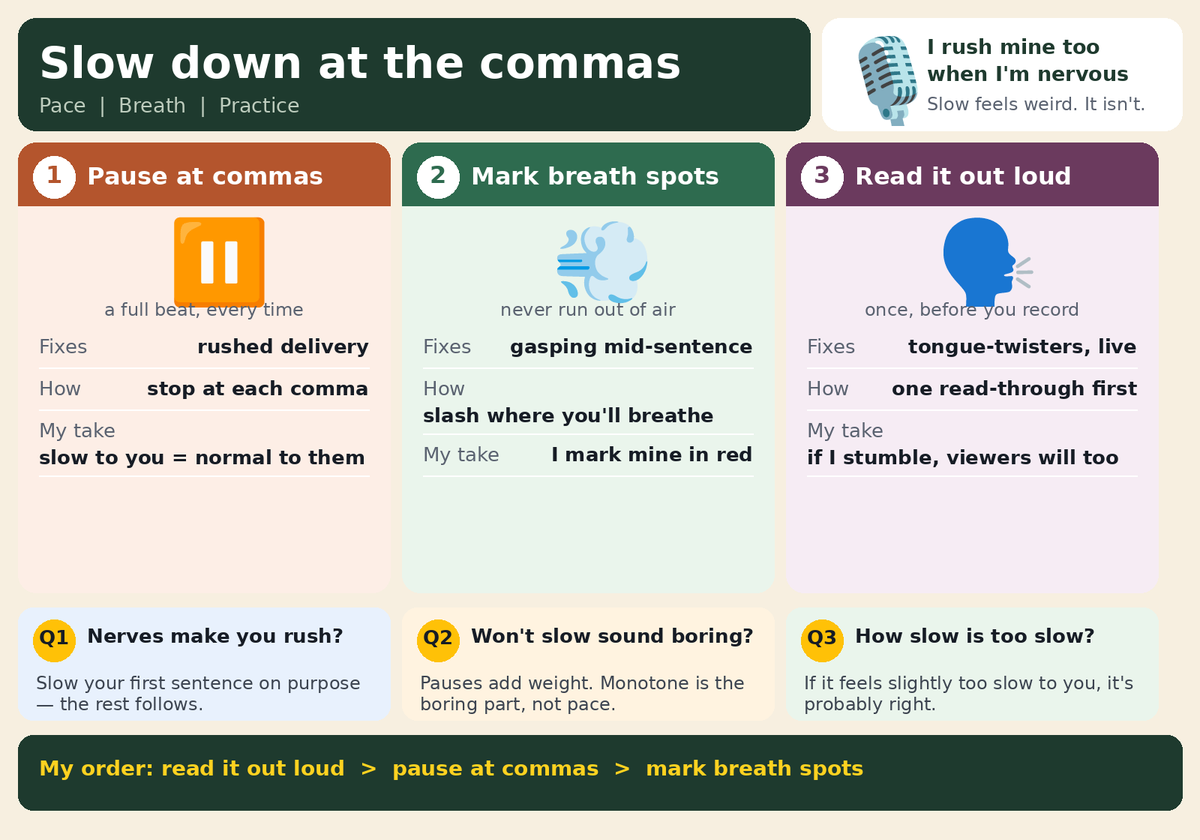
Talking too fast on camera? Slow down at the commas.
Viewers need a beat to catch up — I rush mine too when I'm nervous.
Pause at commas, mark a breath spot, read it out loud once.
It sounds slower to you, normal to them. #VideoTips#ContentCreator
@ShuxBroh Tried AI-assisted editing myself — the assembly is fast, but I still judge the pacing and cut points by eye. The tool can build the rough cut in minutes; deciding which cut actually lands is the part I wouldn't hand over yet.
@lovezihuatanejo The test that matters most to me is what the clips look like cut together — I once mixed 24fps AI-generated clips into a 30fps timeline and the export juddered the whole way through. If ChatCut normalises frame rate on the way in, that's the part that saves the most time.
@FacelessYTGrow This hit home — I once burned a whole evening re-exporting at higher bitrate before realising the title graphic itself was only 400px wide. Now I check the source at 100% before touching any export settings, exactly the diagnostic you describe.
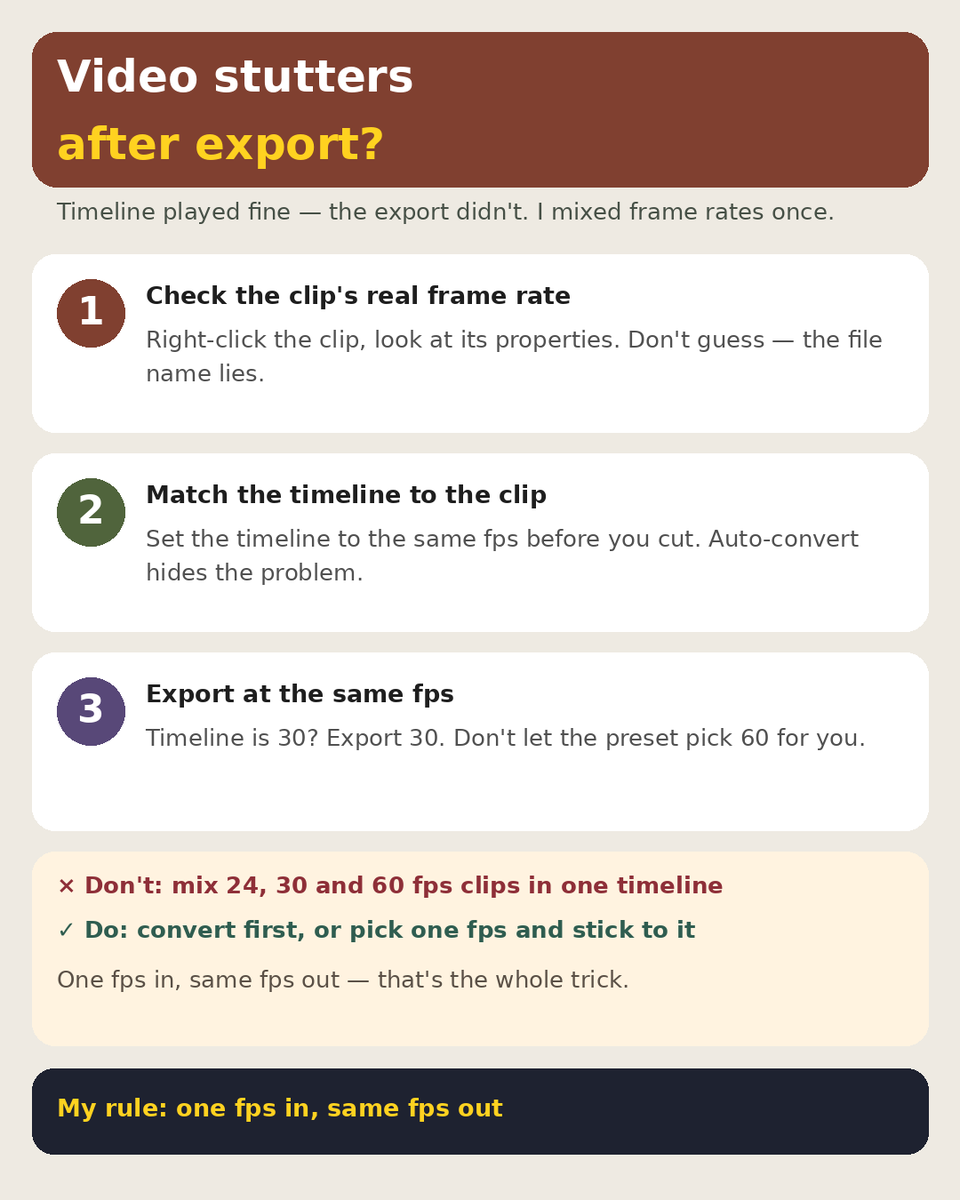
Exported video stutters but the timeline played fine? Check the frame rate first. I once mixed 24fps clips into a 30fps timeline and the whole thing juddered. Three steps, in the image. #VideoEditing#FrameRate#ContentCreator
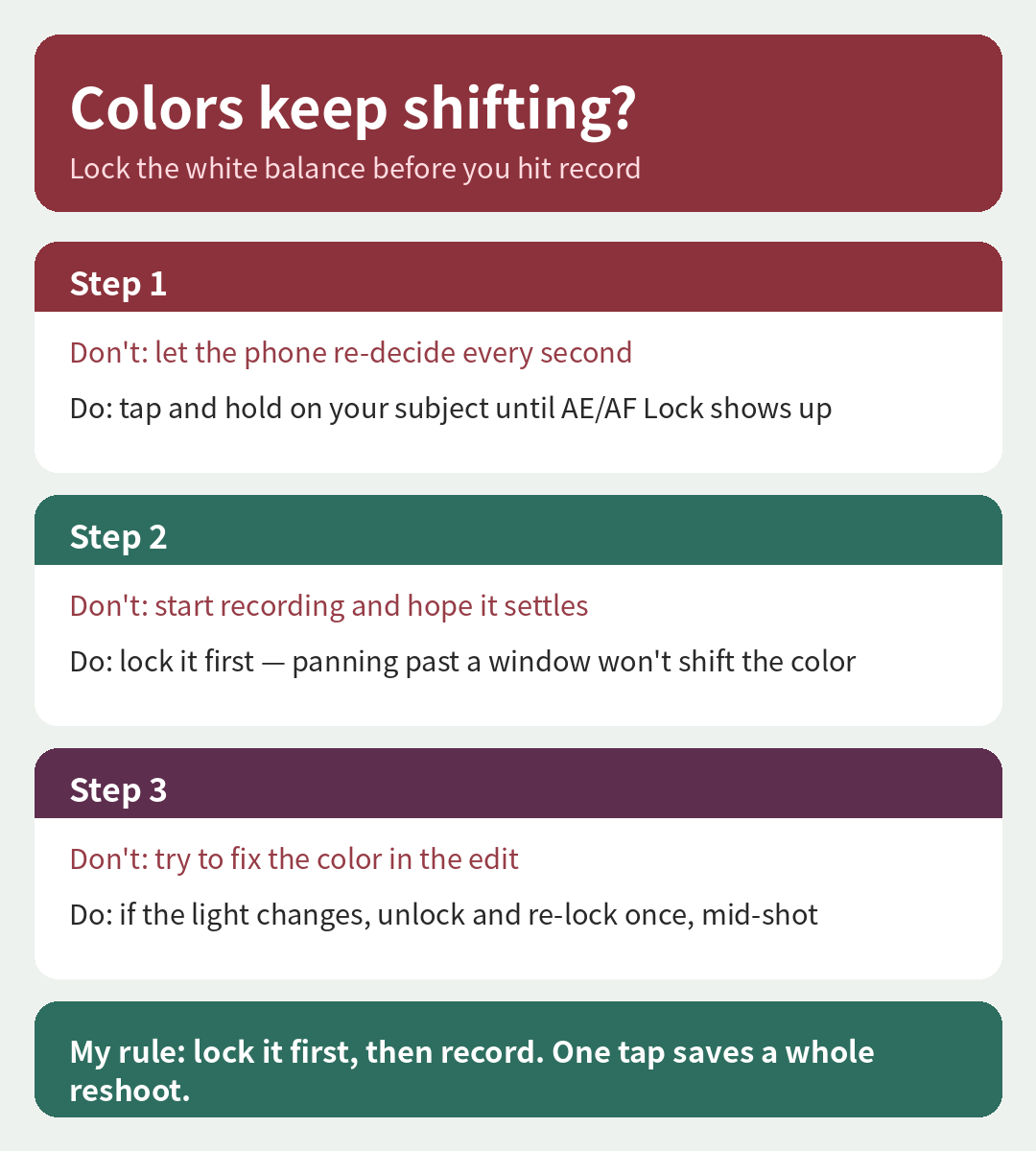
Phone video keeps shifting color? Lock the white balance first.
Mine used to go orange every time I panned past a window — the phone kept re-deciding. Tap and hold to lock it before you hit record.
Three steps in the picture.
#VideoTips#ContentCreator