.@SoundnessLabs Testnet Update 🚨
Submit Your Proof.
This is the next step after generating proof.
Generating proof in the game is just the start 🧠
Submitting it to the Soundness Layer is essential.
If you don’t submit and get it approved, it won’t count.
#Soundness
1/ 🧵
12/
• When prompted, enter the password you used when generating the key
Note: Password won’t be visible when typing. I suggest copy pasting it to avoid errors
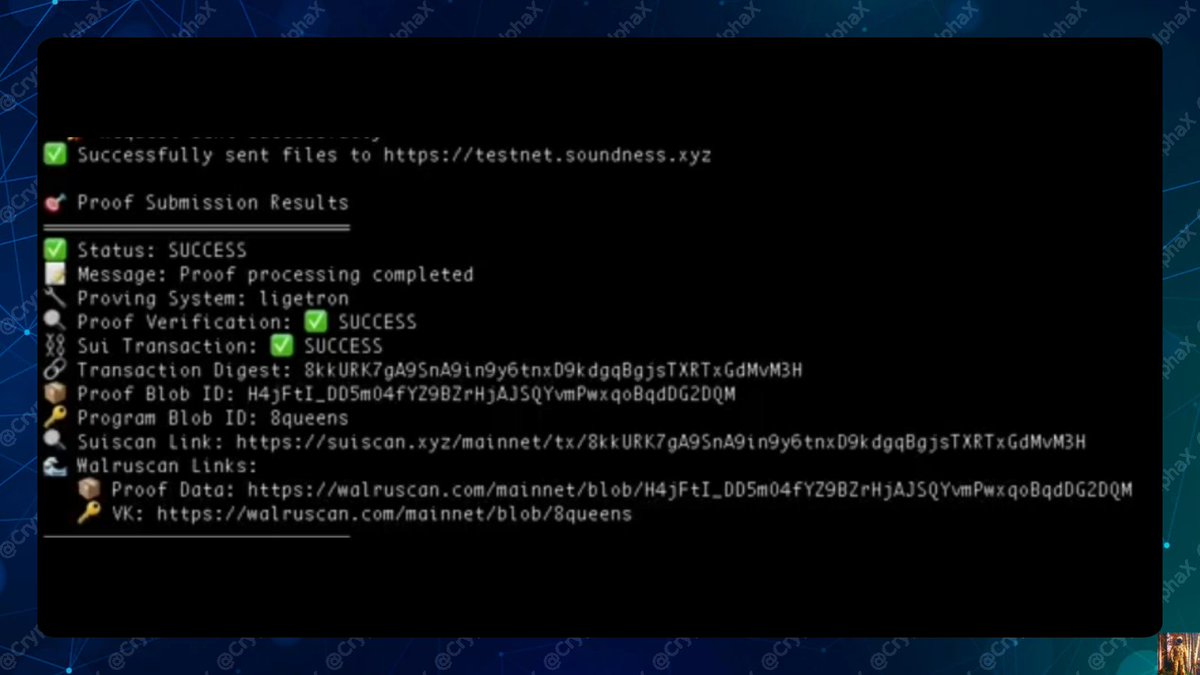
🎉 Done!
If successful, you’ll see a message confirming submission.
https://t.co/IWncbn2glQ
💥 Simple guide to getting the Sound OG role on @SoundnessLabs
Free. Fun. Part of their live testnet.
If you’re onboarded and ready, follow this step by step 👇
1/ 🧵
11/
📤 Submit Your Proof
Go back to the Sound Game bot in your DMs
Find the message that says:
“Ready-to-Submit to Soundness Layer Command”
Copy the CLI command shown.
Then:
• Replace <your-key-name> in that command with your actual key name
• Paste & run it in terminal