Your AI writes emails. This one places gold trades.
⌨️ Three gold trades, each with its own profit target, plus stop losses and the levels drawn on your chart. One message to Claude through cTrader MCP servers for trading can handle that setup. Slightly more ambitious than "make this email sound nicer".
Connect your AI app to cTrader: https://t.co/T9QOY0MV4J
📉 The price keeps climbing. Should you jump in or think twice?
Stochastic Oscillator on cTrader Mobile gives you another perspective on market momentum, with signals that may help you recognise overextended conditions and possible changes in direction.
📈 Start trading with cTrader: https://t.co/QBwdBCdldJ
🎃 3 = 4? A wicked treat from cTrader Store.
Make three purchases between 14 and 31 October using the same account. Get the cash amount paid for the cheapest back in Store credit.
One-time purchases and new paid subscriptions count. Spend your reward on a future one-time purchase, covering up to 100% of its price.
Rewards arrive within 3 business days after the offer ends. No withdrawals or subscription payments.
Explore the offer and full rules: https://t.co/49jvxWx17y
🌪️ When London meets New York, volatility explodes.
Two of the biggest trading sessions overlap, often triggering sharp price movements and fresh trading opportunities. Are you watching the market when the action heats up?
📖 Get the complete trading guide: https://t.co/g1M2wb7WSu
📊 How well do you really know your cBot?
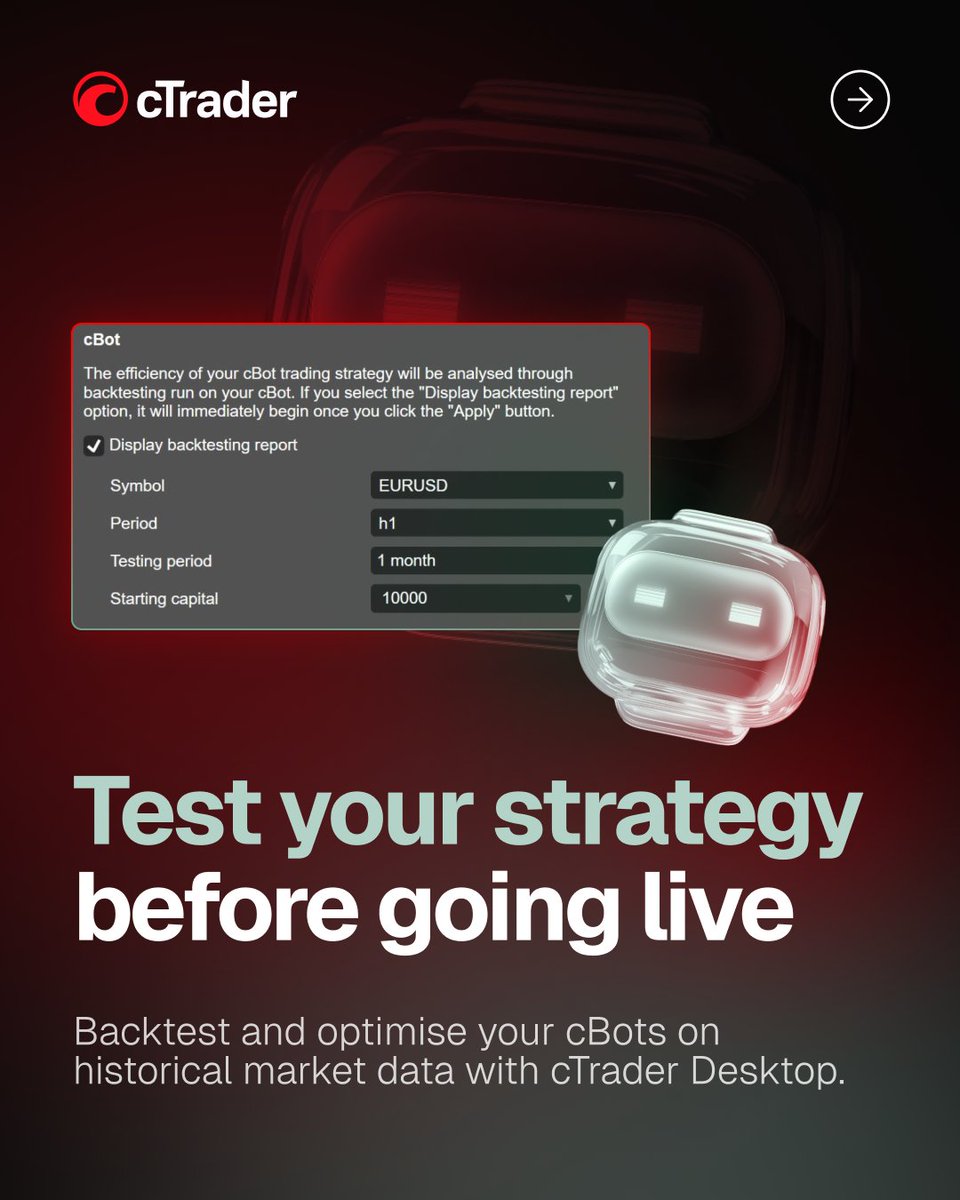
With cTrader Algo on Windows and Mac, you can go beyond simply running automated strategies. Backtest your cBots, analyse their performance and fine-tune their parameters using historical market data.
⚙️ Here's what you can do:
— Backtest your strategy to see how it would have performed on historical market data, without risking real funds.
— Analyse trading results, including executed trades, equity and balance.
— Optimise your cBot by testing multiple parameter combinations against your chosen criteria.
— Explore how different settings perform across historical market conditions.
Research, test and refine your automated strategies in cTrader Windows or Mac.
Start trading with cTrader: https://t.co/ZTltFuGDQ1
When one revenge trade works, it can make the next one feel justified 🤓
After a loss, the urge to get back into the market quickly can easily override the original plan.
Instead of chasing the loss, traders can define stop loss and take profit levels in advance, use price alerts to step away from the chart and practise different scenarios in Market Replay. The goal isn't to win the loss back immediately, but to make sure the next trade is still a decision, not a reaction. 📊
Start trading with cTrader: https://t.co/75t4iz2tCl
📊 A breakout can look promising, but is the potential reward actually worth the risk? A well-planned trade is about more than getting the direction right.
📖 Get the complete London session trading guide: https://t.co/xuQuAZnh38
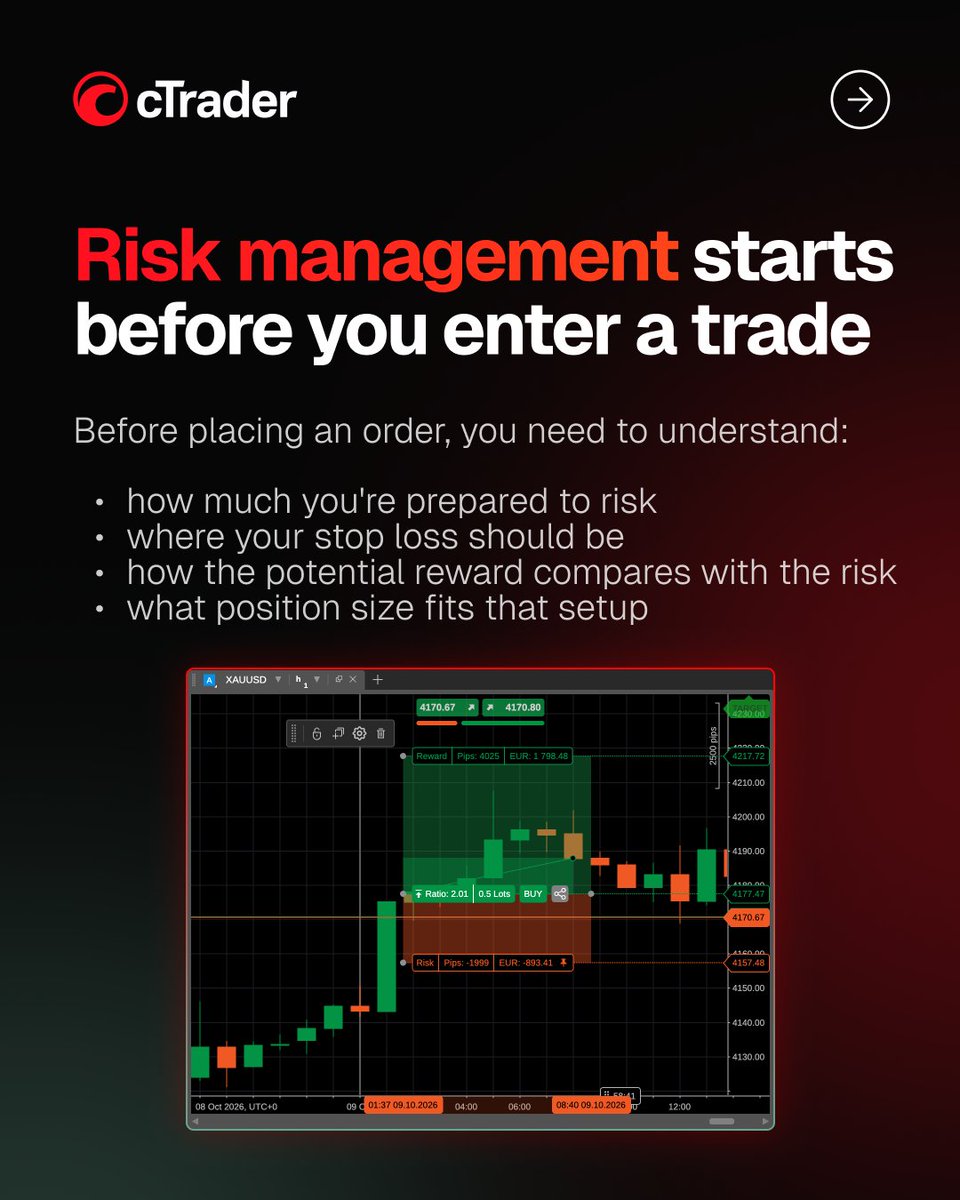
How much are you actually risking before you place a trade? 📊
Risk management is not just about adding a stop loss. Position size, stop loss distance and potential reward all work together, and changing one can affect the whole setup.
Want to go deeper? Explore the full risk management workflow in the format that works for you.
📄 Get the free guide: https://t.co/0L7uNrz3Zc
🎥 Watch the video tutorial: https://t.co/YO4IlEIGQn
📊 Is the market ranging or gearing up for a bigger move?
Bollinger Bands on cTrader Mobile help you read price volatility, spot potential support and resistance levels and recognise periods of tightening price action that may precede a breakout.
Start trading with cTrader: https://t.co/qIgnev3I9z
Indicator: Anchored Moving Average
Anchored Moving Average lets you start the moving average calculation from a specific market moment, using either a manual date and time or a configurable lookback period. From that anchor, the indicator extends the average forward and adds adaptive Fibonacci bands based on the actual price range, making it easier to track how price behaves after a selected event or swing point.
💪 Key strengths:
— Flexible anchoring from a manual date and time or a lookback period from 1 hour to 10 years
— Eight adaptive Fibonacci levels with a built-in 38.2%-62.8% mean reversion zone
— SMA and EMA options with multiple display modes for different levels of chart detail
⭐️ Trader's feedback:
"It provides flexibility that standard MAs do not have - you can use the starting point of a move as the anchor and see how price returns to the average from that point. In testing, it performed stably and without errors. It is especially valuable when building scenarios: where the breakout occurred, where a retest may happen, where to take profit and under what conditions to hold a position."
🔭 Explore Anchored Moving Average in cTrader Store: https://t.co/ncZU7aJP5U
🤖 What if one prompt could take you from market analysis to trade execution?
With cTrader MCP servers for trading, you can ask your AI to analyse XAUUSD, identify key price levels and place a trade with Stop Loss and Take Profit. No need to switch between separate tasks - describe your trading plan in plain language and let your AI handle the workflow.
📘 MCP setup guide: https://t.co/kdloWoWqEq
🤖 Your trading bots don't need you to stay at your desk.
With cTrader Mobile, you can run cBots in the cloud, manage their settings and keep your automated strategies running even when your device is switched off.
Start trading with cTrader: https://t.co/OaFNhWPAqV
💻 Why switch between different tools when you can manage your trading algorithms directly in cTrader?
Meet cTrader Algo, your built-in workspace for developing, testing, running and managing cBots, custom indicators and plugins on Windows and Mac.
⚙️ Here's what you can do:
— Create your own algorithms using C# or Python, starting from scratch or with ready-made templates.
— Backtest and optimise cBots using historical market data to evaluate their performance and fine-tune their parameters.
— Run and manage cBots locally or in the cloud, adjust their settings and work with custom indicators and plugins.
Everything you need to work with trading algorithms, built right into your cTrader Desktop app.
Start trading with cTrader: https://t.co/H48f8NAUII
The London open can bring sharp moves across major FX pairs. Focus on instruments that tend to get active, then let the breakout show the direction rather than trying to predict it. 📊
Get the complete London session trading guide: https://t.co/3Dofx1ynnn
🏆 cTrader has been named Best Trading Platform at UF Awards APAC 2026!
The award marks another milestone for cTrader as we continue building a platform for traders around the world.
cTrader supports 23 languages, including Simplified Chinese, and is available to traders in mainland China and other key Asian markets.
From an intuitive interface and built-in risk management tools to advanced charting, built-in algo trading with 24/7 cloud execution for cBots and AI-powered workflows with cTrader MCP servers, cTrader is designed for traders at every stage of experience.
More than 12 million traders worldwide already use cTrader, and we'll keep developing the platform around our Traders First™ approach.
Thank you for choosing cTrader 💙
🗓 #EconomicCalendar
Key events this week
Time zone: UTC
Wednesday, October 14
12:30 🇺🇸 United States - Core CPI (MoM)
12:30 🇺🇸 United States - Core CPI (YoY)
12:30 🇺🇸 United States - CPI (MoM)
12:30 🇺🇸 United States - CPI (YoY)
Thursday, October 15
00:30 🇦🇺 Australia - Employment Change
00:30 🇦🇺 Australia - Unemployment Rate
06:00 🇬🇧 United Kingdom - GDP (MoM)
12:30 🇺🇸 United States - Core PPI (MoM)
12:30 🇺🇸 United States - Core Retail Sales (MoM)
12:30 🇺🇸 United States - PPI (MoM)
12:30 🇺🇸 United States - Retail Sales (MoM)
Friday, October 16
02:00 🇬🇧 United Kingdom - BoE Gov Bailey Speaks
03:30 🇺🇸 United States - Fed Chairman Warsh Speaks
👉 Start trading with cTrader: https://t.co/NSz1AxLygm
📱 The new Positions app in cTrader Mobile 5.10 puts your trading activity in one place. View and manage open positions, check pending orders and review your trading history faster from your phone.
Start trading with cTrader: https://t.co/BiIKAfs8Dv
Algo trading: the idea is usually the easy part 😄
Backtesting, optimisation, endless tweaks and the occasional reminder that the market has plans of its own.
Which stage are you at right now? 🤖📊
A change in market structure can tell you when a trade idea is starting to weaken. 📉 Watching the most recent high around a key zone can help put that shift into context and manage the position more deliberately.
Start trading with cTrader: https://t.co/VQmEWmFy9b