This is the kind of feedback that makes it all worth it💫
🔸Accelerated reporting
🔸Improved reliability
🔸Reduced costs
Three things every team deserves from their tools.
We’re proud that #CxReports is delivering measurable impact for EPF. Thank you for sharing your experience!
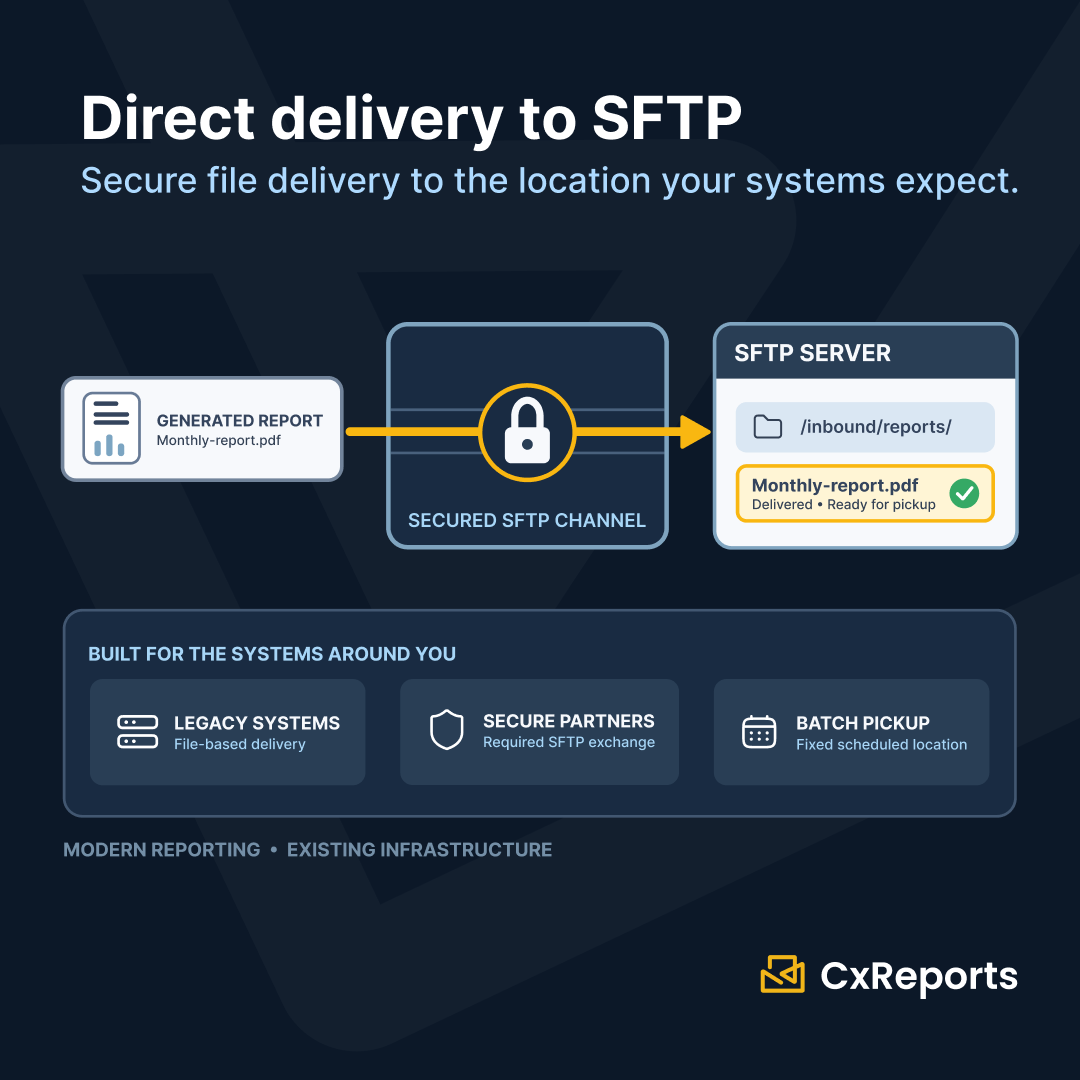
A lot of critical infrastructure still relies on SFTP, but replacing it isn't practical.
CxReports supports direct SFTP delivery 🚀 Reports are sent automatically to your SFTP server, with no manual step in between.
Modern reporting doesn't require replacing the systems around it
47,000 reports. One team of 6. One hour.🚀
EPF faced tens of thousands of members, complex individual calculations, and a strict regulatory reporting deadline.
With CxReports, the entire workflow is automated: from live data and calculations to report generation and delivery✨
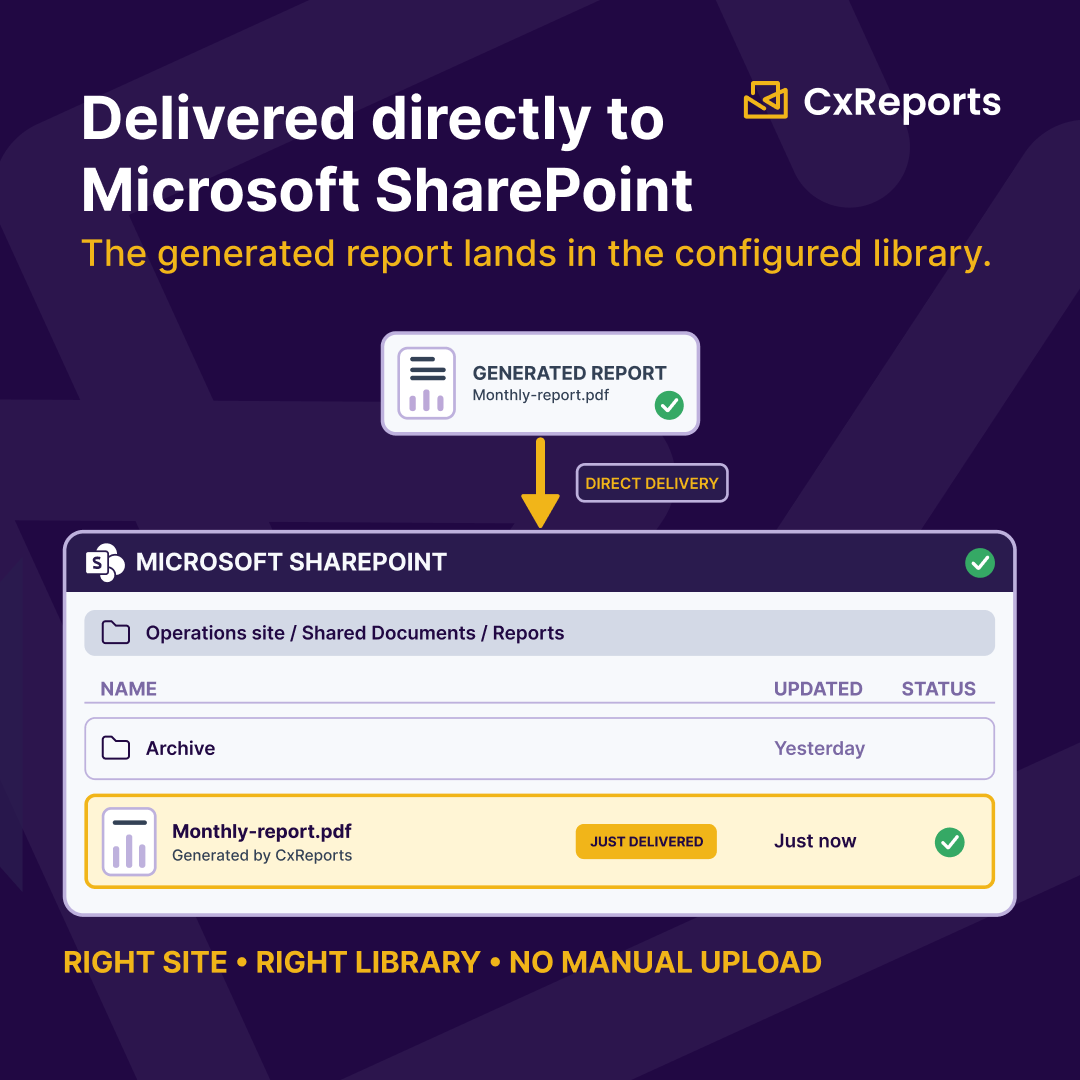
Reports don't need another stop between generation and delivery.
That's why CxReports delivers generated reports directly to Microsoft SharePoint. No exporting a PDF and uploading it by hand.
One less handoff. One more workflow that runs automatically ⏩ https://t.co/N1tWmMGaxx
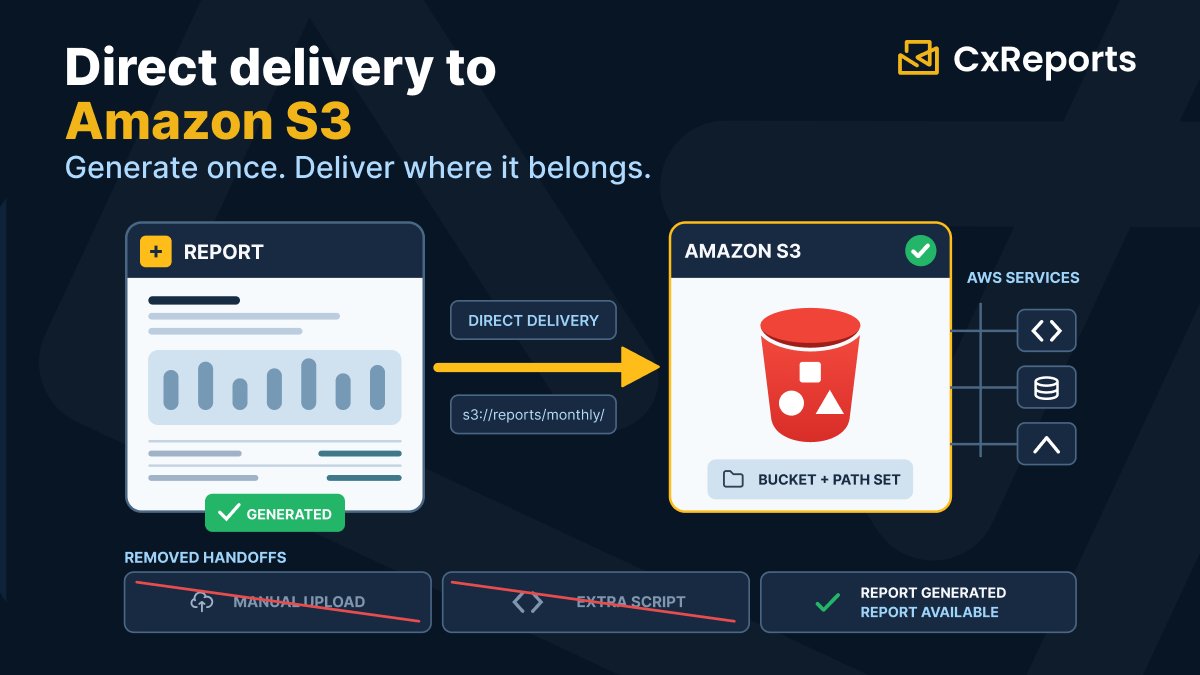
• Reports flow straight into your existing storage architecture
• Easy integration with other AWS services that consume from S3
• One less handoff between "report generated" and "report available"
Generate it once. Let CxReports place it where it belongs.
CxReports now supports direct delivery to Amazon S3.
No manual uploads. No extra scripts after generation. The report is generated and delivered directly to the S3 bucket and path you configure.
For teams already running on AWS, that means:👇
What if designing a report started with describing it?
Instead of manually building every page, table, chart, and condition, you tell CxReports what you need in plain language.
#CxReports#AI#ReportDesign#ReportingAutomation#PDFReporting
What comes out is a finished PDF document. It can be delivered by email, published to a customer portal, or stored in the cloud, all from the same workflow.
One handoff. One reporting engine. Multiple delivery channels. Without your team having to build or maintain any of it.
Data in. PDF out. That's the whole idea.
Your application prepares the data and passes it to CxReports. From there, the reporting engine takes it through three steps: match it to the right template, ingest the data, and orchestrate delivery.
What comes out is a finished PDF document. It can be delivered by email, published to a customer portal, or stored in the cloud, all from the same workflow.
One handoff. One reporting engine. Multiple delivery channels. Without your team having to build or maintain any of it.
🔹 Themes reorganized into units
Themes now follow a unit-based structure, making it easier to find and style individual components like table of contents, tables, and charts.
These changes aren't just cosmetic. They're laying the groundwork for what's coming next. Stay tuned.👀
CxReports just got a whole lot easier to use.✨
The interface has been updated to be simpler, more intuitive, and built around how you actually work.
What are the key changes?
🔹 Jobs split where it makes sense
Configuration and management now live separately from run overview. For every run, see sent emails and reports, plus a full progress overview: in review, completed, or errored. No unsent reports sitting unnoticed at the bottom.
Get these right and a 150-page portfolio report stops being a maintenance nightmare. It becomes a template that just runs.
CxReports solves these challenges with page types, automatic table of contents, smart table pagination, and reusable subreports.
🚀https://t.co/N1tWmMFCHZ
A single-page report is a formatting exercise. A 100-page document is an architecture problem.
-Every page needs its own rules. Cover pages, landscape tables, appendices, and blank pages each behave differently. Tools that treat every page the same force you into workarounds.👇
-Navigation should update itself. A table of contents should always reflect the final document.
-Content has to flow. A 400-row table should span pages without breaking layout, keeping headers visible throughout.
-Sections should be reusable. Build once, reuse across reports.👇
Whether you're generating invoices, account statements, insurance documents, financial reports, or any other business document, #CxReports becomes the reporting layer inside your application.
Less time maintaining reporting infrastructure.
More time building your core product.
Building a production-ready reporting module from scratch takes months. It quickly becomes another system your team has to own.
Instead of building your own reporting infrastructure, embed reporting into your application with #CxReports.
With embedded reporting, you can:⏬
•Generate pixel-perfect PDFs
•Preview reports in embedded iframes
•Connect to SQL, APIs, JSON, CSV, and more
•Generate reports via REST API
•Customize branding, language, and parameters
•Deploy in the cloud or on-premises
•Integrate with .NET, Python, PHP, JavaScript, Java