I was introduced to data analysis mid last year, and in December I decided to fully commit to the journey. It hasn’t been easy, but I’m taking it one step at a time.
I created this account to document every stage of my learning journey—serving as a journal, a future portfolio
@fabiolauria92 I think that would be consistency . It will make every process of a journey look seamlessly and you will definitely evolve even it is the minimum everyday it will result into a big impact.
Good morning, everyone,
Although I’ve completed the 30-day challenge, I haven’t been very active recently because I had an important matter to attend to. Now that it’s resolved, I’m fully back. Finishing the challenge doesn’t change my commitment to posting—
While it may not be every single day, you can definitely expect to see more projects across all the tools.
I’m also open and excited to collaborate on anything that will help me grow and sharpen my skills in this space.
Happy new month! 🚀
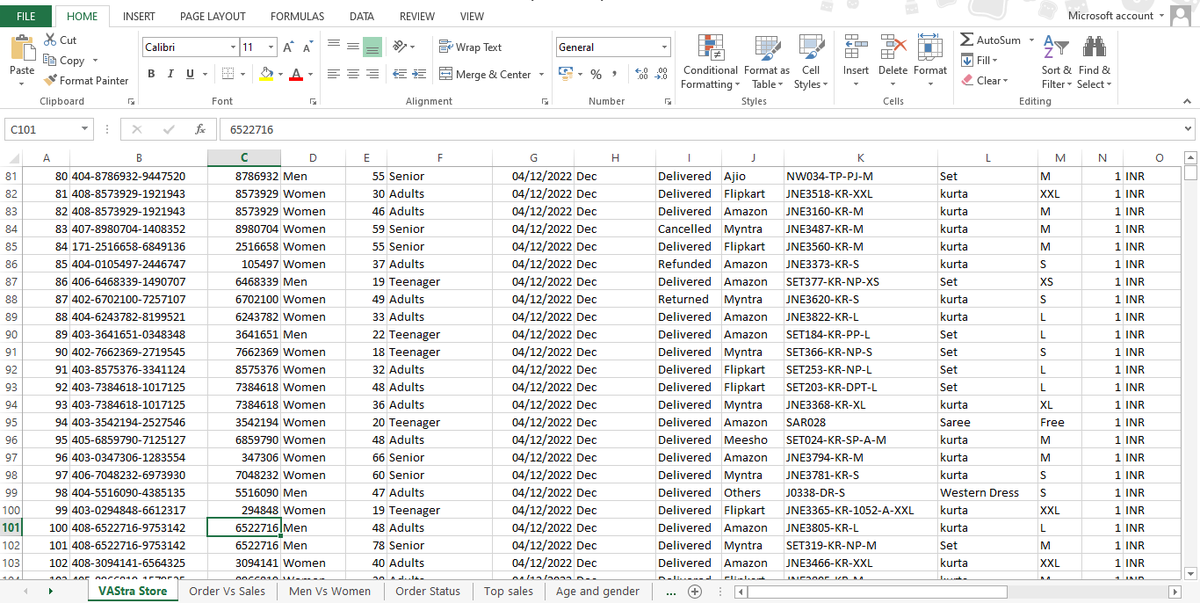
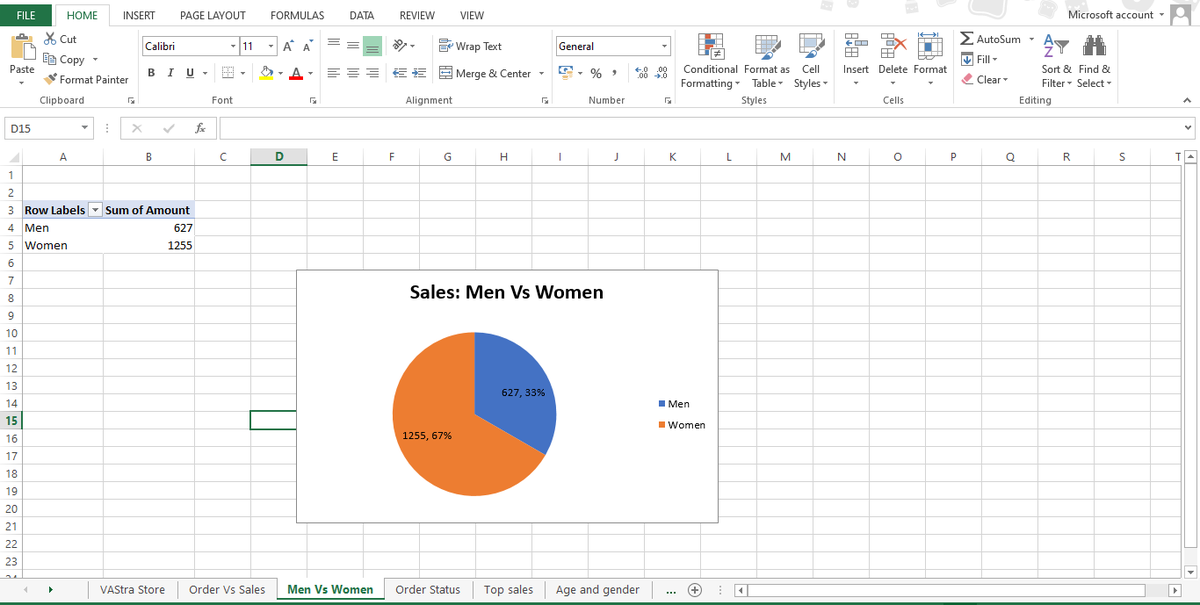
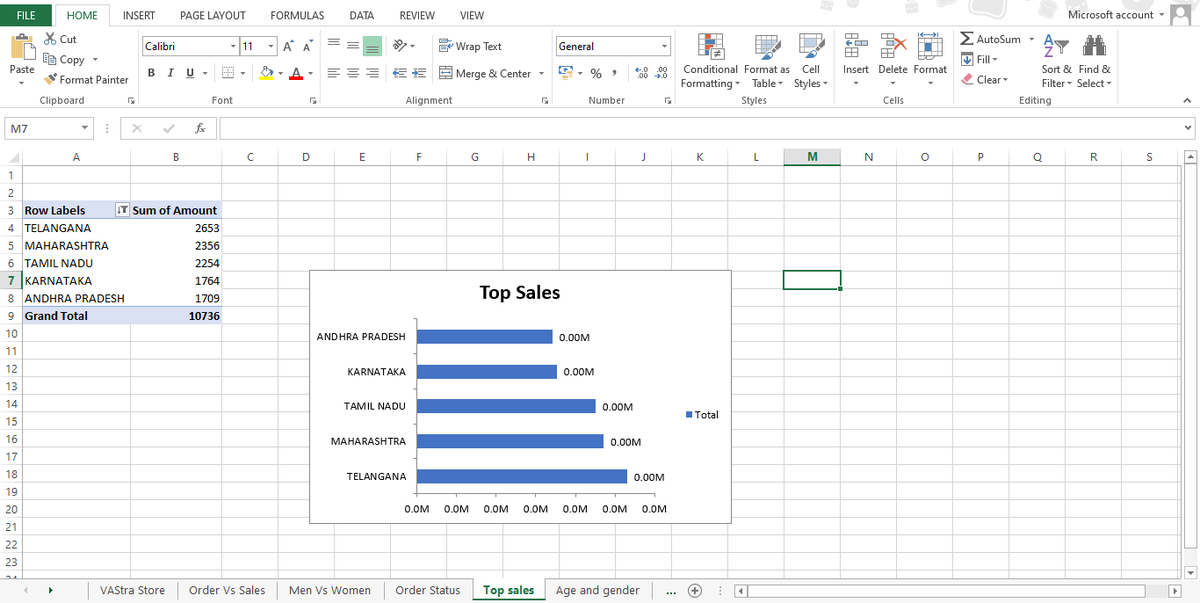
Day 30 - Online store analysis
Today I worked on analysing a retail store dataset using SQL.
Here’s what I focused on:
✅ Identified top-selling products
✅ Analysed total revenue by category
✅ Tracked monthly sales trends
✅ Found high-value customers
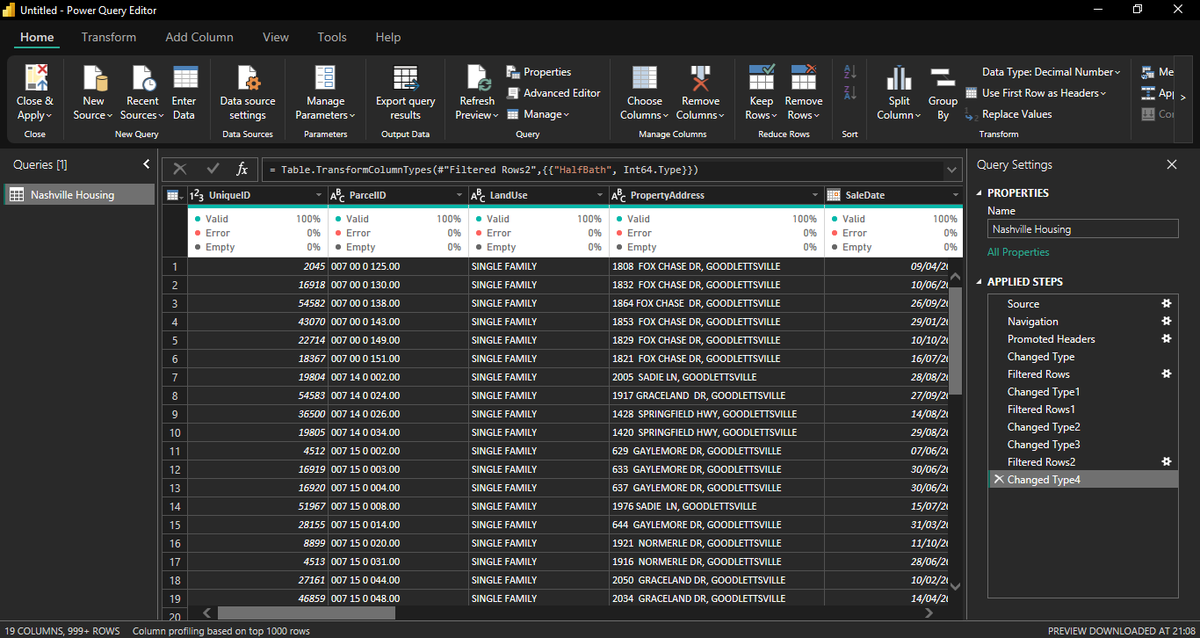
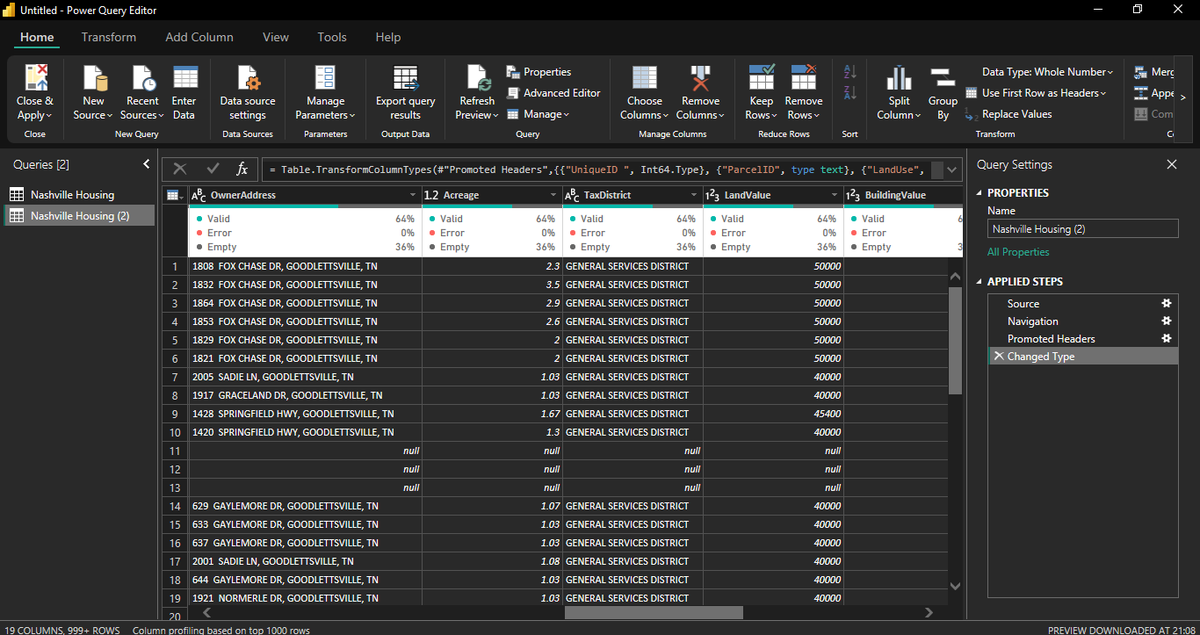
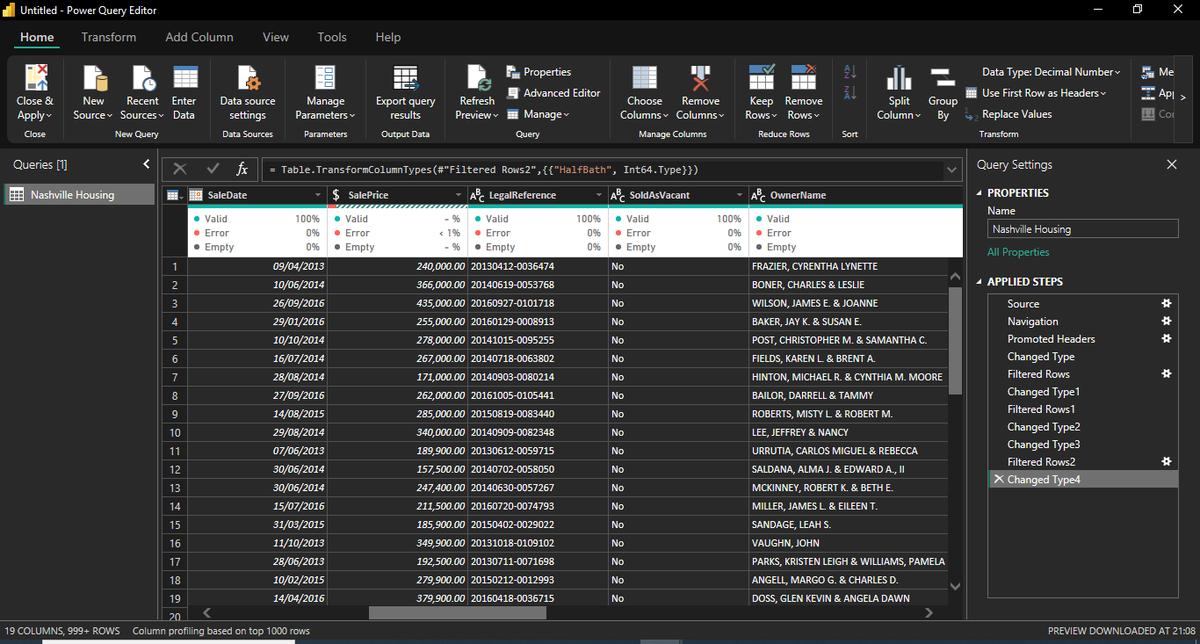
I used column profiling (Valid / Error / Empty ) to check data quality and ensure clean transformation before loading to the model
Power Query is not just about importing data it’s about shaping it correctly before visualization or SQL modeling.
#DataAnalytics#PowerQuery
Day 29 - Data Cleaning in Power Query
Nashville Housing Dataset
Today I worked on transforming the Nashville Housing dataset inside Power Query Editor and focused on proper data preparation before analysis.
Here’s what I did:
Land Value & Building Value – Property valuation breakdown
Sale Date & Sale Price – Transaction data
Property Address & Owner Name – Ownership details
Tax District & Land Use – Property classification
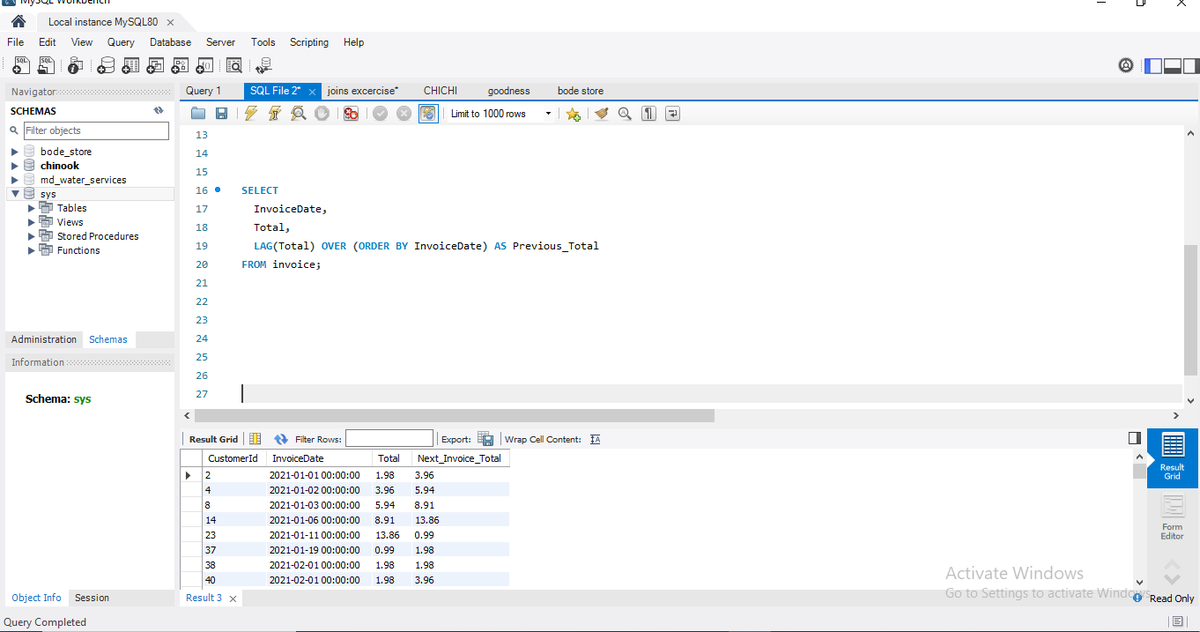
Day 28 - Lead & Lag
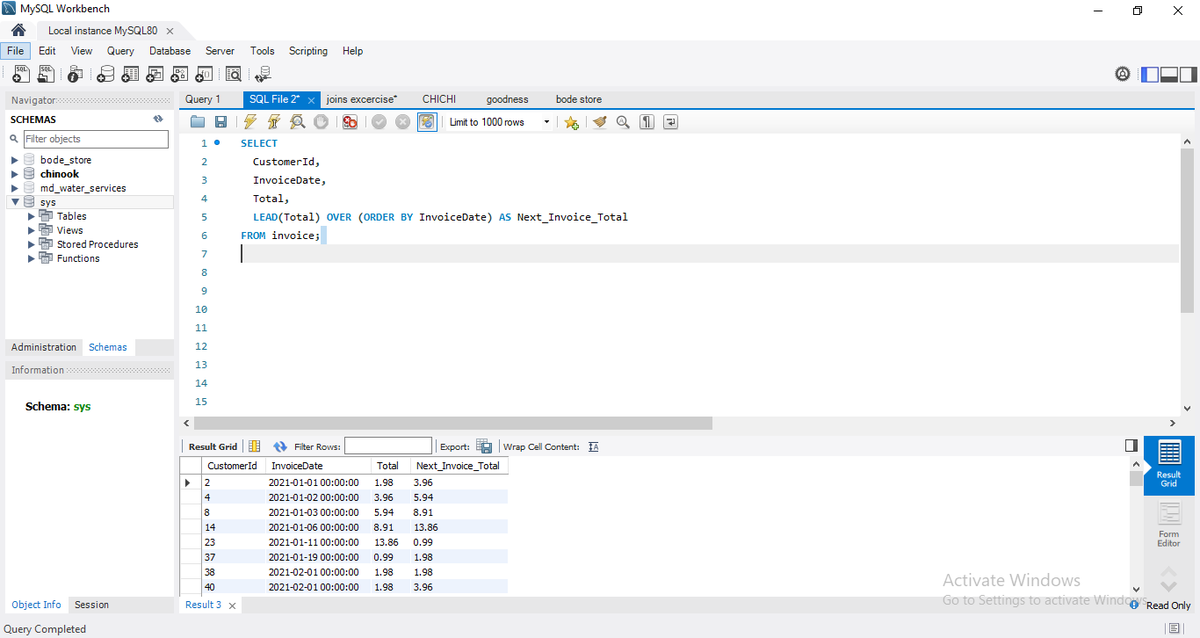
oday I practiced LEAD() and LAG() window functions in MySQL 💻
✅ LEAD() → Looks at the next row’s value
✅ LAG() → Looks at the previous row’s value
✅ Used ORDER BY InvoiceDate to track invoice trends
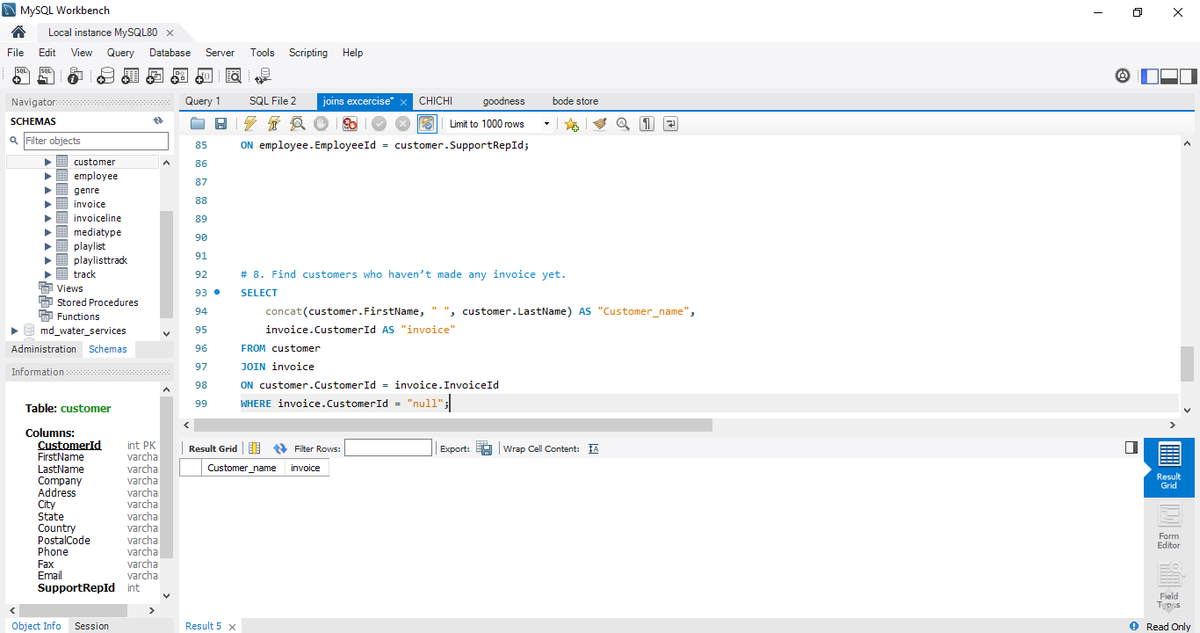
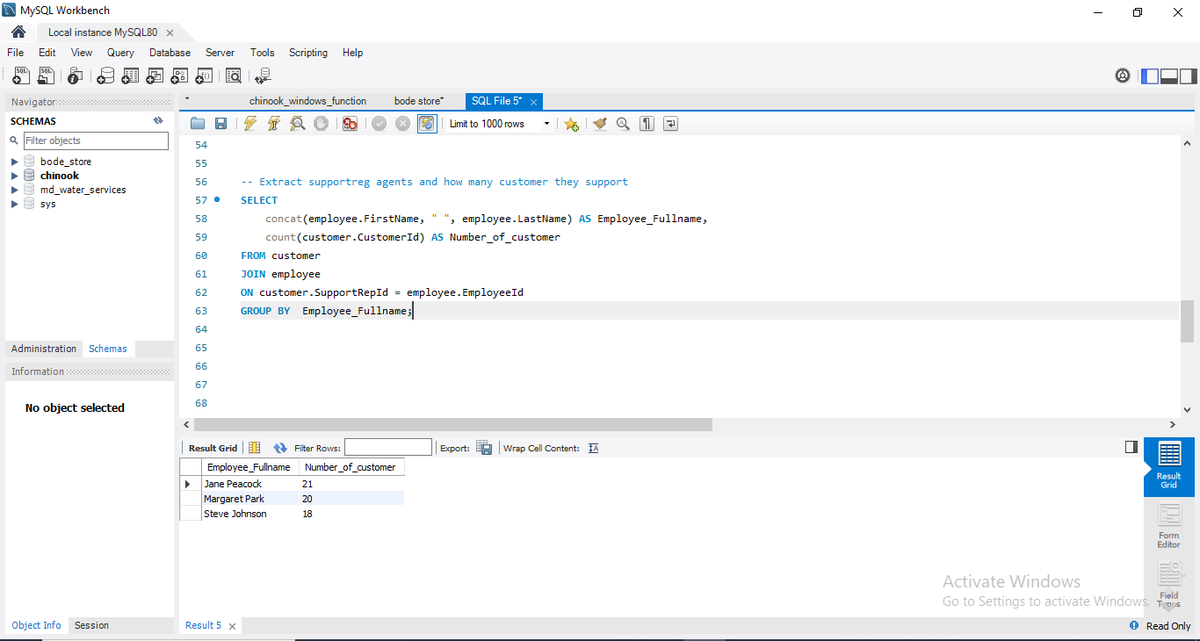
Day 27 - SQL Contd
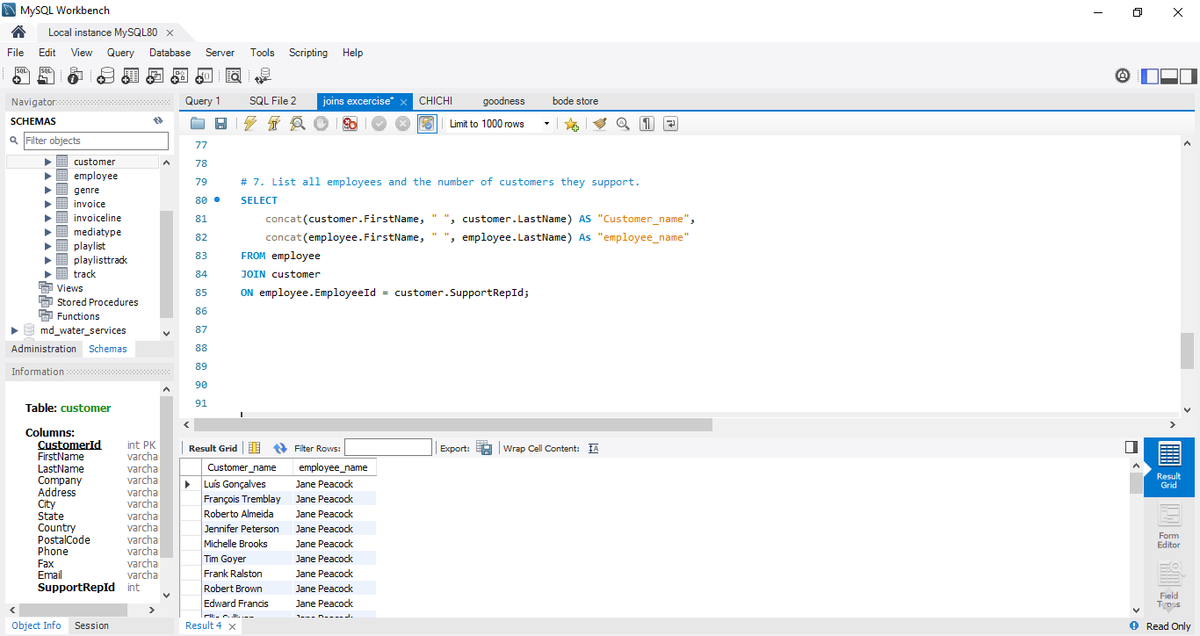
Today I worked on the final part of analyzing a music store database using SQL 🎧
✅ List Employees and the Customers They Support
✅ Find Customers Who Haven’t Made Any Invoice Yet
Every query brings me closer to mastering SQL 💪
#SQL#DataAnalytics
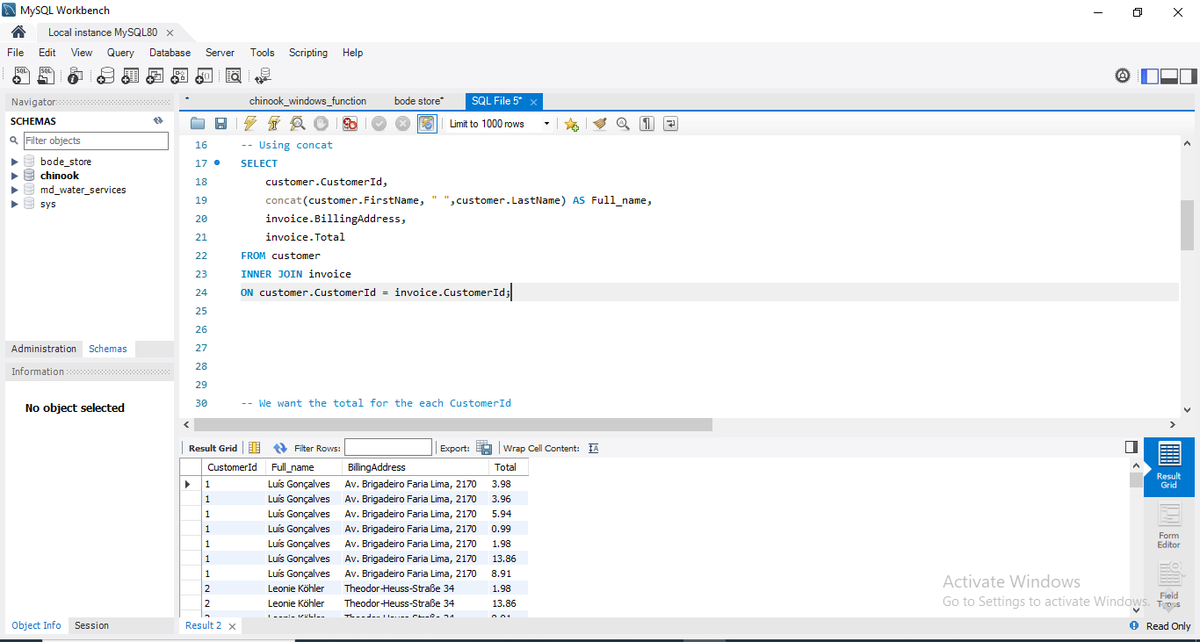
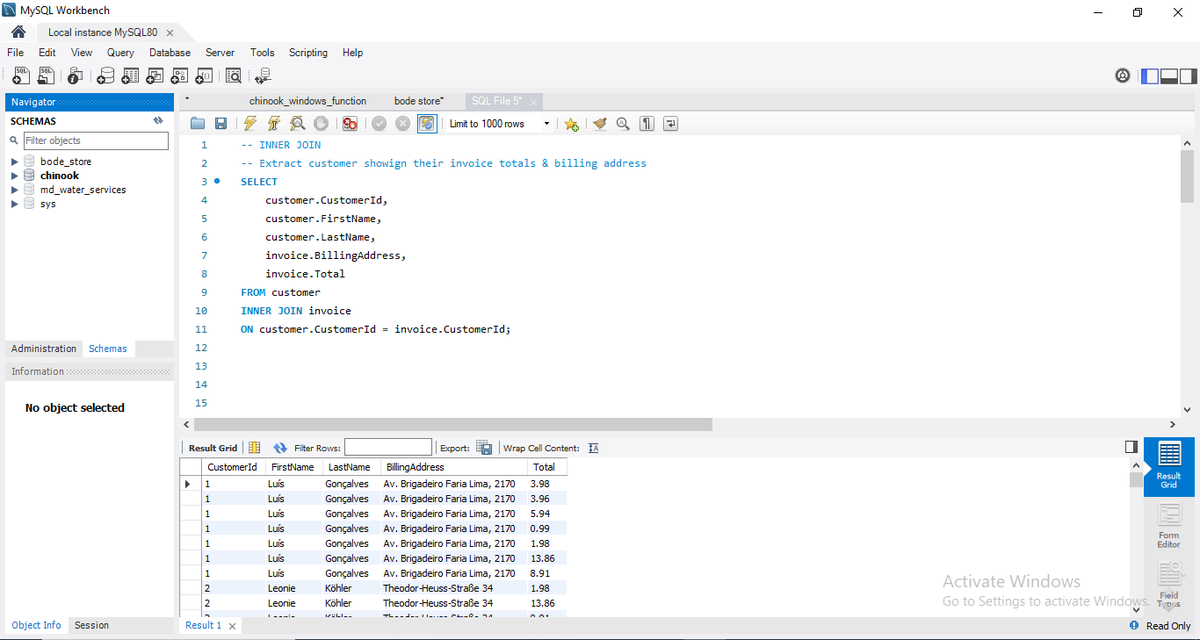
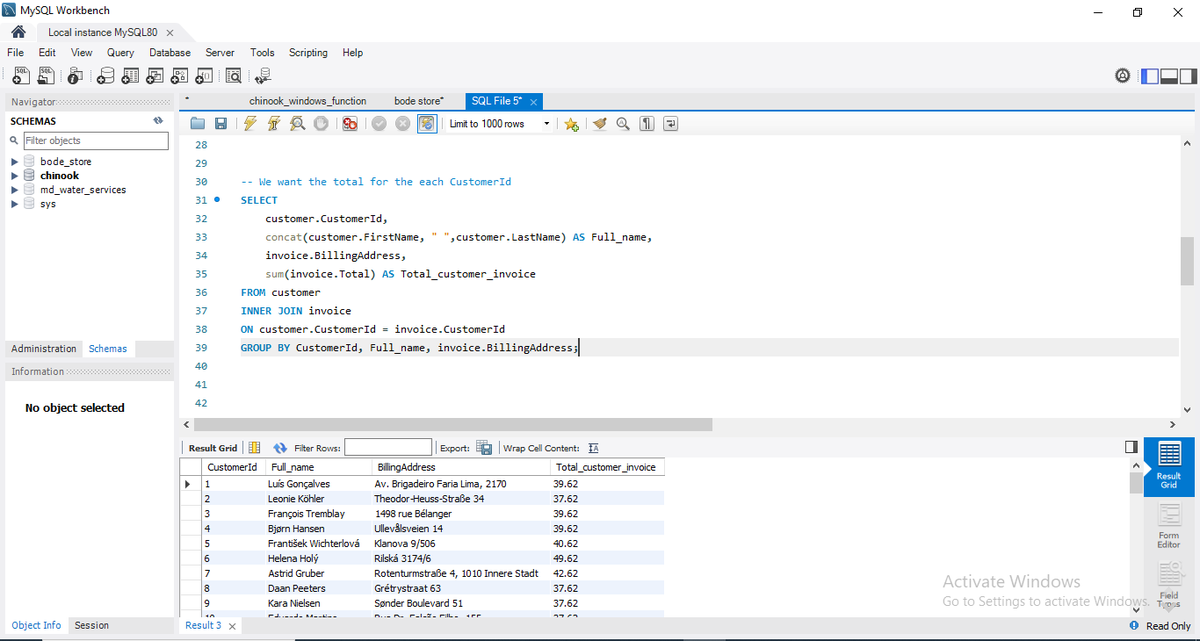
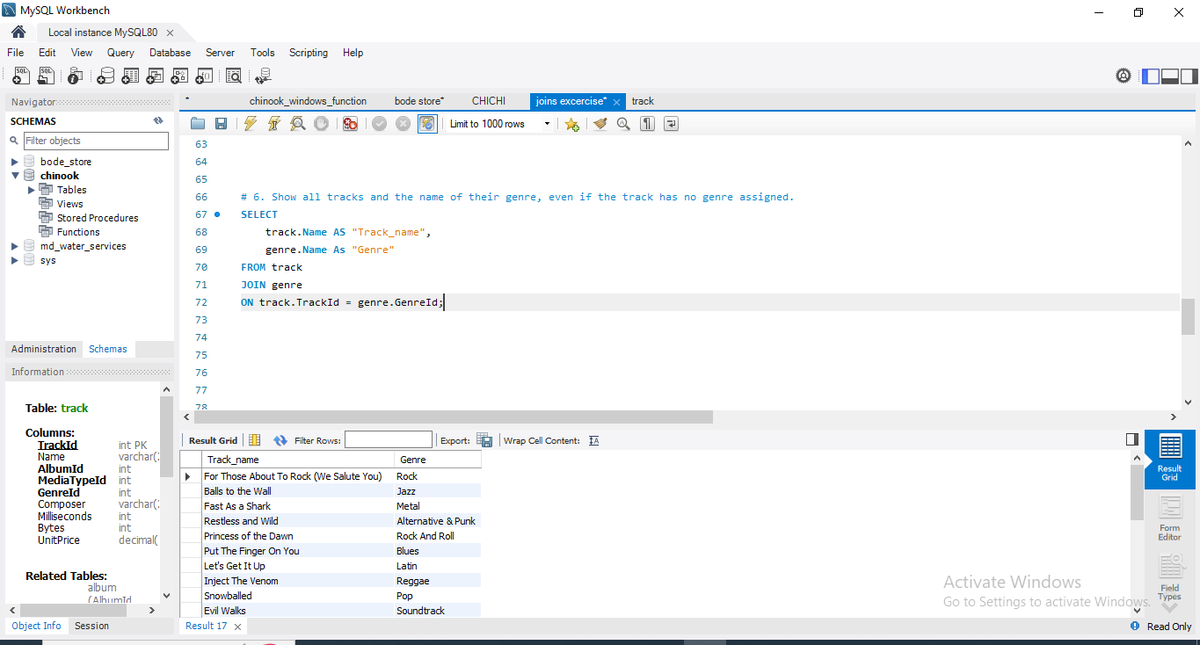
Day 26 - SQL JOIN
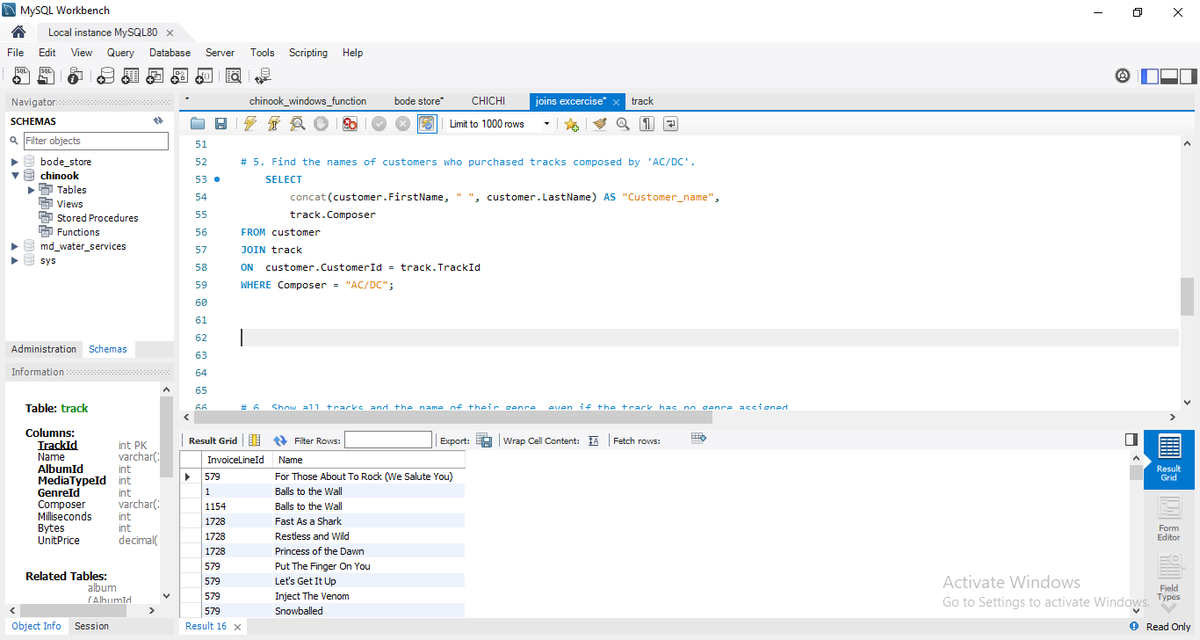
One way to master any function is to practice it constantly. Some of the tasks I worked on
– Connected tables using JOIN
– Retrieved customer names
– Pulled track names with their genres
– Filtered records using conditions
Repetition builds confidence.
#SQL
JOIN allows us to combine rows from multiple tables based on a related column.
This is how databases reflect real-world relationships.
#SQL#DataAnalytics#LearnWithMe
Day 25 - SQL Join
In the real world, data doesn’t live in just one table.
-Customer details might be in one table.
-Orders in another.
-Payments in a different one.
To analyze relationships between them, we use JOIN in SQL.
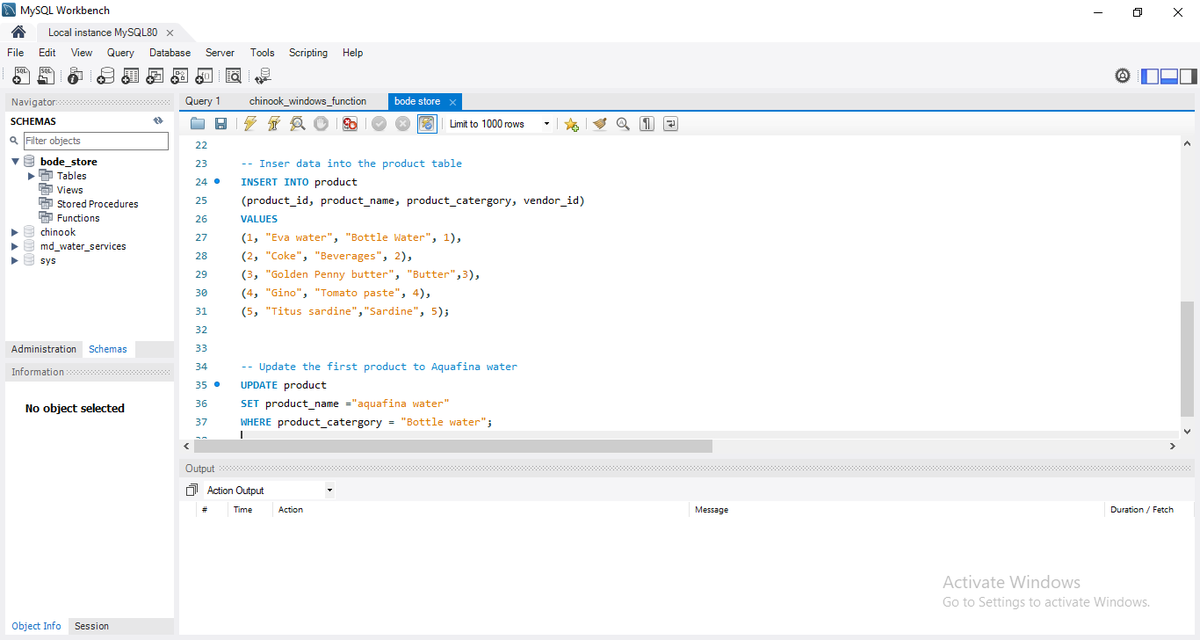
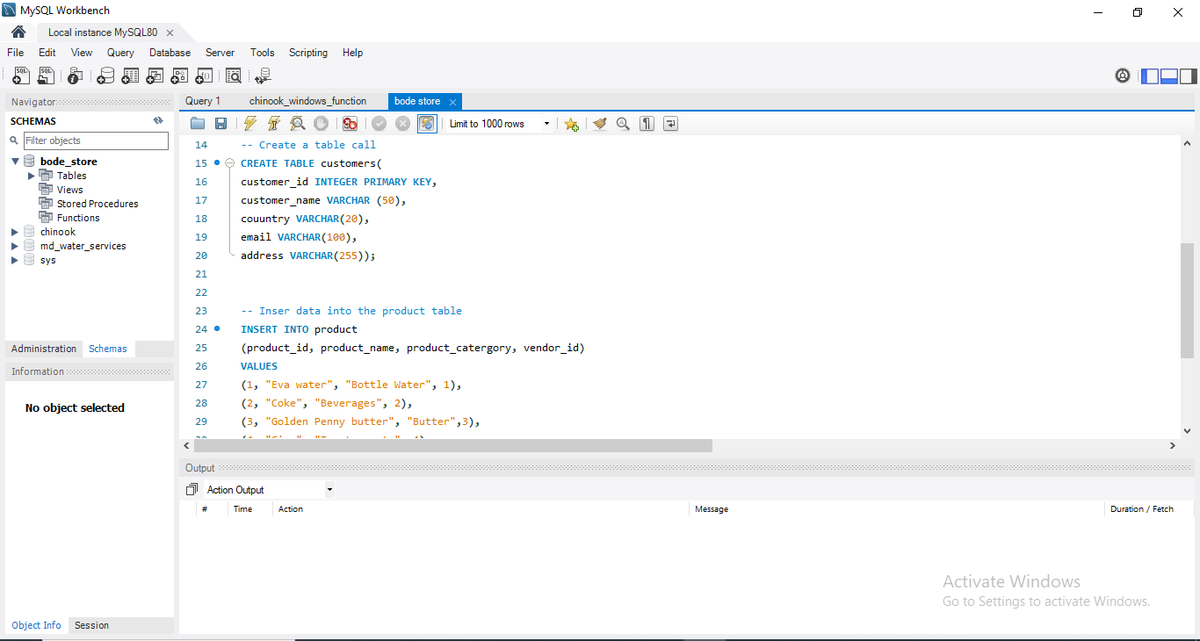
✅ Defined data types like INT and VARCHAR()
✅ Inserted multiple records using INSERT INTO ✅ Updated records using UPDATE + WHERE
I also learned why the WHERE clause is important — it prevents updating every row accidentally 👀
#SQL#MySQL#DataAnalytics#LearningInPublic
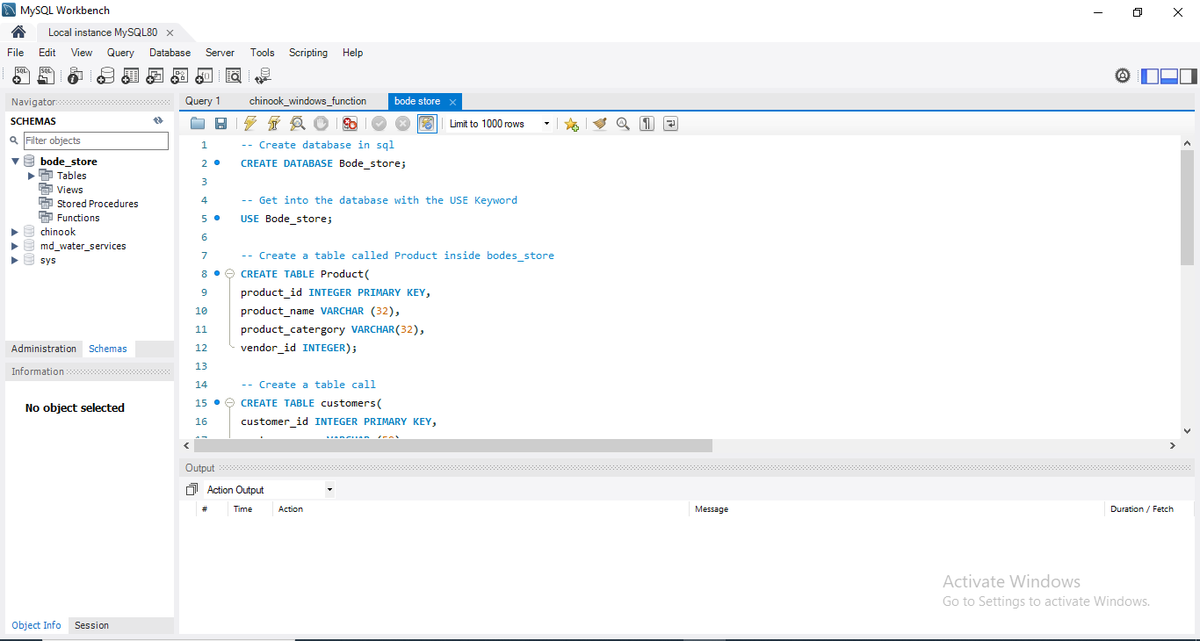
Day 24 - Building a database
Today I built my own database from scratch using MySQL Workbench
Here’s what I practiced:
✅ Created a new database (CREATE DATABASE Bode_store;)
✅ Used USE to select the database
✅ Created tables with PRIMARY KEY