Time to give y'all an updated AI toolstack!
Here's what I use on the regular as of Q4 2026:
-ˋˏ IMAGES ˎˊ-
NBP - Still my go-to for environment references / character outfit changes. Also, i've been using the 4k option for upscaling (I've largely stopped using the legacy Magnific/Topaz labs.)
Seedream 5 - Hands down, the BEST model for accurate character likenesses if you're working from a reference image (painting, death/life mask, photograph, etc)
Midjourney - Still the best for unique styles. I use it all the time in cinematic projects for environmental plates. Everything comes out of a custom profile that I trained.
FLUX 2 MAX - This one is new for me. I use it for upscaling environment plates. It adds perfect textures for everything, which is especially useful when combined with GPT image to get rid of all the friggin' artifacts.
GPT image 2.6 sunburst - Surgical image editing. I never use raw images because it just has the weird brown tone and wayyyy too many artifacts (so annoying).
Recraft v4.1 - logo generation
Claude driving Blender - for environment layouts (I'll explain this more in another post.)
Claude design - for quick thumbnails.
Photoshop - For compositing/editing
-ˋˏ VIDEO ˎˊ-
Seedance 2.5 - My main video generator
Kling 3 - For environmental/establishing shots with no humans
Gemini Omni Flash - For generating sound FX and adding elements to talking head videos.
CLAUDE CODE (driving Tesseract, working in premiere pro and After effects) - This has radically changed my editing work these last two months. I use it for everything from rough cuts to final polish. It also drives Blender for more impressive looking b-roll. I love it so much.
-ˋˏ AUDIO ˎˊ-
Elevenlabs - for professional voice cloning in particular.
Minimax - for dialogue correction. Minimax is leagues above elevenlabs for this purpose. 11Labs tends to clean up audio and alters clones too much (with the exception of PVC). Problem is, there's not always gonna be the opportunity for PVC. But the instant voice cloning in Minimax is a TRUE instant clone, retaining things like room acoustics, accents, and background noise, so that when you patch audio in your video, the blend will be SEAMLESS!
Sync . so - for correcting lipsync after correcting audio.
Adobe podcast - for quick and easy audio cleanup.
-ˋˏ PLATFORMS ˎˊ-
Sume - My main platform these days. More cost effective than the other platforms I've used, and you can see the actual cost per generation vs. credits. Aaaaaand, NO SUBSCRIPTION COST!
Magnific - backup platform. it has less moderation, which is great. I hate getting randomly flagged for NSFW even though it's nothing of the sort. And I love using nodes.
Higgsfield - I'm trying to move away from this platform, as i'm just tired of some of the underhanded tactics. My annual subscription expires this month. After that, i'll be fully with Sume (and maybe Magnific depending on what that black friday deal looks like...). But i have to admit that some of the features are bomb...
ComfyUI - I started experimenting with it, but i'm having a lot of trouble. 😅 I'm sticking with it only because I know how powerful it is once you get the hang of it. And it's about time I learned how to run things locally.
-ˋˏ EDITING/PRODUCTION ASSISTANCE ˎˊ-
Claude - My copilot / assistant producer. Covers prompts, troubleshooting, and everything else. It's great that we can now send mp4s to claude to "watch" as it makes reviewing soooooo much easier! And like I mentioned, I have it edit a whole lot as well.
Wispr - For dictation. I practically never type anything anymore. Ain't nobody got the time fo dat!
Premiere Pro - Main editing software
After Effects - For masking
Descript - for screen recording and captions (though Claude has been able to handle a lot of the captions lately.)
And I think that's just about it. Hopefully I didn't forget anything...
If you want me to elaborate on any of these, lmk!
We launched last week and already have reached 86 members!
We uploaded free resources and an entire breakdown of how to generate realistic "behaving" AI characters.
It's available in our classroom, taught by @second_bassoon
Below are the first reactions in our community
We launched last week and already have reached 86 members!
We uploaded free resources and an entire breakdown of how to generate realistic "behaving" AI characters.
It's available in our classroom, taught by @second_bassoon
Below are the first reactions in our community
If your AI characters sound fake, the fix is almost always in how you write and DIRECT the dialogue in your prompt.
I recently started on the dialogue-heavy scenes for my AI feature film about Beethoven, and too many of the lines kept coming out wrong.
They’d sound too theatrical, too monotone, or too much like a practice read-through between actors.
(all this despite the fact that Seedance 2.5 is fantastic when it comes to realism.)
So through a whole lot of trial and error, I've found that these 5 things made the biggest impact on the quality of the dialogue delivery in my generations:
1. Paying close attention to the written punctuation used.
2. Breaking long lines into shorter ones, with intentional pauses.
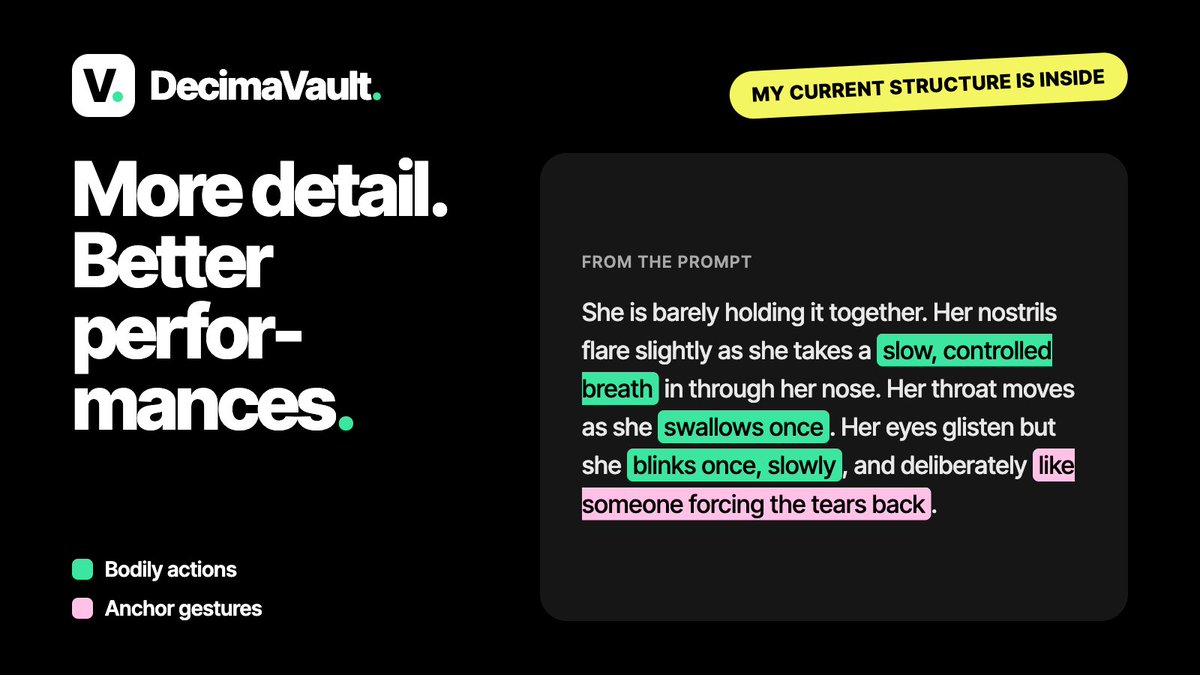
3. Using bodily actions as punctuation (this one gave the biggest improvement BY FAR! In the attached clip, note the sniffles in between Beethoven's lines. That alone made the delivery feel much more natural.)
4. Using "anchor gestures" (he lifts his finger as if to say "one sec")
5. Just split your generations in two (stupid simple, but it really makes a difference.)
So if your characters keep sounding like they're reading from a teleprompter, give this a try!
Want to see how this gets made?
I've teamed up with @decimablack and ΔMΞN to launch @DecimaVault, a community on becoming an AI-assisted creator.
Inside I'll be documenting every step of producing this film: workflows, experiments, fails, all of it.
We're just getting started, so you'd be in from day one:
https://t.co/0To3nPB3bY
we are switching to 90% agentic editing. we have unlimited data, workflows and proj files to train our model.
the key is, if you can train humans you’ll be very good at training AI
If you'd rather skip the 11 rounds...
I've teamed up with @decimablack and ΔMΞN (one of the best editors I know), to launch @DecimaVault, a community on becoming an AI-assisted creator.
ΔMΞN's course on agentic editing drops this week. Get in early:
https://t.co/ikRNFYEZ8p