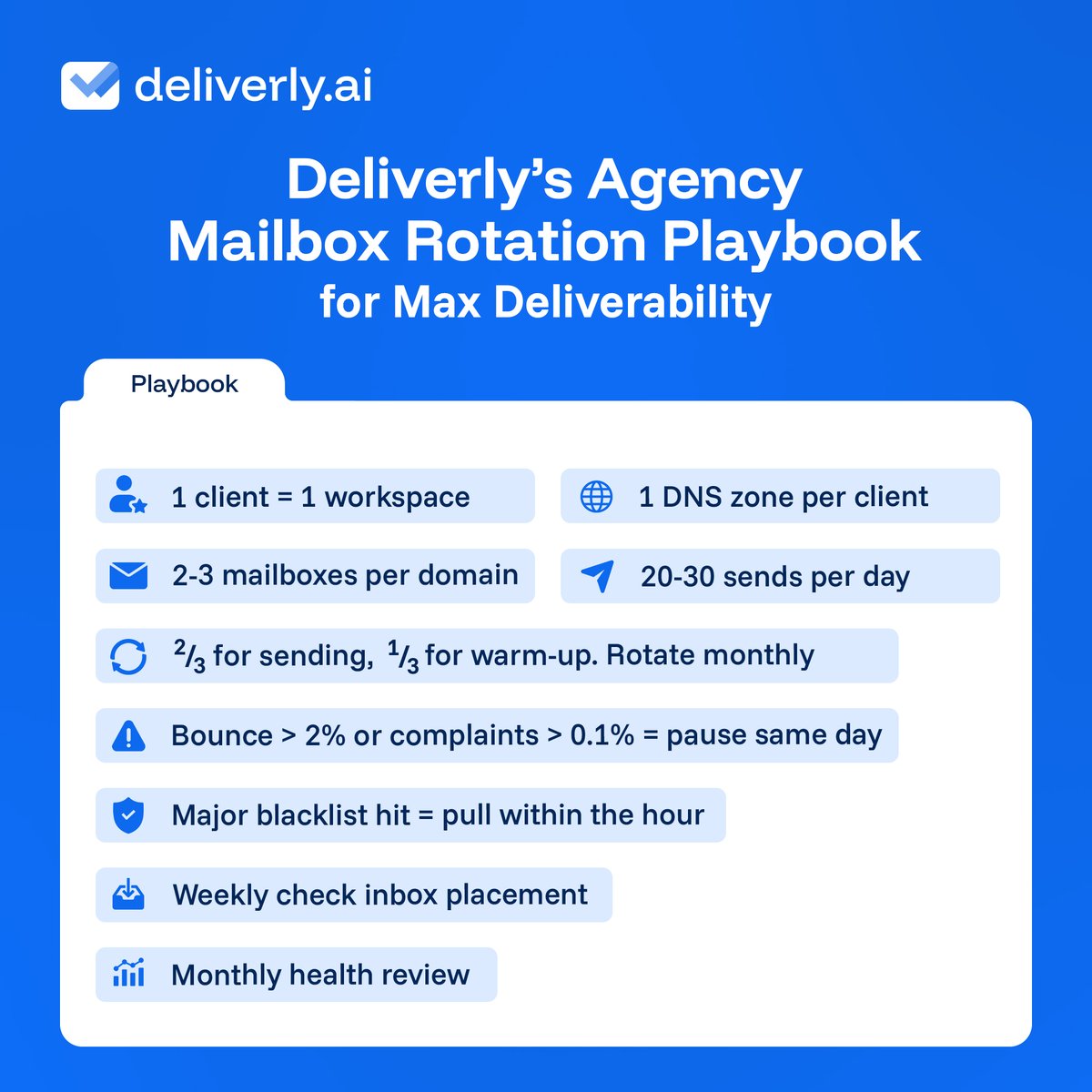
Your bulk inbox ordering SOP in 6 lines.
• Break the naming pattern
• Map domains to inboxes
• Automate DNS
• Complete profiles in bulk
• Document sequencer connections
• Prepare contingency plan
Any single rule is easy. Running all 7 across 10+ clients without a 47-tab spreadsheet becoming your second job is the hard part.
𝗗𝗲𝗹𝗶𝘃𝗲𝗿𝗹𝘆 handles workspace isolation and zone separation structurally. The rest is your ops discipline.
#Deliverly#ColdEmailTips
𝗥𝘂𝗹𝗲 𝟳: Check bounce + complaint rates daily. Weekly placement test per client. Monthly full health review: bounce trends, warmup engagement, domain age spread.
Zone isolation keeps one client per zone, so a flagged domain's blast radius stops at the boundary and sending keeps running.
Deliverly includes zone isolation and 24-hour blacklist checks free. Detection and containment.
#ColdEmailInfrastructure
One client put 10 domains in one DNS zone. One hit the Spamhaus DBL. Nine neighbors started bouncing within hours. Filters score the zone, not the domain, so cold email fails in neighborhoods.
The fix is zone isolation.
Drop your cold email stack. Five fields, one red flag back. Free, no pitch.
Inbox provider, domains, mailboxes per domain, sequencer, biggest symptom.
Reply below.
#Deliverly#ColdEmail
30 inboxes. The price gap between providers is $22.50/month.
But your ops team burns $. One churned $2,000/month client wipes out years of that saving.
The real cost here is rework, not mailboxes. Deliverly's included monitoring and DNS zone isolation keep it off your plate.
5 rules for keeping your email working is below.
1. Never send cold email from your primary domain. Buy secondaries.
2. Skip subdomains. A flag there can hit the root.
3. Warm up first.
4. 2-3 mailboxes / domain.
5. Redirect secondary domains to point to your website.
The "Microsoft strict, Google forgiving" take is out of date.
Google went to hard 5xx rejection on non-compliant bulk mail in Nov 2025. Bounce under 2%, spam under 0.3%. Microsoft tightened in May 2025. Both punish sloppy DNS now.
The top argument for Microsoft 365 over Google in cold email is tenant isolation. One suspension stays contained.
You can contain a suspension on Google too. Google links accounts that share billing or admin, and suspends more, so the edge is small, not the reason to choose.
What actually picks the provider is your list's MX records.
70%+ on Google MX, send from Workspace. 70%+ on Microsoft, run M365. Mixed, match the ratio. 50+ inboxes, run both, split to match the list.
For most startup and SMB lists the simpler default is Google.