Power Pages Tip #398 - Customizing the Success Message on a Form - Engineered Code
Link: https://t.co/IYKV0edpOX
The default success message on a Power Pages Basic Form doesn't always tell users what happens next. In this tip, I show how to customize the message displayed after a successful form submission using the Submit button's advanced settings, including support for multiple languages.
#PowerPages #PowerApps #MSDyn365Portals #MSDyn365
🎉 A huge congratulations to Matt LaCasse on becoming a Microsoft MVP!
If you want to see the kind of contributions that make someone deserving of this recognition, check out Matt's recent Community Tools Update.
He's been building and sharing two tools for the Power Platform community:
🔧 Ascentix Rules Engine – A configurable rules engine for Dataverse, now with more advanced conditions and scheduled jobs.
📁 Ascentix Documents – A tool for managing SharePoint documents from Dataverse, with improved folder management, permissions, and monitoring.
And he's making both available to the community through GitHub!
It's great to see people investing their time in building tools that help the rest of us, and even better to see that work recognized.
Congratulations, Matt! Well deserved! 👏
https://t.co/LBY65ie7kN
#MicrosoftMVP #PowerPlatform #Dataverse #Community
#ThrowbackThursday 🔙
Seven years ago, I wrote a blog post called "PowerApps Portals: Liquid and JavaScript – Better Together!"
Back then, one of the questions I wanted to address was when to use Liquid and when to use JavaScript when customizing a portal.
My answer? Often, the best solution is to use both!
A lot has changed since 2019. We've gone from PowerApps Portals to Power Pages, gained the Web API, Server Logic, and plenty of other development options.
But I still think understanding what belongs on the server and what belongs in the browser is an important part of building good Power Pages solutions.
Here's the original post from 2019:
https://t.co/SXeM6NjjyB
Seven years later, are you still combining Liquid and JavaScript, or have newer capabilities changed your approach?
#ThrowbackThursday #PowerPages #PowerPlatform #Liquid #JavaScript
Today, on Remembrance Day, we pause to honour the brave men and women who have served and sacrificed for our country.
We remember those who gave their lives, those who returned home forever changed, and those who continue to serve.
Their courage and sacrifice remind us that the freedoms we enjoy should never be taken for granted.
From all of us at Engineered Code, thank you to our veterans and everyone who has served.
Lest we forget. 🌺
#RemembranceDay #LestWeForget #Canada
Client: "We want to be able to manage all the content on our Power Pages site ourselves."
Developer: "No problem!"
You get a Content Snippet! 🎉
You get a Content Snippet!
EVERYTHING gets a Content Snippet! 😄
Content Snippets are great for making content configurable, but at what point does this approach become more trouble than it's worth?
How do you decide what should be a Content Snippet versus simply being hardcoded?
#PowerPages #PowerPlatform #Dataverse #DeveloperHumor
Power Pages Tip #397 - Customizing the Submit Button on a Form - Engineered Code
Link: https://t.co/UFbnaDb73n
The default Submit button text on a Power Pages Basic Form isn't always the most helpful. In this tip, I show how to configure the Submit action button and customize its label without writing any code, including support for multiple languages.
#PowerPages #PowerApps #MSDyn365Portals #MSDyn365
🌺 A reminder that the Engineered Code office will be closed this Wednesday, November 11, in observance of Remembrance Day.
We'll be taking the day to honour and remember those who have served and sacrificed for our country.
Our office will reopen on Thursday, November 12.
Lest we forget.
#RemembranceDay #LestWeForget #EngineeredCode
🚨 Common Mistakes Monday: "I'll Just Use the Web API"
You need to display some Dataverse data on your Power Pages site.
Easy! Write some JavaScript, call the Power Pages Web API, and update the page with the results.
😬
But did you really need that extra HTTP request?
If the data is needed when the page first loads, you could probably retrieve it using Liquid and FetchXML instead.
Now the data is rendered server-side, without the additional JavaScript or client-side API call.
✅ Use Liquid and FetchXML for data that can be rendered with the page.
✅ Use the Web API when you need dynamic, client-side interactions.
✅ Don't introduce unnecessary complexity when the platform already provides a simpler solution.
The Web API is a powerful tool, but it doesn't need to be your first choice for every data retrieval.
Just because you can retrieve data with JavaScript doesn't mean you should.
#CommonMistakesMonday #PowerPages #PowerPlatform #Dataverse #Liquid #FetchXML #WebAPI #WebDevelopment
🤖 Could AI rebuild one of your existing Power Apps in under an hour?
Nick Doelman recently put Microsoft's new Copilot Code to the test by rebuilding a canvas app he uses for tracking his time.
Using screenshots, a detailed specification, and an ERD of his existing Dataverse tables, he was able to recreate the app in under an hour, without changing the backend.
That's pretty impressive!
But what I found particularly interesting was Nick's emphasis on the work that happened before generating the code.
Understanding the requirements, documenting the functionality, and creating a detailed specification were all critical to getting a useful result.
There are still some important questions around ALM, security, and sharing, but it's another interesting example of how AI is changing application development.
Definitely worth a read!
https://t.co/mYzbiss8B7
Thanks for sharing the experience, Nick!
#PowerPlatform #PowerApps #Dataverse #Copilot #AI #Community
🔧 This looks like an interesting tool for Power Pages developers!
I recently came across Paqvilo, an open-source project from maksii that aims to improve the Power Pages development experience.
It offers two main workflows:
🔍 Lense — Preview local JavaScript, CSS, and supported HTML changes against a live Power Pages site without having to upload every change.
💻 Mirage — Run exported Power Pages sites locally, including Liquid rendering, simulated Dataverse data, forms, lists, and permissions.
Mirage also supports local test data, simulated user identities, and automated testing scenarios.
The idea of being able to develop and test traditional Power Pages functionality locally, without constantly deploying changes to an environment, is particularly interesting.
I haven't tried it myself yet, so I can't speak to how well it works in practice, but it's definitely on my list to explore.
Has anyone tried Paqvilo? I'd love to hear about your experience!
https://t.co/bxUxK6NRoP
#PowerPages #PowerPlatform #Dataverse #DeveloperTools #OpenSource
🎤 Excited to share that I'll be speaking at M365 Con 2027!
My session is called "Power Pages for Power Platform Pros: Everything You Need to Get Started."
If you're already familiar with Power Platform but haven't explored Power Pages, this session is for you!
We'll look at how your existing Dataverse and Power Platform knowledge translates to Power Pages, covering Forms, Lists, authentication, security, and customization. We'll also build a simple site to bring it all together.
📅 January 12, 2027
🎟️ Free to attend!
If you've been curious about Power Pages, I'd love to have you join me!
https://t.co/25xy3CZC0X
#M365Con #PowerPages #PowerPlatform #Dataverse #Community
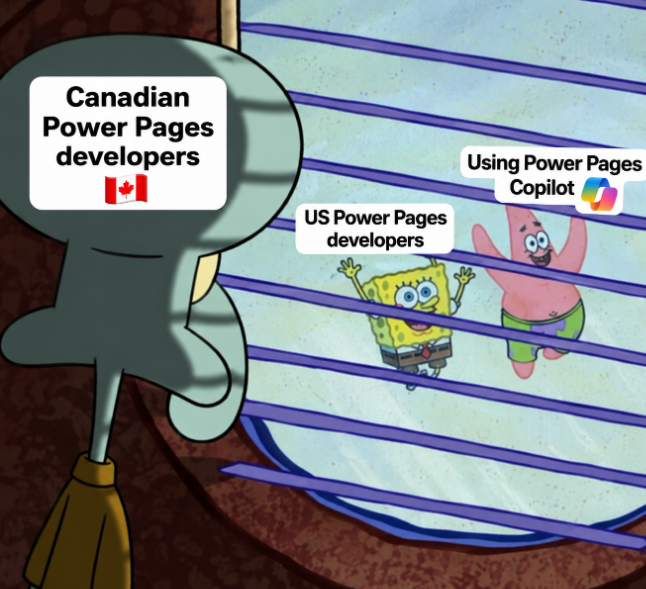
Meanwhile, in Canada... 😅
Lots of exciting AI features being introduced for Power Pages, but Canadian developers are still waiting for Power Pages Copilot to become available in our region.
It's hard to get excited about new capabilities when you can't actually try them!
Anyone else waiting for Power Pages Copilot to become available in their region?
#PowerPages #PowerPlatform #Copilot #Microsoft
Power Pages Tip #396 - Customizing the Empty Message on a List - Engineered Code
Link: https://t.co/EgaIWdTkZA
When a Power Pages List doesn't return any records, the default message isn't always helpful. In this tip, I show how to customize the Empty Message using the advanced settings in Grid Configuration, without writing any code.
🔍 Should every Power Pages project include an automated code review?
Microsoft's PowerCAT team has introduced OverPage, a tool that analyzes Power Pages solutions and identifies potential issues with security, performance, accessibility, maintainability, architecture, and reliability.
I think this raises an interesting question about how we approach quality in Power Pages projects.
We have tools for reviewing traditional application code, but how consistently are we applying similar practices to Power Pages?
With so much of a Power Pages implementation spread across configuration, Liquid, JavaScript, and Dataverse, it's not always straightforward to review everything together.
Tools like OverPage could help make those reviews more consistent.
Of course, automated analysis isn't a replacement for someone who understands Power Pages reviewing the implementation.
Would you consider making a tool like OverPage part of your standard development or deployment process?
https://t.co/wwnAK8O3nY
#PowerPages #PowerPlatform #PowerCAT #CodeQuality #Security
🚨 Common Mistakes Monday: "Site Settings Are Just for Power Pages Configuration"
You need a configurable value in your Power Pages Web Template.
Maybe it's a feature flag, an external URL, or a value that differs between environments.
Easy! Just hardcode it into your Liquid.
😬
But Site Settings aren't just for configuring out-of-the-box Power Pages functionality.
You can create your own custom Site Settings and access them directly in Liquid!
For example:
`{{ settings['Custom/FeatureEnabled'] }}`
Now you can change the value without modifying your Web Template.
✅ Use custom Site Settings for configurable values.
✅ Keep environment-specific configuration out of your code.
✅ Don't store secrets in Site Settings that could be exposed through Liquid.
Site Settings aren't just for configuring Power Pages. They're also a great way to configure the solutions you build with it.
#CommonMistakesMonday #PowerPages #PowerPlatform #Liquid #SiteSettings #WebDevelopment
🎃 Happy Halloween from Engineered Code! 👻
What's scarier than a haunted house?
A Power Pages site with:
👻 Anonymous users with Global Table Permissions
🧟 JavaScript pretending to be security
🕷️ A production site with no ALM strategy
💀 A mysterious bug that only happens in production
🦇 Someone saying, "Just clear the cache!"
And the scariest words of all...
"It works on my machine." 😱
What's your biggest Power Pages nightmare?
Have a safe and spooky Halloween! 🎃
#Halloween #PowerPages #PowerPlatform #Dataverse #EngineeredCode
🎙️ Hot SPA Time Machine in Power Pages!
George Doubinski and I are back with another episode of Refresh the Cache, and this time we're talking about single-page applications (SPAs) in Power Pages.
SPAs are becoming an increasingly important part of the Power Pages story, and they raise some interesting questions about how we build sites, where traditional development fits, and what the future of the platform might look like.
Are SPAs the future of Power Pages? Or is there still plenty of room for more traditional approaches?
Have a listen and let us know what you think!
https://t.co/uePayZUglY
#RefreshTheCache #PowerPages #PowerPlatform #SPA #React #Dataverse
#ThrowbackThursday 🔙
Back in 2018, I published a blog post titled "Hacking Your Way to Server-Side Code with Dynamics 365 Portals – Just Like Microsoft!"
When Dynamics 365 Portals moved to Microsoft's hosted service, we lost the ability to add our own server-side .NET code.
But I discovered an interesting workaround being used by Microsoft's own Event Portal.
By combining Liquid, FetchXML, and a Dataverse plugin registered on RetrieveMultiple, you could effectively execute custom server-side code from your portal.
Was it a hack? Absolutely.
Was Microsoft using it themselves? Yep. 😄
I may have heard that not everyone at Microsoft was particularly happy about me sharing this technique. 👀
Eight years later, we finally have Server Logic in Power Pages, giving us a supported way to accomplish many of the things we were trying to do back then.
If you want a trip down memory lane, here's the original post:
https://t.co/RevvsQ4Ulh
Who remembers the days of getting creative with server-side code in Dynamics 365 Portals?
#ThrowbackThursday #PowerPages #Dynamics365 #Dataverse #Liquid #ServerLogic
Missed our latest Power Pages Community Call? The recording is now available!
In "Troubleshooting Power Pages: How I Figure Out What's Broken," we walk through practical, live troubleshooting examples covering caching, Liquid and FetchXML, table permissions, the Web API, and Basic Form Metadata.
We also highlight some Power Pages-specific troubleshooting tools and techniques that can help you track down those hard-to-explain issues.
Watch the recording here:
https://t.co/oEfV41U5SE
What's your go-to technique when troubleshooting Power Pages?
#PowerPages #PowerPlatform #MicrosoftPowerPages
🎉 Greetings from Las Vegas!
It's Wednesday at the Power Platform Community Conference (PPCC), and it's great to be surrounded by so many people who are passionate about the Power Platform!
Looking forward to more great sessions, interesting conversations, and catching up with friends from across the community.
Of course, I'll be keeping a particularly close eye on anything Power Pages related. 😄
If you're here at PPCC, come say hi! Always happy to talk Power Pages, Power Platform, or just catch up.
#PPCC #PowerPlatform #PowerPages #Community #LasVegas