

Top Tweets for #RunLevels

Linux Series- Part 03🐧
⚡UNDERSTANDING THE LINUX BOOT PROCESS⚡
Ever wondered what happens in those critical few seconds between pressing the power button and seeing your login prompt?
As system administrators and troubleshooters, understanding the boot sequence is essential for diagnosing issues and optimizing performance. Here's the complete breakdown! 🚀
🔴 STAGE 1: BIOS/UEFI Power-On
The firmware performs POST (Power-On Self-Test), initializes hardware components, and locates the bootloader from the configured boot device.
🟠 STAGE 2: Bootloader (GRUB/systemd-boot)
Presents boot options, loads the kernel image (vmlinuz) and initial RAM disk (initramfs) into memory, then transfers control to the kernel.
🟡 STAGE 3: Kernel Initialization
The Linux kernel decompresses, initializes hardware drivers, mounts the root filesystem, and spawns the first user-space process with PID 1.
🟢 STAGE 4: Init System (systemd/SysVinit)
Takes over process management, handles service dependencies, and starts system daemons in the correct order. Modern systems use systemd for parallel service startup.
🔵 STAGE 5: Runlevels/Targets
The system reaches the configured target state:
• https://t.co/wcrygadyZI
(CLI mode)
• https://t.co/WhICJRFy1h
(GUI mode)
All required services are now activated.
🟣 STAGE 6: Login Prompt
Getty process spawns login prompts on terminals (or display manager for GUI). Your system is fully operational and ready for authentication!

🐧Linux Series- Post 01🐧
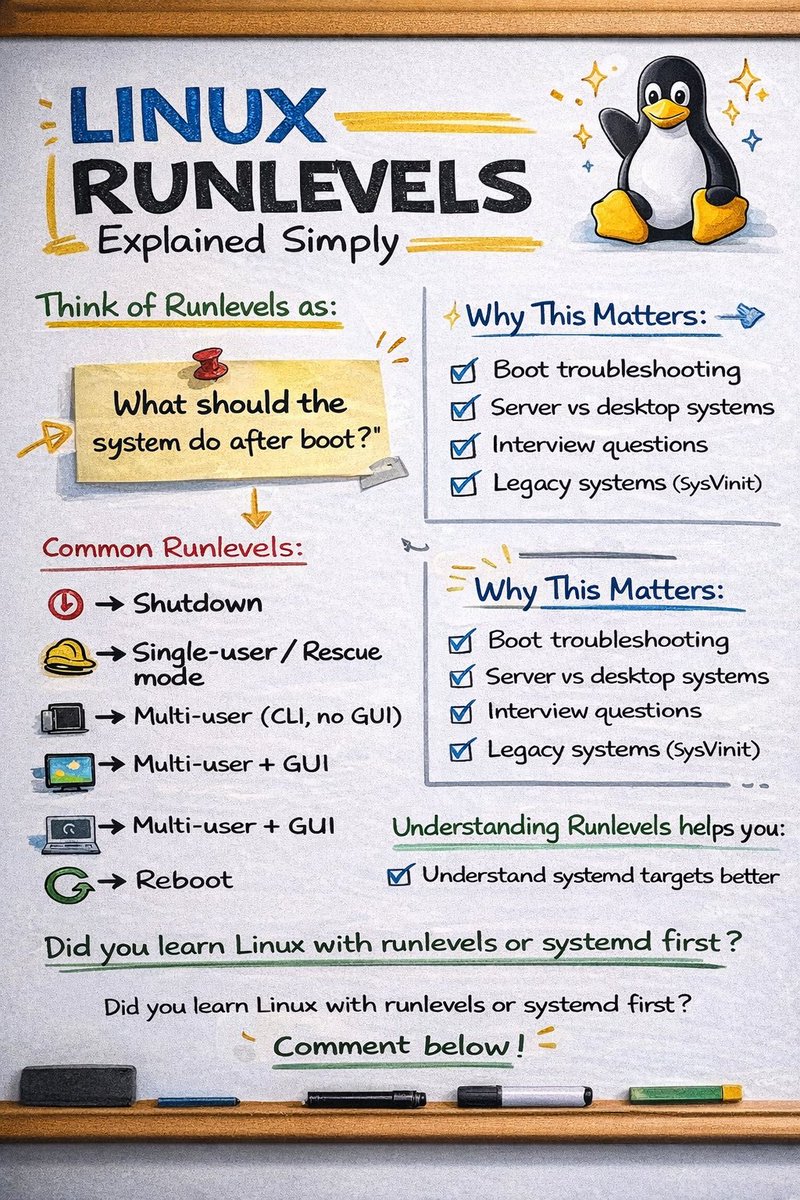
Linux Runlevels — Explained Simply 🐧
Before systemd, Linux used *runlevels* to define
the system’s operating state.
Think of runlevels as:
👉 “What should the system do after boot?”
Common Runlevels:
0 → Shutdown
1 → Single-user / Rescue mode
3 → Multi-user (CLI, no GUI)
5 → Multi-user + GUI
6 → Reboot
Why this matters:
• Boot troubleshooting
• Server vs desktop systems
• Interview questions
• Legacy systems (SysVinit)
Even today, understanding runlevels helps you
understand systemd targets better.
Did you learn Linux with runlevels or systemd first?
Reply 👇
#Linux #SysAdmin #DevOps

💻20 Linux Interview Questions that will definitely help you
1. Explain the difference between hard links and soft links.
2. How do you check disk space usage in Linux?
3. What does the command ‘chmod 755‘ mean?
4. Explain inode in Linux.
5. How do you troubleshoot high CPU usage in Linux? 6. Difference between ‘cron‘ and ‘systemd‘ timers.
7. How to find the top 10 largest files in a directory.
8. How to check open ports in Linux.
9. What are runlevels?
10. Difference between ‘/etc/passwd‘ and ‘/etc/shadow‘.
11. Explain SELinux and its modes.
12. How to check failed login attempts.
13. How to check last reboot time.
14. Difference between ‘ps -aux‘ and ‘top‘.
15. Explain what happens when you type a command and hit enter.
16. Difference between ‘kill‘, ‘kill -9‘, and ‘pkill‘.
17. How to check memory usage in Linux.
18. Explain sticky bit in Linux.
19. How to mount a filesystem.
20. How to extend a filesystem.

📚 Educational Guide: Mastering Linux System State Management 📚
In Linux, controlling the system’s operational state is a critical part of system administration. Whether you’re using SysV init runlevels or modern systemd boot targets, being able to set default modes, change states on demand, and perform safe shutdowns ensures your systems remain stable, secure, and predictable. This knowledge is vital for maintenance windows, troubleshooting, and preventing service disruptions.
In my latest guide, I cover:
- Default modes – Configure the system’s default startup behavior, whether that’s a graphical interface, multi-user CLI, or single-user rescue mode. SysV uses /etc/inittab to set the default runlevel, while systemd uses systemctl set-default to define the boot target.
- Switching modes – Change operational states without a reboot. For example, use telinit or systemctl isolate to drop into rescue mode for maintenance or switch back to graphical mode when needed.
- Safe shutdowns and reboots – Use shutdown, systemctl poweroff, or systemctl reboot to power down or restart the system gracefully, allowing processes to exit cleanly and filesystems to unmount correctly.
- User notifications – Broadcast alerts to all logged-in users with wall before major state changes, giving them time to save work and prepare for downtime.
- Process handling – Stop services and processes in an orderly fashion using service management commands or signals, with SIGTERM for graceful termination and SIGKILL only as a last resort.
- ACPI events – Understand and configure acpid to handle hardware-triggered events such as power button presses or lid closures, ensuring they trigger controlled system actions instead of abrupt shutdowns.
- File and command references – Familiarize yourself with essential configuration paths and commands, including /etc/systemd/, /usr/lib/systemd/, /etc/init.d/, init, telinit, systemctl, and shutdown.
This resource combines explanation with practical command examples so you can apply these techniques immediately in both production and test environments.
Read the full article here:
https://t.co/3uqJQB5dLq
Most Popular Users

Elon Musk 
@elonmusk
240.1M followers

Barack Obama
@barackobama
118.6M followers

Cristiano Ronaldo
@cristiano
114.4M followers

Donald J. Trump
@realdonaldtrump
111.7M followers

Narendra Modi
@narendramodi
106.9M followers

Rihanna
@rihanna
98.6M followers

NASA
@nasa
92.1M followers

Justin Bieber
@justinbieber
91.7M followers

KATY PERRY
@katyperry
89.9M followers

Taylor Swift
@taylorswift13
83.9M followers

Lady Gaga
@ladygaga
75.4M followers

Virat Kohli
@imvkohli
73.3M followers

Kim Kardashian
@kimkardashian
70.8M followers

YouTube
@youtube
68.6M followers

Neymar Jr
@neymarjr
66.3M followers

Bill Gates
@billgates
65.2M followers

Selena Gomez
@selenagomez
63M followers

The Ellen Show
@theellenshow
62.1M followers

CNN
@cnn
61.7M followers

X
@x
60.6M followers