

Top Tweets for #beatechguru

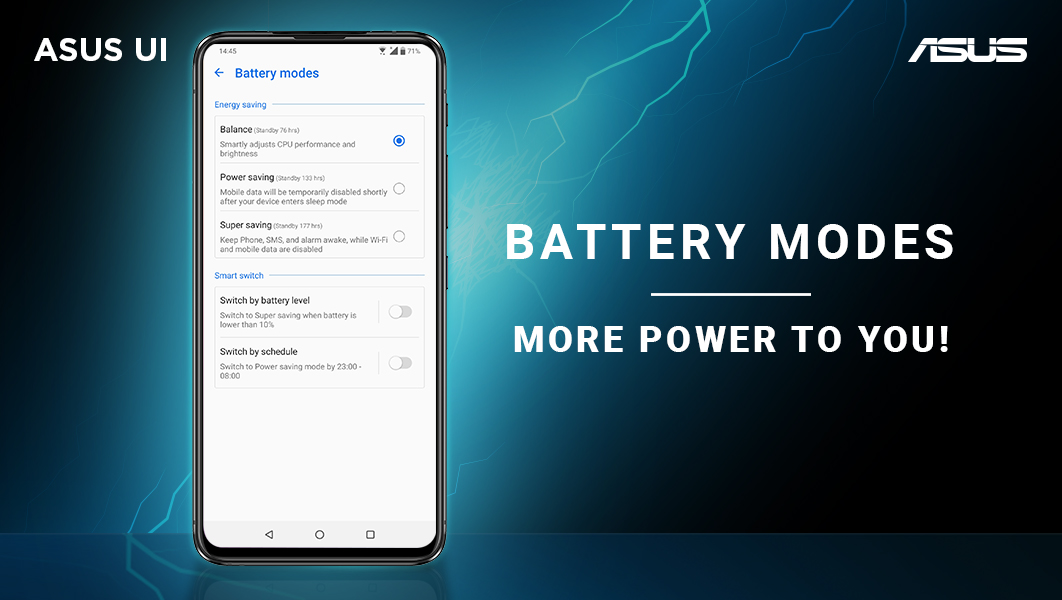
Asus smartphones come with exceptional battery life out of the box, and for all you multitaskers who wish for more power, the ASUS UI has got you covered. Navigate to Settings > Battery > PowerMaster > Battery modes and explore the options to boost your battery life. #BeATechGuru
The Pocket Mode in the ASUS UI helps you avoid accidentally dialling or triggering responses while your phone is in your pocket or bag. Navigate to Settings > Advanced > Pocket mode to enable it. #BeATechGuru

Running low on space? Here’s an easy solution. Navigate to Settings > Advanced > Mobile Manager > Cleanup > Scan Cache and simply hit ‘Clean’ to free up some storage! #BeATechGuru
The security aspects in ASUS UI are uncompromised as your phone is scanned for threats and viruses automatically. Navigate to Settings > Advanced > Mobile Manger and tap on Privacy and Security to scan manually and better manage your smartphone’s security. #BeATechGuru
The Asus UI is equipped to let you use your smartphone even while wearing gloves. Navigate to Settings > Advanced & scroll down to toggle the Glove Mode ‘ON��. We urge you to take all the necessary precautions to ensure your safety during such testing times. #StaySafe #BeATechGuru
Optimize your phone’s memory & speed it up using the Memory cleaner feature on the ASUS UI. Simply navigate to Settings > Advanced > Mobile Manager > Memory cleaner. Choose ‘Create a shortcut’ and voila, the memory cleaner is now accessible from your desktop! #BeATechGuru
The Battery-saving options in the Asus UI lets you choose how you want to manage your smartphone’s power. Navigate to Settings > Battery > PowerMaster > Battery-saving options, enable the available options and watch your Asus smartphone outlast the rest! #BeATechGuru

Your Asus smartphone will be heard even amidst high decibel surroundings. Navigate to Settings > Sounds & vibration and enable ‘Outdoor Mode’ on the ASUS UI to boost your phone’s volume. #BeATechGuru

The Asus UI lets you start up apps directly from your lock screen using simple gestures, without compromising on security.
Navigate to Settings > Advanced > Gestures and scroll down to ‘Gestures on dark screen’ to enable gestures. #BeATechGuru

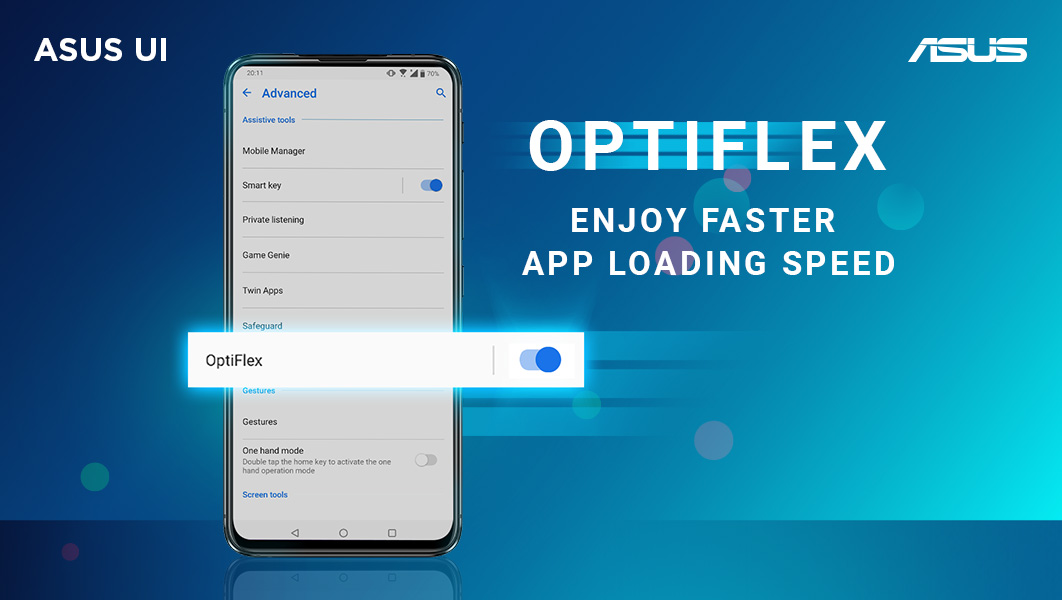
The ASUS UI feature OptiFlex, helps optimise your device’s memory and makes your most frequently used apps load in a jiffy! Switch it on by navigating to Settings > Advanced. #BeATechGuru #LovedByTechGurus
Last Seen Hashtags on Sotwe
Most Popular Users

Elon Musk 
@elonmusk
241.2M followers

Barack Obama
@barackobama
119.1M followers

Cristiano Ronaldo
@cristiano
112.9M followers

Donald J. Trump
@realdonaldtrump
111.8M followers

Narendra Modi
@narendramodi
107.1M followers

Rihanna
@rihanna
98.3M followers

NASA
@nasa
92.3M followers

Justin Bieber
@justinbieber
91.5M followers

KATY PERRY
@katyperry
89M followers

Taylor Swift
@taylorswift13
83M followers

Lady Gaga
@ladygaga
74.4M followers

Virat Kohli
@imvkohli
71.9M followers

Kim Kardashian
@kimkardashian
70.5M followers

YouTube
@youtube
68.8M followers

Neymar Jr
@neymarjr
64.9M followers

Bill Gates
@billgates
64.6M followers

The Ellen Show
@theellenshow
62.4M followers

Selena Gomez
@selenagomez
62.1M followers

CNN
@cnn
61.8M followers

X
@x
60.8M followers