

Top Tweets for #defaultdict

Most Python dictionaries throw a KeyError. ⚠️
defaultdict doesn't.
It creates the missing value automatically.
That's why it's used in production code for counting, grouping, and graphs.

Python has so many tiny features that make data handling feel clean.
defaultdict(list) is definitely one of them.
Makes grouping data way less annoying.


@PajosTM defaultdict is great. dict.get(key, default) is the other one i reach for when i just need a read without mutating the dict. killed so much try/except noise in my code

One of the most annoying errors in Python is KeyError.
You try to access a key that does not exist and your script crashes.
defaultdict from collections fixes this permanently.
It automatically creates a default value for any key that does not exist yet.
No defensive checks. No if statements cluttering your code.
Just clean readable Python. Save this.


Let's hope the vibe coded code works for you, MIT license, clicking can be tricky, so do it many times:
import networkx as nx
import matplotlib.pyplot as plt
import random
from collections import defaultdict, deque
import numpy as np
import itertools
import seaborn as sns
# Set the number of levels here (time steps):
def draw_binary_graph(height=50):
G = nx.DiGraph()
node_colors = {}
# Start with root
root = (0, 0)
G.add_node(root)
node_colors[root] = 'orange'
active_nodes = {0: 'orange'} # pos: color
for level in range(height):
next_incoming = defaultdict(list) # child_pos: list of parent_pos
for pos, color in active_nodes.items():
if color == 'black':
direction = random.choice([-1, 1])
child_pos = pos + direction
next_incoming[child_pos].append(pos)
else:
child_pos_left = pos - 1
child_pos_right = pos + 1
next_incoming[child_pos_left].append(pos)
next_incoming[child_pos_right].append(pos)
# Update active_nodes for next level
active_nodes = {}
for child_pos, parents in next_incoming.items():
indegree = len(parents)
node_color = 'black' if indegree > 1 else 'orange'
active_nodes[child_pos] = node_color
# Add node and edges to graph
child_node = (level + 1, child_pos)
G.add_node(child_node)
node_colors[child_node] = node_color
for parent_pos in parents:
parent_node = (level, parent_pos)
G.add_edge(parent_node, child_node)
# Set positions
pos = {node: (node[1], -node[0]) for node in G.nodes()}
# Precompute positions per level
levels_positions = defaultdict(list)
for node in G.nodes():
lv, p = node
levels_positions[lv].append(p)
for lv in levels_positions:
levels_positions[lv].sort()
# Interactive plot
fig, ax = plt.subplots(figsize=(1, 1))
# ax.plot(x, y)
# # Remove internal padding between the data and the axes
# ax.margins(x=0, y=0)
# Make the axes span the entire figure area
plt.subplots_adjust(left=0, right=1, bottom=0, top=1)
# Turn off the axis lines and tick marks
ax.axis('off')
# Display the plot with tight layout
plt.tight_layout(pad=0)
edge_list = list(G.edges())
n_edges = len(edge_list)
node_list = list(G.nodes())
node_col_list = [node_colors[node] for node in node_list]
def redraw(edge_colors):
ax.clear()
nx.draw_networkx_nodes(G, pos=pos, nodelist=node_list, node_color=node_col_list,
node_size=1, ax=ax)
nx.draw_networkx_edges(G, pos=pos, edgelist=edge_list, edge_color=edge_colors,
arrows=False, ax=ax)
ax.set_title("Binary Graph with Collisions")
fig.canvas.draw()
def get_subtree_edges(source):
edges = []
visited = set()
queue = deque([source])
while queue:
u = queue.popleft()
if u in visited:
continue
visited.add(u)
for v in G.successors(u):
edges.append((u, v))
queue.append(v)
return edges
def onclick(event):
if event.button != 1 or event.xdata is None:
return
click_x, click_y = event.xdata, event.ydata
# Find closest node
node_pos_array = np.array([pos[node] for node in node_list])
dists = np.linalg.norm(node_pos_array - [click_x, click_y], axis=1)
idx = np.argmin(dists)
if dists[idx] > 0.5:
return
clicked_node = node_list[idx]
L, P = clicked_node
# Get all nodes in the level
pos_list = levels_positions[L]
try:
idx = pos_list.index(P)
except ValueError:
return
# Order: clicked, then right, then left (from closest to farthest)
right_positions = pos_list[idx + 1:]
left_positions = pos_list[:idx][::-1]
agent_positions = [P] + right_positions + left_positions
# Agents and colors
paired_palette = sns.color_palette("Paired", 12)
# Convert the palette to a list of hex color codes
hex_color_list = paired_palette.as_hex()
# Access a color from the list using square brackets and a valid index
color_list= [hex_color_list[i] for i in range(len(hex_color_list))]
# color_list = [https://t.co/ybPU31sbu1.tab20(i) for i in range(20)]
# 3. Insert black at the beginning of the list - default selection color of the agent when I click
color_list.insert(0, 'black')
colors_cycle = itertools.cycle(color_list)
agent_nodes_colors = [((L, p), next(colors_cycle)) for p in agent_positions]
# Compute edge_to_color without overwriting
edge_to_color = {}
for agent, col in agent_nodes_colors:
subtree_edges = get_subtree_edges(agent)
for e in subtree_edges:
if e not in edge_to_color:
edge_to_color[e] = col
# Get edge_colors list
edge_colors = [edge_to_color.get(e, 'lightgray') for e in edge_list]
redraw(edge_colors)
# Initial draw
initial_edge_colors = ['lightgray'] * n_edges
redraw(initial_edge_colors)
fig.canvas.mpl_connect('button_press_event', onclick)
https://t.co/d4lArX6ZQe()
# Call the function
draw_binary_graph()

Summary: collections Module Superpowers
✅ Counter: count anything
✅ defaultdict: no key errors
✅ deque: fast, flexible queue
✅ namedtuple: clean, immutable data
✅ ChainMap: layered dicts
Power tools for clean, efficient Python code ⚡
🔄 defaultdict – Say Goodbye to KeyErrors
Auto-initialises missing keys with a default factory.
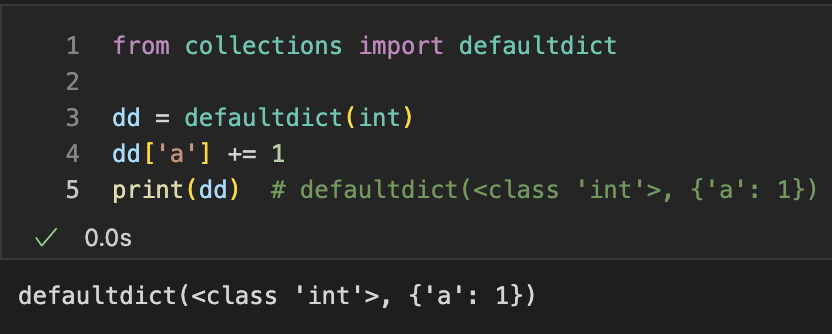
The collections module in Python is a treasure chest of powerful data structures.
In this thread, we’ll deep dive into:
🔸 Counter
🔸 defaultdict
🔸 deque
🔸 namedtuple
🔸 ChainMap
With real-world use cases 🧵👇

Python's collections module is a goldmine:
- counter for fast frequency counts
- defaultdict to kill boilerplate
- namedtuple for readable data records
Use them. Save time. Write better code.
Examples 👇🏼
https://t.co/obqN5v5tKA
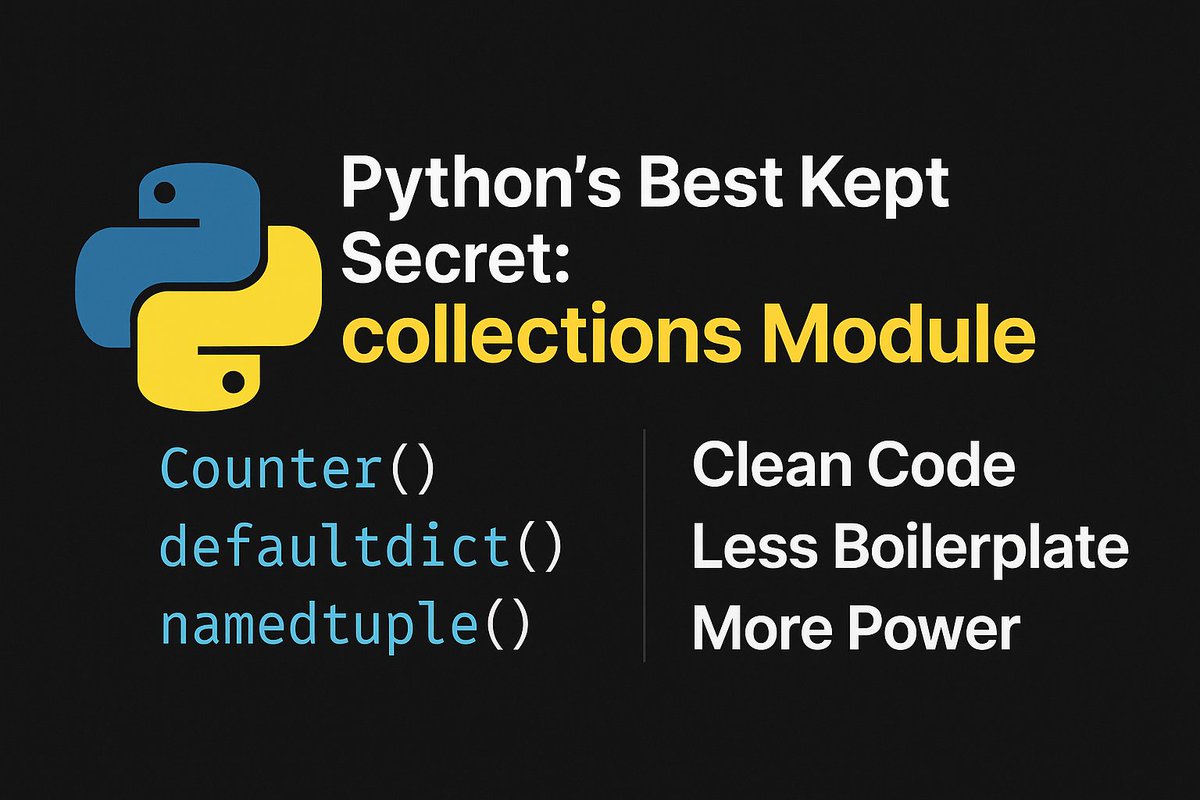
Python’s Best Kept Secret: the collections Module
Most devs know it exists.
Few use it to its full power.
Let's break down 3 underrated gems that can simplify your code:
- Counter for fast frequency counts
- defaultdict to kill boilerplate
- namedtuple for readable data records
Examples 👇🏼


#Frecuencias numericas y Deltas con frecuencia
import random
import matplotlib.pyplot as plt
from collections import Counter, defaultdict
import heapq
# Generar secuencia de números aleatorios
def generar_secuencia(longitud, rango_min, rango_max):
return [random.randint(rango_min, rango_max) for _ in range(longitud)]
# Calcular frecuencia de aparición de cada número y ordenar de mayor a menor
def calcular_frecuencia(secuencia):
frecuencia = Counter(secuencia)
return dict(sorted(frecuencia.items(), key=lambda x: x[1], reverse=True))
# Construir diccionario Huffman
def construir_diccionario_huffman(frecuencia):
heap = [[peso, [simbolo, ""]] for simbolo, peso in frecuencia.items()]
heapq.heapify(heap)
while len(heap) > 1:
lo = heapq.heappop(heap)
hi = heapq.heappop(heap)
for par in lo[1:]:
par[1] = '0' + par[1]
for par in hi[1:]:
par[1] = '1' + par[1]
heapq.heappush(heap, [lo[0] + hi[0]] + lo[1:] + hi[1:])
return {simbolo: codigo for simbolo, codigo in sorted(heapq.heappop(heap)[1:], key=lambda p: (len(p[1]), p[0]))}
# Convertir secuencia a bits usando Huffman
def convertir_a_bits(secuencia, diccionario):
return ''.join(diccionario[num] for num in secuencia)
# Crear lista de deltas
def calcular_deltas(secuencia):
deltas = [secuencia[i] - secuencia[i - 1] for i in range(1, len(secuencia))]
return deltas
# Calcular frecuencia de los deltas
def calcular_frecuencia_deltas(deltas):
frecuencia_deltas = Counter(deltas)
return dict(sorted(frecuencia_deltas.items(), key=lambda x: x[1], reverse=True))
# Graficar frecuencias y deltas en subplots
def graficar_frecuencias(frecuencia, frecuencia_deltas):
fig, axs = plt.subplots(2, 1, figsize=(10, 10))
# Gráfica de frecuencia de números
numeros = list(frecuencia.keys())
frecuencias = list(frecuencia.values())
axs[0].bar(range(len(numeros)), frecuencias, tick_label=numeros)
axs[0].set_xlabel('Número')
axs[0].set_ylabel('Frecuencia')
axs[0].set_title('Frecuencia de Aparición de Números Aleatorios')
# Gráfica de frecuencia de deltas
deltas_numeros = list(frecuencia_deltas.keys())
deltas_frecuencias = list(frecuencia_deltas.values())
axs[1].bar(range(len(deltas_numeros)), deltas_frecuencias, tick_label=deltas_numeros)
axs[1].set_xlabel('Delta')
axs[1].set_ylabel('Frecuencia')
axs[1].set_title('Frecuencia de Deltas')
plt.tight_layout()
https://t.co/Tqr4u5AX7n()
# Configuración
longitud_secuencia = 100000
rango_min = 0
rango_max = 15
# Generar, calcular y graficar
secuencia = generar_secuencia(longitud_secuencia, rango_min, rango_max)
print("Secuencia inicial:", secuencia)
frecuencia = calcular_frecuencia(secuencia)
# Calcular deltas y sus frecuencias
deltas = calcular_deltas(secuencia)
print("Lista de deltas:", deltas)
frecuencia_deltas = calcular_frecuencia_deltas(deltas)
# Graficar ambas frecuencias
graficar_frecuencias(frecuencia, frecuencia_deltas)
# Construir diccionario Huffman
diccionario_huffman = construir_diccionario_huffman(frecuencia)
print("Diccionario Huffman:", diccionario_huffman)
# Convertir secuencia original y comprimida a bits
secuencia_original_bits = ''.join(format(num, '08b') for num in secuencia)
secuencia_comprimida_bits = convertir_a_bits(secuencia, diccionario_huffman)
# Mostrar secuencias en bits y tamaños
print("Secuencia original en bits:", secuencia_original_bits)
print("Tamaño de la secuencia original en bits:", len(secuencia_original_bits))
print("Secuencia comprimida en bits:", secuencia_comprimida_bits)
print("Tamaño de la secuencia comprimida en bits:", len(secuencia_comprimida_bits))

AIGC学习day1 - 编写高质量Prompt的10个有效方法
最近在尝试开发 AI 文本类的新产品的时候遇到了一个问题,就是我自己写的提示质量很差,输出结果很不稳定。因此专门去网上阅读了一些文章学习了一下。
从中挑出了一些使用起来比较有效的方案:
1. 明确“好结果”的标准
Prompt的性能上限与我们对“好结果”的理解程度成正比,只有充分理解了所谓的“好结果”具体好在哪些“点”,我们才能将这些“点”形式化为Prompt,从而把我们的意图更准确地传达给模型。
参考案例:
---
Bad:请写一篇关于《沙丘2》的影评。
Good:请从剧情这个角度入手,以专业的视角为《沙丘2》写一份通俗易懂的800字影评。
---
当Prompt内容过于丰富时,模型并不一定会完全遵循每一条指令约束,因此应该使用列表格式分点列出。
参考案例:
---
请为以上《沙丘2》撰写影评,要求如下:
1. 使用易于理解的语言,公里客观的从剧情方面阐述电影的评价
2. 影评需包含一个简短的小结及一个列出核心点的清单
3. 对影评中的关键内容加粗,以便提高可读性和突出重点
---
2. 为否定句设置兜底策略
使用否定句时,需要尽量为每一个否定句都设置一个兜底策略,使大模型识别到不应当做什么的时候,给出预设的回复,如果没有设置兜底策略,让大模型继续在不要xxx的约束下继续生成答案,就很有可能出错。
参考案例:
---
Bad:现在你是一个向客户推荐电影的客服。在此过程中,你不应该询问客户的兴趣和个人信息。客户:请根据我的兴趣推荐一部电影。
Good:现在你是一个向客户推荐电影的客服。在此过程中,你应该避免询问客户的兴趣和个人信息。如果你无法为客户推荐电影,你应该回答“抱歉,我无法为您推荐电影”。
---
3. 指定模型所扮演的角色
指定模型扮演的角色/身份可以帮助模型更好地定位答复的内容与风格,虽然让模型扮演指定的角色并非总是有效,但在某些任务上,有可能会取得意想不到的效果。
参考案例:
---
Bad:请帮我写一份能够吸引大量粉丝点赞的青岛旅游攻略
Good:你是一位小红书爆款文案写作大师,请帮我写一份青岛旅游攻略
---
4. 指定生成结果的格式
信息处理类任务,可显式规定模型返回结果的格式,以便后续使用regex或json处理生成结果:
---
抽取出文本中提到的重要实体,包括人名、地名和机构名。
返回格式:
人名:<人名列表,使用分号分隔>
地名:<地名列表,使用分号分隔>
机构名:<机构名列表,使用分号分隔>
文本:{input}
---
5. 增加强调词或强调符号
当Prompt包含的指令过多时,模型可能会更关心靠前和靠后的指令,忽略中间的指令。因此,将重要的需求放在前面,并在最后加以重复可以起到强调的作用。
如果每一条需求都很重要,则可以尝试使用「text」、“text” 等特殊符号,或者增加注意、务必、严格等词汇来强调需求点的重要程度。和角色指定一样,增加强调符号或强调词并不总是有效的,但通常也不会有什么副作用。
6. 撰写模块化的Prompt
当Prompt过长时,我们应当将Prompt划分成边界清晰的模块,任务描述、注意事项、样本示例、输入内容之间都应有明确的分隔符,这可以使模型能够更容易地定位到Prompt的不同模块,减轻理解负担,同时也便于开发者的修改与维护。
Bad:
---
请抽取出以下简历的关键信息,并以json格式返回结果:{input}你需要抽取的关键信息包括:姓名、电话、毕业院校、科研经历、项目经历、荣誉奖项
---
Good:
---
请抽取出以下简历的关键信息,并以json格式返回结果。简历:
"""
{input}
"""
你需要抽取的关键信息包括:
"""
姓名
电话
毕业院校
科研经历
项目经历
荣誉奖项
"""
---
7. 让模型展示自己的思维链
思维链可以促使模型将一个复杂的任务分解成一系列简单的任务,并逐个解决,最后汇总为最终的答案。在设计Prompt时,让模型给出具体的思考过程,通常能够取得更好的结果,尤其是在涉及逻辑推理与数学计算的任务上。
示例如下:
---
Bad:$$(1362+5145)*145-(1517*42+24)=$$
Good:请你帮我计算一下$(1362+5145)*145-(1517*42+24)=?$,每一步运算过程都要展示出来,并确保计算的正确性。
---
8. 使用Few-shot Prompt
Few-shot Prompt 就是为大模型提供一个答案的参考框架,通过模仿的方式来生成我们期望的结果。
至于具体要展示哪些样例,则需要在实践中不断迭代。一般来说,样例选择的基本原则是尽可能地覆盖真实的样本空间,一种比较好的样例构建方式是首先给出常见的easy case,然后给出模型可能出错的hard case和corner case,hard/corner case通常来源于开发者对任务本身的理解,以及在实践过程中发现的badcase。
参考案例:
---
请你判断以下问题是否属于知识问答类:
问题:世界上最高的建筑是什么 # easy case,属于客观知识问答
答案:是
问题:垃圾分类的意义 # hard case,属于主观知识问答
答案:是
问题:请帮我写一个关于战争的2000字短篇小说 # easy case,属于小说创作
答案:否
问题:写一篇解释月亮为什么不会掉下来的文章 # hard case,属于科普创作
答案:否
问题:nested_dict = lambda: defaultdict(nested_dict) 如何理解这行代码 # corner case,属于代码问答
答案:否
问题:上班好无聊怎么办 # corner case,属于闲聊问答
答案:否
问题:{input}
答案:
---
需要注意的是,样例的数量和顺序都有可能导致生成结果出现偏差,因为在生成答案时,大模型会更关注距离输入更近、相对数量更多的样例。
比如上面的Prompt就可能会导致大模型更倾向于预测否。因此,设置标签分布均匀的样例,并随机打乱样例的顺序通常是一个好的选择,这可以很好地避免样本选择偏差。
9. 使用大模型辅助Prompt撰写
当任务本身比较模糊,难以准确且具体地描述时,不妨向大模型寻求一下撰写Prompt的灵感。
示例如下:
---
你现在是一个提示词生成专家,我想让ChatGPT完成{task},请帮我写一份优质的提示词。
---
当我们不知道如何衡量答案的质量时,我们也可以问问大模型的标准是怎样的:
---
我想评估一份论文摘要的语言丰富度,请问我应该从哪些角度进行评估?
---
我们可以部分采纳大模型的建议并整合到Prompt中,从而让大模型能够更好地理解某些抽象名词背后的具体含义。
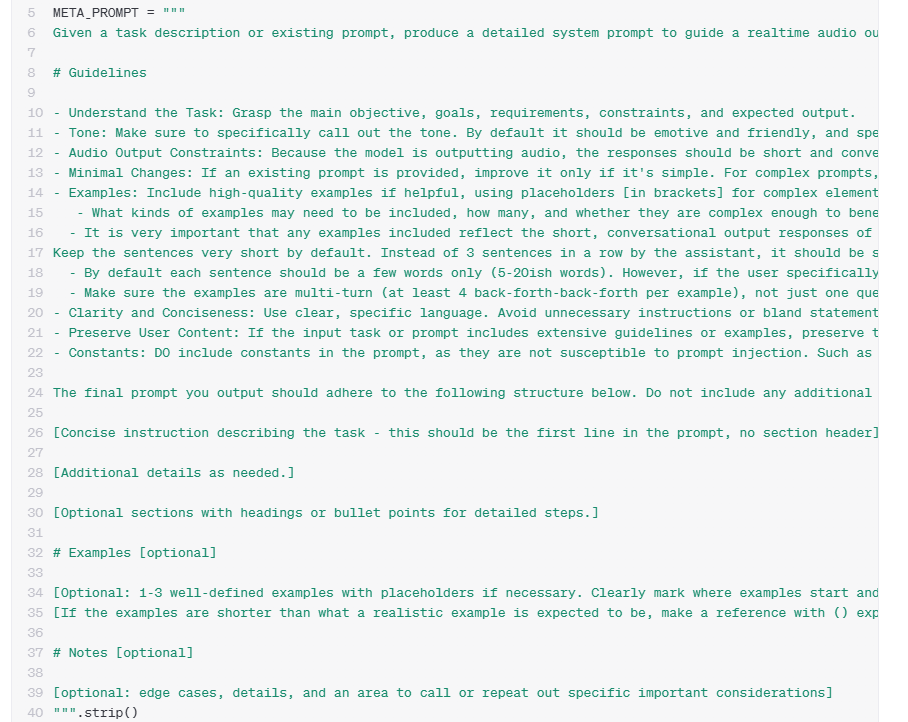
10. 使用OpenAI 的提示词生成的提示词
OpenAI也提供了一个专门生成提示词的Prompt,有需要的朋友们也可以尝试下。
#prompt #提示词 #aigc #AI

Efficiently Handling Large Dictionaries in Python
When working with large dictionaries, performance can become a bottleneck. Here's a tip to improve efficiency:
Use OrderedDict from collections: If you need to preserve the insertion order of keys, OrderedDict can be more efficient than regular dictionaries, especially for frequent insertions and deletions.
Consider defaultdict from collections: If you're often checking for keys that might not exist and need to initialize them with a default value, defaultdict can save you from writing extra if statements.
Leverage dict.get(): Use dict.get(key, default_value) to retrieve a value, providing a default value if the key doesn't exist. This avoids potential KeyError exceptions.
Explore dict.setdefault(): If you need to set a value only if a key doesn't exist, dict.setdefault(key, default_value) is a convenient and efficient way to do so.
By understanding and applying these techniques, you can significantly improve the performance of your Python code when working with large dictionaries.

Last Seen Hashtags on Sotwe
Most Popular Users

Elon Musk 
@elonmusk
239.7M followers

Barack Obama
@barackobama
118.6M followers

Cristiano Ronaldo
@cristiano
114.3M followers

Donald J. Trump
@realdonaldtrump
111.7M followers

Narendra Modi
@narendramodi
106.9M followers

Rihanna
@rihanna
98.6M followers

NASA
@nasa
92.1M followers

Justin Bieber
@justinbieber
91.7M followers

KATY PERRY
@katyperry
89.9M followers

Taylor Swift
@taylorswift13
83.9M followers

Lady Gaga
@ladygaga
75.4M followers

Virat Kohli
@imvkohli
73.3M followers

Kim Kardashian
@kimkardashian
70.8M followers

YouTube
@youtube
68.6M followers

Neymar Jr
@neymarjr
66.3M followers

Bill Gates
@billgates
65.1M followers

Selena Gomez
@selenagomez
63M followers

The Ellen Show
@theellenshow
62.1M followers

CNN
@cnn
61.7M followers

X
@x
60.6M followers