

Top Tweets for #powerbide

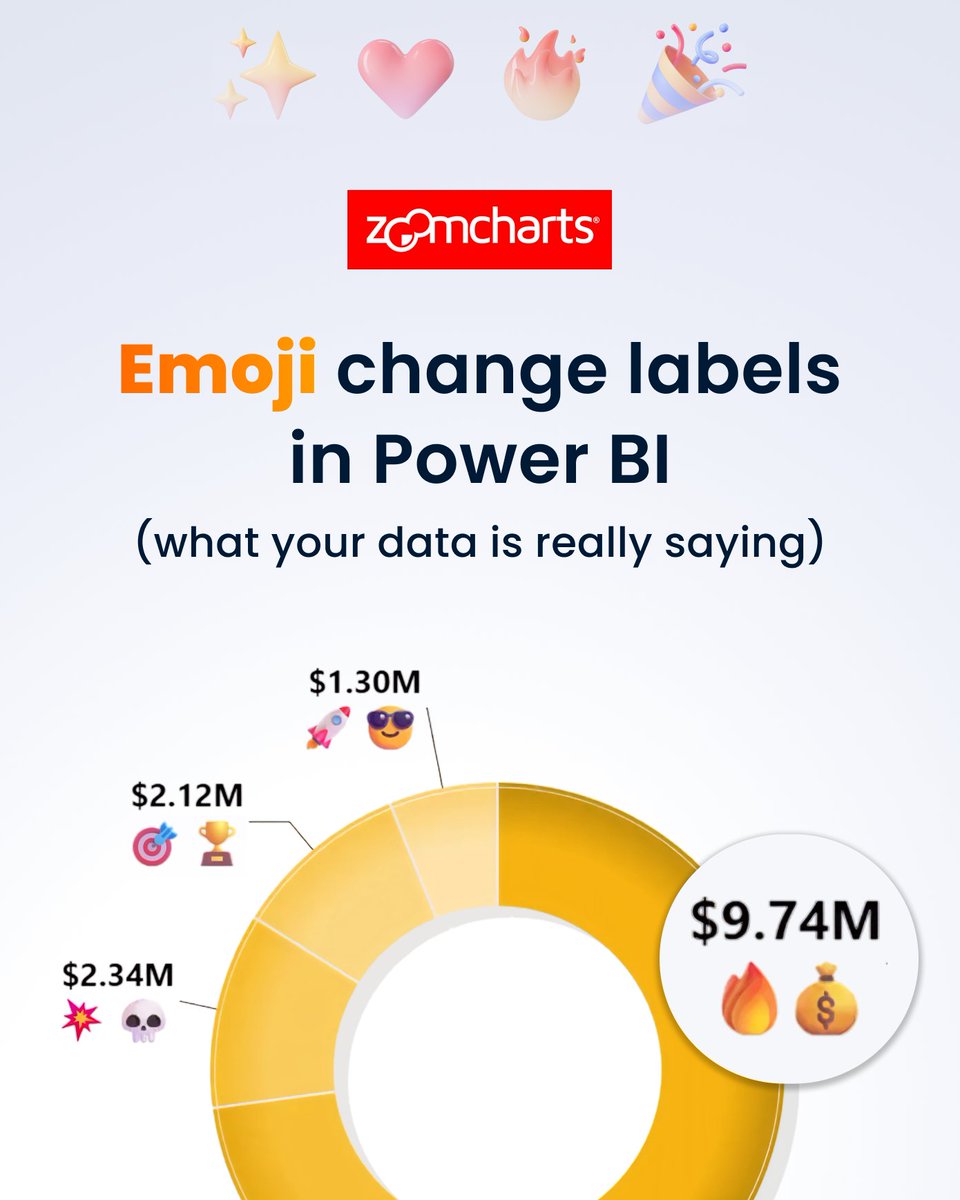
What do you think of using emojis in Power BI charts? ✨❤️🔥 A brilliant way to humanize data, or should we stick to the clean labels? Let’s debate in the comments! 👇
#PowerBIDesign #Datavisualization
Amazing Power BI reports featuring ZoomCharts visuals, created by members of the Power BI Data Challenges community! Please show your support.
#PowerBIDesign #PowerBIDashboard

#NewVizAlert
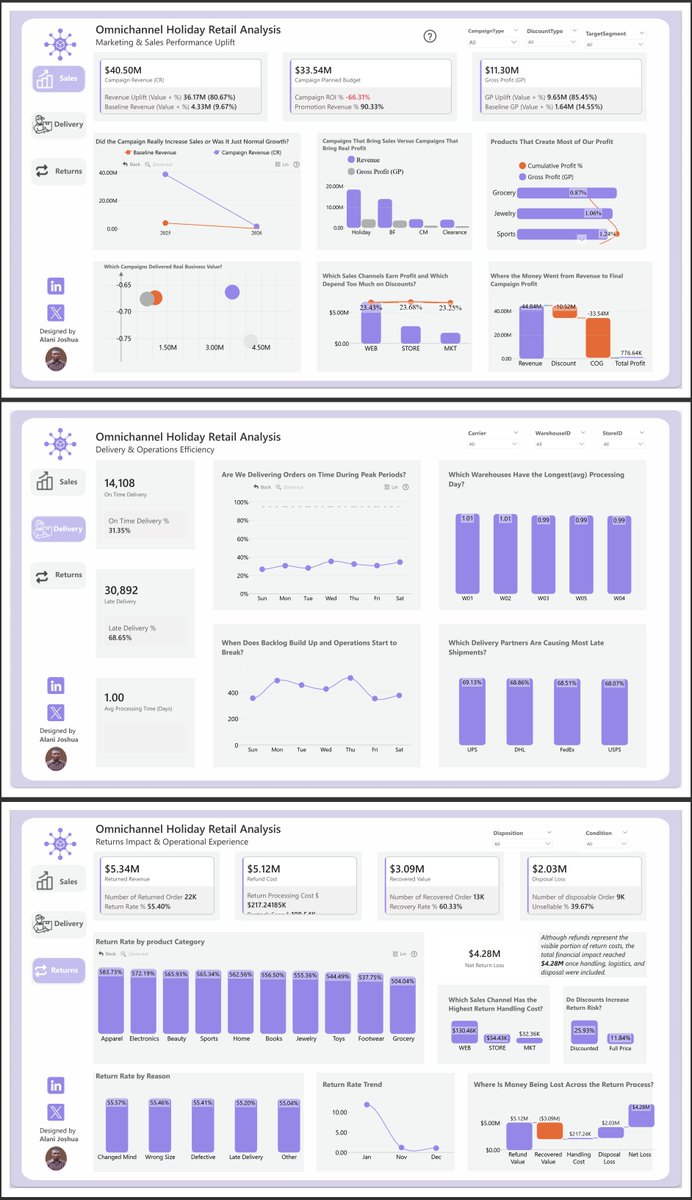
I will have love to submit before deadline (#Fp20 Challenge) but i couldn't meetup because Nigerian happen to me (Electricity).
Title : Christmas Retail Sales and Marketing Analysis
Problem stattement: 👇
Power BI developers never stop impressing with their amazing reports built using ZoomCharts visuals 🤩 Check this out! #PowerBIDesign #BuiltWithZoomCharts

Worked on the Education Performance Report — goal was to identify how students and teachers perform across subjects & levels.
Interact with Report : https://t.co/Xl1gtBfrQu
@PowerBI @ZoomCharts
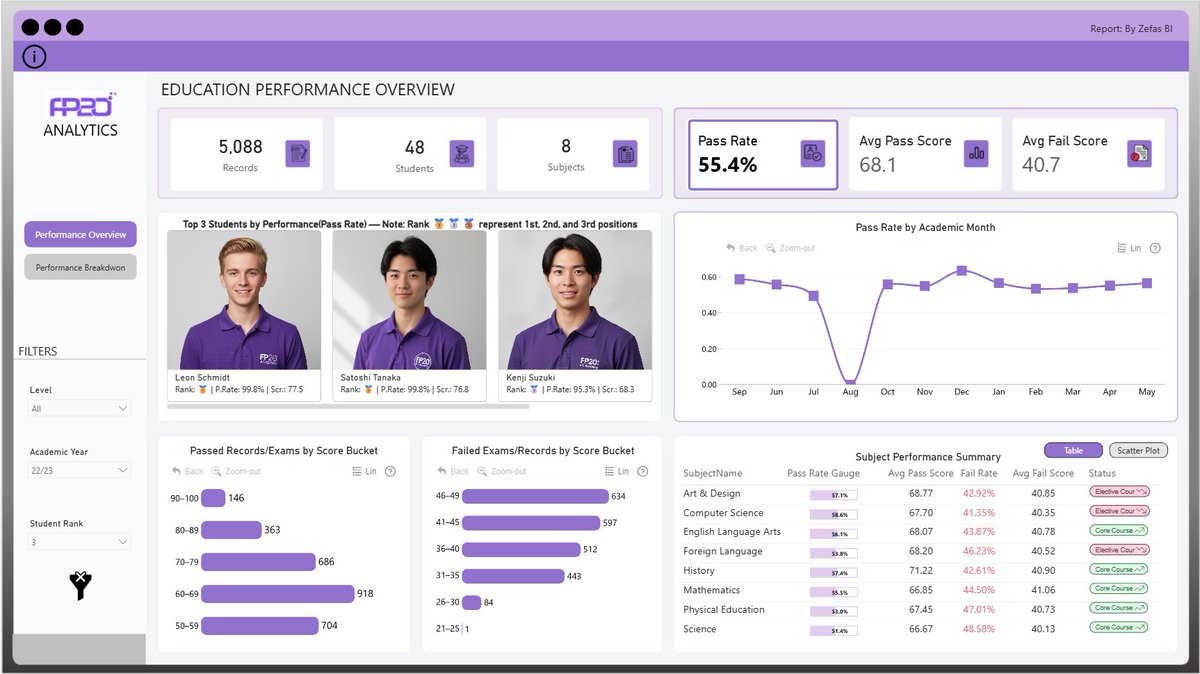
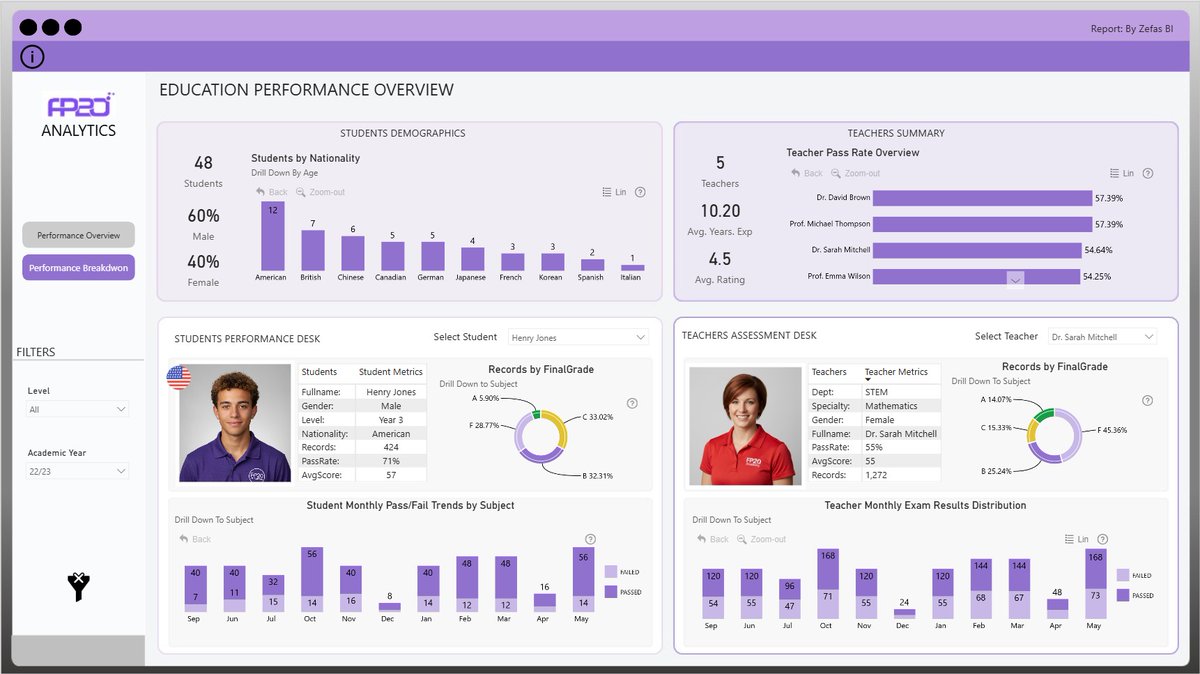

FP20 Challenge 31 called and here's my response. This report gives a clear snapshot of how students are performing across subjects, semesters, assessments and much more
Explore the report here: https://t.co/ikx0sKMYJd
@MSPowerBI @ZoomCharts #BuiltWithZoomCharts #PowerBIDesign


Banking analytics Power BI report with ZoomCharts visuals! Thank you for sharing your incredible project!
#PowerBIDesign #BuiltWithZoomCharts
Planning Effective & Sustainable Power BI Reports
Creating impactful Power BI reports goes beyond visuals, it’s about thoughtful planning, process, and purpose.
Here’s a quick breakdown of key elements that make your Power BI reports stand out:
1. Report Planning Process🧵


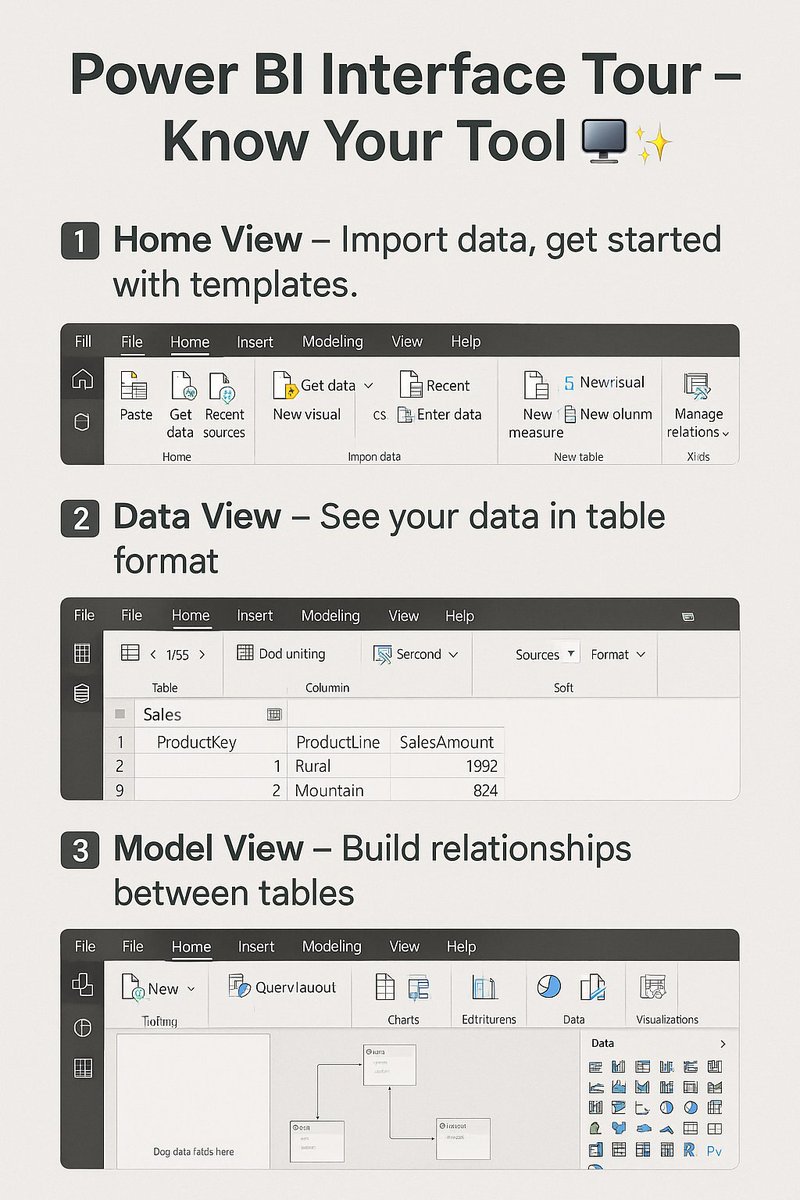
Power BI Interface Tour – Know Your Tool 🖥️✨”
📌 Post Content:
"Now that Power BI is installed, let’s take a quick tour of the interface:
1️⃣ Home View – Import data, get started with templates.
2️⃣ Data View – See your data in table format.
3️⃣ Model View – Build relationships between tables.
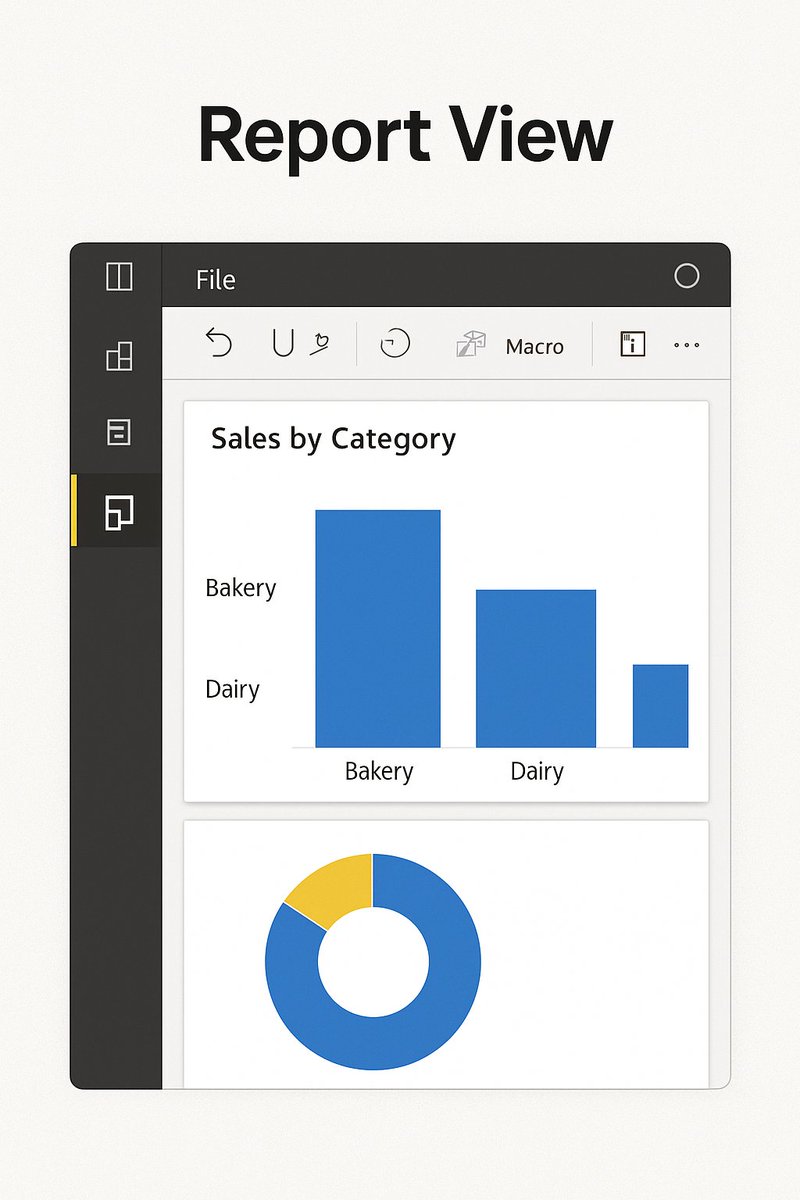
4️⃣ Report View – Create charts, visuals & dashboards.
Knowing these 4 views is the first step to becoming a Power BI pro! 🔑"
#PowerBI #MicrosoftPowerBI #LearnPowerBI #DataAnalytics #DataVisualization #PowerBIDesktop #BusinessIntelligence #DataCommunity #AnalyticsLearning #DataScience #Upskill
Power BI Installation Guide for Beginners
Want to get started with Power BI but not sure how to install it?
Here’s your step-by-step installation guide ⬇️
---
🔧 1️⃣ Check System Requirements
Before installing, make sure your PC is ready:
OS: Windows 10 / 11 (64-bit recommended)
RAM: At least 4 GB (8 GB recommended)
Disk Space: Minimum 1.5 GB free
.NET Framework: Version 4.7.2 or later
💡 Mac users: Power BI Desktop isn’t available for macOS, but you can use Power BI Service in your browser.
---
🔽 2️⃣ Download Power BI Desktop
You have two easy options:
🔹 Option 1: Microsoft Store (Recommended)
Open Microsoft Store
Search “Power BI Desktop”
Click Get → Installation will start automatically
🔹 Option 2: Direct Download from Microsoft
Go to https://t.co/3iwMkdXWFH
Click Download Free
Choose 64-bit (most users) or 32-bit
---
⚙️ 3️⃣ Install Power BI Desktop
Double-click the downloaded file
Click Next through the setup wizard
Accept license terms
Choose installation folder (default is fine)
Click Install → Wait → Click Finish
---
🚀 4️⃣ Launch Power BI
Open Power BI Desktop from Start Menu
Sign in with your Microsoft account (free is enough to start)
---
🧩 5️⃣ First-Time Setup Tips
Enable Auto Recovery: File → Options → Global → Auto Recovery
Set Default Data Load Settings: Options → Data Load → Enable Fast Combine
Install Sample Data: Practice with Microsoft sample datasets
---
✅ You’re all set!
Now you can start connecting to data, building reports, and exploring dashboards.
#PowerBI #PowerBIDesktop #PowerBICommunity #BusinessIntelligence #DataAnalytics #DataVisualization #MicrosoftPowerBI #LearnPowerBI #PowerBIBeginner #DataAnalysis

Another amazing report showcase featuring ZoomCharts visuals - Donut, Combo Bar, and Combo in action!
Thank you for taking part in the data challenge with Onyx Data and ZoomCharts! #PowerBIDesign


Thanks for using ZoomCharts! Can’t wait to see how the visuals will pop on these amazing layout templates! #PowerBIDesign


📖NEW SUBSTACK POST🚀
#DAX can feel like a puzzle if you skip the fundamentals.
In my latest, I'm demystifying the often-confused #RANKX and #RANK functions in #PowerBI.
Don't miss it 👇
https://t.co/hPln4n6Zxc
#PowerBIDeveloper #BusinessIntelligence #DataAnalyst #dataviz

🚀 New blog alert! 🚨
I just dropped a new blog post with 8 Tips to Effectively Manage Your Power BI Workspace! 💡 Whether you're a report builder or admin, these tips will help optimize your Power BI experience.
Check it out now! 👇
https://t.co/pl4nCckSof
#PowerBI #DataManagement #BusinessIntelligence #PowerBIDevelopment
Dark mode has arrived in @MSPowerBI ! Read how to enable the dark mode in Power BI + insights and feedbacks #DarkMode #PowerBIDesctop
https://t.co/0BLWLVIS4c
Avoid these common mistakes to ensure your @MSPowerBI reports are consistent, clear, and visually compelling. Happy reporting!🚀 #PowerBIdeveloper #Dashboard #PowerBITips


Want to know Power BI? This will get you started.
https://t.co/tpzxQ8w9c8
#powerbi #microsoft #dataanalytics #powerbideveloper #dataanalysis
Want to know Power BI? This will get you started.
https://t.co/tpzxQ8dZY0
#powerbi #microsoft #dataanalytics #powerbideveloper #dataanalysis
Last Seen Hashtags on Sotwe
ฉี่แตก
Seen from Thailand
کوردسات_نیوز
Seen from United States
omegle
Seen from United States
brosis()**************()******
Seen from Belgium
roxiesinner
Seen from United Kingdom
nolimits momson()
Seen from Germany
dickgirl
Seen from Germany
炮机
Seen from France
exKlu
Seen from Brazil
knottygirls
Seen from United States
Most Popular Users

Elon Musk 
@elonmusk
239.7M followers

Barack Obama
@barackobama
118.6M followers

Cristiano Ronaldo
@cristiano
114.3M followers

Donald J. Trump
@realdonaldtrump
111.7M followers

Narendra Modi
@narendramodi
106.9M followers

Rihanna
@rihanna
98.6M followers

NASA
@nasa
92.1M followers

Justin Bieber
@justinbieber
91.7M followers

KATY PERRY
@katyperry
89.9M followers

Taylor Swift
@taylorswift13
83.9M followers

Lady Gaga
@ladygaga
75.4M followers

Virat Kohli
@imvkohli
73.3M followers

Kim Kardashian
@kimkardashian
70.8M followers

YouTube
@youtube
68.6M followers

Neymar Jr
@neymarjr
66.3M followers

Bill Gates
@billgates
65.1M followers

Selena Gomez
@selenagomez
63M followers

The Ellen Show
@theellenshow
62.1M followers

CNN
@cnn
61.7M followers

X
@x
60.6M followers