anon’s guide to actually supporting privacy:
> donate to tools you use instead of just complaining they need money
> contribute code if you can, documentation if you can’t
> use private money (cryptocurrency, cash)
> tell normies about alternatives without being insufferable about it
> work for companies that aren’t surveillance machines
> push for legal protections because tech alone won’t save us
privacy isn’t a product you buy, it’s an economy you build
After months of quietly adding to it, the Tools directory on my site is at a point I'm willing to call v1.
125 tools across 46 categories. Everything here is something I actually recommend, evaluate, or point people toward.
No affiliate links, no sponsorships, no pay-to-rank.
Each entry is meant to help you compare options fast, see the tradeoffs, and pick something that fits a real threat model instead of a vibe.
What it optimizes for: privacy by default, transparent security practices, day-to-day usability, and a strong fit for threat-model-driven choices.
I know it isn't complete. That's the point of shipping v1. A few categories are thin and a couple are missing entirely, and I'd rather hear what you reach for than guess.
So: what's the one tool you'd be annoyed to not find here?
Project link below.
You don’t need uBlock Origin on Brave.
Shields is built into the browser, so it isn’t constrained by Manifest V3. It runs on Brave’s open-source Rust adblock engine and covers network blocking, cosmetic filtering, resource replacement, CNAME uncloaking, and uBlock Origin syntax. It pulls from EasyList, EasyPrivacy, uBO’s own lists, and Brave’s internal lists.
uBlock Origin’s own docs say not to pair it with another content blocker.
Every extension expands your attack surface.
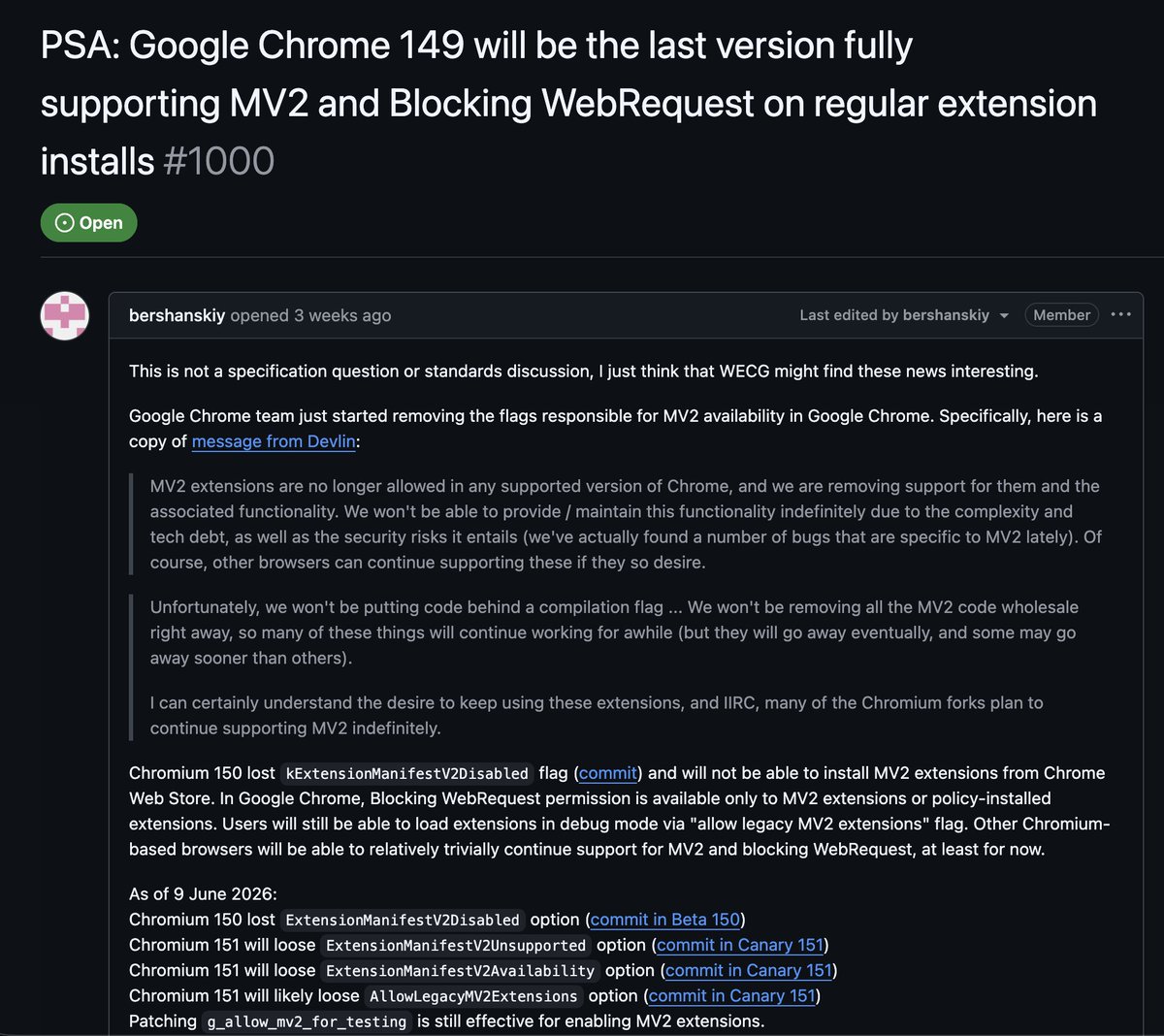
‼️ Google is about to disable all adblocker extensions in Chrome. Instead of letting the adblocker inspect traffic itself, extensions now have to hand Google's browser a limited list of filtering rules and hope for the best. This leads to weaker blocking and more ads getting through.
Google makes the vast majority of its money selling ads. The company that profits from every ad you see also controls the browser most people use, with Chrome 149 being the last version supporting adblockers.
For example, under the new rules, uBlock Origin cannot exist. For millions of people, that extension is the only thing standing between them and a wall of ads, trackers, and autoplay garbage. One user put it bluntly: "The web is literally unusable without uBlock Origin."
@Brave Shields is not a Chrome extension.
Manifest V2 and Manifest V3 are extension API models. Brave Shields are native browser-level protections patched directly into Chromium and powered by Brave’s Rust adblock engine, adblock-rust. That means Google restricting extension APIs does not weaken Shields.
This is why the CNAME uncloaking point matters. A normal Chromium extension cannot replicate Firefox-style DNS-level CNAME uncloaking because Chromium does not expose the same DNS API to extensions. Brave can do CNAME uncloaking on Chromium because Shields are native.
Same idea with resource replacement. Shields can block and replace problematic scripts with stripped-down, more private versions so pages still work. The goal is strong privacy defaults without forcing users to become filter-list maintainers.
Brave does still provide best-effort MV2 support for a specific set of privacy extensions: uBlock Origin, AdGuard, NoScript, and uMatrix.
For most users, the durable recommendation is Shields.
DuckDuckGo doesn’t belong here
DuckDuckGo doesn’t operate its own search index. When you run a query, it gets proxied to Microsoft Bing. DDG anonymizes the request, but the results, the ranking algorithms, and the underlying infrastructure belong to Microsoft.
In May 2022, security researcher Zach Edwards discovered that DDG’s mobile browser selectively blocked trackers. Allowed Microsoft’s msclkid.
@BrendanEich documented the technical details: Microsoft’s msclkid exists specifically to circumvent third-party cookie protections. DDG knew this. They blocked equivalent parameters from competitors but exempted their business partner.
CEO Gabriel Weinberg confirmed the cause: their search syndication contract with Microsoft limited what they could block. The privacy product was architecturally compromised by a revenue agreement.
DDG patched this in August 2022 after the backlash. But the episode revealed something important: when business obligations conflicted with privacy promises, business won until they got caught.
In March 2022, Weinberg announced DDG would begin “down-ranking sites associated with Russian disinformation,” specifically naming RT and Sputnik.
Whatever your position on that content, this marked a fundamental shift. DDG had marketed itself as “unbiased search” that didn’t filter results based on editorial judgment.
The company makes centralized decisions about what information users should see. That’s their right as a private platform, but it’s a different product than what was advertised.
Brave's Memory Saver suspends tabs you're not actively using, freeing up RAM for the stuff that matters. When you click back to a suspended tab it reloads automatically.
You can also whitelist specific sites you never want suspended. The exclusion rules are flexible enough to keep all YouTube videos active while letting the homepage get suspended.
Settings → System → Memory Saver
The caveat is the assurance model. Obsidian itself is NOT fully open source, Sync still requires trusting a proprietary client and service implementation, and the plugin ecosystem can change the risk profile fast.
So I would not treat it as a bad tool. I’d treat it as a useful local-first tool with caveats - not an automatic privacy-first default.
I audited Loupe’s source code after seeing its App Store privacy label: “Data Not Collected.”
My goal was simple: check whether the public privacy claims match what the app actually does.
First, credit where it’s due: Loupe is a thoughtful privacy education app. It shows people, in a very direct way, how much fingerprinting surface iOS exposes through normal public APIs. That kind of transparency is valuable, especially because most users never get to see these signals laid out plainly.
Good news: I did NOT find accounts, analytics SDKs, ad SDKs, tracking code, or obvious developer-controlled data exfiltration. The app appears to be mostly local, and export appears to be user-triggered.
But I did find an important caveat.
Loupe’s App Store copy says nothing is uploaded, synced, or shared unless you export it yourself. In the Photos feature, the app uses Apple’s CLGeocoder to turn photo GPS coordinates into place names. Apple describes CLGeocoder as a network-based geocoding service.
That means photo coordinates may leave the device to Apple for geocoding. I did not find evidence that this data goes to Mysk.
I also found some disclosure gaps: a few permission prompts say the app reads “counts only,” while the app can display more specific values, including reminder list titles, Bluetooth device names, Bonjour service names, music artists/genres, and photo-derived places.
The App Store “Data Not Collected” label may still be technically different from “nothing ever leaves the device,” because Apple’s privacy label focuses on what the developer and its partners collect. But for users, wording matters. If photo coordinates can be sent to Apple, that should be disclosed clearly.
Introducing Loupe, our latest privacy app for iOS. Discover what apps can learn about you just by reading data your iPhone already exposes, such as your languages, installed apps, device sensors, and much much more
Loupe is free, private, and open source. Give it a try 👇
Appreciate the response.
To be clear, my audit did not find analytics, tracking code, accounts, or developer-controlled data collection in Loupe.
The CLGeocoder point was narrower: photo geotags are coordinates, and Apple documents CLGeocoder as using a network-based service to look up placemarks. So the concern was about the broad “nothing leaves your iPhone” wording, not about Mysk collecting photos or photo data.
Putting that lookup behind an explicit consent prompt is the right fix, and updating the permission notes to reflect the actual values shown should close the disclosure gap.
I’ll re-check the update once it’s live.
The main issue is the Photos path.
If a user grants Photos access, Loupe reads geotagged photo locations and calls CLGeocoder.reverseGeocodeLocation to convert coordinates into human-readable places.
Apple describes CLGeocoder as using a network-based service.
So the issue is not “Mysk is collecting your photos.” I found no evidence of that.
The issue is: the app’s own “nothing leaves your iPhone unless you export” claim needs a caveat, because geotag coordinates may be sent to Apple during reverse geocoding.