Automate your form submissions with AI.
A visitor submits a form on your website.
Then what?
• Someone checks the notification email.
• Someone replies manually.
• Someone copies the details into a spreadsheet or CRM.
• Someone decides who should follow up.
With Inletbase, you can automate part of that process:
• Connect your existing website form to Inletbase.
• Capture every submission in one dashboard.
• Send an instant AI reply to the visitor.
• Keep the lead organized for your team.
• Follow up without searching through inboxes.
Your form still collects the enquiry. Inletbase helps you manage what happens next.
What part of your form follow-up process would you automate first?
#formautomation #leadgeneration #AI #Inletbase
Your WordPress form sends a notification email. But is that enough to follow up properly?
A notification tells your team that someone submitted a form.
But it does not always help you:
° Find the submission later.
° See every enquiry in one place.
° Send the visitor an instant confirmation.
° Keep the lead organized for follow-up.
With Inletbase, you can connect your WordPress forms to one platform where submissions are captured, visitors can receive an auto-reply, and leads stay organized for your team.
Your form can keep doing its job. Inletbase helps you manage what comes after it.
We also have a ready-made Inletbase plugin for WordPress.
Install it, https://t.co/12eCVzLREN
connect your existing form, and manage submissions in one place, no code needed.
What does your WordPress form do after it sends the notification email?
#wordpress #form #leadgeneration #inletbase
Give your chatbot your website. Then ask it the question your sales team gets every day.
Here’s how the workflow looks with Inletbase:
1. Add your website content as the chatbot’s knowledge source..
2. A visitor asks a question, such as: “Can I add an AI chatbot to my website without coding?”
3. The Inletbase chatbot uses your content to find and share a relevant answer.
4. If the visitor needs more help, they can request a conversation with your team.
5. Your team takes over when a human response is needed.
Inletbase helps turn your website content into a helpful first step for visitors, while keeping your team available when a conversation needs a person.
What question does your sales team answer most often?
Add a custom AI chatbot to your Framer website.
Your Framer site already looks polished.
Now make it more useful for visitors.
A custom AI chatbot can be trained on your own:
Website pages.
Services.
FAQs.
Pricing information.
Product documentation.
Support content.
Visitors can then ask questions directly on your website instead of searching through multiple pages or waiting for a reply.
The chatbot can help you:
Answer questions.
Explain your services.
Guide visitors to the right page.
Qualify potential leads.
Collect contact details.
Connect conversations with forms and workflows.
The setup is straightforward:
Train the chatbot → connect it to Framer → test real questions → publish it on your website.
With Inletbase, Framer users can connect their website to a custom AI chatbot and form backend without building the system from scratch
What would you train your Framer chatbot on first: services, FAQs, pricing, or support documentation?
#framer #AIChatBot #inletbase
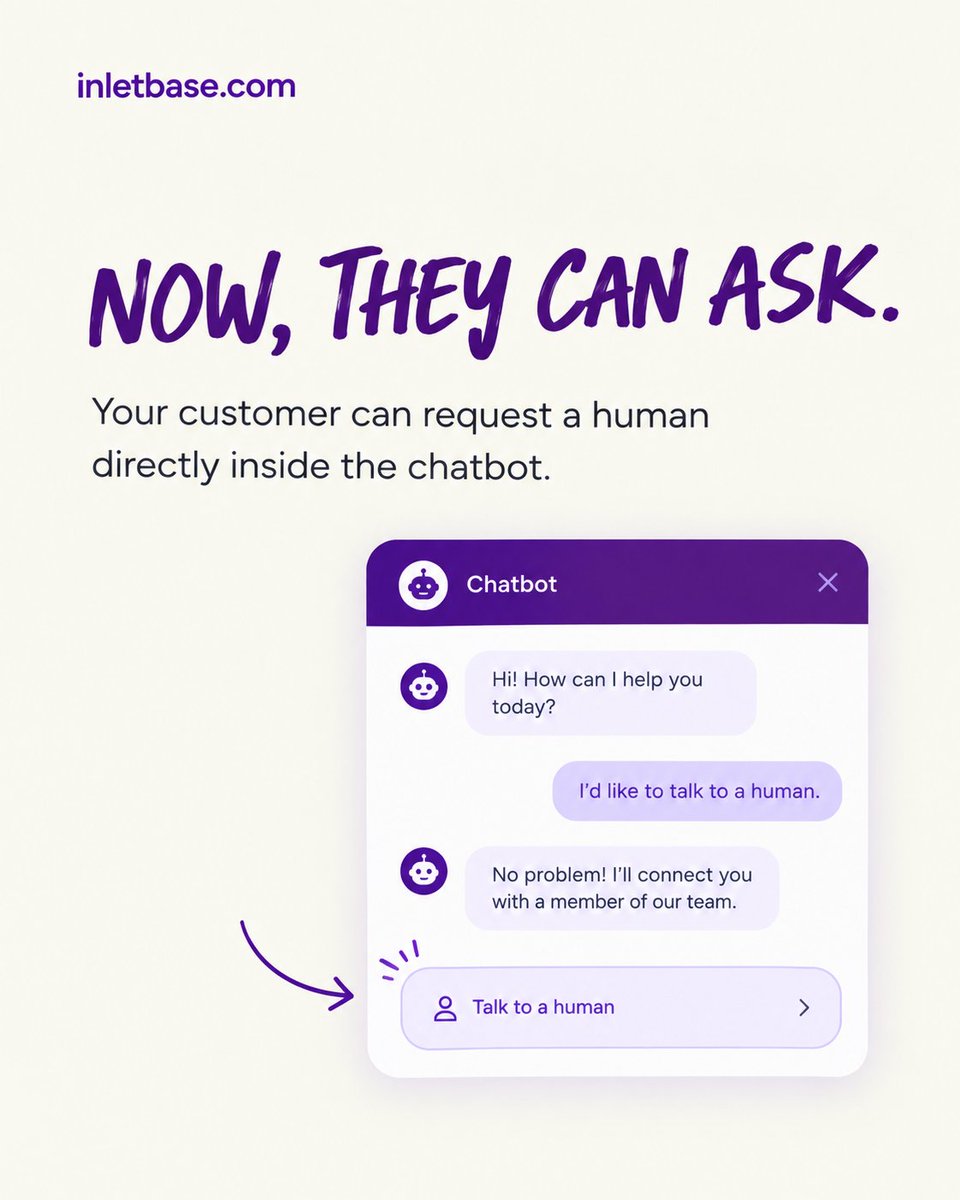
Hi everyone! Inletbase is excited to introduce our new Human Handoff feature.
AI chatbots are helpful, but sometimes visitors need to speak with a real person.
With Human Handoff, your team can:
✅ Join live conversations directly from the dashboard
✅ Receive alerts when visitors request help
✅ Take over chats when AI needs assistance
✅ Reply to visitors in real time
✅ Hand the conversation back to AI when finished
✅ Let visitors leave a message when your team is unavailable
✅ Keep the complete conversation history for later review
Visitors can request a team member whenever they need one, while your AI chatbot continues handling routine questions automatically.
No website changes are required.
Simply enable Human Handoff from your chatbot settings, set your working hours, and choose how long visitors should wait.
Human Handoff is available on Inletbase Pro, Business, and Enterprise plans. Team-handled messages do not use AI credits.
Give your visitors the best of both worlds:
instant AI support when they need it and real human help when it matters.
Learn more: https://t.co/uwERd4bQXF
Build an AI chatbot on your custom data.
Generic AI knows a lot.
Your business chatbot needs to know the right things.
Your website content.
Product documentation.
FAQs.
Pricing details.
Policy documents.
Support guides.
When a chatbot is trained on your own content, it can answer questions using your business information instead of giving generic responses.
A practical setup looks like this:
Add your website and documents
↓
Define what the chatbot should help with
↓
Test it with real customer questions
↓
Correct outdated or incomplete answers
↓
Deploy it on your website
The quality of the chatbot depends on the quality of the information behind it.
Outdated pricing, duplicate pages, and conflicting policies can create unreliable answers. So training data should be reviewed before the chatbot goes live.
With Inletbase, businesses can train AI chatbots on their website content and documents, then deploy them to answer questions, support visitors, and capture leads.
What would you train your business chatbot on first: website pages, FAQs, product documents, or support content?
#AIChatbot #CustomAI #WebsiteAutomation
Add an AI chatbot to any website in 5 minutes Using This Method.
WordPress. Framer. Custom HTML.
The process is simple:
1. Create an AI chatbot.
2. Train it on the business’s website content and documents.
3. Define what it should help visitors with.
4. Connect it to the website using a plugin, integration, or embed code.
5. Test the conversation before going live.
Once deployed, the chatbot can:
→ Answer common customer questions.
→ Explain services and pricing.
→ Qualify potential leads.
→ Collect contact details.
→ Route enquiries to the right team.
→ Support visitors outside business hours.
The important part is not simply adding a chat bubble to a website.
The chatbot needs accurate knowledge, a clear purpose, and a workflow for what happens after the conversation.
With Inletbase, businesses and agencies can create AI chatbots and train on their own content and deploy them across WordPress, Framer, custom websites, and APIs.
Which website platform would you add an AI chatbot to first?
#AIChatbot #WebsiteAutomation #LeadGeneration
AI should handle routine questions.
Humans should handle important conversations.
Does your chatbot have a clear human-handoff path?
#AIChatbot#Automation
Most leads are not lost because the form failed.
They are lost because no one owned the submission afterward.
A visitor submits an enquiry.
The email notification arrives in a shared inbox.
No one is clearly responsible.
The lead waits.
The opportunity becomes cold.
A reliable lead workflow should:
→Capture the submission.
→ Validate the information.
→ Assign an owner immediately.
→ Send an instant confirmation to the visitor.
→ Trigger the next action without manual copying.
For example:
Quote request submitted
↓
Instant confirmation sent
↓
Service type identified
↓
Lead assigned to the right team member
↓
CRM or lead dashboard updated
Without that workflow, the submission may simply become another unread email in a crowded inbox.
The form collects the information.
The backend determines whether the business can act on it.
Inletbase helps businesses and WordPress agencies connect forms with AI replies, workflows, lead routing, and CRM tools, without building a separate backend from scratch.
When a visitor submits a form on the WordPress websites you manage, who owns the lead and how quickly do they respond?
#LeadManagement #WordPress #FormAutomation
A website form is an interface. A form backend is an operating layer.
The interface collects the request.
The operating layer determines what the business can do with it.
When a visitor submits a form, the system should be able to:
1. Validate the payload.
2. Protect the endpoint from spam and malformed data.
3. Persist the submission reliably.
4. Preserve its source and context.
5. Trigger the appropriate workflow.
6. Route it to the right owner.
7. Keep the record available for follow-up.
Without that layer, the form often becomes an email notification with no ownership, no routing logic, and no reliable audit trail.
A production-ready flow looks like this:
Submission → validation → storage → enrichment → routing → follow-up
That is the difference between collecting enquiries and operating a dependable lead-intake system.
Inletbase provides the form backend and workflow layer for websites, allowing teams to manage submissions, automate replies, connect tools, and route leads without maintaining custom backend logic for every project.
For your web projects, where does form-processing logic live: inside the website, in custom middleware, or in a dedicated form backend?
I wrote a practical breakdown of what a form backend does, how a submission moves through the system, and when a dedicated backend is useful: https://t.co/Wa6axJRXqX
Most website chatbots answer questions.
The useful ones move visitors forward.
A visitor lands on your website with a question.
The chatbot gives an answer.
But what happens next?
A well-designed AI chatbot should help the visitor take the next relevant step:
1. Find the right service or page.
2. Understand whether the solution fits their needs.
3. Compare available options.
4. Share basic project or business details.
5. Connect with the right person when human help is needed.
For example:
Visitor: “Do you build WordPress websites for small businesses?”
Useful chatbot flow:
1. Explain the relevant service.
2. Ask what type of website the visitor needs.
3. Identify the visitor’s project requirements.
4. Collect contact details.
5. Send the enquiry to the appropriate team member.
The value of an AI chatbot is not only in producing an answer.
It is in helping the visitor reach the right next step, with less friction.
Inletbase helps businesses deploy AI chatbots trained on their own content and connect conversations with forms and workflows.
What should an AI chatbot help visitors do first on your website: find information, choose a service, or contact your team?
#AIChatbot #WordPress #WebsiteAutomation
Your Website Needs Better Conversations.
A website can have great content and still leave visitors unsure about what to do next.
People may have questions about pricing, services, features, or whether your business is right for them.
Making them search through pages or wait for a reply can create unnecessary friction.
A better website conversation can answer questions, understand what the visitor needs, guide them to the right information, and connect them with your team when human help is needed.
With Inletbase, businesses can add AI chatbots trained on their own website content and connect conversations with forms, leads, and workflows.
Your website should not just give information.
It should help visitors understand what they need and make the next step easier.
#AIChatbot #CustomerExperience #WebsiteAutomation #LeadGeneration #Inletbase