@InterazaTools
New feature - in Tools Tab select Wallet Info tool. There are 2 new charts implemented which show relations and transactions to other wallets. Check it on https://t.co/4dHLWOHWFB
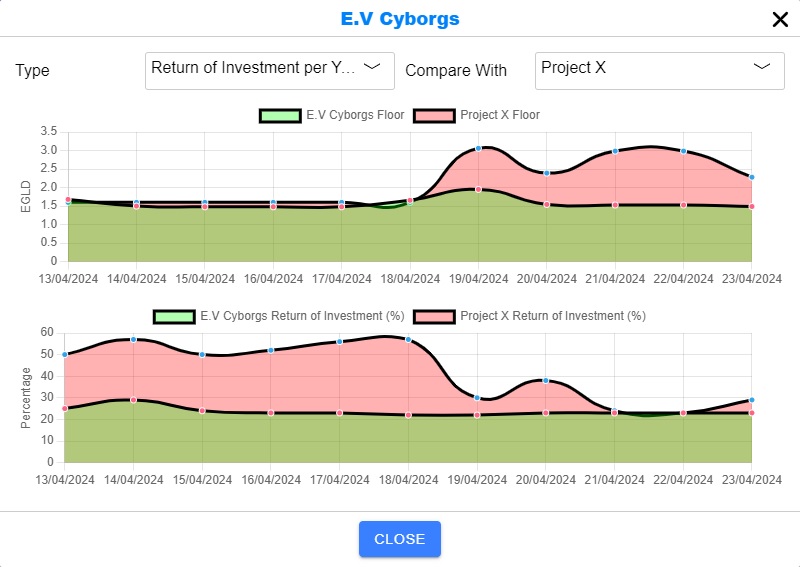
@InterazaTools New feature - compare charts now available in compare tab. Now you can compare collections and get even better overview in charts popup.
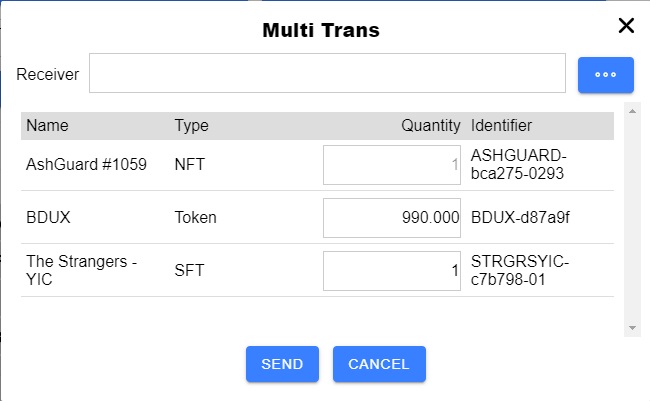
@InterazaTool Wallet Navigator now allows to send multiple tokens, NFTs, SFTs in one transaction from configured wallet to save fees. It is free for 3 wallets. Complete step by step guide is here: https://t.co/kKYXRjuMa8
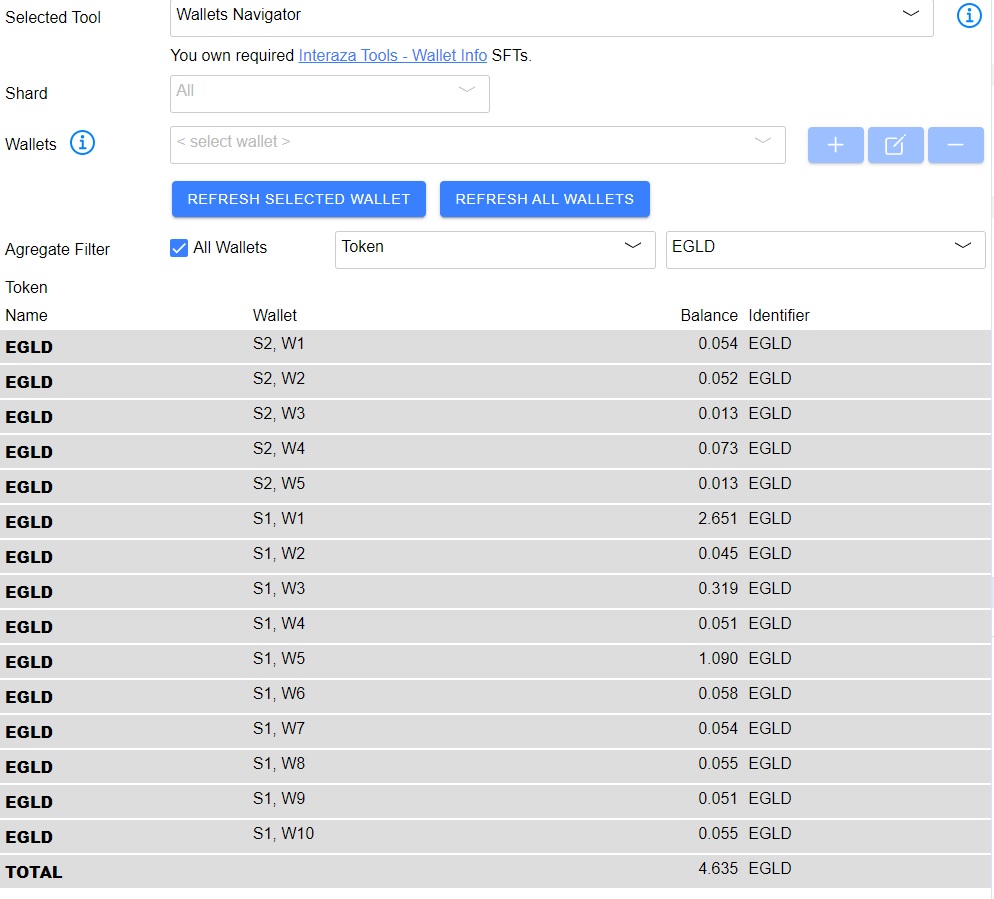
New Wallet Navigator tool allows user to get overview about current status of multiple wallets. It downloads data for configured wallets and shows info about all tokens and NFTs. Aggregate functions allow then show cumulative results for all wallets imported.
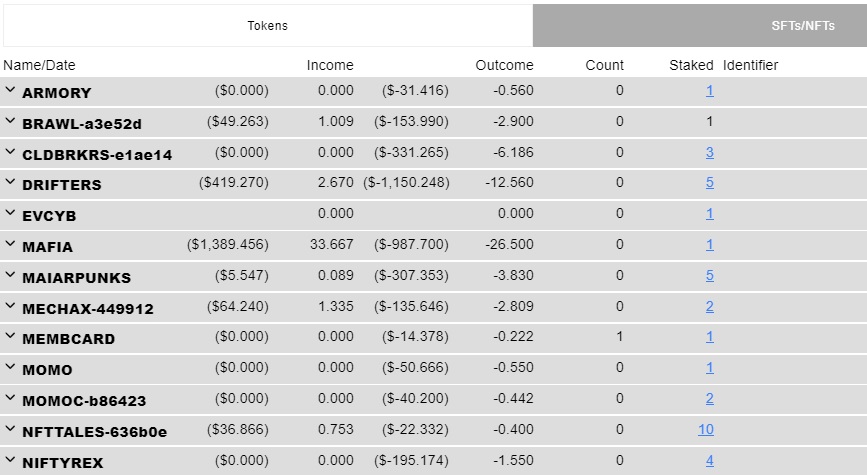
Wallet info functionality extended! Now you can see also all your staked tokens, NFTs and SFTs. For lot of them there is also direct link to staking page. Just check it on https://t.co/5k8d3JN1qV It gives you nice overview about all your staked items.
New info available for @ShroomsCrypto fans. Now you can see Crafting, Marketplace and Campaigns info for each listed shroom directly in listing.
Best buy score is calculated based on starting stats to show most valuable offers.
Check https://t.co/YMPtAJIOtU page.
Two new filters available on https://t.co/NbWEeU8fMD
Daily rewards in EGLD and Return of Investment per year. Check and see which collection is best for investment.
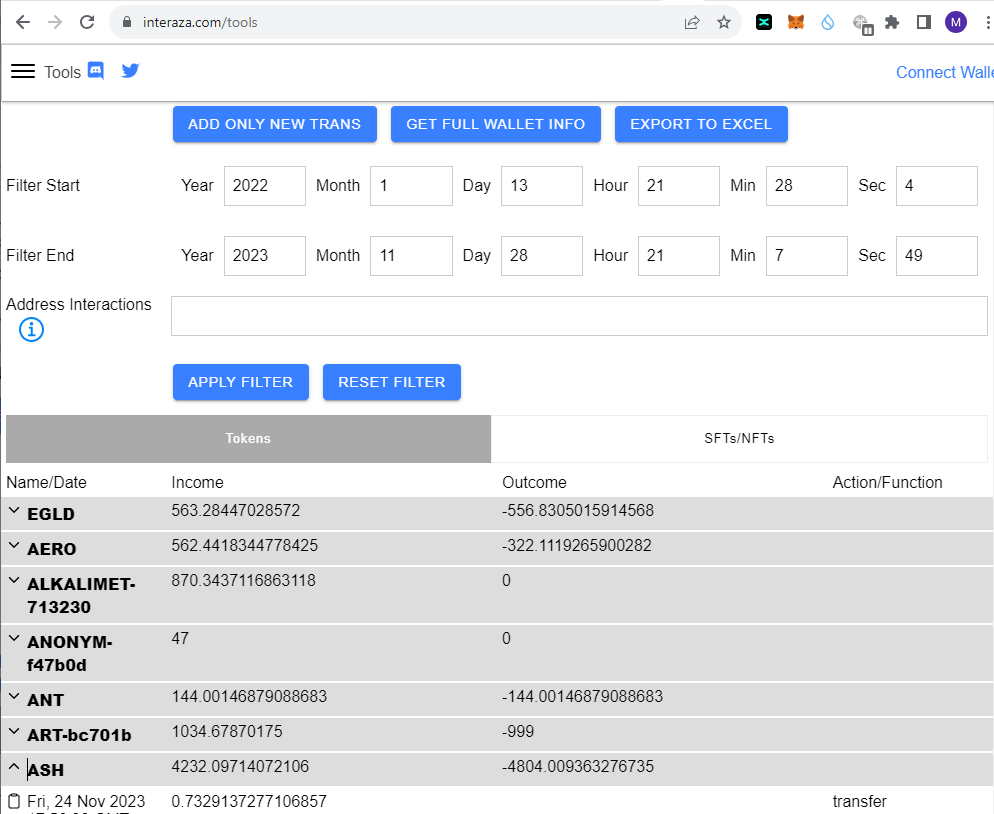
There is a new version of Interaza Tool called Wallet Info where you can get financial review for any wallet. It gets data from MultiverseX and shows summary for all wallet actions. It is also possible to export it into Excel file. Check more on https://t.co/5k8d3JN1qV
There is also "Start Simulate" option which will only detect availability and then only simulate transaction, so you can check the process without connecting your real wallet.
This process should be started on computer where it can be running for some time. It usually takes few hours. Once the tool detects that there are coins available it will auto send claim rewards transaction.
Then you need to connect with wallet which owns that SFT and if you want to claim rewards, you need to also configure and connect wallet where you are eligible to claim QoWatt coin.
New version of InterazaTools now allows to claim QoWatt Coins. You just need to have claim rewards - QoWattCoins SFT in your wallet and then use stake tab. Link to frame it is here: https://t.co/6GexSZubc7
New version of @InterazaTools is now available. It is now possible to configure email notifications for specific NFT/SFT listing on markets. Check it on https://t.co/7cp3aviony 🔥
New version of @InterazaTools is now available. It includes Hatom Unbound NFT collection with quick overview of offers which can be bought with some profit. The price for profitable items is market with green colour. Check it on https://t.co/IcJ8HvYysE 🔥
New version of Interaz tool available with an option to show matches for BAXC and Rekt Nerds available on markets. You can check this by clicking on BAXC or Rekt Nerds collection and then click Get Rekt Nerds/BAXC matches.
Welcome to The Elrond Tools! The #multiverseX tool to help everyone. It allows you to check prices on markets, get notification about latest offers based on your requirements and a lot of more ...
Join the Discord https://t.co/ltGjAYrrvR