100 Days Of SwiftUI - Day 40
Project 8, part 2
Chapters include - Loading a specific kind of Codable data, Using generics to load any kind of Codable data and Formatting our mission view.
#100DaysOfSwiftUI#HackingWithSwift#SwiftUI#iOSDev#iOSJobs
Chapters include - Resizing images to fit the available space, How ScrollView lets us work with scrolling data, Pushing new views onto the stack using NavigationLink, Working with hierarchical Codable data and How to lay out views in a scrolling grid.
100 Days Of SwiftUI - Day 38
Project 7, part 3
Challenge - 1. Use the user’s preferred currency, instead of always using US dollars.
2.Expenses under $10 should have one style, under $100 another and over $100 a third style…
#100DaysOfSwiftUI#SwiftUI#iOSDev#iOSJobs
100 Days Of SwiftUI - Day 37
Project 7, part 2
Chapters include - Building a list we can delete from, Working with Identifiable items in SwiftUI, Sharing an observed object with a new view, Making changes permanent with UserDefaults and Final polish.
#100DaysOfSwiftUI#iOSDev
100 Days Of SwiftUI - Day 36
Project 7, part 1
iExpense - project overview. Topics - Using @State with classes, Sharing SwiftUI state with @Observable, Showing/hiding views, Deleting items using onDelete(), Storing settings with UserDefaults and more.
#100DaysOfSwiftUI#iOS
Spent some time on the design including adding an initialiser so I could colour the “-“ and “+” symbols so that they match the text and buttons, which added a lot of code. Does anyone know a shorter workaround for this?
1. The player should be able to choose which times table to practice.
2. The player needs to select how many questions they want to be asked.
3. Randomly generate as many questions as requested within the difficulty range.
100 Days Of SwiftUI - Day 34
Project 6, part 3
Challenge - Return to the GuessTheFlag project, add some animation.
1Make the chosen flag spin 360 degrees on the Y axis.
2Make the other buttons fade to 25% opacity.
3Make the other buttons scale down.
#100DaysOfSwiftUI
100 Days Of SwiftUI - Day 33
Project 6, part 2
Focusing on several more chapters today such as - Controlling the animation stack, Animating gestures, Showing and hiding views with transitions and Building custom transitions with ViewModifier.
#100DaysOfSwiftUI#SwiftUI#iOSDev
100 Days Of SwiftUI - Day 32
Project 6, part 1
Animation - project overview. Worked my way through all the chapters including Creating implicit animations, Customising animations in SwiftUI, Animating bindings and Creating explicit animations.
#100DaysOfSwiftUI#iOS#iOSDev
I also thought that I would add another LinearGradient, grid pattern png to asset folder that I created in Procreate, centred the text, changed to green, added glows and changed the font to .monospaced() to give the app a retro look.
100 Days Of SwiftUI - Day 31
Project 5, part 3
Challenge - Disallow words that are shorter than 3 letters or the start word.
Add a toolbar button that calls startGame(), so users can restart with a new word.
Add a text view that shows the player’s score.
#100DaysOfSwiftUI
100 Days Of SwiftUI - Day 30
Part 5, part 2
Making a start on the actual game with a few chapters - Adding to a list of words, running the code when our app launches and validating words with UITextChecker
#100DaysOfSwiftUI#SwiftUI#iOS#iOSDev#HackingWithSwift
100 Days Of SwiftUI - Day 29
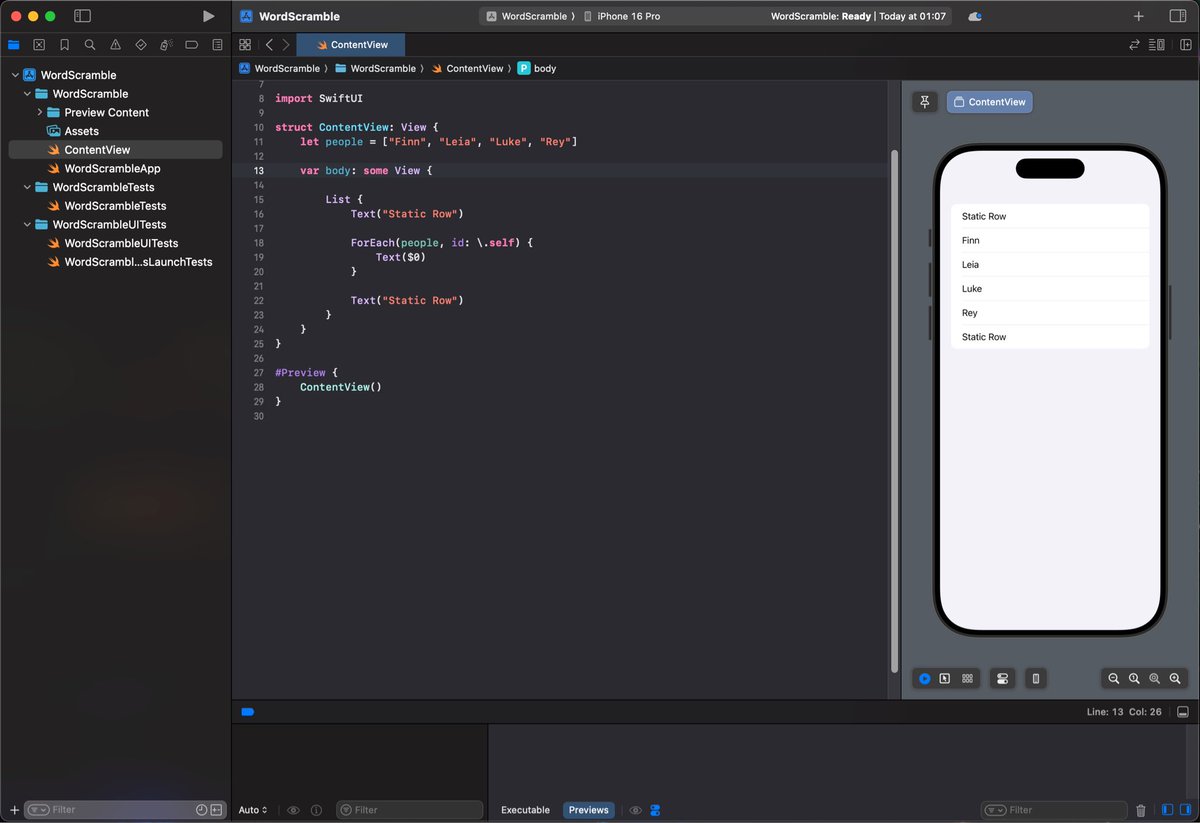
Project 5, part 1
WordScramble - project overview. Fairly easy day just covering a few short chapters, including using List, loading resources from app bundles and working with strings.
#100DaysOfSwiftUI#SwiftUI#HackingWithSwift#iOS#iOSDev
Originally deleted because I uploaded an image of the wrong day. Pretty sure that I reposted it a few weeks ago but can’t see it in my timeline so here it is (again?).
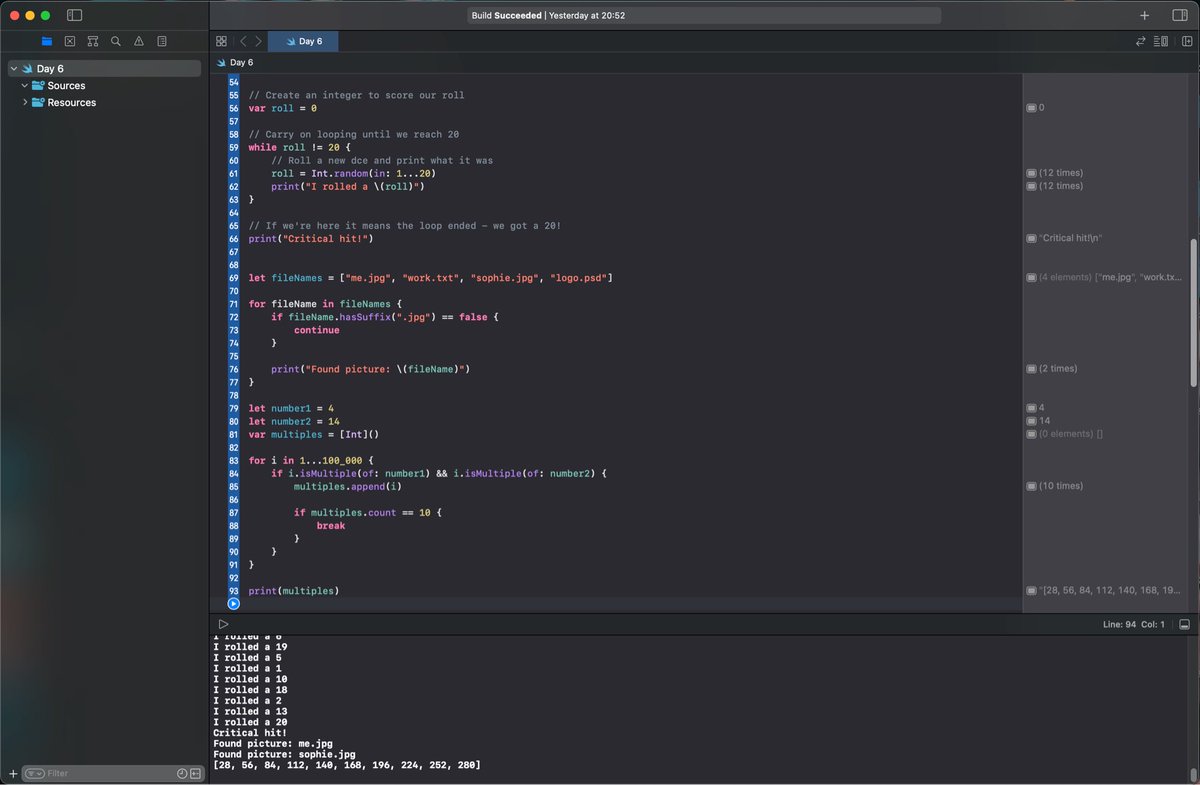
100 Days Of SwiftUI - Day 6 (Repost)
For loops/While loops and how to skip items with break and continue.
Checkpoint 3 - Fizz Buzz: Loop from 1-100, for multiples of 3 print “Fizz”, multiples of 5 print “Buzz” or “FizzBuzz for both. Or just print the number.
#100DaysOfSwiftUI