@ABUJAPLUG Use a laptop to complete the assessment.
Setup your profile.
Have a good CV with AI annotation skills mentioned inside.
Connect your stipe account.
Start apply for jobs that suit your qualifications.
Link👇🏼
https://t.co/nW8SzMpEbE
ONE TIP:
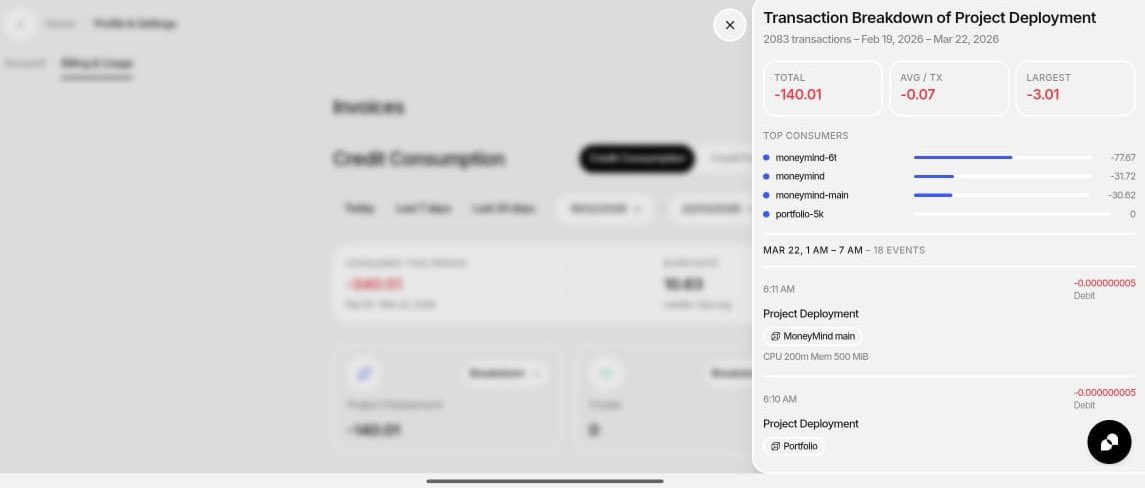
Go to Billing → Credit Consumption right now.
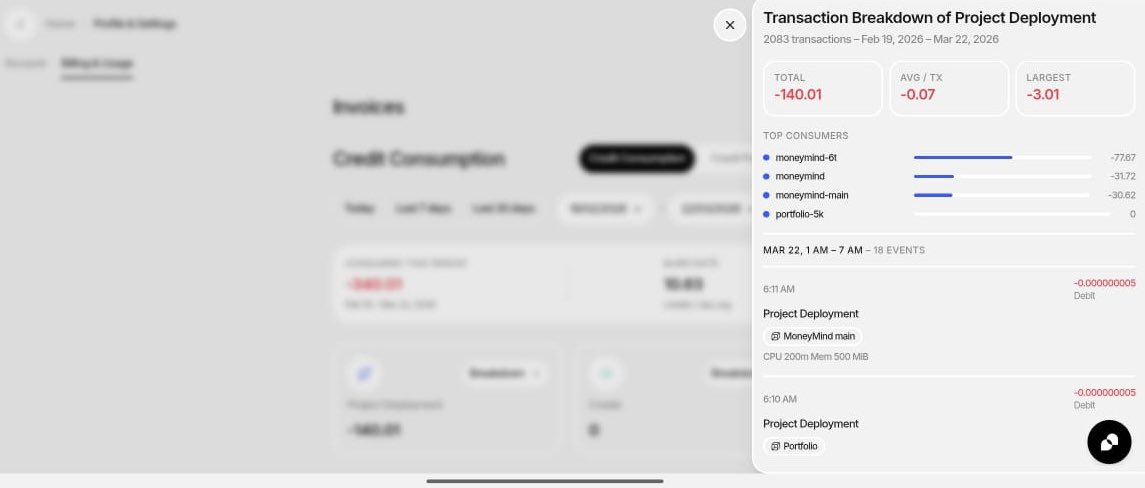
Check your "Top Consumers"
If you see ANYTHING at 0 credits (like my portfolio-5k), that's proof you CAN pause things.
Kill what you're not using. Every idle app = wasted credits.
THE FIX:
✅ Keep production running 24/7
❌ Kill staging after testing
❌ Kill dev when not coding
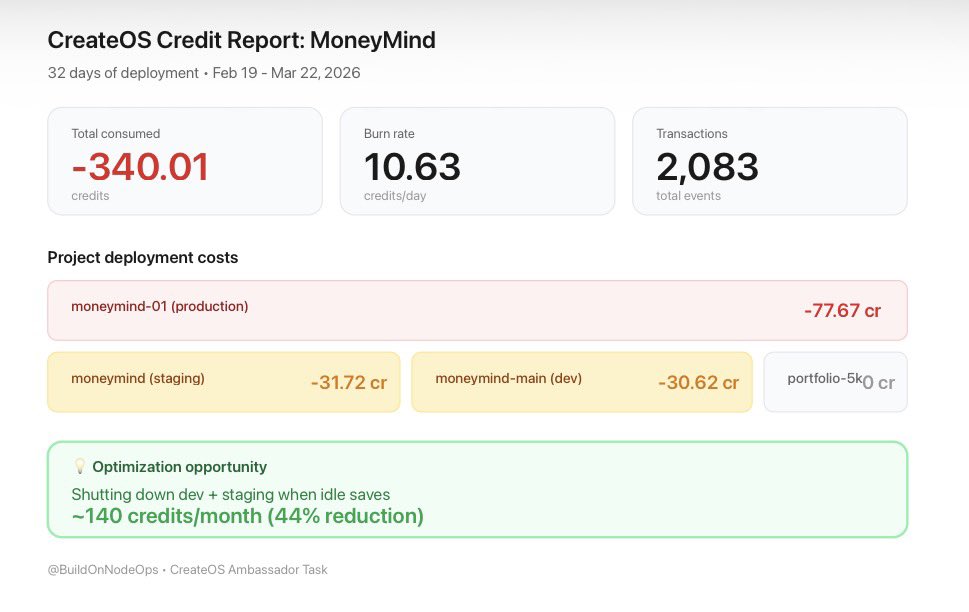
Projected savings: 140 credits/month
That's the difference between smart deployment and lazy deployment.
WHAT CREDITS ACTUALLY COST:
Each deployment: 0.07 credits (basically free)
Running 24/7: This is what kills you
2,083 tiny transactions over 32 days.
Not big spikes. Just constant slow burn.
Like leaving your car running in the driveway.
THE MATH:
Running all 3 environments: 10.63 credits/day
Running production only: ~6 credits/day
Difference: 44% cheaper
I was burning credits on environments I wasn't even using most of the time.
THE BREAKDOWN:
Production: 77 credits (55%) ✅
Staging: 31 credits (23%) ⚠️
Dev: 30 credits (22%) ⚠️
Production makes sense. It's serving users.
But staging + dev ate 61 credits just... sitting there running 24/7.
That's 45% of my total credits. For nothing.
THE SETUPS:
I deployed 3 versions of my app:
- Production (live users)
- Staging (testing)
- Dev (coding)
Burn rate: 10.63 credits/day
Total: 340 credits
Seems normal, right? Wrong.
Where my CreateOS Credits actually go…..
I spent 340 credits in 32 days running MoneyMind (my expense tracker)
Here's where it all went and the one mistake that cost me 45% extra