Tesla 2025 Holiday Update is here and there’s so much to unpack! 🎅🏻🎁
• Grok can now add & edit navigation destinations, becoming your personal guide.
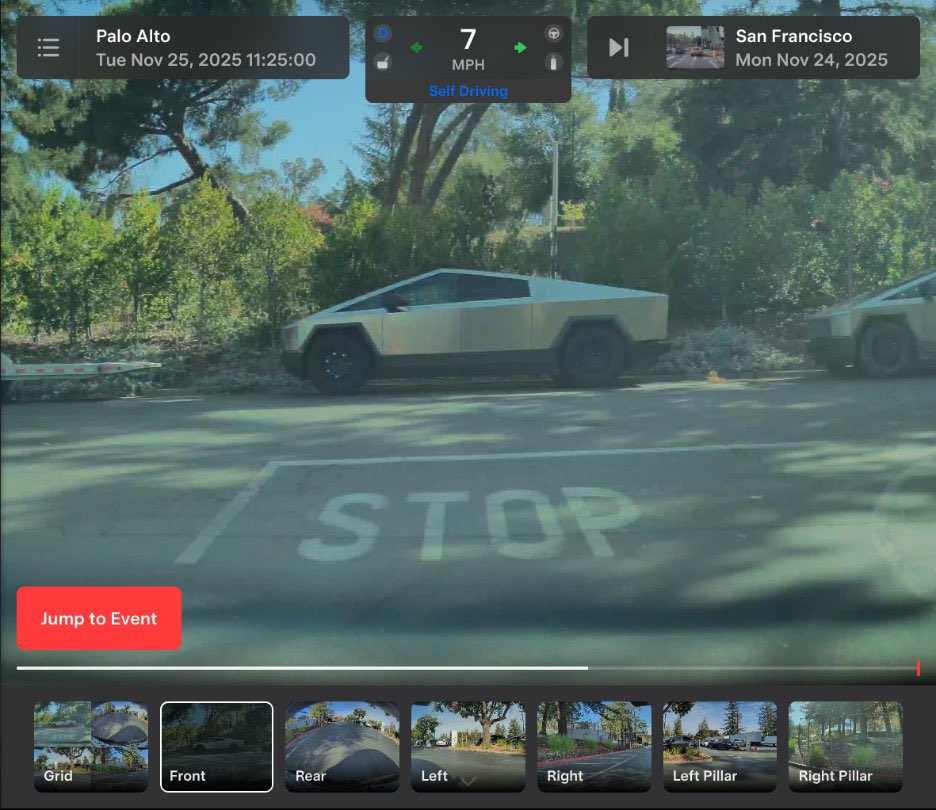
• Dashcam clips now include additional details such as speed, steering wheel angle & self-driving state. (Amazing!)
• New Supercharger Site Map UI: You can now see a 3D view of select Tesla Superchargers by tapping "View Site Map". When navigating to a pilot location, the site layout and live occupancy (Available / Occupied / Down) will be displayed upon arrival
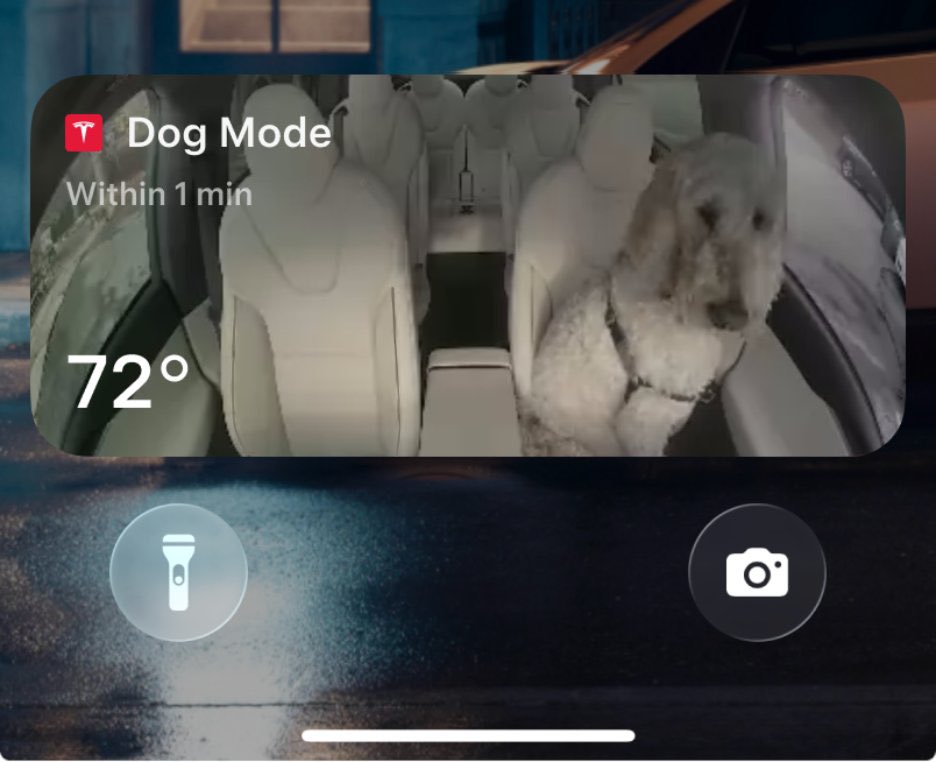
• Dog Mode Live Activity: When Dog Mode is active, you’ll see a Live Activity on your iPhone featuring periodic snapshots of your vehicle’s cabin along with live updates on temperature, battery & climate conditions.
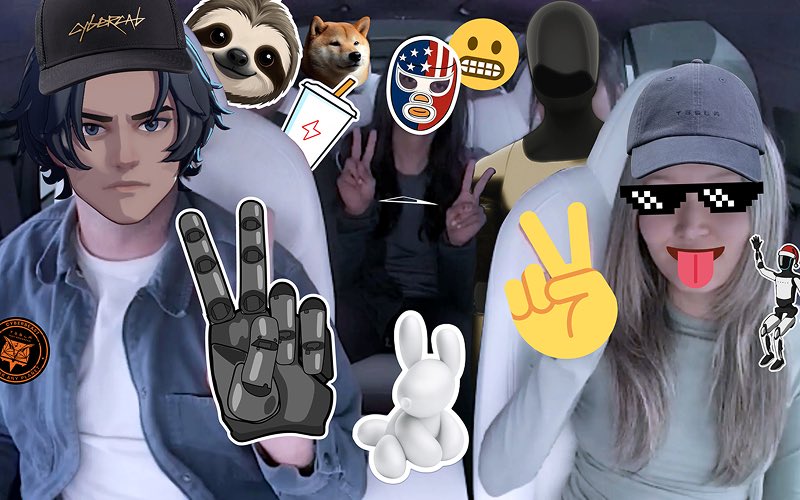
• Tesla Photobooth: Take selfies from inside your Tesla & give yourself a makeover with fun filters, stickers, and emojis. Share with others right from the Tesla app.
• New Santa Mode which adds festive snowmen, trees, a lock chime & snow effects for a 3D visual treat.
• New “Jingle Rush” Light Show
• Custom Wraps and License Plates have made their way to the rest of the Tesla fleet.
• Navigation Improvements: Reorder your navigation favorites & set Home or Work by dropping a pin anywhere on the map.
• Automatic HOV Lanes Routing: Navigation now includes an option to use high-occupancy vehicle (HOV) carpool lanes.
• Phone Left Behind Chime: Your vehicle will chime a few seconds after the doors close if a phone key is inside the cabin or a phone is left on the wireless charger and no occupants are detected.
• Charge Limit per Location: You can now save a charge limit for your current location while parked & it will be applied automatically next time you charge there’s
• You can now disable the wireless charging pads.
• Rave Cave lighting now has an option to enable rainbow colors.
• You can now add the Tron mode lock sound separately.
• New SpaceX ISS Docking Simulator Game: “Become an astronaut and prove your skills by docking with the International Space Station. Control & guide the rocket in this 3D docking simulator game using a set of controls based on actual interfaces used by NASA astronauts.”
Wow. So many great updates!
NEWS: Tesla has unveiled a big new software update (2025.26).
Here's what's new:
• Grok (Beta): Grok now available in Tesla vehicles. U.S. only for now and only on cars with an AMD chip. Requires Premium Connectivity or a WiFi connection. "Grok is currently in Beta & does not issue commands to your car – existing voice commands remain unchanged."
• Light Sync: Accent lights now respond to music & you can also choose to match the lights to the album’s color for a more immersive effect. Available on new Model 3 & Model Y, 2026 Model S/X, Cybertruck
• Audio Settings Update: You can create & save multiple presets to match your listening preferences
• Dashcam Update: You can now zoom or adjust the playback speed. Cybertruck also gets the updated Dashcam Viewer app with a grid view for easier access & review of recordings
• Charging Info at Arrival In the charger list, you can now see which locations require valet service or pay-to-park access. Upon arrival, you'll receive a notification with access codes, parking restrictions, level or floor information & restroom availability
• Onboarding Guide: If this is your first Tesla, the Onboarding Guide helps you get familiar with your Tesla. You'll get a rundown of how to adjust driver settings, using the touchscreen as well as controlling lights, wipers & Autopilot features with the steering wheel, among other functions. Available on New Model 3 & Model Y, LHD.
DIMO drivers: Your daily commute just became more valuable. 📷📷
Every mile you drive generates data that AI companies desperately need. Connect data to @beaconprotocol to earn AND get personalized AI driving recommendations!
Connect your data to AI: https://t.co/qjdRjx98D6
7️⃣ Minor Updates
- When viewing a charger location page, nearby restaurants, cafes, and shops within walking distance are displayed at the bottom.
- Media search results are now filtered by sources, providing faster and more streamlined access to content.
- Sign in with your Amazon Music Free account. Requires Premium Connectivity or an active WiFi connection.
- You can now shuffle an entire Apple Music playlist that contains more than 100 songs.
- See what song will play next on YouTube Music playlists in the 'Up Next' view of the media player.
- In your Navigation settings, you can choose to show or hide chargers on the map that are not owned or serviced by Tesla.
- If your hotspot is enabled, it will automatically connect to your vehicle once you start driving, so you won’t have to reconnect each time.
- This update includes important security fixes and improvements.