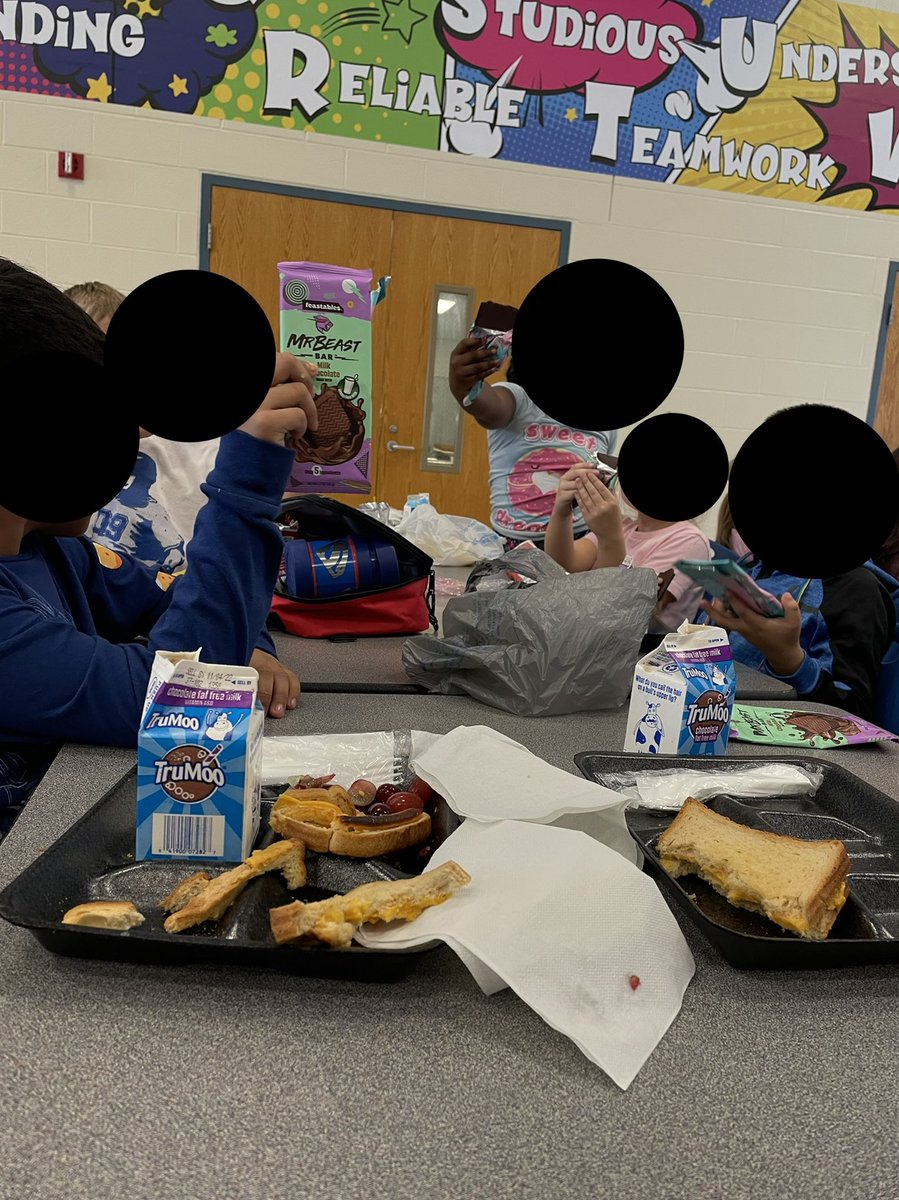
I had a student bring in @MrBeast chocolate bars for the whole class. He didn’t tell me until afterwards that I was supposed to record him sharing them with friends! 😅 #secondgrade
The teacher learns more than the student.
The author learns more than the reader.
The speaker learns more than the attendee.
The way to learn is by doing.
James Clear, Atomic Habits
🧵
1st graders listening to Seesaw recordings from the beginning of the year to talk about how they've grown as readers:
"I was like, 'k-i-t-t-e-n-s... kit-tens... oh, kittens!' I was so slow! Now it's like, duh, the word is kittens. Why was that so hard? It's just 'kittens.'"
Teachers... I know you go to work for the students… but never underestimate the impact you have on your colleagues. Your attitude and your energy can inspire the adults around you to be better than they are. So you can make a difference for kids that you don’t even teach!
I’m going to give 5 people that retweet this tweet $10,000 each to celebrate Christmas! (Make sure you follow me so I can dm you if you win!). I will show proof!
🎬 Whether you're creating your first #PearDeck or need a feature refresher, our gallery of help videos is here to help you get started! 🎬
Check them out: https://t.co/UeA4Nm0MwG
Every teacher should have @PearDeck It has made distance learning SO engaging for my students. (So much better than having them hold up pieces of paper or simply telling me what they think the answer is) Pear Deck allows them to SHOW me their work directly on my slideshow!🍐
@snyderteach11@PearDeck 8. NOTE: Unless students know how to do split screen, they will NOT be able to see you when viewing the slideshow. BUT, they can HEAR you.
@snyderteach11@PearDeck 6. If possible, allow your kids the option to stay unmuted during the lesson so they do not have to flip back and forth between the google meet and the slideshow. Having them sit in a quiet room with headphones helps.
@snyderteach11@PearDeck 5. Recommend a touchscreen device to students such as an iPad for the meeting. (IF you plan to use the DRAW feature) Drawing is not impossible with a computer - just easier with a touchscreen.
@snyderteach11@PearDeck 4. I stress the teacher dashboard because this allows you to see your slide(s) alongside student responses. There is no use in having the presentation slideshow up because you are not in a classroom...
@snyderteach11@PearDeck 3. Before you open the teacher dashboard, Click “share link with students” so you can have the link to post in the google meet or zoom chat (you can post it in the chat box each time a student joins so they can go ahead and log in while waiting for everyone to join the meeting.)
@snyderteach11@PearDeck 1. Make sure you have the “Require student logins” turned on before clicking start lesson. (This requires them to use a google account to access the slideshow and will allow you to see student names under their response rather than the generic “shark” or “tiger”)